Freedom251 › Hard Drive Partitioning Software
GPT fdisk
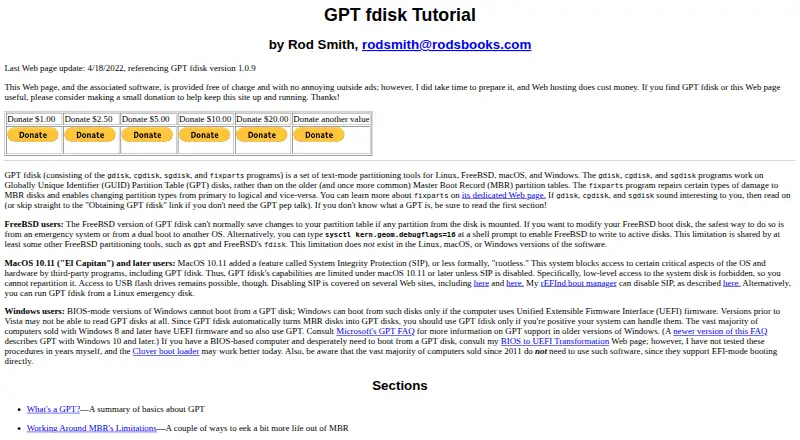
What GPT fdisk is
GPT fdisk is a free set of partition-table tools by Roderick W. Smith. It includes gdisk, cgdisk, sgdisk, and FixParts for working with disks and partition data. gdisk, cgdisk, and sgdisk operate on GUID Partition Table (GPT) disks. gdisk offers an interactive text editor and can convert an MBR partition table or BSD disklabel to GPT. cgdisk provides an interactive, curses-based interface with fewer features than gdisk, while sgdisk is a command-line tool intended for scripts and quick tasks. FixParts can repair certain kinds of MBR damage and change partition types between primary and logical.
The tools can save partition data to a backup file and provide GPT recovery functions. gdisk’s verification command can flag issues such as incorrect CRCs or mismatches between the main and backup data, but it does not automatically fix most problems. On new disks, GPT fdisk attempts to align partitions on 1 MiB boundaries by default. It is available for Linux, macOS, and Windows, and is also described for FreeBSD. Most major Linux distributions include it in their standard package repositories, though some may carry outdated versions. The maker advises using operating-system-specific partition tools where possible; sgdisk performs minimal error checking and does not ask before making changes.
Who it suits
GPT fdisk suits users who need text-based tools to create, inspect, convert, back up, or recover partition-table data. Its different interfaces serve interactive use, curses-based editing, and scripted tasks, across Linux, macOS, Windows, and FreeBSD.
What it does well
- Includes interactive, curses-based, and script-oriented tools.
- gdisk converts MBR tables and BSD disklabels to GPT.
- Can back up partition data and access GPT recovery functions.
- FixParts handles some MBR damage and partition-type changes.
- Attempts 1 MiB partition alignment on new disks by default.
What to know first
- sgdisk performs minimal error checking and does not prompt before changes.
- macOS 10.11 and later block repartitioning the system disk.
- cgdisk and sgdisk have fewer features than gdisk.
- FreeBSD usually cannot save changes while a disk partition is mounted.
Limits
GPT fdisk is free. On macOS 10.11 and later, system protections block repartitioning the system disk, though USB flash drives remain accessible; the FreeBSD version normally cannot save changes while a partition on the disk is mounted.
Getting started
- Visit the GPT fdisk website.
- Download a package or binary for Linux, Windows, or macOS, or obtain source files.
- On Linux, check the distribution’s package repository; its version may be outdated.
- Choose gdisk for interactive editing, cgdisk for a curses-based interface, or sgdisk for scripts and quick tasks.
- Use an operating-system-specific partition-table tool where possible, as the maker advises.
Verdict
Choose GPT fdisk if you need free tools for GPT partition-table editing, conversion, backup, or recovery, or need a command-line option for scripts. Consider an operating-system-specific partition tool where possible, especially for system-disk work on newer macOS or when you need stronger safeguards before changes.
Questions
How much does GPT fdisk cost?
It is free.
Which operating systems does it support?
The pages describe availability for Linux, FreeBSD, macOS, and Windows. Downloads include Linux packages, Windows and macOS binaries, and source files.
What tools are included?
The package contains gdisk, cgdisk, sgdisk, and FixParts. The first three work with GPT disks; FixParts handles certain MBR repairs and partition-type changes.
Can GPT fdisk convert an MBR disk to GPT?
Yes. gdisk can convert an MBR partition table or BSD disklabel to GPT format.
Does it automatically repair problems found by verification?
No. gdisk’s verification command checks for issues such as CRC errors and mismatched main and backup data, but does not automatically correct most problems.
Who makes GPT fdisk?
Roderick W. Smith is identified as its primary author. He says he first wrote it in 2009, initially focusing on MBR-to-GPT conversion.
Facts from GPT fdisk's own pages
- Backup and recovery
- The tools provide options to back up partition data and access GPT data recovery functions. · rodsbooks.com, 4 Oct 2026
- Conversion
- gdisk can convert an MBR partition table or BSD disklabel to GPT format. · rodsbooks.com, 4 Oct 2026
- Disk image limitation
- sgdisk can operate on raw disk image files but does not support compressed or other advanced disk image formats. · rodsbooks.com, 4 Oct 2026
- Distribution packages
- GPT fdisk is included in most major Linux distributions’ standard package repositories, though some distributions may provide outdated versions. · rodsbooks.com, 4 Oct 2026
- Downloads
- The download page lists Linux RPM and Debian packages, Windows and macOS binaries, and source files; it says the EFI binary is available only through version 1.0.4. · rodsbooks.com, 4 Oct 2026
- Download version
- The download page identifies GPT fdisk version 1.0.10 and was last updated February 19, 2024. · rodsbooks.com, 4 Oct 2026
- Founded
- 2009 · rodsbooks.com, 28 Sept 2026
- FreeBSD limitation
- The FreeBSD version normally cannot save partition-table changes when a partition on the disk is mounted. · rodsbooks.com, 4 Oct 2026
- GPT support
- gdisk, cgdisk, and sgdisk work with GUID Partition Table (GPT) disks. · rodsbooks.com, 4 Oct 2026
- Included tools
- The package consists of gdisk, cgdisk, sgdisk, and FixParts. · rodsbooks.com, 4 Oct 2026
- Interactive editor
- gdisk provides an interactive interface for manipulating GPT data structures, including advanced settings such as partition-table size. · rodsbooks.com, 4 Oct 2026
- Interfaces
- gdisk is interactive and text-mode, sgdisk is a command-line tool suited to scripts, and cgdisk is curses-based and interactive. · rodsbooks.com, 4 Oct 2026
- macOS limitation
- The project says System Integrity Protection in macOS 10.11 and later blocks low-level access needed to repartition the system disk, while USB flash drives remain accessible. · rodsbooks.com, 4 Oct 2026
- Maker
- The GPT fdisk pages identify Roderick W. Smith as the primary author. · rodsbooks.com, 4 Oct 2026
- MBR repair
- FixParts repairs certain types of MBR disk damage and can change partition types between primary and logical. · rodsbooks.com, 4 Oct 2026
- Origin
- Rod Smith says he first wrote GPT fdisk in 2009, initially focusing on MBR-to-GPT conversion. · rodsbooks.com, 4 Oct 2026
- Partition alignment
- On new disks, GPT fdisk attempts to align partitions on 1 MiB boundaries by default. · rodsbooks.com, 4 Oct 2026
- Platforms
- The project describes GPT fdisk as available for Linux, FreeBSD, macOS, and Windows. · rodsbooks.com, 4 Oct 2026
- Purpose
- GPT fdisk is a set of text-mode tools for creating and manipulating partition tables. · rodsbooks.com, 4 Oct 2026
- Repair and backup
- GPT fdisk can help recover damaged GPT data structures, and gdisk, sgdisk, and cgdisk can save partition data to a backup file. · rodsbooks.com, 4 Oct 2026
- Scripting
- sgdisk is a command-line tool intended for scripts and quick tasks, with fewer features than gdisk. · rodsbooks.com, 4 Oct 2026
- Support contact
- The download page invites users to email Rod Smith with problems or comments about that page at [email protected]. · rodsbooks.com, 4 Oct 2026
- Supported operating systems
- The tutorial describes GPT fdisk as available for Linux, FreeBSD, macOS, and Windows. · rodsbooks.com, 4 Oct 2026
- Text interface
- cgdisk provides a semi-GUI text interface based on ncurses and is described as easier to use than gdisk, though it has fewer features. · rodsbooks.com, 4 Oct 2026
Where GPT fdisk stands on Freedom251
- Hard Drive Partitioning Software#5 of 17
- Disk Partition Software#8 of 22