Freedom251 › Disk Partition Software
GParted
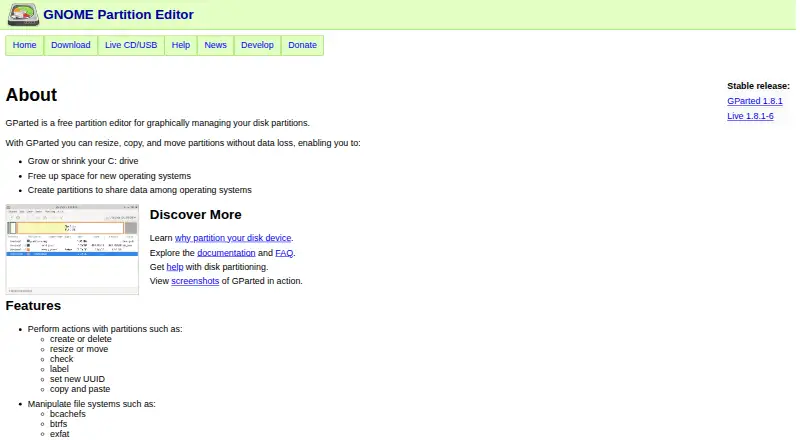
What GParted is
GParted is a free graphical partition editor for managing disk storage. It can create, delete, resize, move, check, label, and copy partitions, or assign them a new UUID. It can also create partition tables such as msdos and gpt. Supported devices include hard drives, USB flash devices, SSDs, NVMe, and RAID devices. The project lists support for filesystems including bcachefs, btrfs, exFAT, ext2/3/4, FAT16/32, NTFS, and XFS, although the available actions differ by filesystem. GParted Live is a bootable GNU/Linux distribution that can run from CD, USB, a PXE server, or a hard disk. Current Live releases are 64-bit amd64 images and work with UEFI Secure Boot; native installation requires Linux. At least 1 GB of RAM is needed to use all application features. The project warns that partition editing can cause data loss and advises making a backup first. It also provides instructions for verifying downloads with a signed checksum list and GPG.
Who it suits
GParted suits Linux users who need to resize a system drive, make space for another operating system, or create partitions for sharing data among operating systems. GParted Live is an option for people who want a bootable environment on compatible x86-64 hardware.
What it does well
- Creates, resizes, moves, and copies partitions
- Supports msdos and gpt partition tables
- Works with hard drives, USB, SSD, NVMe, and RAID
- Bootable Live version supports UEFI Secure Boot
What to know first
- Native installation requires Linux
- Current Live releases require 64-bit amd64 hardware
- At least 1 GB of RAM is needed for all features
- Partition editing can cause data loss
Limits
Native installation requires Linux, and current GParted Live releases require compatible 64-bit amd64 hardware. At least 1 GB of RAM is required to use all application features; available actions vary by filesystem.
Plans
| Plan | Billed and limits | Price |
|---|---|---|
| GParted | Free software; no payment required · Partition editor application; requires Linux for native installation | Free |
| GParted Live | Free bootable image · Current release is amd64 (x86-64); requires compatible x86-64 hardware | Free |
| Free software | all core partition-editing functions · bootable GParted Live image · donations encouraged | Free |
As gparted.org lists them, read 29 Sept 2026. The maker's own page has the final word.
Getting started
- Visit the GParted website.
- Choose the native application for Linux or the GParted Live bootable image.
- For GParted Live, use compatible amd64 hardware and select a supported boot medium.
- Review the documentation and FAQ for usage guidance.
- Back up data before editing partitions.
Overview
GParted is a graphical partition editor for people who need to change a disk’s layout, including Linux users preparing space for another operating system or shared data. Its combination of broad partition operations and a bootable Live environment makes it useful when a normal installation is not the right route, but partition editing carries real data-loss risk.
Key features
GParted can create, delete, resize, move, check, label, and copy partitions, and assign a new UUID. It also creates msdos and GPT partition tables. That range suits routine disk-layout work, though the right operation still depends on the filesystem and the intended layout.
Storage support covers hard drives, USB flash devices, SSDs, NVMe, RAID, and devices with different sector sizes. Filesystems include bcachefs, btrfs, exFAT, ext2/3/4, FAT16/32, HFS/HFS+, Linux swap, LVM2 PV, Minix, NILFS2, NTFS, ReiserFS, Reiser4, UDF, UFS, and XFS. This breadth is valuable for varied storage, but supported actions vary by filesystem; users should check that the specific change they need is supported.
GParted uses GNU libparted and optional filesystem tools to detect and manipulate devices, partition tables, and additional filesystem formats. GParted Live is a bootable GNU/Linux distribution that can run from CD, USB, PXE server, or hard disk. Releases 1.7.0-1 and later are amd64-only and work with UEFI Secure Boot, making the Live option unsuitable for incompatible hardware. At least 1 GB of RAM is needed to use all application features.
The project warns that editing partitions can cause data loss and advises backing up first. It also provides signed-checksum and GPG verification instructions for downloads, and directs users to documentation, an FAQ, an issue tracker, and a contact page for help. GParted is distributed under the GNU General Public License version 2 or any later version.
Pricing
Both offerings are free, with no payment required and no free trial. GParted is the partition editor application; native installation requires Linux. It is the fit for Linux users who can work within that environment. GParted Live is a free bootable image for compatible x86-64 hardware, suited to users who want to run the tool from bootable media rather than rely on a native installation. Its current release line is 64-bit amd64 only.
Platforms
The native application requires Linux. The bootable Live distribution can start from CD, USB, PXE server, or hard disk, but current releases require compatible x86-64 hardware. The project’s platform claims do not make the native application a macOS or Windows installation.
Who it's for
GParted is a strong choice for Linux users resizing a system drive, freeing space for another operating system, or making partitions to share data across operating systems. It also suits people who need a bootable environment. It is a poor fit for anyone unwilling to accept partition-editing risk, or whose required filesystem action or hardware compatibility does not match its support.
Pros and cons
- Pro: A wide set of partition operations and partition-table creation covers many disk-layout tasks in one free tool.
- Pro: The Live image offers a bootable route, including support for UEFI Secure Boot on current releases.
- Pro: Download verification guidance and public documentation, FAQ, issue tracker, and contact routes support safer use and troubleshooting.
- Con: Filesystem-specific action support varies, so broad format coverage does not guarantee the operation a user needs.
- Con: Partition edits can lose data, making a backup essential before changes.
- Con: Native installation requires Linux, while current Live images require compatible 64-bit x86 hardware.
Alternatives
For a broader comparison, see Disk Partition Software.
Windows users looking for a free partition-management option with a free trial can consider AOMEI Partition Assistant; its free Standard plan is for Windows PCs, while its Professional Yearly plan costs $49.95 a year.
DiskGenius is another Windows freemium option with a free edition and free trial; choose it if you prefer that platform and want to compare its edition differences.
IM-Magic Partition Resizer offers a free Windows edition and trial for readers considering a Windows alternative.
Macrorit Partition Expert has a free Windows edition and a one-time Pro option at 39.99 USD, making it worth comparing for Windows users who prefer a paid license rather than GParted’s Linux-based route.
MiniTool Partition Wizard offers a free plan for basic disk and partition functions, plus a Pro plan at $59 a year that renews automatically unless unsubscribed beforehand; it suits readers who want a Windows option and accept a subscription.
NIUBI Partition Editor offers a free home-use edition for non-commercial use on Windows PCs and a Professional one-time license at 39.00 USD; it is a Windows alternative for eligible home users.
GPT fdisk is a free alternative for readers seeking partition software that supports Linux, macOS, and Windows.
EaseUS Partition Master offers Windows and macOS support, with a Professional one-time plan at 59.95 USD and a Server plan at 259.00 USD; consider it if those platform options better match your setup.
Verdict
Choose GParted if you need a free, capable partition editor in a Linux environment or through a bootable Live image. Its strongest case is the range of partition operations and storage formats; look elsewhere if you need a native Windows or macOS application, or if the filesystem action you require is not supported.
Verdict
GParted offers a broad set of partition operations and a bootable Live version. Back up data before editing partitions, and check the filesystem-specific action support you need.
Questions
How much does GParted cost?
GParted and GParted Live are free software, with no payment required.
Is there a free trial?
No. GParted is free software rather than a trial plan.
Which operating systems does it support?
The native application requires Linux. GParted Live is a bootable GNU/Linux distribution.
What filesystems does GParted support?
The project lists filesystems including bcachefs, btrfs, exFAT, ext2/3/4, FAT16/32, NTFS, and XFS, among others. Supported actions vary by filesystem.
Is GParted open source?
It is distributed under the GNU General Public License version 2 or, at the user's option, any later version.
What should I know before editing partitions?
The project warns that partition editing can cause data loss and advises backing up data beforehand.
Facts from GParted's own pages
- Alignment
- Partitions can be aligned to MiB or traditional cylinder boundaries. · gparted.org, 15 Oct 2026
- Architecture requirement
- GParted Live releases 1.7.0-1 and newer provide only 64-bit amd64 images and support UEFI Secure Boot. · gparted.org, 15 Oct 2026
- Audience
- The project describes uses including resizing a system drive, freeing space for another operating system, and creating partitions to share data among operating systems. · gparted.org, 29 Sept 2026
- Backend integration
- GParted uses GNU libparted to detect and manipulate partition tables, with optional filesystem tools for formats outside libparted. · sourceforge.net, 15 Oct 2026
- Build testing
- The development guide provides testbuild.sh and git-test-sequence workflows for compiling and checking commit ranges. · gparted.org, 15 Oct 2026
- Current architecture
- GParted Live 1.7.0-1 and later releases are available only as 64-bit amd64 images, and the download page says they work with UEFI Secure Boot. · gparted.org, 29 Sept 2026
- Current release
- The project homepage lists GParted 1.8.1 and GParted Live 1.8.1-6 as stable releases. · gparted.org, 15 Oct 2026
- Data rescue
- The feature list includes an attempt to rescue data from lost partitions. · gparted.org, 15 Oct 2026
- Developer workflow
- Developers are instructed to clone the GNOME Git repository, run autogen.sh, make and make install. · gparted.org, 15 Oct 2026
- Documentation
- Official documentation includes an application manual, Live manual, installation guides, translations, FAQ, bug tracker and third-party documentation links. · gparted.org, 15 Oct 2026
- Documentation age
- The project marks its older LarryT how-to guides as last updated in 2007 and no longer maintained. · gparted.org, 15 Oct 2026
- Download verification
- The project provides instructions to verify downloaded files using a signed checksum list and GPG. · gparted.org, 29 Sept 2026
- Encrypted partitions
- The manual documents opening LUKS encrypted partitions with a passphrase. · gparted.org, 15 Oct 2026
- Filesystem coverage
- Supported filesystems include bcachefs, btrfs, exFAT, ext2/3/4, FAT16/32, HFS/HFS+, Linux swap, LVM2 PV, Minix, NILFS2, NTFS, ReiserFS/Reiser4, UDF, UFS and XFS. · gparted.org, 15 Oct 2026
- Filesystems
- The project lists support for filesystems including bcachefs, btrfs, exfat, ext2/3/4, FAT16/32, NTFS, and XFS, with specific supported actions varying by filesystem. · gparted.org, 29 Sept 2026
- Installation media
- The Live image can be installed to CD, USB, PXE server or hard disk, and users can add packages or create a custom image. · gparted.org, 15 Oct 2026
- Integrations and dependencies
- GParted uses GNU libparted and optional filesystem tools to detect and manipulate devices, partition tables, and additional filesystem formats. · gparted.org, 29 Sept 2026
- License
- The application is licensed under GPL version 2 or any later version, while the manual uses GNU Free Documentation License 1.2 or later. · github.com, 15 Oct 2026
- Limit: boot workflow
- PCWorld noted that GParted Live requires command-line intervention during boot and is a large download. · pcworld.com, 15 Oct 2026
- Limit: hardware compatibility
- SourceForge reviews report boot hangs or controller errors on some newer hardware. · sourceforge.net, 15 Oct 2026
- Limit: Live hardware support
- A SourceForge reviewer reported missing wireless software and difficulty obtaining it in the Live environment. · sourceforge.net, 15 Oct 2026
- Limit: LVM GUI
- A SourceForge reviewer said the Live distribution includes command-line LVM tools but lacks a comparable graphical LVM interface. · sourceforge.net, 15 Oct 2026
- Limit: operational risk
- Softpedia warned that the tool can cause serious harm because partition changes require elevated privileges and can be irreversible. · softpedia.com, 15 Oct 2026
- Live environment
- GParted Live is a bootable GNU/Linux image usable on computers running Linux, Windows or Mac OS X. · gparted.org, 15 Oct 2026
Where GParted stands on Freedom251
- Disk Partition Software#1 of 22
- Hard Drive Partitioning Software#1 of 17