Freedom251 › Disk Partition Software
Active@ Partition Manager
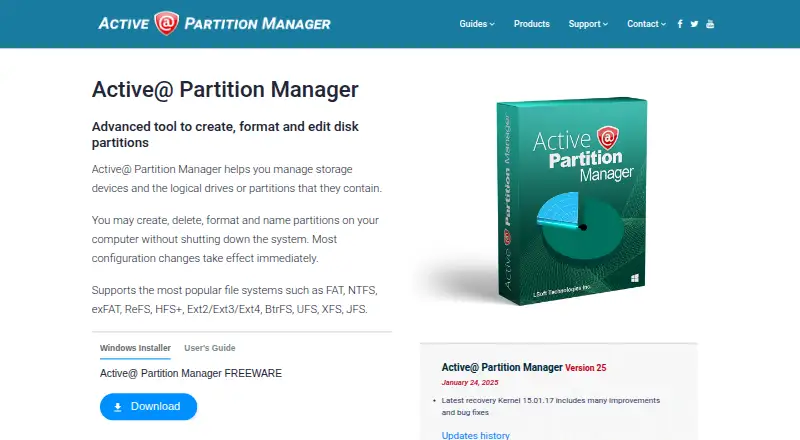
What Active@ Partition Manager is
Active@ Partition Manager is a free Windows utility for managing storage devices and their logical drives or partitions. It can create, delete, format, name, and resize partitions, and most configuration changes take effect immediately. It recognizes volumes using FAT, NTFS, exFAT, ReFS, HFS+, Ext2/Ext3/Ext4, BtrFS, UFS, XFS, and JFS, while its listed formatting operations support FAT, exFAT, and NTFS partitions.
The utility can convert between MBR and GPT partition styles and roll back layout changes such as creating, deleting, or formatting a partition or initializing a disk. It can create FAT32 partitions larger than 32 GB, up to 1 TB. On USB flash devices, it can format as NTFS and create multiple partitions. The maker lists compatibility with Windows 11, 10, 8, 7, Vista, XP, Windows Server 2003 through 2022, and WinPE. The freeware license allows partition review and management under Windows without charge. The maker, LSoft Technologies Inc., describes itself as a privately owned North American software company established in 1999. Partition Manager cannot restore a deleted partition; the maker points users to Active@ UNDELETE for that task.
Who it suits
Active@ Partition Manager suits Windows users who need to create, resize, format, or otherwise manage partitions on storage devices. Its support for multiple partition styles and file system volumes may also suit users working with a range of disk formats.
What it does well
- Freeware license permits partition management without charge
- Creates, deletes, formats, names, and resizes partitions
- Converts between MBR and GPT partition styles
- Can roll back several partition layout changes
- Supports Windows versions from XP through Windows 11, plus WinPE
What to know first
- Listed formatting operations support only FAT, exFAT, and NTFS
- Cannot restore a deleted partition
- Does not move or merge partitions
Limits
The freeware version covers partition review and management under Windows. Formatting operations are listed for FAT, exFAT, and NTFS partitions; the utility cannot restore deleted partitions, move partitions, or merge them.
Plans
| Plan | Billed and limits | Price |
|---|---|---|
| Active@ Partition Manager | Freeware; partition management under Windows | Free |
As pcdisk.com lists them, read 7 Oct 2026. The maker's own page has the final word.
Getting started
- Visit the LSoft Technologies website
- Download Active@ Partition Manager for Windows
- Run it on a listed Windows version or WinPE
Active@ Partition Manager is a free Windows utility for managing disks and their partitions. It suits people who want core layout changes, MBR/GPT conversion, or rollback without paying for a license. Its strongest case is broad volume recognition paired with practical partition controls; its limits matter if you need partition recovery, movement, or merging.
Overview
The utility handles common partition tasks: create, delete, format, name, and resize. Most configuration changes take effect immediately, so it is best suited to users comfortable making direct changes to a disk layout. Rollback for several layout operations offers a useful way to reverse changes such as creating, deleting, or formatting a partition, or initializing a disk.
It recognizes a wide range of file systems, including FAT, NTFS, exFAT, ReFS, HFS+, Linux formats such as Ext2/Ext3/Ext4 and BtrFS, and Unix formats including UFS, XFS, and JFS. Recognition is broader than formatting support: the listed format operations apply to FAT, exFAT, and NTFS. It also converts between MBR and GPT partition styles.
Key features
- Partition management: Create, delete, format, name, and resize partitions. The immediate effect of most changes makes it efficient for straightforward work, but leaves less room to reconsider before a change is applied.
- Rollback: Reverse layout changes including partition creation, deletion, formatting, and disk initialization. That is helpful when a supported change needs undoing, but it does not restore a deleted partition.
- Large FAT32 volumes: Create FAT32 partitions larger than 32 GB, up to 1 TB, useful for users whose devices or workflows call for a large FAT32 volume.
- USB storage: Format USB flash memory as NTFS and create multiple partitions on a USB flash device.
- Bootable media: Bootable media is supported, giving users another way to work with partition management.
For deleted-partition recovery, the maker directs users to Active@ UNDELETE. Partition Manager also cannot move or merge partitions, which rules it out for layout changes that depend on either operation.
Pricing
Active@ Partition Manager is freeware: free. The license permits free use under Windows to review, create, format, delete, and manage partitions. There is no paid plan to compare against, and no seat or usage quota is stated.
The pricing note mentions a 21-day trial, while the product is also identified as having no free trial. The available license is freeware, so prospective users can use the free plan rather than rely on a separate trial offer.
Platforms
Active@ Partition Manager runs on Windows. The maker lists Windows 11, 10, 8, 7, Vista, XP, Windows Server 2003 through 2022, and WinPE. Its broad Windows version range may suit older machines and server environments as well as current Windows PCs.
Who it's for
Choose it for free Windows partition maintenance when you need standard create, delete, format, or resize operations, MBR/GPT conversion, or large FAT32 volumes. It is also a reasonable fit when recognizing volumes across several file systems matters, even though formatting is limited to FAT, exFAT, and NTFS.
Look elsewhere if your job requires recovering a deleted partition, moving partitions, or merging them. Immediate application of most configuration changes also makes this a better fit for users who understand the layout changes they are making.
Pros and cons
- Pros: Freeware covers core partition management under Windows, with no paid tier required for those tasks.
- Pros: MBR/GPT conversion, rollback of several layout changes, and FAT32 volumes up to 1 TB cover useful jobs beyond basic formatting.
- Pros: Recognition spans Windows, Linux, Mac, and Unix file systems, making it easier to identify a varied set of volumes.
- Cons: Formatting operations support only FAT, exFAT, and NTFS, despite recognition of many other file systems.
- Cons: It cannot restore deleted partitions, move partitions, or merge them, so it cannot handle those recovery and layout needs.
- Cons: Most configuration changes take effect immediately, which may not suit users who want to stage changes before applying them.
Alternatives
GParted is another free partition editor for readers who want an option spanning Linux, macOS, self-hosted environments, and Windows; its native installation requires Linux.
AOMEI Partition Assistant is worth comparing if you want a free Windows edition plus the option of a paid Professional plan, priced at $49.95 a year.
DiskGenius may suit readers who want a free edition alongside paid Windows plans; its Professional One-Month plan is $69.90 a month.
iBeesoft Disk Partition Wizard offers a free Basic plan for unlimited computers, which may appeal when the number of machines matters.
IM-Magic Partition Resizer is a Windows alternative with a free plan and a trial, for readers comparing other partition-management tools.
Macrorit Partition Expert has a free edition for home users on Windows XP through 11, making it a relevant comparison for older Windows systems.
MiniTool Partition Wizard offers a free tier for basic disk and partition functions, plus a Pro plan at $59 a year for readers considering a paid Windows option.
Microsoft Quick Assist is a free support app for Windows, macOS, and web interactions with Microsoft Support.
Browse more options in Disk Partition Software.
Verdict
Active@ Partition Manager is a strong free choice for Windows users who need core partition operations, MBR/GPT conversion, and rollback for several layout changes. Its broad file-system recognition and large FAT32 support add practical reach. Choose another tool if you need to recover a deleted partition, move partitions, or merge them.
Verdict
Choose Active@ Partition Manager for free Windows partition management, including MBR/GPT conversion and rollback of several layout changes. Look elsewhere if you need to restore a deleted partition, move partitions, or merge them; the maker directs deleted-partition recovery users to Active@ UNDELETE.
Questions
Is Active@ Partition Manager free?
Yes. Its freeware plan costs nothing and permits partition review and management under Windows.
Which operating systems does it support?
The maker lists Windows 11, 10, 8, 7, Vista, XP, Windows Server 2003 through 2022, and WinPE.
Which file systems does it recognize?
It recognizes FAT, NTFS, exFAT, ReFS, HFS+, Ext2/Ext3/Ext4, BtrFS, UFS, XFS, and JFS volumes.
Can it restore a deleted partition?
No. The maker directs users to Active@ UNDELETE for restoring a deleted partition.
Can it move or merge partitions?
No. The listed capabilities say it cannot move or merge partitions.
Who makes Active@ Partition Manager?
It is made by LSoft Technologies Inc., which describes itself as a privately owned North American software company established in 1999.
Facts from Active@ Partition Manager's own pages
- FAT32 limit
- It can create FAT32 partitions larger than 32 GB, up to 1 TB. · pcdisk.com, 7 Oct 2026
- File systems
- It recognizes FAT, NTFS, exFAT, ReFS, HFS+, Ext2/Ext3/Ext4, BtrFS, UFS, XFS, and JFS volumes. · pcdisk.com, 7 Oct 2026
- Formatting limits
- The listed format operations support FAT, exFAT, and NTFS partitions. · pcdisk.com, 7 Oct 2026
- Founded
- 1999 · pcdisk.com, 28 Sept 2026
- Headquarters
- The maker lists its address in Mississauga, Ontario, Canada. · pcdisk.com, 7 Oct 2026
- License
- The EULA says the freeware version can be used without charge to review, create, format, delete, and manage partitions under Windows. · pcdisk.com, 7 Oct 2026
- Maker
- LSoft Technologies Inc. describes itself as a privately owned North American software company established in 1999. · pcdisk.com, 7 Oct 2026
- Partition conversion
- It can convert between MBR and GPT partition styles. · pcdisk.com, 7 Oct 2026
- Partition operations
- It can create, delete, format, name, and resize partitions, with most configuration changes taking effect immediately. · pcdisk.com, 7 Oct 2026
- Purpose
- Manages storage devices and their logical drives or partitions. · pcdisk.com, 7 Oct 2026
- Recovery limitation
- Partition Manager cannot restore a deleted partition; the maker directs users to Active@ UNDELETE for that task. · pcdisk.com, 7 Oct 2026
- Rollback
- It can roll back partition layout changes such as creating, deleting, or formatting a partition and initializing a disk. · pcdisk.com, 7 Oct 2026
- Support
- The maker offers a Customer Communication Center, a knowledge base and ticket system, email, and phone support. · pcdisk.com, 7 Oct 2026
- USB features
- It can format USB flash memory as NTFS and create multiple partitions on a USB flash device. · pcdisk.com, 7 Oct 2026
- Windows compatibility
- The maker lists support for Windows 11, 10, 8, 7, Vista, XP, Windows Server 2003 through 2022, and WinPE. · pcdisk.com, 7 Oct 2026
Where Active@ Partition Manager stands on Freedom251
- Disk Partition Software#2 of 22
- Hard Drive Partitioning Software#2 of 17