Freedom251 › Capacity Planning Software

Hubstaff
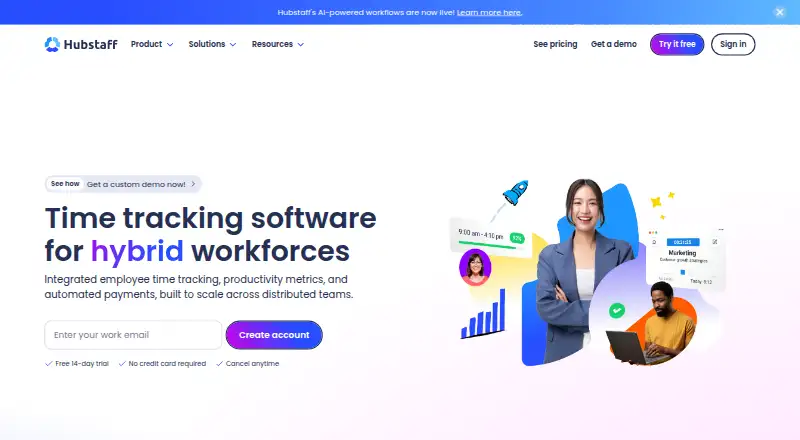
What Hubstaff is
Hubstaff is time and project tracking software for teams that need to record work across desktop, web, and mobile. It supports project tracking, billable time, timesheet approvals, offline tracking, and data export. Desktop apps are available, along with mobile apps for iOS and Android; listed platforms also include Windows, macOS, Linux, and web.
Hubstaff has no free plan, and offers a 14-day trial. The pricing note starts at $4.99/user/mo with annual billing. Monthly-billed plans are listed at $7.00/month for Starter, $9.00/month for Grow, $12.00/month for Team, and $25.00/month for Enterprise. Starter allows 500 screenshots and 500 app and URL records per user each month, with five clients. Grow raises both monthly per-user allowances to 1,500 and includes one integration. Team includes unlimited integrations. Enterprise adds account provisioning, SSO, SCIM provisioning, HIPAA and SOC 2 support, and VIP support. These plan details help teams match tracking volume, integration needs, and administration requirements to an option.
Who it suits
Hubstaff suits teams that need project tracking, billable time, timesheet approvals, and access across desktop and mobile platforms. The plan options also address different screenshot and app-record allowances, integration needs, and enterprise administration requirements.
What it does well
- Tracks projects and billable time.
- Supports timesheet approvals and offline tracking.
- Data export is available.
- Desktop and mobile apps are available.
- Runs on Windows, macOS, Linux, iOS, Android, and web.
What to know first
- There is no free plan.
- Starter limits screenshots and app and URL records to 500 each per user monthly.
- Grow includes one integration; unlimited integrations are listed for Team.
Limits
There is no free plan. Starter includes 500 screenshots and 500 app and URL records per user per month, plus five clients; Grow allows 1,500 screenshots and records per user monthly and includes one integration.
Plans
| Plan | Billed and limits | Price |
|---|---|---|
| Starter | billed monthly · 500 screenshots per user per month · 500 app and URL records per user per month · 5 clients | $7 a month |
| Grow | billed monthly · 1,500 screenshots per user per month · 1,500 app and URL records per user per month · 1 integration | $9 a month |
| Team | billed monthly · Unlimited integrations | $12 a month |
| Enterprise | billed monthly · Account provisioning · SSO · SCIM provisioning · HIPAA and SOC 2 support · VIP support | $25 a month |
As hubstaff.com lists them, read 20 Sept 2026. The maker's own page has the final word.
Getting started
- Open the Hubstaff website.
- Choose the 14-day trial or a paid plan.
- Select a plan based on its listed monthly allowances and features.
- Use the available web, desktop, or mobile platform.
Verdict
Choose Hubstaff if your team needs time and project tracking across desktop and mobile, with billable time, approvals, offline tracking, and export. Look at the plan details if you need higher monthly record allowances, more integrations, or Enterprise administration features.
Questions
Is there a free plan?
No. Hubstaff offers a 14-day trial.
How much does Hubstaff cost?
The pricing note starts at $4.99/user/mo with annual billing. Monthly-billed plans are listed at $7.00/month for Starter, $9.00/month for Grow, $12.00/month for Team, and $25.00/month for Enterprise.
Which platforms does Hubstaff support?
Listed platforms are web, Windows, macOS, Linux, iOS, and Android. Desktop and mobile apps are available.
What does Starter include?
Starter allows 500 screenshots and 500 app and URL records per user per month, and supports five clients.
Which plan includes unlimited integrations?
The Team plan includes unlimited integrations. Grow includes one integration.
Does Hubstaff support offline tracking and data export?
Yes. Both offline tracking and data export are listed.
Facts from Hubstaff's own pages
- Billable time
- Yes · hubstaff.com, 20 Sept 2026
- Data export
- Yes · hubstaff.com, 20 Sept 2026
- Desktop app
- Yes · hubstaff.com, 20 Sept 2026
- Free plan
- No · hubstaff.com, 20 Sept 2026
- Mobile apps
- both · hubstaff.com, 20 Sept 2026
- Offline tracking
- Yes · hubstaff.com, 20 Sept 2026
- Project tracking
- Yes · hubstaff.com, 20 Sept 2026
- Paid from
- 4.99 · hubstaff.com, 20 Sept 2026
- Timesheet approvals
- Yes · hubstaff.com, 20 Sept 2026
Where Hubstaff stands on Freedom251
- Capacity Planning Software#20 of 62
- Employee Desktop Monitoring Software#12 of 20
- Time tracking apps#53 of 78
- Activity Tracking#17 of 24
- Time Tracking Software#57 of 77
- Timesheet Management Software#22 of 29
- Work From Home Software#20 of 26
- Employee Time Tracking Software#42 of 52
- Project Management Software#160 of 188
- Project management tools#174 of 196