Freedom251 › Email Signature Software

gSignature
What gSignature is
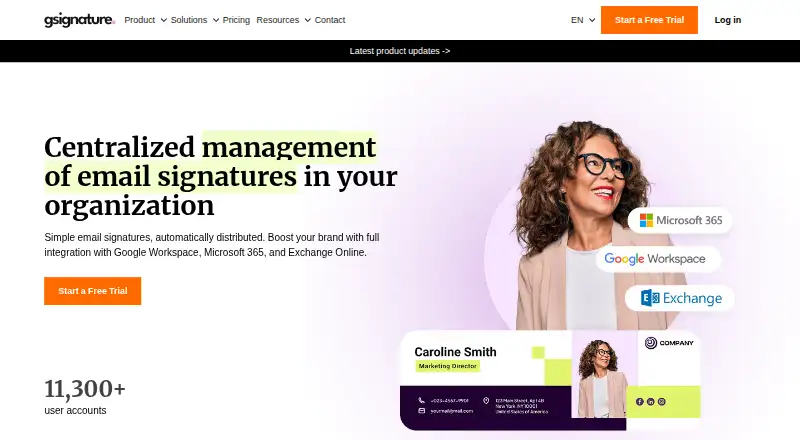
gSignature centrally manages and distributes email signatures across an organization. Administrators can set signatures for a whole domain or specific organizational units, and choose a default for new employees. Employee information can come from supported email environments, CSV imports, employee edits, or administrator edits. For design, administrators can create HTML signatures with links and banners, drawing on more than 25 built-in employee variables or custom parameters; they can also request a custom HTML design. The product documents connections to Google Workspace, Microsoft 365, Outlook, and Exchange Online, as well as CRM tools including Pipedrive, Salesforce, and HubSpot, and helpdesk software including Zendesk. For Google Workspace, gSignature retrieves employee data and updates Gmail signatures through the Gmail API. A server-side mode can append signatures to outgoing messages, including those sent from non-Gmail clients used with Google Workspace. Administrators can update banners across employees and measure campaign results in Google Analytics. The maker says customer data stays within Google Workspace and Google Cloud, with access limited to authorized administrators. Founded in 2023, the company lists its address in Wrocław, Poland.
Who it suits
gSignature suits organizations that want administrators to manage email signatures and employee details centrally across teams. Its documented Google Workspace and Microsoft environment connections, campaign tools, and server-side mode may fit organizations using those systems.
What it does well
- Manages signatures across a domain or organizational units.
- Supports employee data sync, CSV imports, and edits.
- HTML signatures can use more than 25 built-in variables.
- Campaign results can be measured in Google Analytics.
- Server-side mode supports messages from non-Gmail clients with Google Workspace.
What to know first
- Gmail signature footers are limited to 10,000 characters.
- An email address can belong to only one project at a time.
- Outlook signatures cannot be centrally set by the application.
- Gmail signatures do not support SVG images.
Limits
The free plan and trial details provided do not describe feature or usage limits. Gmail API uploads are limited to 10,000 characters per signature footer, and each email address can be in only one project at a time.
Getting started
- Register with a Google Workspace administrator.
- Install the app through Google Workspace Marketplace.
- Choose a free plan or start the 14-day free trial.
- Connect a supported email environment and configure employee data.
Verdict
Choose gSignature if administrators need to manage organizational signatures, employee data, or banner campaigns centrally. It documents connections across Google Workspace and Microsoft environments, with a 14-day free trial. Organizations needing centrally set Outlook signatures should account for the limitation that employees can download and install HTML signatures themselves.
Questions
Does gSignature have a free plan?
Yes. Its pricing model is freemium, and the pricing note lists a free plan and a 14-day trial.
Which email environments does it support?
It documents integrations with Google Workspace, Microsoft 365, Outlook, and Exchange Online.
Can it manage Outlook signatures centrally?
No. The application cannot centrally set Outlook signatures; employees can download HTML signatures to install themselves.
What other integrations are listed?
The integrations page lists Pipedrive, Salesforce, HubSpot, and Zendesk.
Who makes gSignature?
The maker identifies MOK YOK GROUP sp. z o.o. in Wrocław, Poland, and says it was founded in 2023.
How do organizations get started?
Initial registration requires a Google Workspace administrator, and the app can be installed through Google Workspace Marketplace.
Facts from gSignature's own pages
- Audience
- The maker describes its team as serving clients worldwide and building products for Google Workspace and Microsoft environments. · gsignature.com, 8 Oct 2026
- Campaign tools
- Administrators can update signature banners across employees and measure promoted campaign results in Google Analytics. · gsignature.com, 8 Oct 2026
- Company
- The maker says it has built an international team since 2023 and lists its address in Wrocław, Poland. · gsignature.com, 8 Oct 2026
- Data processing
- The maker identifies MOK YOK GROUP sp. z o.o. in Wrocław, Poland as the party to its data processing entrustment agreement. · gsignature.com, 8 Oct 2026
- Email environments
- The product documents integrations with Google Workspace, Microsoft 365, Outlook, and Exchange Online. · gsignature.com, 8 Oct 2026
- Employee data
- Employee data can be synchronized from supported email environments, imported by CSV, edited by employees, or edited by administrators. · gsignature.com, 8 Oct 2026
- Founded
- 2023 · gsignature.com, 28 Sept 2026
- Gmail limitation
- Gmail signatures do not support SVG images, and the maker recommends PNG, JPG, or GIF instead. · gsignature.com, 8 Oct 2026
- Google Workspace
- It retrieves employee data from Google Workspace and updates Gmail signatures through the Gmail API. · gsignature.com, 8 Oct 2026
- Headquarters
- Wrocław, Poland · gsignature.com, 28 Sept 2026
- Notable limits
- The help page says Gmail’s API limits uploaded signature footers to 10,000 characters and an email address can have only one project at a time. · gsignature.com, 8 Oct 2026
- Other integrations
- The integrations page lists CRM connections including Pipedrive, Salesforce, and HubSpot, and helpdesk connections including Zendesk. · gsignature.com, 8 Oct 2026
- Outlook limitation
- The help page says the application cannot centrally set signatures in Outlook, and employees can download HTML signatures to install themselves. · gsignature.com, 8 Oct 2026
- Outlook support
- The integrations page describes Outlook signature synchronization on Windows and PowerShell scripts for Microsoft Server and Active Directory environments. · gsignature.com, 8 Oct 2026
- Privacy
- The privacy policy says it was developed based on GDPR provisions and identifies Mok Yok Group sp. z o.o. as the data controller. · gsignature.com, 8 Oct 2026
- Product
- gSignature centrally manages and automatically distributes organizational email signatures. · gsignature.com, 8 Oct 2026
- Purpose
- gSignature centrally manages and distributes email signatures for organizations. · gsignature.com, 8 Oct 2026
- Security
- The maker says customer data remains within Google Workspace and Google Cloud, with access limited to authorized administrators. · gsignature.com, 8 Oct 2026
- Server-side signatures
- Its server-side mode can add signatures automatically to outgoing messages, including messages sent from non-Gmail clients used with Google Workspace. · gsignature.com, 8 Oct 2026
- Setup requirement
- Initial registration requires a Google Workspace administrator, and the app can be installed through Google Workspace Marketplace. · gsignature.com, 8 Oct 2026
- Signature management
- Administrators can assign signatures to selected addresses, organizational units, or entire domains and automate assignment for new employees. · gsignature.com, 8 Oct 2026
- Support
- The maker provides help and application documentation, and lists regional support phone numbers on its site. · gsignature.com, 8 Oct 2026
- Templates and design
- Administrators can use HTML signatures with links, banners, and employee variables, or request a custom design coded into HTML. · gsignature.com, 8 Oct 2026
- Templates and variables
- Administrators can add HTML signatures with links and banners, using more than 25 built-in employee variables or custom parameters. · gsignature.com, 8 Oct 2026
Where gSignature stands on Freedom251
- Email Signature Software#4 of 29
- Email Signature Management Software#6 of 41