Google Cloud Workflows
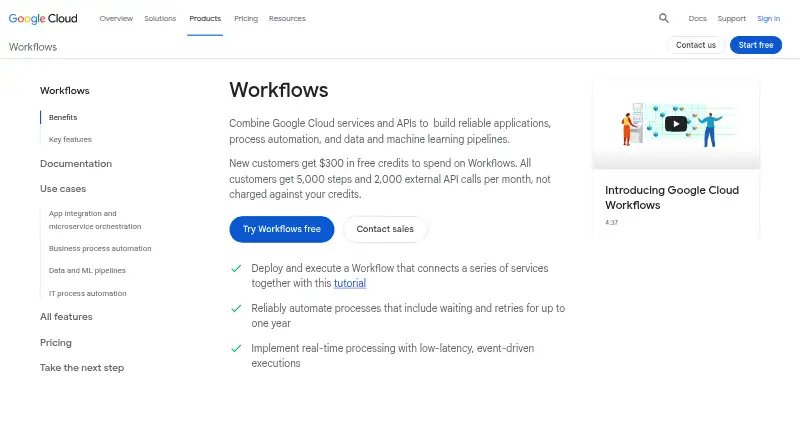
What Google Cloud Workflows is
Google Cloud Workflows is a managed cloud platform for running services in a defined order, including Google Cloud services, custom services, and HTTP APIs. Workflow definitions use YAML or JSON and can include conditions, loops, parallel steps, and reusable subworkflows. Executions can start manually, through client libraries or REST, or on a schedule with Cloud Scheduler. Connectors link workflows to Google Cloud APIs such as Pub/Sub, Firestore, and Secret Manager, while HTTP or HTTPS steps can call custom and private endpoints. Workflows supports retries, polling, error handling, callbacks, and waits of up to one year. Executions run in a sandboxed environment; Secret Manager can store secrets, and IAM controls access. Cloud Logging and Cloud Monitoring provide execution logs and visibility into volume, errors, and execution time. Pricing is based on executed steps, including failed or retried steps, and idle workflows incur no charges. The Always Free plan includes 5,000 internal and 2,000 external steps. Pay-as-you-go costs $0.01 per month per increment of 1,000 steps, with separate thresholds and rates for internal and external steps. Executions are limited to 100,000 steps and one year.
Who it suits
Workflows suits teams coordinating cloud services, APIs, batch jobs, or business processes through defined steps. It is a cloud-only option for users comfortable defining workflows in YAML or JSON rather than using a visual builder.
What it does well
- Supports conditions, loops, and parallel steps
- Can run on a schedule
- Includes retries and error handling
- Idle workflows incur no charges
- Integrates with Cloud Logging and Monitoring
What to know first
- Cloud deployment only
- No visual workflow builder
- Executions are capped at 100,000 steps
- Maximum execution duration is one year
Limits
The Always Free plan includes 5,000 internal steps and 2,000 external steps per month. After those allowances, pay-as-you-go pricing applies; each execution can perform at most 100,000 steps and run for no more than one year.
Plans
| Plan | Billed and limits | Price |
|---|---|---|
| Always Free | Monthly free usage limits · 5,000 internal steps · 2,000 external steps | Free |
| Always Free internal steps | monthly · 5,000 internal steps per account each month | Free |
| Always Free external steps | monthly · 2,000 external steps per account each month | Free |
| Internal steps | per 1,000 steps after 5,000 free steps · Steps 5,000 to 100,000,000; higher usage requires contacting sales | $0.01 a month |
| Pay as you go | Per increment of 1,000 steps per month; internal steps after the first 5,000 · External steps after the first 2,000: $0.025 per increment of 1,000 · After 100 million internal or external steps: contact sales | $0.01 a month |
| External steps | per 1,000 steps after 2,000 free steps · Steps 2,000 to 100,000,000; higher usage requires contacting sales | $0.03 a month |
As cloud.google.com lists them, read 3 Oct 2026. The maker's own page has the final word.
Getting started
- Open the Google Cloud Workflows website.
- Define a workflow in YAML or JSON.
- Choose a trigger: manual, programmatic through client libraries or REST, or scheduled with Cloud Scheduler.
- Use connectors for supported Google Cloud APIs or add HTTP and HTTPS requests.
- Start with the Always Free usage limits or use the pay-as-you-go plan.
Google Cloud Workflows is a managed service for coordinating Google Cloud services, custom services, and HTTP APIs through defined steps. It suits development and operations teams that prefer declarative YAML or JSON and need dependable, observable cloud processes. It is less suitable for canvas-based design or executions likely to exceed its step ceiling.
Overview
Workflows turns a sequence of tasks into a managed execution without requiring you to operate an orchestration server. Definitions support conditions, loops, parallel branches, and reusable subworkflows, so the model handles complex processes as well as straightforward chains. You can start runs manually, from client libraries or REST, or on a schedule through Cloud Scheduler. Google positions it for service orchestration, batch jobs, business process automation, and IT process automation.
The service is cloud-only, which removes self-hosting work but makes it a poor fit when deployment must remain on your own infrastructure. There is no visual workflow builder: people who prefer arranging steps on a canvas will need a different tool or a code-oriented workflow.
Key features
Connectors and API calls
Connectors cover Google Cloud APIs such as Pub/Sub, Firestore, and Secret Manager. They format requests, handle retries, and manage long-running operations, reducing repetitive integration code. Steps can also call external HTTP or HTTPS APIs, including custom and private endpoints, so Workflows is not limited to Google services.
Reliability and control
Retries, polling, error handling, callbacks, and automatic waiting support processes that must tolerate transient failures or pause for a later response. A workflow can remain active for up to one year, useful for long-running business or approval processes. Each execution is limited to 100,000 steps, however, so very granular or unusually large jobs need to be split or redesigned.
Security and observability
Executions run in a sandbox without application libraries that require security patching. Secret Manager can hold and retrieve secrets, while IAM controls access; connectors authenticate with IAM but still require the workflow service account to have the relevant permissions. Cloud Logging and Cloud Monitoring expose execution logs, volume, error rates, and execution time, giving operations teams concrete signals for troubleshooting and capacity planning. Human approvals and event triggers are supported.
Pricing
Workflows uses a freemium, execution-step model. The Always Free plan costs 0.00 USD with monthly limits of 5,000 internal steps and 2,000 external steps. It is a practical starting point for small automations and evaluation, but those caps can be reached quickly by busy integrations.
Pay as you go costs $0.01 a month, billed per increment of 1,000 steps per month. Internal steps are charged after the first 5,000, while external steps after the first 2,000 cost $0.025 per increment of 1,000. After 100 million internal or external steps, Google directs customers to contact sales. Failed and retried steps count toward usage, so failure-heavy workflows can cost more than their successful-path design suggests; idle periods incur no charge.
New Google Cloud customers receive $300 in free credits for Workflows. A free trial is available, and Google Cloud customers, including trial customers, receive Basic Support with documentation, community forums, billing assistance, and Active Assist. There are no seat charges stated, making the model more appropriate for variable execution volume than for large user populations.
Platforms
Workflows is delivered as a cloud deployment with API and web access. It fits teams already operating in Google Cloud and organizations that want managed execution rather than a self-hosted engine.
Who it's for
Choose Workflows for Google Cloud-centric service orchestration, scheduled batch processing, business processes with callbacks or approvals, and IT automation that benefits from IAM, connectors, and centralized execution monitoring. It is a strong match for developers comfortable maintaining YAML or JSON definitions. Look elsewhere if a visual editor, self-hosting, or executions beyond 100,000 steps is essential.
Pros and cons
- Pros: Connectors simplify Google Cloud integrations and long-running operations.
- Pros: Retries, callbacks, one-year runs, and monitoring support resilient operational processes.
- Pros: IAM, sandboxing, and Secret Manager provide a managed security model.
- Cons: No visual builder, so non-developer process design is less accessible.
- Cons: Failed and retried steps are billable, complicating cost control for unstable flows.
- Cons: A 100,000-step execution maximum limits exceptionally granular workloads.
Alternatives
For a broader directory of choices, see IT Orchestration Software, Process Orchestration Software, and Workflow Orchestration Software.
- Kestra is a free, Apache 2.0-licensed option with API, web, desktop, and self-hosted platforms.
- Argo Workflows is a free open-source workflow engine for Kubernetes.
- Juju is a free open-source orchestration engine available across API and self-hosted environments.
- ONAP is free open-source software for API, web, and self-hosted deployments.
- Windmill offers a free open-source tier alongside its freemium model.
- AWS Step Functions is the natural alternative when your workloads are centered on AWS.
- Orkes Conductor provides a free Developer Edition with enterprise features and templates.
- StackStorm is free and open source with no paid products from the project.
Verdict
Google Cloud Workflows is a strong choice for teams that need managed, code-defined orchestration across Google Cloud and external APIs, especially when retries, long waits, IAM, and execution monitoring matter. Choose another platform if you require visual composition, self-hosting, or workloads that can breach 100,000 steps, or if billable retries make step-level cost control too unpredictable.
Verdict
Workflows provides structured orchestration with connectors, scheduling, and execution monitoring. Its step-based billing and execution limits are important considerations when designing workflows.
Questions
Does Google Cloud Workflows have a free plan?
Yes. Its Always Free plan includes 5,000 internal steps and 2,000 external steps per month.
How is Workflows priced?
Pricing is based on executed steps, including failed and retried steps. The listed pay-as-you-go rate is $0.01 per month per increment of 1,000 internal steps after the first 5,000; external steps after the first 2,000 cost $0.025 per increment of 1,000.
Which platforms does it support?
The listed platforms are API and web. Workflows is deployed in the cloud.
Can workflows connect to services outside Google Cloud?
Yes. Workflow steps can make HTTP or HTTPS requests to APIs, including custom and private endpoints.
What triggers can start an execution?
Executions can start manually, programmatically through client libraries or REST, or on a schedule using Cloud Scheduler.
Does it offer a free trial?
Yes. New Google Cloud customers get $300 in free credits to spend on Workflows.
Facts from Google Cloud Workflows's own pages
- Access control
- Workflows uses IAM, and connectors use built-in IAM authentication while requiring the workflow service account to have the needed permissions. · docs.cloud.google.com, 3 Oct 2026
- API surface
- The documentation provides Workflows and Workflow Executions REST APIs, gcloud CLI commands, syntax and connector references, and client-library references. · docs.cloud.google.com, 15 Oct 2026
- Authentication
- Connectors use IAM-based service-account authentication, but the workflow service account still needs permissions for each target API. · docs.cloud.google.com, 15 Oct 2026
- Breaking change
- From May 2, 2025, Workflows no longer supports HTTP requests to IP-based GKE control-plane endpoints; DNS endpoints are required. · docs.cloud.google.com, 15 Oct 2026
- Callbacks
- A workflow can create a callback URL and wait for external or human-in-the-loop input for up to one year. · cloud.google.com, 15 Oct 2026
- Company founding
- Google's company history says Google Inc. was officially established in August 1998. · about.google, 15 Oct 2026
- Company ownership
- Google is a subsidiary of Alphabet, according to its Crunchbase organization profile. · crunchbase.com, 15 Oct 2026
- Company profile
- LinkedIn lists Google as a public software-development company headquartered in Mountain View, California, with 10,001+ employees. · linkedin.com, 15 Oct 2026
- Compliance
- Google lists Workflows as compliant with C5:2020, FedRAMP High, HIPAA, HITRUST CSF, ISO 27001/27017/27018, PCI DSS, and SOC 1/2/3, excluding Preview features. · cloud.google.com, 15 Oct 2026
- Connector integrations
- Documented connector examples include Pub/Sub, Firestore, Secret Manager, BigQuery, Google Sheets, Cloud Translation, Cloud Run, Batch, and Kubernetes APIs. · docs.cloud.google.com, 15 Oct 2026
- Connectors
- Connectors simplify Google Cloud API calls by formatting requests and providing built-in retries and long-running-operation handling. · docs.cloud.google.com, 15 Oct 2026
- Documentation depth
- The documentation set includes quickstarts, tutorials, syntax and standard-library references, REST APIs, connectors, quotas, release notes, training, and code samples. · docs.cloud.google.com, 15 Oct 2026
- Encryption
- Customer-managed Cloud KMS keys can encrypt workflow definitions and execution data at rest. · docs.cloud.google.com, 15 Oct 2026
- Execution limits
- A workflow execution can contain up to 100,000 steps and run for at most one year. · docs.cloud.google.com, 15 Oct 2026
- External APIs
- Workflow steps can make HTTP or HTTPS requests to APIs, including custom and private endpoints. · docs.cloud.google.com, 3 Oct 2026
- Formats
- Workflow definitions use YAML or JSON, and Google publishes JSON-schema support for syntax autocompletion. · github.com, 15 Oct 2026
- Free credits
- New Google Cloud customers get $300 in free credits to spend on Workflows. · cloud.google.com, 3 Oct 2026
- Infrastructure as code
- Google documents creating, deploying, and executing Workflows with Terraform and the Google provider. · docs.cloud.google.com, 15 Oct 2026
- Integrations
- Connectors integrate workflows with Google Cloud APIs and handle request formatting, retries, and long-running operations; examples include Pub/Sub, Firestore, and Secret Manager. · docs.cloud.google.com, 3 Oct 2026
- Licence
- The managed Workflows service is proprietary; Google's public Workflows samples repository is marked Apache-2.0. · github.com, 15 Oct 2026
- Limit: learning curve
- A G2 reviewer says the product can be complex initially and requires a solid understanding to use effectively. · g2.com, 15 Oct 2026
- Limit: pipeline controls
- A G2 reviewer requests additional pipeline-control capabilities. · g2.com, 15 Oct 2026
- Limit: pricing
- G2 reviewers complain that pricing can become costly for complex flows and that the free quota is small. · g2.com, 15 Oct 2026
- Monitoring
- Workflows integrates with Cloud Logging and Cloud Monitoring for execution logs, volume, error rates, and execution time. · cloud.google.com, 3 Oct 2026
Where Google Cloud Workflows stands on Freedom251
- Automation#6 of 26
- IT Orchestration Software#9 of 28
- Process Orchestration Software#14 of 31
- Workflow Orchestration Software#21 of 38