Freedom251 › Video Editing Software

Gling
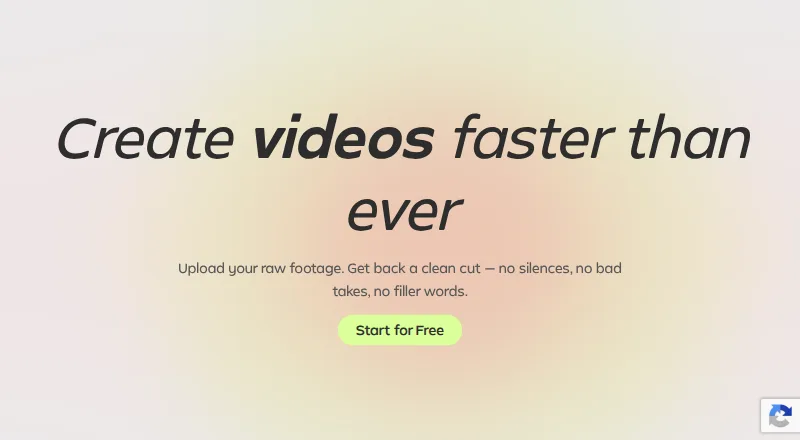
What Gling is
Gling is desktop software for Windows and macOS that uses AI to edit video and audio. It can remove bad takes and retakes, detect silences and filler words such as “um” and “uh,” and generate captions that export as SRT subtitles. Users can export MP4 or MP3 files and work with video or audio files for voiceover integration. Gling also integrates with Final Cut Pro, DaVinci Resolve, and Adobe Premiere. The Free plan includes one hour of AI-edited media per month and unlimited exports with a watermark; it does not include Premium support. Paid plans provide more monthly media time and remove the watermark: Plus includes 10 hours, Pro 30 hours, and Elite 100 hours. Monthly prices are $20 for Plus, $40 for Pro, and $100 for Elite. Annual plans are listed from $10 per month, and annual billing is advertised as saving 50%. Premium support is included with Pro and Elite, but not Free or Plus. Gling has no mobile app.
Who it suits
Gling suits video or audio creators who want AI-assisted removal of bad takes, silences, and filler words on Windows or macOS. Its integrations may suit editors working with Final Cut Pro, DaVinci Resolve, or Adobe Premiere.
What it does well
- Removes bad takes and retakes with AI.
- Detects silences and filler words.
- Exports captions as SRT subtitles.
- Integrates with three named editing apps.
What to know first
- Free plan limits AI-edited media to one hour monthly.
- Free exports include a watermark.
- No mobile app.
- Premium support is excluded from Free and Plus.
Limits
The Free plan includes one hour of AI-edited media per month; its exports are unlimited but watermarked, and it does not include Premium support. Plus starts at $20 a month with monthly billing, or $10 a month billed annually, for 10 hours of AI-edited media monthly; Plus has no Premium support.
Plans
| Plan | Billed and limits | Price |
|---|---|---|
| Free | billed monthly · 1 hour AI-edited media/month · Watermarked exports | Free |
| Plus | billed monthly · 10 hours AI-edited media/month · 300 words generated video from link/month | $20 a month |
| Pro | billed monthly · 30 hours AI-edited media/month · 900 words generated video from link/month | $40 a month |
| Elite | billed monthly · 100 hours AI-edited media/month · 2700 words generated video from link/month | $100 a month |
| Free Annual | Paid annually | Free |
| Plus Annual | Paid annually | $10 a month |
| Pro Annual | Paid annually | $20 a month |
| Elite Annual | Paid annually | $50 a month |
As gling.ai lists them, read 28 Sept 2026. The maker's own page has the final word.
Getting started
- Visit the Gling website.
- Download the desktop app for Windows or macOS.
- Choose the Free plan or a paid plan based on monthly AI-edited media needs.
- Import video or audio files, then use the editing and caption features.
- Export as MP4 or MP3, or export captions as SRT subtitles.
Gling is a desktop-focused editor for turning spoken recordings into cleaner cuts before they move into a full video-production workflow. It is best for creators handling voiceovers, interviews, tutorials, and talking-head footage who want routine trimming automated. The central compromise is that useful, watermark-free output and larger workloads sit behind paid monthly quotas.
Overview
Gling combines text-based editing with AI that identifies bad takes, retakes, long silences, and filler words such as “um” and “uh.” That focus makes it a specialist cleanup stage rather than an all-purpose replacement for a conventional editor. For speech-led footage, removing repetitive pauses and discarded attempts can substantially reduce the first-pass workload. Projects that rely on pauses for comic timing, emphasis, or atmosphere need closer human review before accepting those cuts.
The application accepts video and audio files, including material used for voiceover work. It can produce MP4 and MP3 files and export captions as SRT subtitles, so a cleaned sequence can continue into another tool without being locked to one output format.
Key features
- AI take and silence removal: Automatic detection of bad takes, retakes, silences, and filler speech targets the most repetitive work in spoken-video editing. It is valuable for prolific presenters, but less appropriate when every pause or alternate delivery is intentional.
- Text-based editing and captions: Editing through a transcript gives speech-heavy projects a direct way to locate and remove words. Automatic captions and SRT export also support subtitle workflows outside Gling.
- Audio and file output: MP4 and MP3 exports cover video and audio deliverables, while a 4K maximum export resolution suits high-resolution desktop projects. The software also supports audio and video inputs for voiceover integration.
- Editor integrations: Handoffs to Final Cut Pro, DaVinci Resolve, and Adobe Premiere let users keep finishing work in established editing applications. Gling therefore works well as a preparation step, not as the sole environment for a complex production.
Pricing
Gling uses a freemium structure. The Free plan costs nothing and allows one hour of AI-edited media each month. Exports are unlimited, but every free export carries a watermark, and premium support is not included. It is suitable for occasional evaluation or very light personal use; the one-hour allowance is restrictive for regular publishing.
Plus costs $20 a month when billed monthly. It includes 10 hours of AI-edited media, or 300 words of generated video from a link, or a combination of the two each month. Exports have no watermark, but premium support is excluded. This is the practical entry point for an individual creator who needs clean deliverables and stays within a modest monthly workload.
Pro is $40 a month on monthly billing. The quota rises to 30 hours of AI-edited media or 900 words of generated video from a link, in combination if needed, and premium support is included. It fits frequent creators whose volume exceeds Plus and who value a support channel.
Elite costs $100 a month monthly, with 100 hours of AI-edited media or 2,700 words of generated video from a link, or a combination, plus premium support. It is aimed at high-volume production rather than casual editing.
Annual billing is advertised as saving 50%. Annual prices are $10.00 per month for Plus, $20.00 per month for Pro, and $50.00 per month for Elite, paid annually; their quotas and watermark policies match the corresponding monthly plans. Free remains $0.00 with its one-hour monthly allowance and watermark. The annual option lowers the effective rate but commits the buyer to annual payment, so it makes most sense when usage is predictable.
Platforms
Gling provides desktop downloads for Windows and macOS. There is no mobile app, making it a poor fit for phone-first editing or workflows that require editing away from a computer. Its 4K export ceiling and integrations are oriented toward desktop production.
Who it's for
Choose Gling if your recordings contain many retakes, pauses, or verbal fillers and you already finish projects in Final Cut Pro, DaVinci Resolve, or Adobe Premiere. The Free plan is useful for occasional trials, while Plus suits a smaller recurring workload; Pro and Elite are for heavier monthly throughput and, at those tiers, premium support.
Look elsewhere if you need mobile access, a broad creative suite in one application, or unlimited unwatermarked processing without a recurring quota. Gling’s automation is most persuasive when spoken content is the bottleneck, not when visual arrangement and detailed sound design are the main work.
Pros and cons
- Pro: AI targets bad takes, retakes, silences, and filler words, reducing repetitive speech cleanup.
- Pro: Text-based editing, automatic captions, SRT export, and MP4/MP3 output cover a practical publishing handoff.
- Pro: Final Cut Pro, DaVinci Resolve, and Adobe Premiere integrations fit established desktop workflows.
- Con: Free processing is limited to one hour per month and watermarked, so it is not a durable free publishing solution.
- Con: Every paid tier has a monthly media or generated-video quota, which can constrain unpredictable production spikes.
- Con: No mobile app limits the product to Windows and macOS desktops.
Alternatives
EchoWave Podcast Editor is a better choice when cross-platform access matters: it runs on Android, iOS, Linux, macOS, the web, and Windows, although its free tier limits video exports to 720p with a badge and allows up to 60 minutes per video.
Auphonic suits audio-first production, offering two free hours per month with AI audio algorithms; choose it when spoken-audio processing matters more than video take removal.
Descript is worth considering for a broader text-editing and AI toolkit across macOS, web, and Windows, with a free plan including 60 minutes per month and 100 one-time AI credits.
Riverside Magic Audio fits users already working in Riverside’s recording ecosystem and needing a free two-hour multitrack allowance, though free output is limited to 720p and watermarked.
Henshu is an alternative for web and mobile audio work, with a free tier offering five hours each of audio storage and transcription and unlimited exports.
Kapwing is preferable for browser-oriented general video editing; its free plan provides 10 credits, four-minute exports, and 720p output.
VEED is another web and mobile option when 1080p output on a paid Creator plan matters more than Gling’s desktop integrations.
For broader category comparisons, see AI Podcast Editing Software, AI Video Editing Software, AI Video Editors, and Video Editing Software.
Verdict
Gling is a strong choice for desktop creators who repeatedly edit spoken footage and want AI to remove takes, pauses, and filler speech before finishing in a major editor. Its main reason to choose it is the focused cleanup-to-handoff workflow; its main reason to look elsewhere is the combination of monthly quotas, free watermarks, and no mobile app.
Verdict
Gling combines automated cleanup, caption export, and integrations with three editing applications. The free tier has a monthly media limit and watermark; paid plans lift the watermark and increase the allowance.
Questions
Is Gling free?
Yes. Its Free plan includes one hour of AI-edited media per month and unlimited watermarked exports.
How much do paid plans cost?
Monthly prices are 20.00 USD for Plus, 40.00 USD for Pro, and 100.00 USD for Elite. Annual prices are 10.00 USD, 20.00 USD, and $50 a month, respectively.
Which platforms can I use?
Gling offers desktop downloads for Windows and macOS. It has no mobile app.
Which editing tools does Gling integrate with?
It integrates with Final Cut Pro, DaVinci Resolve, and Adobe Premiere.
Which plans include Premium support?
Pro and Elite include Premium support. Free and Plus do not.
What can I export from Gling?
Users can export MP4 or MP3 files, and captions in SRT format.
Facts from Gling's own pages
- Annual discount
- Annual billing is advertised as saving 50%. · gling.ai, 28 Sept 2026
- AI audio cleanup
- Yes · gling.ai, 23 Sept 2026
- Automatic captions
- Yes · gling.ai, 23 Sept 2026
- Bad take removal
- AI removes bad takes and retakes. · gling.ai, 28 Sept 2026
- Caption export
- Captions can be exported as SRT subtitles. · gling.ai, 28 Sept 2026
- Company name
- The site identifies the company as Gling Inc. · gling.ai, 28 Sept 2026
- Desktop platforms
- Desktop downloads are available for Windows and MacOS. · gling.ai, 28 Sept 2026
- Editor integrations
- Gling integrates with Final Cut Pro, DaVinci Resolve, and Adobe Premiere. · gling.ai, 28 Sept 2026
- File exports
- Users can export MP4 or MP3 files, with captions in SRT format. · gling.ai, 28 Sept 2026
- Free export limit
- Free exports are unlimited but include a watermark. · gling.ai, 28 Sept 2026
- Free media limit
- The Free plan includes 1 hour of AI edited media per month. · gling.ai, 28 Sept 2026
- Free plan
- Yes · gling.ai, 23 Sept 2026
- Paid export limit
- Plus, Pro, and Elite offer unlimited exports without a watermark. · gling.ai, 28 Sept 2026
- Premium support
- Premium support is included with Pro and Elite, but not Free or Plus. · gling.ai, 28 Sept 2026
- Silence filler removal
- AI detects and removes silences and filler words such as um and uh. · gling.ai, 28 Sept 2026
- Silence removal
- Yes · gling.ai, 23 Sept 2026
- Paid from
- 10 · gling.ai, 23 Sept 2026
- Support contact
- The site provides a Contact Support link. · gling.ai, 28 Sept 2026
- Supported input
- Gling supports video and audio files for voiceover integration. · gling.ai, 28 Sept 2026
- Supported platforms
- Windows,macOS · gling.ai, 23 Sept 2026
- Text-based editing
- Editing the transcript text changes the video automatically. · gling.ai, 28 Sept 2026
Where Gling stands on Freedom251
- Video Editing Software#52 of 155
- AI Video Editing Software#12 of 32
- AI Video Editors#34 of 81
- AI Podcast Editing Software#11 of 26
- Video editors#33 of 71