Freedom251 › Video Editing Software
VideoProc Vlogger
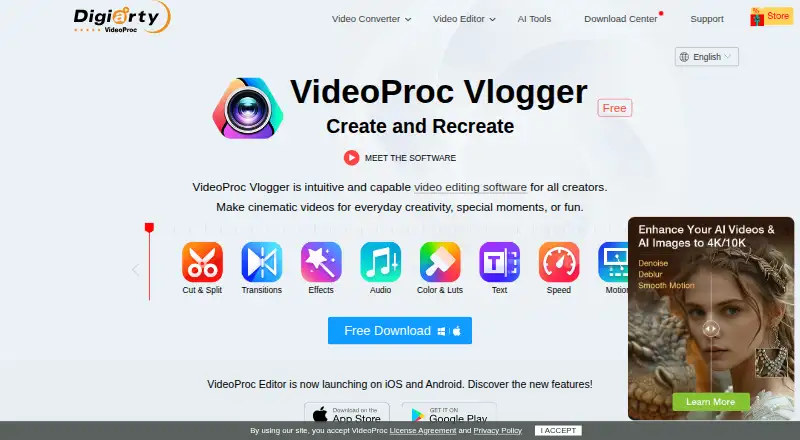
What VideoProc Vlogger is
VideoProc Vlogger is free desktop video-editing software for vlogs, cinematic videos, and everyday projects. It runs on 64-bit Windows 7 or later and Mac OS X 10.11 or later, including Apple Silicon Macs, and supports 4K export. Editing tools include clip cutting and splitting, more than 60 transition presets, over 50 effect presets, text, green screen, reverse playback, split screen, and blending. Color tools provide correction, grading, and more than 90 built-in 3D LUTs. Audio features include effects, a beat analyzer, and a 10-band equalizer. Speed ramping offers more than 20 presets, Bezier curves, and automatic keyframes; motion tools add camera presets, motion crop, and pan and zoom. Listed formats include H.265/HEVC, H.264/AVC, ProRes, MP4, MOV, MKV, and AV1. Hardware acceleration is listed for NVIDIA, AMD, Intel, and Apple Silicon. Registration requires an email for a license code that activates up to two computers.
Who it suits
VideoProc Vlogger suits people editing vlogs, music, slideshows, tutorials, slow motion, timelapses, and personal event videos on Windows or macOS. It is also suited to users seeking a free editor with 4K export and extensive effects.
What it does well
- Free forever with no watermark or ads
- Supports Windows and macOS
- Includes 4K export
- Offers extensive transitions, effects, and LUTs
- License code covers up to two computers
What to know first
- Requires email registration for a license code
- Windows and Mac licenses are version-specific
- Freeware, not open source
Plans
| Plan | Billed and limits | Price |
|---|---|---|
| VideoProc Vlogger | Free of charge forever · No watermark or ads · no limits on video length, file size, resolution, or functions · license code for up to two Windows or macOS computers | Free |
As videoproc.com lists them, read 12 Oct 2026. The maker's own page has the final word.
Verdict
VideoProc Vlogger provides a broad desktop editing toolkit at no charge, including 4K export, color, audio, speed, and motion controls. The software is freeware rather than open source, and activation is limited to two computers per code.
Facts from VideoProc Vlogger's own pages
- Activation limit
- A license code works on at most two computers, and Windows and Mac licenses are version-specific. · videoproc.com, 12 Oct 2026
- Color and audio
- It offers color correction and grading with 90+ built-in 3D LUTs, audio effects, a beat analyzer, and a 10-band equalizer. · videoproc.com, 12 Oct 2026
- Desktop app
- Yes · videoproc.com, 21 Sept 2026
- Editing features
- It includes clip cutting and splitting, 60+ transition presets, 50+ effect presets, text, green screen, reverse playback, split screen, and blending tools. · videoproc.com, 12 Oct 2026
- Founded
- 2006 · videoproc.com, 28 Sept 2026
- 4K export
- Yes · videoproc.com, 21 Sept 2026
- Free plan
- Yes · videoproc.com, 21 Sept 2026
- Hardware and media
- The maker lists hardware acceleration for NVIDIA, AMD, Intel, and Apple Silicon, and support for formats including H.265/HEVC, H.264/AVC, ProRes, MP4, MOV, MKV, and AV1. · videoproc.com, 12 Oct 2026
- Intended audience
- The maker describes it as suitable for anyone seeking an intuitive editor for vlogs, music, slideshows, slow motion, timelapse, tutorials, and personal event videos. · videoproc.com, 12 Oct 2026
- Purpose
- VideoProc Vlogger is video editing software for creating cinematic videos, vlogs, and other everyday projects. · videoproc.com, 12 Oct 2026
- Registration
- First-time users enter a valid email address to receive a free license code; the maker says the software is freeware but not open source. · videoproc.com, 12 Oct 2026
- Related mobile app
- The maker describes VideoProc Editor as a separate mobile app built upon Vlogger, available for iOS and Android. · videoproc.com, 12 Oct 2026
- Security and privacy
- The maker describes Vlogger as free of viruses, plug-ins, and malware; its linked privacy policy says product registration requires an email address and support may request relevant diagnostic information. · videoproc.com, 12 Oct 2026
- Speed and motion
- Speed ramping includes 20+ presets, Bezier curves, and automatic keyframes; motion tools include camera movement presets, motion crop, and pan and zoom. · videoproc.com, 12 Oct 2026
- Support
- The maker provides a user guide, video tutorials, FAQs, and technical support by email. · videoproc.com, 12 Oct 2026
- Supported desktop systems
- The desktop software supports 64-bit Windows 7 or later and Mac OS X 10.11 or later, including Apple Silicon Macs. · videoproc.com, 12 Oct 2026
Where VideoProc Vlogger stands on Freedom251
- Video Editing Software#48 of 153