Freedom251 › Video Editing Software
LightCut
What LightCut is
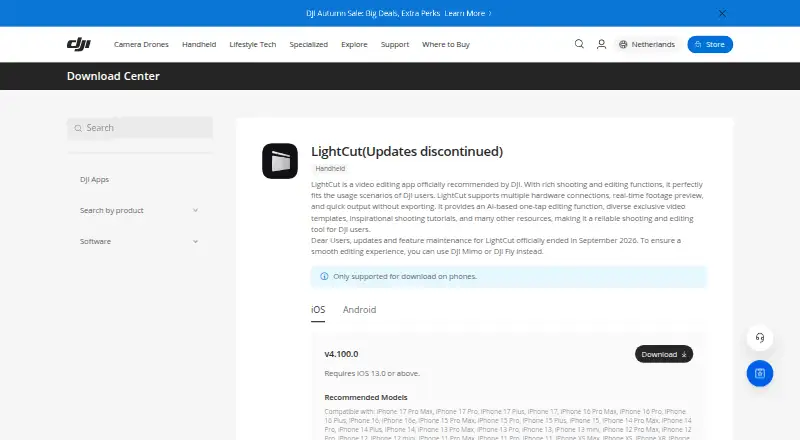
LightCut is a mobile video editing app officially recommended by DJI for DJI users. Its AI-based one-tap editing works alongside video templates and inspirational shooting tutorials. The app supports connections to multiple hardware devices and real-time footage preview, and DJI says it can produce output quickly without exporting. LightCut supports 4K export and is available on Android and iOS; there is no desktop or web app. The download page requires iOS 13.0 or later. LightCut is free, with AI-powered one-tap editing, video templates and effects, and mobile editing listed in its free plan. There is no free trial. DJI says updates and feature maintenance ended in September 2026, and suggests DJI Mimo or DJI Fly for a smooth editing experience.
Who it suits
LightCut suits DJI users looking for free mobile editing with one-tap AI editing, templates, and hardware connections. iOS users need iOS 13.0 or later, and ongoing maintenance is no longer available.
What it does well
- AI-based one-tap editing
- 4K export is supported
- Real-time footage preview
- Includes templates and shooting tutorials
What to know first
- No desktop or web app
- No free trial
- Updates and maintenance ended in September 2026
Limits
LightCut is free, and the listed plan is free. Its LightCut plan specifies phone download only, and updates and feature maintenance ended in September 2026.
Plans
| Plan | Billed and limits | Price |
|---|---|---|
| Free | AI-powered One-Tap Editing · Video templates and effects · Mobile video editing | Free |
| LightCut | Phone download only · updates and feature maintenance ended September 2026 | Free |
As dji.com lists them, read 22 Sept 2026. The maker's own page has the final word.
Getting started
- Open DJI's LightCut download page.
- Download the app to an Android or iOS phone.
- On iOS, use a device running iOS 13.0 or later.
- Choose the free plan for AI one tap editing, templates and mobile editing.
Verdict
LightCut combines mobile editing, templates, and hardware connections at no cost. Its ended maintenance is an important consideration for users who want ongoing updates.
Questions
How much does LightCut cost?
The listed Free and LightCut plans each cost nothing.
Which devices can run LightCut?
It is available for Android and iOS phones. The download page requires iOS 13.0 or later.
Can I use LightCut on desktop or the web?
No desktop app or web app is listed.
Does LightCut support 4K export?
Yes, 4K export is listed as supported.
Does LightCut still receive updates?
DJI states that updates and feature maintenance officially ended in September 2026.
Is there a free trial?
No free trial is listed.
Facts from LightCut's own pages
- AI editing
- It offers AI-based one-tap editing. · dji.com, 9 Oct 2026
- Connections
- It supports multiple hardware connections and real-time footage preview. · dji.com, 9 Oct 2026
- Desktop app
- No · dji.com, 22 Sept 2026
- 4K export
- Yes · dji.com, 22 Sept 2026
- Free plan
- Yes · dji.com, 22 Sept 2026
- iOS requirement
- The download page requires iOS 13.0 or above. · dji.com, 9 Oct 2026
- Maintenance status
- DJI states that LightCut updates and feature maintenance officially ended in September 2026. · dji.com, 9 Oct 2026
- Mobile app
- Yes · dji.com, 22 Sept 2026
- Output
- DJI says LightCut supports quick output without exporting. · dji.com, 9 Oct 2026
- Platforms
- The download page says LightCut is only supported for download on phones and lists iOS and Android. · dji.com, 9 Oct 2026
- Product
- LightCut is a video editing app officially recommended by DJI for DJI users. · dji.com, 9 Oct 2026
- Suggested alternatives
- DJI suggests using DJI Mimo or DJI Fly for a smooth editing experience. · dji.com, 9 Oct 2026
- Templates and tutorials
- It includes exclusive video templates and inspirational shooting tutorials. · dji.com, 9 Oct 2026
- Web app
- No · dji.com, 22 Sept 2026
Where LightCut stands on Freedom251
- Video Editing Software#51 of 155
- AI Video Editing Software#14 of 32