Freedom251 › AI Coding Assistants

Gemini CLI
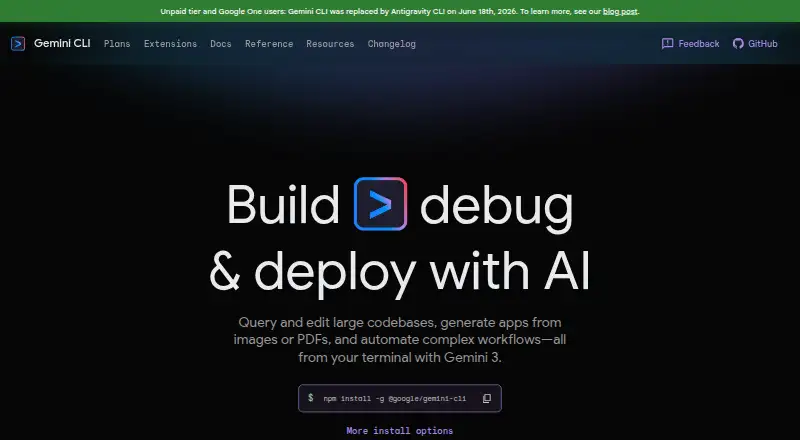
What Gemini CLI is
Gemini CLI is a command-line coding assistant from Google. It combines chat assistance with coding-agent capabilities and can work with a codebase through indexing and terminal access. It is available for Windows, macOS, and Linux, with support for Antigravity, Visual Studio Code, JetBrains, and Zed. The free plan costs nothing and uses Google Account authentication; it is described as free access for exploring Gemini CLI. Google AI Pro and Google AI Ultra offer higher or highest usage limits for Gemini CLI and other AI tools, with additional Google services included in their plan descriptions. The Google Developer Program includes access to Gemini Code Assist, higher Gemini CLI usage limits, monthly cloud and GenAI credits, and corporate Workspace account support. AI Studio uses API-key authentication with pay-as-you-go access, higher rate limits, and paid-only models. Vertex AI uses Google Cloud authentication and includes enterprise security and compliance, an SLA, and regional data residency. These choices let users access Gemini CLI through different Google account, API, and cloud routes.
Who it suits
Gemini CLI suits people who want chat assistance and coding-agent capabilities from a terminal across Windows, macOS, or Linux. Its IDE support may also suit developers working in Antigravity, Visual Studio Code, JetBrains, or Zed.
What it does well
- Runs on Windows, macOS, and Linux.
- Includes chat assistance and a coding agent.
- Supports codebase indexing and terminal access.
- Works with four named IDE options.
- Offers Google Account, API-key, and Google Cloud access routes.
What to know first
- The free plan is described as access for exploring Gemini CLI.
- Higher usage limits are part of other plan descriptions.
Limits
The free plan is described as access for exploring Gemini CLI. Higher usage limits are listed with Google AI Pro, Google AI Ultra, and the Google Developer Program.
Plans
| Plan | Billed and limits | Price |
|---|---|---|
| Google AI Pro | 1,500 maximum requests per user per day · Higher usage limits for Gemini CLI and other AI tools | On request |
| AI Studio | API-key authentication · Pay-as-you-go access · Higher rate limits and paid-only models | On request |
| AI Studio API key | 250 maximum model requests per user per day · Flash model only | Free |
| Google Developer Program | Higher usage limits for Gemini CLI · Cloud and GenAI monthly credits · Use with corporate Workspace account | Free |
| Free | 1,000 maximum model requests per user per day via Google account · Gemini model family | Free |
| Vertex AI | Enterprise security and compliance · SLA and regional data residency · Pay-as-you-go pricing varies | On request |
| Google AI Ultra | 2,000 maximum requests per user per day · Highest usage limits for the most capable models | On request |
As geminicli.com lists them, read 11 Oct 2026. The maker's own page has the final word.
Getting started
- Open https://geminicli.com/.
- Choose the access route that fits: Google Account, API key through AI Studio, or Google Cloud through Vertex AI.
- Use the free plan with Google Account authentication, or select another listed plan.
- Use Gemini CLI on Windows, macOS, or Linux.
- Connect with Antigravity, Visual Studio Code, JetBrains, or Zed if applicable.
Gemini CLI brings Gemini models into a terminal to work with local project context. It is best suited to developers who want codebase-aware assistance and are comfortable using the command line. Its breadth of integrations and authentication options is a strength; usage limits and plan choices make it important to match access to your workload.
Overview
Gemini CLI can understand code, automate tasks and build workflows using local project context. It can query and edit large codebases, and generate apps from images or PDFs. That makes it a capable fit for project-oriented work rather than a simple chat interface, but terminal access is central to the product.
Installation is available through npm, Homebrew, MacPorts or Anaconda, and the CLI comes pre-installed on Cloud Shell and Cloud Workstations. Recommended systems are macOS 15+, Windows 11 24H2+ and Ubuntu 20.04+, alongside Node.js 20.0.0+ and an internet connection. The requirements rule out older systems and offline use.
Key features
Codebase indexing helps Gemini CLI work with project context, while terminal access and coding-agent capabilities support task execution as well as chat assistance. Its developer features include headless scripting, IDE integration, hooks, model routing, plan mode, subagents, rewind and sandboxing. This range makes it useful for developers who want to fit an assistant into workflows; it is less compelling for someone who only wants occasional conversational help.
Extensions can bundle MCP servers, context files and custom commands, and can be installed from a GitHub URL or a local folder. That offers flexibility for repeatable workflows, though configuring extensions is a better fit for users comfortable with developer tooling. Authentication options include Google sign-in, Gemini API keys and Vertex AI.
The installation guide says the CLI can run in a container for security and isolation; this is the default for tools that might have side effects. That safeguard is relevant when delegating actions, but does not replace choosing an authentication and data arrangement that suits your work.
Pricing
Gemini CLI is freemium, with two free access routes and several paid access plans whose prices are custom pricing.
- Free: free with Google Account authentication. It is framed as free access for exploring, not as a high-volume option. Requests are subject to per-minute limits and service availability during high demand.
- AI Studio API key: free, with a maximum of 250 model requests per user per day and Flash model only. Free-tier data may be used to improve products when using the AI Studio API-key option, a material consideration for sensitive projects.
- Google AI Pro: custom pricing, with up to 1,500 requests per user per day and higher usage limits for Gemini CLI and other AI tools. It suits users who need more headroom than exploratory access.
- Google AI Ultra: custom pricing, with the highest usage limits for capable models and access to Deep Think through Gemini App. It is aimed at users seeking the strongest usage allowance and model access.
- Google Developer Program: custom pricing, adding access to Gemini Code Assist, higher Gemini CLI limits, Cloud and GenAI monthly credits, and corporate Workspace account support. The broader bundle is relevant to developers and organizations using those benefits.
- AI Studio: custom pricing for API-key authentication, pay-as-you-go access, higher rate limits and paid-only models. It is the flexible choice for API-key users who need more than the free API-key allowance.
- Vertex AI: custom pricing with Google Cloud authentication, enterprise security and compliance, an SLA and regional data residency. It is the clearest fit for organizations with those enterprise requirements.
The free options trade higher limits and model choice for no charge; the paid routes distinguish themselves by usage, authentication, model access or organizational controls. Choose by workload and data needs rather than assuming the free tier will cover sustained use.
Platforms
Gemini CLI supports Linux, macOS and Windows, with recommended operating-system versions of Ubuntu 20.04+, macOS 15+ and Windows 11 24H2+. Supported IDEs are Antigravity, Visual Studio Code, JetBrains and Zed. The IDE support broadens its appeal beyond terminal-only work, while the command-line workflow remains its core.
Who it's for
Gemini CLI is a strong fit for developers who want an assistant to work with local codebases, automate tasks and extend workflows, especially those already using a supported IDE or Google authentication. Explorers can start free, while power users and organizations can select higher-limit or enterprise-oriented plans. It is a poorer choice for users who need dependable high-volume access at no cost, older operating-system support or offline operation.
Pros and cons
- Pro: Codebase indexing, terminal access and coding-agent capability bring project context and task work together.
- Pro: Multiple installation routes, IDE integrations and extensible workflows make it adaptable to different developer setups.
- Pro: Google sign-in, API-key and Vertex AI authentication give users distinct access paths, including enterprise controls through Vertex AI.
- Con: Free use has per-minute request limits and can be affected by service availability during high demand.
- Con: The free API-key option is limited to 250 daily requests and Flash, and its data may be used to improve products.
- Con: Recommended operating-system versions and the Node.js requirement make older systems a poor fit.
Alternatives
Browse AI Coding Assistants for more options. Consider GitHub Copilot if you want a freemium coding assistant with a free plan and trial across a broader set of platforms. Claude Code is another option with a free plan, though Claude Code is not included in that free tier. Choose Devin if its freemium offering and limited-usage free plan suit your needs. JetBrains Junie offers a free-to-start plan with five AI credits, with AI usage billed separately. Aider is a free alternative, though LLM provider usage may have separate costs. Kilo Code has a free plan with usage billed separately and extensions for VS Code, JetBrains and CLI. Tencent CodeBuddy and Tongyi Lingma are freemium alternatives with free plans and trials.
Verdict
Choose Gemini CLI if you want a terminal-based coding assistant that can index project code, support your IDE and adapt to developer workflows. Its flexible integrations and access routes are the main reasons to choose it. Look elsewhere if free access must cover regular heavy use, if you need offline support, or if your system falls below its recommended requirements.
Verdict
Choose Gemini CLI if you want a terminal-based coding assistant with codebase indexing and support for your listed IDE. The free plan is framed for exploring; users seeking higher usage limits should consider one of the other access plans.
Questions
Is Gemini CLI free?
Yes. The Free plan costs nothing and uses Google Account authentication.
Which platforms does it support?
Gemini CLI is available for Windows, macOS, and Linux.
Which IDEs are supported?
The listed IDEs are Antigravity, Visual Studio Code, JetBrains, and Zed.
Does Gemini CLI support coding tasks?
Yes. Its listed capabilities include chat assistance, a coding agent, codebase indexing, and terminal access.
What access plans are available?
The listed options are Free, Google AI Pro, Google AI Ultra, Google Developer Program, AI Studio, and Vertex AI.
Facts from Gemini CLI's own pages
- Coding agent
- Yes · geminicli.com, 22 Sept 2026
- Authentication
- The CLI supports Google sign-in, Gemini API keys, and Vertex AI authentication. · geminicli.com, 11 Oct 2026
- Chat assistance
- Yes · geminicli.com, 22 Sept 2026
- Codebase indexing
- Yes · geminicli.com, 22 Sept 2026
- Codebase work
- The homepage says Gemini CLI can query and edit large codebases and generate apps from images or PDFs. · geminicli.com, 11 Oct 2026
- Data handling
- The plans page says free-tier data may be used to improve products when using the AI Studio API-key option. · geminicli.com, 11 Oct 2026
- Developer features
- Documented capabilities include headless scripting, IDE integration, hooks, model routing, plan mode, subagents, rewind, and sandboxing. · geminicli.com, 11 Oct 2026
- Free plan
- Yes · geminicli.com, 22 Sept 2026
- Free-tier limit
- Usage is subject to per-minute request limits and service availability during high demand. · geminicli.com, 11 Oct 2026
- Installation
- Gemini CLI can be installed globally with npm, Homebrew, MacPorts, or Anaconda, and is pre-installed on Cloud Shell and Cloud Workstations. · geminicli.com, 11 Oct 2026
- Integrations
- Extensions can bundle MCP servers, context files, and custom commands, and can be installed from a GitHub URL or local folder. · geminicli.com, 11 Oct 2026
- Purpose
- Gemini CLI brings Gemini models into the terminal to understand code, automate tasks, and build workflows using local project context. · geminicli.com, 11 Oct 2026
- Security
- The installation guide says the CLI can run in a container for security and isolation, and that this is the default for tools that might have side effects. · geminicli.com, 11 Oct 2026
- Supported IDEs
- Antigravity,Visual Studio Code,JetBrains,Zed · geminicli.com, 22 Sept 2026
- System requirements
- The recommended operating systems are macOS 15+, Windows 11 24H2+, and Ubuntu 20.04+, with Node.js 20.0.0+ and an internet connection required. · geminicli.com, 11 Oct 2026
- Target users
- The plans page describes access options for explorers, professionals, power users, teams and organizations, and people building with an API key. · geminicli.com, 11 Oct 2026
- Terminal access
- Yes · geminicli.com, 22 Sept 2026
Where Gemini CLI stands on Freedom251
- AI Coding Assistants#16 of 102