Freedom251 › AI Coding Assistants
Tencent CodeBuddy
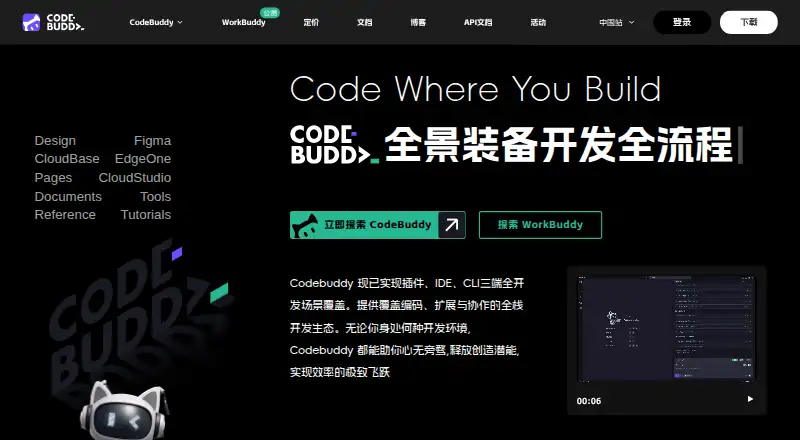
What Tencent CodeBuddy is
Tencent CodeBuddy is an AI code editor and coding assistant with code completion, chat assistance, and a coding agent. Its described workflow spans requirements planning, product design, coding, and deployment. The IDE can turn Figma mockups into front-end and back-end code, and offers error fixing, code explanations, code review, and automatic unit test generation. It also describes one-click deployment to a sandbox with shareable links for team verification and feedback.
CodeBuddy supports codebase indexing and terminal access, and lists integrations with IDEs including Visual Studio Code, IntelliJ IDEA, PyCharm, Android Studio, Xcode, and Visual Studio. The IDE can configure MCP servers and install them from an MCP Market. CodeBuddy Code uses read-only permissions by default and requests permission for operations such as editing files, running tests, and executing commands. Tencent says it does not manage or audit user-configured MCP servers. The Free plan includes 100 credits per month, 5,000 code completions, and three automated tasks. Pro costs $10 a month or $96 a year. A 7-day free trial is advertised and requires a valid credit card to start.
Who it suits
CodeBuddy suits software developers who want coding assistance within a supported IDE and tools spanning planning, implementation, and deployment. Its MCP features may interest users who configure external MCP servers, though Tencent does not manage or audit those servers.
What it does well
- Includes code completion, chat, and a coding agent.
- Can convert Figma mockups into front-end and back-end code.
- Supports codebase indexing and terminal access.
- Free plan includes 5,000 code completions.
- Read-only permissions are the default for CodeBuddy Code.
What to know first
- The 7-day trial requires a valid credit card.
- Tencent does not manage or audit configured MCP servers.
- Pro costs $10 a month or $96 a year.
Limits
The Free plan includes 100 credits per month, 30 daily active reward credits per day, 5,000 code completions, and three automated tasks. The Pro trial lasts 7 days and requires a valid credit card; Pro includes 15 automated tasks, with unlimited code completions.
Plans
| Plan | Billed and limits | Price |
|---|---|---|
| 体验版 | 500 credits/month · 5,000 code-completion uses/month · 5 projects per person · 3 project members | On request |
| 标准版 | 2,000 base credits/month · 15 automated tasks · 10 projects per person · 5 project members | On request |
| 高级版 | 4,000 base credits/month · 30 automated tasks · 15 projects per person · 8 project members | On request |
| 旗舰版 | 20,000 base credits/month · 99 automated tasks · 20 projects per person · 10 project members | On request |
| 企业旗舰版 | 2,000 credits/user/month · 1 seat minimum | On request |
| Free | 100 credits/month · 30 daily active reward credits/day · 5,000 code completions · 3 automated tasks | Free |
| Pro (monthly) | Monthly · 1,000 base credits/month · 1,000 bonus credits/month · 50 daily active reward credits/day · Unlimited code completions · 15 automated tasks | $10 a month |
| Pro (annual) | Annually · 1,000 base credits/month · 1,000 bonus credits/month · 50 daily active reward credits/day · Unlimited code completions · 15 automated tasks | $96 a year |
The first 8 of 9 plans, as copilot.tencent.com lists them, read 20 Sept 2026. The maker's own page has the final word. Every plan
Getting started
- Visit https://copilot.tencent.com/.
- Choose the CodeBuddy IDE for Windows or macOS, or use CodeBuddy Code on macOS, Linux, or Windows.
- For CodeBuddy Code, ensure Node.js 18.20 or higher is available.
- Start with the Free plan, or select Pro monthly or annual billing.
- To start the advertised 7-day Pro trial, provide a valid credit card.
Verdict
CodeBuddy brings coding assistance, IDE support, and a described path from planning through deployment into one product. Check the free-plan limits and trial card requirement, and account for the stated MCP server responsibility.
Questions
Is Tencent CodeBuddy free?
Yes. Its Free plan costs nothing and includes 100 credits per month, 5,000 code completions, and three automated tasks.
How much does Pro cost?
Pro costs $10 a month with monthly billing, or $96 a year with annual billing.
Is there a free trial?
The Pro plan advertises a 7-day free trial with 500 base credits. A valid credit card is required to start it.
Which platforms does CodeBuddy support?
The IDE installation guide lists Windows and macOS. CodeBuddy Code supports macOS, Linux, and Windows and requires Node.js 18.20 or higher.
Which IDEs are supported?
The listed IDEs are Visual Studio Code, IntelliJ IDEA, PyCharm, GoLand, CLion, PhpStorm, Android Studio, WeChat Developer Tools, Xcode, and Visual Studio. CodeBuddy Code also documents Zed integration through ACP.
Does CodeBuddy audit MCP servers?
Tencent states that CodeBuddy does not manage or audit user-configured MCP servers.
Facts from Tencent CodeBuddy's own pages
- Coding agent
- Yes · codebuddy.cn, 20 Sept 2026
- Chat assistance
- Yes · codebuddy.cn, 20 Sept 2026
- CLI platforms
- The CodeBuddy Code quick start lists macOS, Linux, and Windows as supported operating systems and requires Node.js 18.20 or higher. · codebuddy.ai, 11 Oct 2026
- Code assistance
- Features include intelligent code completion, error fixing, code explanation, code review, and automatic unit test generation. · codebuddy.ai, 11 Oct 2026
- Codebase indexing
- Yes · codebuddy.cn, 20 Sept 2026
- Code completion
- Yes · codebuddy.cn, 20 Sept 2026
- Deployment
- The product describes one-click deployment to a sandbox environment and shareable links for team verification and feedback. · codebuddy.ai, 11 Oct 2026
- Design to code
- The IDE can convert Figma mockups into maintainable front-end and back-end code. · codebuddy.ai, 11 Oct 2026
- Desktop platforms
- The CodeBuddy IDE installation guide lists Windows and macOS as supported operating systems. · codebuddy.ai, 11 Oct 2026
- Development workflow
- CodeBuddy describes a workflow spanning requirements planning, product design, code development, and deployment. · codebuddy.ai, 11 Oct 2026
- Editor integrations
- CodeBuddy Code documents integrations for Zed through ACP and for VS Code, Cursor, Windsurf, and JetBrains through a plugin and local MCP server. · codebuddy.ai, 11 Oct 2026
- Free plan
- Yes · codebuddy.cn, 20 Sept 2026
- MCP
- The IDE supports configuring MCP servers and installing servers from an MCP Market. · codebuddy.ai, 11 Oct 2026
- MCP security limit
- Tencent states that CodeBuddy does not manage or audit user-configured MCP servers. · codebuddy.ai, 11 Oct 2026
- Product
- CodeBuddy is an AI code editor and coding assistant for software development. · copilot.tencent.com, 11 Oct 2026
- Security controls
- Documented protections include network request approval, trust verification for first-time codebases and new MCP servers, and encrypted API keys and tokens. · codebuddy.ai, 11 Oct 2026
- Security permissions
- CodeBuddy Code uses read-only permissions by default and requests permission for operations such as editing files, running tests, and executing commands. · codebuddy.ai, 11 Oct 2026
- Supported IDEs
- Visual Studio Code,IntelliJ IDEA,PyCharm,GoLand,CLion,PhpStorm,Android Studio,WeChat Developer Tools,Xcode,Visual Studio · codebuddy.cn, 20 Sept 2026
- Terminal access
- Yes · codebuddy.cn, 20 Sept 2026
- Trial
- The Pro plan page advertises a 7-day free trial with 500 base credits and says a valid credit card is required to start it. · codebuddy.ai, 11 Oct 2026
Where Tencent CodeBuddy stands on Freedom251
- AI Coding Assistants#10 of 102
- AI Code Generators#35 of 54