Freedom251 › AI Coding Assistants
GitHub Copilot
What GitHub Copilot is
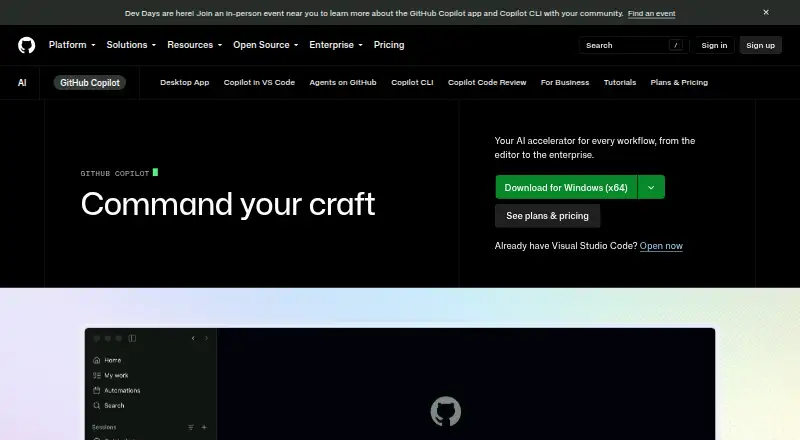
GitHub Copilot provides contextual assistance across software development, including inline code suggestions, chat, code explanations, and answers to documentation questions. It works across GitHub, IDEs, the CLI, project tools, chat apps, and custom MCP servers. Supported editors include Visual Studio Code, Visual Studio, JetBrains IDEs, Eclipse, Xcode, Vim, and Neovim; GitHub Mobile is available on Android and iOS. Copilot can index codebases, access terminals, and support agent workflows launched from GitHub, with multiple agents tracked and completed changes reviewed before merge. The Free plan includes 2,000 code completions and 50 chat requests per month for individual developers without organizational or enterprise Copilot access. Pro is $10 a month, Pro+ is $39 a month, and Max is $100 a month; Business is $19 per granted seat per month, and Enterprise is $39 per granted seat per month. Paid plans include unlimited code completions, while chat, agents, code review, CLI, and Copilot Apps use GitHub AI Credits. Suggestions are probabilistic, and models are trained on natural language and publicly available source code.
Who it suits
Copilot Pro is intended for individual developers, freelancers, students, educators, and open source maintainers. Business and Enterprise plans are aimed at organizations and enterprises.
What it does well
- Provides inline suggestions, chat, and code explanations.
- Available in a wide range of IDEs.
- GitHub Mobile supports Android and iOS.
- Free tier includes 2,000 completions monthly.
- Paid plans include unlimited code completions.
What to know first
- Free access excludes users with organizational or enterprise access.
- Free plan includes only 50 chat requests monthly.
- Paid chat and agent features use AI Credits.
- Suggestions are probabilistic.
Limits
Free includes 2,000 code completions and 50 chat requests per month and is limited to individuals without organizational or enterprise Copilot access. Paid plans provide unlimited completions and next edit suggestions, but chat, agents, code review, CLI, and Copilot Apps consume GitHub AI Credits.
Plans
| Plan | Billed and limits | Price |
|---|---|---|
| Free | No credit card required · 2,000 completions per month · 50 chat requests per month | Free |
| Pro | billed monthly · $15 monthly total credits | $10 a month |
| Pro+ | billed monthly · $70 monthly total credits | $39 a month |
| Max | billed monthly · $200 monthly total credits | $100 a month |
| Business | per granted seat per month · 1,900 AI credits per user per month | $19 a month |
| Enterprise | per granted seat per month · 3,900 AI credits per user per month | $39 a month |
| Copilot Free | 2,000 completions per month · limited chat and agent usage · Copilot CLI · community support | Free |
| Copilot Student | Verified students only · GitHub AI Credits allowance · excludes third-party agents · auto model selection only | Free |
The first 8 of 13 plans, as github.com lists them, read 27 Sept 2026. The maker's own page has the final word. Every plan
Getting started
- Open the GitHub Copilot website.
- Choose Free, a paid individual plan, or an organization plan.
- Install Copilot CLI with npm, WinGet, Homebrew, or the install script, if using the CLI.
- Use Copilot through GitHub, a supported editor, GitHub Mobile, or the CLI.
- Switch to Free if you have Pro through a paid subscription, trial, or verified account.
Overview
GitHub Copilot is an AI coding assistant for developers who want help with code completion, chat, and delegated coding work across their editor and GitHub workflows. Its broad editor support and individual and organization plans make it a flexible fit, but agent and chat usage on paid plans draws on monthly AI Credits.
Key features
Assistance across the development cycle
Copilot combines inline code completion with chat, code explanations, documentation answers, and a coding agent. Codebase indexing adds context; terminal access and integrations with GitHub, project tools, chat apps, and custom MCP servers extend its reach. That range suits developers who want assistance in more than one part of their workflow, rather than a completion tool alone.
Agents and controls
From its desktop workspace, developers can start work from GitHub, track multiple agents, review changes, and merge completed work. Cloud agent checks generated code for security issues and uses Copilot code review for a second opinion before finalizing a pull request. Cloud and local sandboxes isolate agent execution. Business and Enterprise administrators can manage policies and MCP access; they can also exclude files from suggestions, responses, and code reviews. Those controls are useful for teams, though organization buyers will need to weigh them alongside seat costs and credit allowances.
Suggestions and model use
Copilot generates probabilistic suggestions; it does not copy and paste from codebases. Its models are trained on natural language and source code from publicly available sources, including public GitHub repositories. This is worth considering when evaluating how generated suggestions fit a team’s code and review practices.
Pricing
Individual plans
Free costs nothing and requires no credit card. It includes 2,000 completions and 50 chat requests per month, limited chat and agent usage, CLI access, and community support. Free is intended for individual developers without organizational or enterprise Copilot access. Its caps make it a sensible way to start, but not a like-for-like replacement for a paid plan’s unlimited completions.
Pro costs $10 a month, billed monthly, and includes a selection of models, a 1,500 AI Credit monthly allowance (including a 1,000-credit base), and support for Claude Code and Codex. It suits individual developers, freelancers, students, educators, and open source maintainers seeking everyday coding assistance. Pro+ costs $39 a month, billed monthly, with premium models and 7,000 monthly AI Credits, including a 3,900-credit base. It is the more suitable individual tier for complex development that needs a larger credit allowance. Max costs $100 a month, billed monthly, with $200 monthly total credits for sustained, high-volume agent workflows.
Organization plans
Business costs $19 per granted seat per month and provides 1,900 AI Credits per user per month, centralized management, policy control, premium models, and web-based support. It is the practical choice for teams that need access, budget, and governance controls as well as pooled credits per user. Business also includes data privacy and IP indemnity.
Enterprise costs $39 per granted seat per month, requires GitHub Enterprise Cloud, and includes 3,900 AI Credits per user per month with priority access to premium models; contact sales. Its additional administration controls suit organization-wide rollouts, but the seat requirement and prerequisite make it a poor fit for individuals or smaller teams without GitHub Enterprise Cloud.
Credits and trial
Paid plans have unlimited code completions and next edit suggestions, but chat, agents, code review, CLI, and Copilot Apps consume GitHub AI Credits. Choose a higher allowance if those workflows are central. A free trial is available; users with Pro through a paid subscription, trial, or verified account may switch to Free. Copilot Student is free for verified students, with a GitHub AI Credits allowance, automatic model selection only, and no third-party agents.
Platforms
Copilot is available on GitHub Mobile for Android and iOS, and in Visual Studio Code, Visual Studio, Vim, Neovim, JetBrains IDEs, Azure Data Studio, Eclipse, and Xcode. Copilot CLI is included with all plans and can be installed with npm, WinGet, Homebrew, or an install script; terminal support also includes Windows Terminal Canary chat. Copilot Extensions connect external tools and services in Copilot Chat across VS Code, Visual Studio, JetBrains IDEs, GitHub.com, and GitHub Mobile. This spread is a clear advantage for developers moving among editors, GitHub, mobile, and terminal work.
Who it's for
Copilot is strongest for individual developers who want coding help within established editor and GitHub workflows, and for teams that need managed access, policy controls, and per-seat credit allowances. It is less compelling for someone seeking only a small amount of chat: the Free plan has monthly caps, and paid chat and agent workflows draw on credits. Organization buyers should also assess whether Business controls or Enterprise’s GitHub Enterprise Cloud requirement match their setup.
Pros and cons
- Pro: Completion, chat, agents, codebase indexing, CLI, mobile, and a wide range of editors cover varied development workflows.
- Pro: Business and Enterprise include administration and policy controls, with file exclusion options and MCP access controls for organizations.
- Pro: The Free plan provides a meaningful starting allowance of 2,000 completions and 50 chat requests per month without a credit card.
- Con: Free caps completions and chat, and eligibility excludes developers with organizational or enterprise access.
- Con: Paid chat, agents, code review, CLI, and Copilot Apps consume AI Credits, so heavy use can make the lower individual tiers restrictive.
- Con: Enterprise requires GitHub Enterprise Cloud, while organization pricing is charged per granted seat.
Alternatives
For a wider comparison, browse AI Coding Assistants. Consider Claude Code if its free plan and annual-discount Pro option are a better fit; its Free plan does not include Claude Code. Devin is another freemium option, with a free plan for one member and limited usage, or a $20 a month Pro plan for one member. JetBrains Junie may suit those who prefer a free starting tier with 5 AI credits or AI Pro at $8.33 a month, which provides 10 AI Credits per 30 days and top-ups. Kilo Code is an alternative if open-source extensions for VS Code, JetBrains, and CLI are a priority; usage is billed separately. Baidu Comate, Tencent CodeBuddy, and Tongyi Lingma are other freemium alternatives.
Verdict
GitHub Copilot is a strong choice for developers who want assistance spanning completion, chat, agents, and a broad set of editor and GitHub workflows, with organization controls available when teams need them. Its main trade-off is that advanced usage consumes credits, while Enterprise brings a GitHub Enterprise Cloud requirement. Choose it for workflow breadth and integration; look elsewhere if you need predictable, high-volume agent use without credit budgeting or a simpler tool focused on a narrower task.
Verdict
Copilot offers coding assistance across editors, GitHub, mobile, and CLI workflows, with individual and organization plans. Check free-tier eligibility and AI Credit use for the features you intend to use.
Questions
Is there a free plan?
Yes. Free includes 2,000 code completions and 50 chat requests per month, with community support, for individuals without organizational or enterprise Copilot access.
How much do the plans cost?
Free costs nothing. Pro is $10 a month, Pro+ is $39 a month, and Max is $100 a month. Business is $19 per granted seat per month and Enterprise is $39 per granted seat per month.
Which editors and platforms are supported?
Supported editors include Visual Studio Code, Visual Studio, Vim, Neovim, JetBrains IDEs, Azure Data Studio, Eclipse, and Xcode. Copilot is also available on GitHub, through the CLI, and in GitHub Mobile for Android and iOS.
What do paid plans limit?
Paid plans have unlimited code completions and next edit suggestions. Chat, agents, code review, CLI, and Copilot Apps consume GitHub AI Credits.
Can organizations manage Copilot?
Business provides access control, budget control, governance, and pooled credits per user. Enterprise administrators can control preview features, models, and organization policies.
Facts from GitHub Copilot's own pages
- Agent isolation
- Cloud and local sandboxes provide isolated execution environments for Copilot to interact with code, tools, filesystems, and network resources. · docs.github.com, 28 Sept 2026
- Coding agent
- Yes · github.com, 20 Sept 2026
- Agent workflows
- Copilot can launch work from GitHub, track multiple agents, review changes, and merge completed work from its desktop workspace. · github.com, 28 Sept 2026
- Chat assistance
- Yes · github.com, 20 Sept 2026
- CLI access
- Copilot CLI is included with all Copilot plans and can be installed with npm, WinGet, Homebrew, or an install script. · docs.github.com, 28 Sept 2026
- Cloud-agent security
- Copilot cloud agent checks generated code for security issues and gets a second opinion through Copilot code review before finalizing a pull request. · github.com, 28 Sept 2026
- Codebase indexing
- Yes · github.com, 20 Sept 2026
- Code completion
- Yes · github.com, 20 Sept 2026
- Generation behavior
- Copilot generates probabilistic suggestions and does not copy and paste from codebases. · github.com, 27 Sept 2026
- Company scale
- GitHub says Copilot has millions of individual users and tens of thousands of business customers. · github.com, 27 Sept 2026
- Content exclusion
- Copilot Business and Enterprise administrators can exclude files so they do not provide inline suggestions, inform responses, or receive Copilot code reviews. · docs.github.com, 28 Sept 2026
- Copilot Extensions
- Copilot Extensions let users interact with external tools and services in Copilot Chat in VS Code, Visual Studio, JetBrains IDEs, GitHub.com, and GitHub Mobile. · github.com, 28 Sept 2026
- Enterprise administration
- Administrators can control preview features, models, and organization policies. · github.com, 27 Sept 2026
- Enterprise security
- Business includes data privacy and IP indemnity; the Trust Center covers security and privacy. · github.com, 27 Sept 2026
- Founded
- 2008 · github.com, 23 Sept 2026
- Free plan
- Yes · github.com, 20 Sept 2026
- Free eligibility
- Free is for individual developers without organizational or enterprise Copilot access. · docs.github.com, 27 Sept 2026
- Free tier limit
- Free includes 2,000 code completions per month. · github.com, 27 Sept 2026
- Free tier models
- Free includes access to Haiku 4.5, GPT-5 mini, and more. · github.com, 27 Sept 2026
- Free tier support
- The Free plan includes community support. · github.com, 27 Sept 2026
- Headquarters
- San Francisco, California, United States · github.com, 23 Sept 2026
- Integrations
- Copilot works with GitHub, IDEs, the CLI, project tools, chat apps, and custom MCP servers. · github.com, 28 Sept 2026
- Intended users
- Copilot Pro is designed for individual developers, freelancers, students, educators, and open source maintainers; Business and Enterprise are for organizations and enterprises. · github.com, 28 Sept 2026
- Mobile access
- All Copilot plans are supported in GitHub Mobile, which is available as an Android and iOS app. · docs.github.com, 28 Sept 2026
Where GitHub Copilot stands on Freedom251
- AI Coding Assistants#3 of 102
- Pull Request Automation Tools#6 of 29
- AI Code Generators#17 of 54
- Ai Assistant#8 of 25
- AI Code Generation Software#10 of 27
- Ai Agents Assistants#11 of 26
- Coding Tool#14 of 25