gedit
by gedit
What gedit is
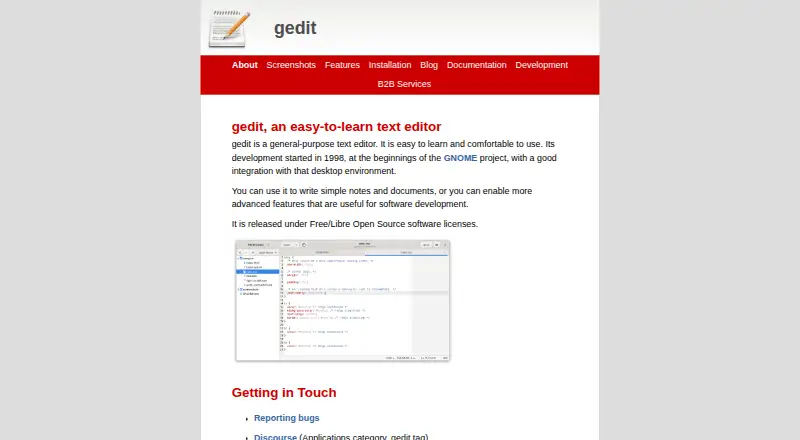
gedit is a free, general-purpose text editor for notes, documents, and software development. It runs on Linux, macOS, and Windows, and supports extensions through a flexible plugin system. Documents open in tabs, with Unicode and UTF-8 support for internationalized text. Editing tools include regular-expression search and replacement, spell-checking, word auto-completion, automatic indentation, line numbers, and text wrapping. Developers can use syntax highlighting for languages including Python, Shell, C, C++, HTML, CSS, JavaScript, XML, and Markdown. gedit can edit files stored in remote locations. Listed plugins add functions such as bookmarks, document statistics, file browsing, modelines, sorting, and spell-checking. Development began alongside the GNOME project in 1998, and the editor integrates with that desktop environment. Linux installation is available through distribution packages or Flathub; the site identifies Homebrew for macOS and the Microsoft Store for Windows. gedit is released under Free/Libre Open Source licenses, while plugins must use the GPL license. Related services include plugin development, code maintenance, training, support, and long-term support versions. Reusable libgedit shared libraries underpin parts of its feature set and can support text editors or IDEs.
Who it suits
gedit fits people who need a no-cost editor for everyday writing, software code, or remote files across Linux, macOS, and Windows. Its tabs, programming syntax highlighting, and plugin system suit users who want a configurable desktop editor.
What it does well
- Free/Libre Open Source software
- Runs on Linux, macOS, and Windows
- Syntax highlighting covers many programming languages
- Regular-expression search and replacement are included
- Plugins add browsing, sorting, bookmarks, and spell-checking
- Supports editing files in remote locations
What to know first
- No free trial is offered because the product is free
- Plugins must be distributed under the GPL license
- Some installation routes vary by operating system
Plans
| Plan | Billed and limits | Price |
|---|---|---|
| gedit | Free/Libre Open Source software | Free |
As gedit-text-editor.org lists them, read 11 Oct 2026. The maker's own page has the final word.
Getting started
- Open the gedit website
- Install from your Linux distribution’s packages or Flathub
- Use Homebrew to install on macOS
- Get gedit from the Microsoft Store on Windows
- Add supported plugins if you need extra functions
Verdict
Pick gedit for a free, open-source editor that handles notes, documents, code, and remote files on three desktop platforms. Its plugin architecture and GNOME integration add flexibility for supported workflows. Look elsewhere if you need an editor outside Linux, macOS, or Windows.
Questions
How much does gedit cost?
gedit costs nothing. It is released as Free/Libre Open Source software.
Which platforms support gedit?
gedit supports Linux, macOS, and Windows.
Does gedit support extensions?
Yes. A plugin system adds features, and listed plugins cover tasks such as bookmarks, file browsing, sorting, and spell-checking.
What programming languages receive syntax highlighting?
Syntax highlighting is available for Python, Shell, C, C++, HTML, CSS, JavaScript, XML, Markdown, and other listed languages.
Who makes gedit?
The maker is gedit, whose development began in 1998 alongside the GNOME project.
Facts from gedit's own pages
- Business services
- Services offered around gedit include plugin development, code maintenance, training, support, and long-term support versions. · gedit-text-editor.org, 11 Oct 2026
- Editing features
- Features include regular-expression search and replace, spell-checking, word auto-completion, auto-indentation, line numbers, and text wrapping. · gedit-text-editor.org, 11 Oct 2026
- Extension support
- Yes · gedit-text-editor.org, 22 Sept 2026
- Founded
- 1998 · gedit-text-editor.org, 28 Sept 2026
- Free plan
- Yes · gedit-text-editor.org, 22 Sept 2026
- GNOME integration
- gedit’s development began in 1998 alongside the GNOME project, and it integrates with that desktop environment. · gedit-text-editor.org, 11 Oct 2026
- Licensing
- The product is released under Free/Libre Open Source software licenses; gedit plugins need to be distributed under the GPL license. · gedit-text-editor.org, 11 Oct 2026
- Linux installation
- On Linux, gedit and gedit-plugins can be installed from a distribution’s packages or from Flathub. · gedit-text-editor.org, 11 Oct 2026
- macOS installation
- The site says gedit is packaged in Homebrew for macOS. · gedit-text-editor.org, 11 Oct 2026
- Plugins
- A flexible plugin system can add features, with listed plugins for bookmarks, document statistics, file browsing, modelines, sorting, spell-checking, and other tasks. · gedit-text-editor.org, 11 Oct 2026
- Programming support
- Syntax highlighting is available for languages including Python, Shell, C, C++, HTML, CSS, JavaScript, XML, and Markdown. · gedit-text-editor.org, 11 Oct 2026
- Purpose
- gedit is a general-purpose text editor for notes, documents, and software development. · gedit-text-editor.org, 11 Oct 2026
- Remote files
- gedit supports editing files from remote locations. · gedit-text-editor.org, 11 Oct 2026
- Reusable libraries
- gedit features are implemented in part as reusable libgedit shared libraries that can underpin text editors and IDEs. · gedit-text-editor.org, 11 Oct 2026
- Support and bug reports
- The site directs users to its manual, GNOME Discourse, and bug reporting guidance, which asks for system details and steps to reproduce a problem. · gedit-text-editor.org, 11 Oct 2026
- Supported platforms
- Linux,macOS,Windows · gedit-text-editor.org, 22 Sept 2026
- Tabs and text support
- Files open in tabs, and gedit supports internationalized text using Unicode and UTF-8. · gedit-text-editor.org, 11 Oct 2026
- Windows installation
- The site says gedit is available from the Microsoft Store for Windows. · gedit-text-editor.org, 11 Oct 2026
Where gedit stands on Freedom251
- Text Editors#19 of 82