TeXworks
What TeXworks is
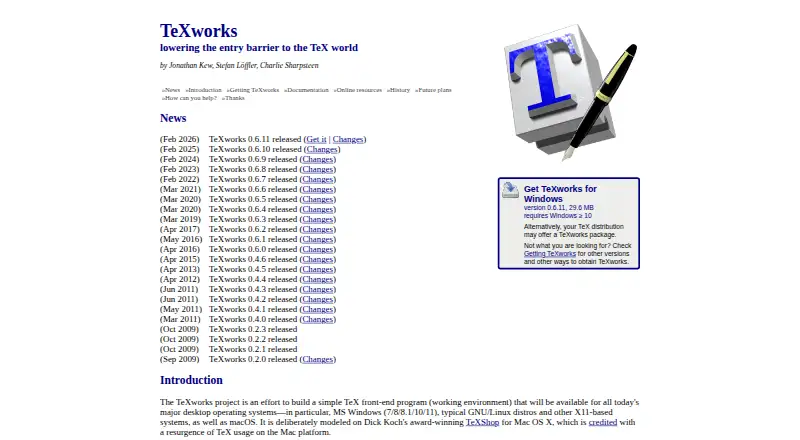
TeXworks is a free desktop application for authoring TeX, LaTeX, and ConTeXt documents. Its Unicode-based, TeX-aware editor has a clean interface intended to be accessible to casual and non-technical users. Editing features include syntax highlighting, auto-completion, spell-checking, templates, search and replace, and multiple file encodings. An integrated PDF viewer can synchronize source and preview using SyncTeX; the 0.6.x series adds continuous scrolling, a two-page view, text selection and copying, and a ruler. The usual typesetting workflow uses pdfTeX or XeTeX to produce PDFs, with DVI output also configurable. TeXworks can run configurable TeX commands, along with BibTeX and Makeindex, and supports scripting with QtScript, Lua, and Python. It runs on Windows, macOS, and GNU/Linux. Typesetting requires a separate TeX distribution such as TeX Live or MiKTeX. The project lists version 0.6.11, released February 10, 2026, and distributes the software under the GNU General Public License version 2 or a later version at the user's option.
Who it suits
TeXworks suits people writing TeX, LaTeX, or ConTeXt documents who want an editor and synchronized PDF viewer for desktop use. Its interface is intended to be accessible to casual and non-technical users.
What it does well
- Free and open-source desktop application.
- Runs on Windows, macOS, and GNU/Linux.
- PDF viewer synchronizes source and preview with SyncTeX.
- Supports BibTeX, Makeindex, and configurable TeX commands.
- Scripting includes QtScript, Lua, and Python.
What to know first
- Requires a TeX distribution to typeset documents.
- No free trial is listed.
- No specific security certification or compliance claim is provided.
Limits
The software is free. Typesetting requires a TeX distribution such as TeX Live or MiKTeX.
Plans
| Plan | Billed and limits | Price |
|---|---|---|
| TeXworks | Free and open-source software · desktop application | Free |
As tug.org lists them, read 4 Oct 2026. The maker's own page has the final word.
Getting started
- Visit the TeXworks website.
- Download the installer or package for Windows, macOS, or GNU/Linux.
- Install a TeX distribution such as TeX Live or MiKTeX for typesetting.
- Open TeXworks and create or edit a TeX, LaTeX, or ConTeXt document.
Verdict
TeXworks brings TeX-family editing and PDF preview into one desktop application, with synchronization and configurable typesetting tools. Users need a separate TeX distribution for typesetting and should check the available packages for their operating system.
Questions
How much does TeXworks cost?
TeXworks is free. Its listed plan is free.
Which operating systems does TeXworks support?
It is available for Windows, macOS, and GNU/Linux.
Does TeXworks include a PDF viewer?
Yes. Its integrated viewer can synchronize the document source and PDF preview through SyncTeX.
Does TeXworks need another program to typeset documents?
Yes. Typesetting requires a TeX distribution such as TeX Live or MiKTeX.
What license does TeXworks use?
It is distributed under the GNU General Public License version 2 or, at the user's option, any later version.
Facts from TeXworks's own pages
- Downloads
- The project lists Windows installers, macOS disk images, and GNU/Linux packages including AppImage, Arch Linux, Debian, Fedora, Flatpak, Gentoo, openSUSE, and Ubuntu. · tug.org, 4 Oct 2026
- Editing features
- The project describes syntax highlighting, auto-completion, spell-checking, templates, search and replace, and multiple file encodings among its editor features. · tug.org, 4 Oct 2026
- Editor
- It includes a Unicode-based, TeX-aware editor with a clean interface intended to be accessible to casual and non-technical users. · github.com, 4 Oct 2026
- Extensibility
- Its scripting support includes QtScript, Lua, and Python, with standalone and hook scripts and custom shortcuts. · tug.org, 4 Oct 2026
- Free plan
- Yes · tug.org, 20 Sept 2026
- Integrations
- TeXworks can run configurable TeX commands including pdftex, pdflatex, xelatex, and context, and supports running BibTeX and Makeindex. · tug.org, 4 Oct 2026
- License
- The code is distributed under the GNU General Public License version 2 or, at the user's option, any later version. · github.com, 4 Oct 2026
- PDF viewer
- The integrated PDF viewer supports source and preview synchronization using SyncTeX. · tug.org, 4 Oct 2026
- Preview features
- The 0.6.x series includes continuous scrolling, two-page view, PDF text selection and copying, a ruler, and fine-grained source-output synchronization. · tug.org, 4 Oct 2026
- Purpose
- TeXworks is a simple TeX front end for authoring TeX, LaTeX, and ConTeXt documents. · github.com, 4 Oct 2026
- Release
- The latest listed release is TeXworks 0.6.11, released February 10, 2026. · github.com, 4 Oct 2026
- Requirements
- TeXworks requires a TeX distribution such as TeX Live or MiKTeX to typeset documents; both distributions include it for Windows. · tug.org, 4 Oct 2026
- Security
- The opened project pages provide no specific security certification or compliance claim. · github.com, 4 Oct 2026
- Support
- The project directs users to its issue tracker and mailing list for bug reports, suggestions, and community discussion. · github.com, 4 Oct 2026
- Supported platforms
- Windows,macOS,GNU/Linux · tug.org, 20 Sept 2026
- Typesetting
- Its normal workflow uses pdfTeX and XeTeX to generate PDF documents, and it can also be configured for DVI output. · tug.org, 4 Oct 2026
Where TeXworks stands on Freedom251
- Text Editors#21 of 82
- LaTeX Editors#21 of 32