Bluefish
by Bluefish
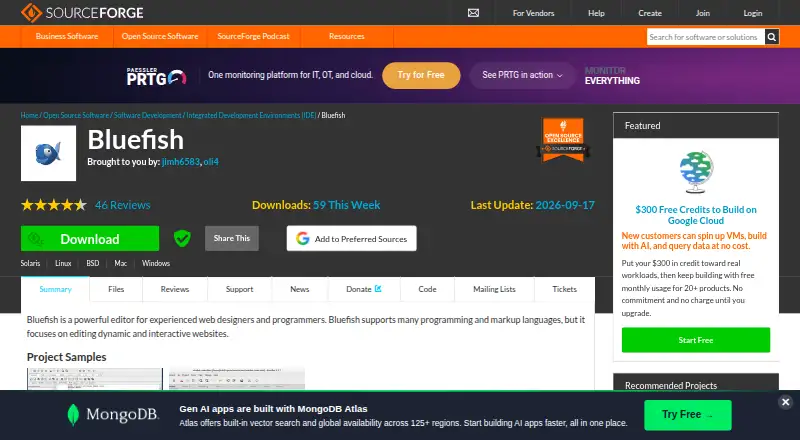
What Bluefish is
Bluefish is a free, open-source desktop editor for programmers and web developers writing websites, scripts and code. Released under the GNU GPL, it supports more than 30 markup and programming languages and runs on Linux, macOS and Windows. The editor can open more than 1,000 documents, and its features page reports tests with more than 10,000 open at once.
Editing tools include regular-expression search and replace, snippets, unlimited undo and redo, and recovery of modified documents after a crash. Language assistance includes code folding, matching bracket and tag highlighting, autocompletion and automatic tag closing for many languages. Project support covers multiple projects and restores settings for each. Bluefish can load and save remote files over FTP, SFTP, HTTP, HTTPS, WebDAV and CIFS through gvfs. Users can integrate external programs or run their own programs and scripts. One packaging limitation applies to the official Flatpak: its strict security blocks integration with system tools such as make, pylint, weblint and the web browser, while internal functionality works as expected.
Who it suits
Bluefish suits programmers and web developers who want a desktop editor with support for many languages, remote files and multiple projects. It is also relevant to users who want an open-source editor without a paid plan.
What it does well
- Free and released under the GNU GPL.
- Supports more than 30 markup and programming languages.
- Available for Linux, macOS and Windows.
- Project support restores settings for each project.
- Supports remote files over several protocols.
What to know first
- Official Flatpak blocks integration with some system tools.
- No paid plans are listed.
- Free trial is not offered.
Plans
| Plan | Billed and limits | Price |
|---|---|---|
| Bluefish | Open-source editor released under the GNU GPL; no paid plans listed | Free |
As bluefish.openoffice.nl lists them, read 4 Oct 2026. The maker's own page has the final word.
Getting started
- Visit the Bluefish website.
- Choose the version for Linux, macOS or Windows.
- Install Bluefish on your desktop.
- Open a project or load files, including remote files if needed.
Verdict
Bluefish offers a broad set of editing and project tools across desktop platforms at no cost. Users relying on external system tools should account for the official Flatpak’s integration restriction.
Questions
How much does Bluefish cost?
Bluefish is free. The listed plan is free.
Is Bluefish open source?
Yes. It is released under the GNU GPL.
Which platforms does Bluefish support?
Bluefish is available for Linux, macOS and Windows.
Does Bluefish have a free trial?
No. Bluefish is offered as free software, and no free trial is listed.
Can Bluefish work with remote files?
Yes. It can load and save files over FTP, SFTP, HTTP, HTTPS, WebDAV and CIFS through gvfs.
Facts from Bluefish's own pages
- Code assistance
- Language support includes code folding, matching bracket and tag highlighting, autocompletion, and automatic tag closing for many languages. · bluefish.openoffice.nl, 4 Oct 2026
- Community model
- The project is run by volunteers and invites help with development, testing and translation. · bluefish.openoffice.nl, 28 Sept 2026
- Customization options
- Bluefish is highly customizable and includes customization tips. · bluefish.openoffice.nl, 28 Sept 2026
- Dark theme support
- Bluefish automatically adjusts text colors for dark desktop themes. · bluefish.openoffice.nl, 28 Sept 2026
- Editing tools
- Features include regular-expression search and replace, snippets, unlimited undo and redo, and crash recovery for modified documents. · bluefish.openoffice.nl, 4 Oct 2026
- Editor type
- desktop · bluefish.openoffice.nl, 20 Sept 2026
- Emmet support
- Bluefish supports Zencoding/Emmet. · bluefish.openoffice.nl, 28 Sept 2026
- Extension support
- Yes · bluefish.openoffice.nl, 20 Sept 2026
- External tools
- Users can integrate external programs such as make, lint, weblint, xmllint, tidy, and javac, or run custom programs and scripts. · bluefish.openoffice.nl, 4 Oct 2026
- File capacity
- It easily loads 1000+ files. · bluefish.openoffice.nl, 28 Sept 2026
- File handling
- Bluefish can open more than 1,000 documents, with the features page reporting tests above 10,000 documents simultaneously. · bluefish.openoffice.nl, 4 Oct 2026
- Founded
- 1998 · bluefish.openoffice.nl, 28 Sept 2026
- Free plan
- Yes · bluefish.openoffice.nl, 20 Sept 2026
- Built-in icon themes
- Version 2.4.2 includes built-in Breeze and Breeze-dark icon themes. · bluefish.openoffice.nl, 28 Sept 2026
- Intended users
- The project describes Bluefish as targeted toward programmers and web developers. · bluefish.openoffice.nl, 4 Oct 2026
- Languages
- It supports more than 30 markup and programming languages. · bluefish.openoffice.nl, 4 Oct 2026
- Language support
- Supports 30+ markup and programming languages. · bluefish.openoffice.nl, 28 Sept 2026
- Memory improvements
- Version 2.4.2 includes reduced memory usage when working with 100+ files simultaneously. · bluefish.openoffice.nl, 28 Sept 2026
- Open-source license
- Bluefish is an open source development project released under the GNU GPL licence. · bluefish.openoffice.nl, 28 Sept 2026
- Platforms
- The download page lists Linux packages and installers for Windows 64-bit and Mac OSX; it also provides a Linux Flatpak. · bluefish.openoffice.nl, 4 Oct 2026
- Pricing page
- The pricing URL returns a 404 error, and no prices are stated. · bluefish.openoffice.nl, 28 Sept 2026
- Project history
- Bluefish has been helping users since 1997. · bluefish.openoffice.nl, 28 Sept 2026
- Projects
- Project support lets users work across multiple projects and restores settings for each project automatically. · bluefish.openoffice.nl, 4 Oct 2026
- Project support
- Bluefish has project support. · bluefish.openoffice.nl, 28 Sept 2026
Where Bluefish stands on Freedom251
- Editor Software#3 of 32
- Text Editors#15 of 82
- Code editors#14 of 45