Freedom251 › Gantt Chart Software

GanttProject
by GanttProject
What GanttProject is
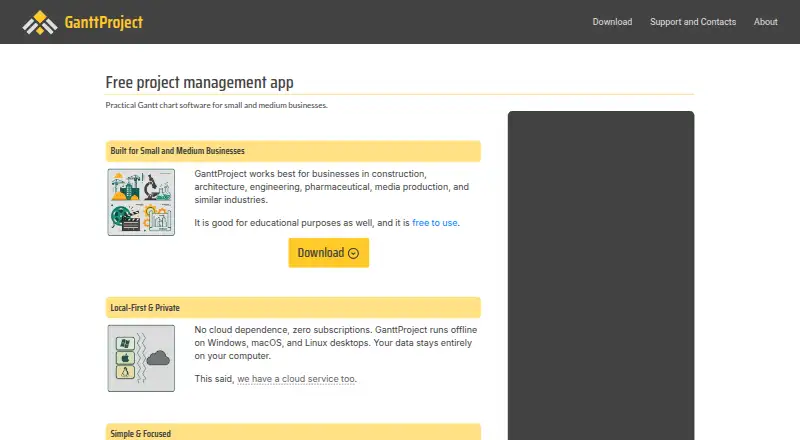
GanttProject is a desktop project management app built around Gantt charts, available for Windows, macOS, and Linux. Its scheduling tools cover task hierarchies, dependencies, constraints, automatic scheduling, milestones, and project baselines. Teams can assign people to tasks, inspect resource load charts, and calculate task costs using resource rates. The app can also generate PERT charts and export to PDF, HTML, PNG, and CSV. For project exchange, it imports MPX, MPP, and XML/MSPDI files and exports XML/MSPDI.
The desktop application works offline and keeps project files on the user's device unless cloud storage or an integration is chosen. Optional GanttProject Cloud adds team collaboration, project locks, notifications, and recent project history; cloud files are stored in Google Cloud Storage. The free desktop download includes all features under GPL-3.0, with no project, task, resource, or user limits. An optional paid download costs $5, paid once and has the same license, binaries, and features. GanttProject is made by GanttProject, whose maker is based in Prague, Czechia, and whose listed founding year is 2003.
Who it suits
GanttProject suits small and medium businesses in fields such as construction, architecture, engineering, pharmaceuticals, and media production. Its maker also notes educational use, and its offline desktop workflow suits people who manage projects in local files.
What it does well
- Free desktop app includes all features under GPL-3.0.
- No project, task, resource, or user limits.
- Works offline and stores project files locally by default.
- Imports MPX, MPP, and XML/MSPDI files.
- Exports charts and project data to several formats.
What to know first
- No browser-based real-time editing is described as a fit.
- Phone and tablet project management may not suit its intended use.
- Go beyond the desktop app for cloud collaboration features.
Limits
The free desktop download has no project, task, resource, or user limits. The optional paid download costs $5, paid once and provides the same software license, binaries, and features.
Plans
| Plan | Billed and limits | Price |
|---|---|---|
| Free download | Free desktop application download | Free |
| Paid download | Optional paid download · Same software license as the free download | On request |
| GanttProject desktop (free download) | GPL-3.0 · all features included · no project, task, resource, or user limits | Free |
| GanttProject desktop (optional paid download) | Pay what you think is fair, starting from $5 · Same binaries and features as the free download | $5, paid once |
As ganttproject.biz lists them, read 22 Sept 2026. The maker's own page has the final word.
Getting started
- Visit the GanttProject website.
- Download the free desktop application for Windows, macOS, or Linux.
- Open the desktop app and create a project.
- Use Gantt charts and scheduling tools to organize tasks and resources.
- Choose optional GanttProject Cloud if you want its team collaboration features.
GanttProject is a free, local-first desktop planner built around Gantt scheduling. It suits small and medium businesses, educators, and anyone who wants full scheduling features without per-seat limits. Its strongest case is controlled, offline project files; teams needing browser, mobile, or broad enterprise collaboration should choose another tool.
Overview
GanttProject organizes work through tasks, schedules, and assigned resources on Windows, macOS, and Linux. The desktop application works offline and keeps project files on your computer unless you select cloud storage or an integration. That is a practical fit for organizations that need direct file ownership or unreliable connectivity, but it also makes the product less convenient for distributed teams expecting a shared browser workspace.
Optional GanttProject Cloud adds project locks, notifications, and recent-project history, storing files in Google Cloud Storage. The maker, GanttProject, has worked on the software since 2003; BarD Software s.r.o. coordinates development and support from Prague. Support uses a Support Portal, with public discussions encouraged for non-confidential questions.
Key features
Task hierarchies let you break a project into phases and work packages. Dependencies, constraints, automatic scheduling, milestones, and baselines provide the controls needed to sequence work and compare current progress with an original plan. This is a solid scheduling foundation when timing relationships matter, although the primary task view is Gantt rather than a broad collection of planning views.
You can assign people to tasks, inspect resource-load charts, and calculate task costs from resource rates. Those tools make the free desktop edition useful for capacity checks and budget-aware planning, not just timeline drawing. PERT charts add a network-oriented perspective, while exports to PDF, HTML, PNG, and CSV make it easier to circulate plans or process data elsewhere.
Compatibility with Microsoft Project files is a practical advantage: GanttProject imports MPX, MPP, and XML/MSPDI files and exports XML/MSPDI. It can therefore fit into workflows that exchange schedules with Project users, though the product remains centered on locally managed files. The desktop privacy policy says purchase and app data travel over secure channels, and the payment processor does not pass card numbers to GanttProject.
Pricing
GanttProject desktop is free: the GPL-3.0 download costs free and includes every feature with no limits on projects, tasks, resources, or users. There is no trial period because the full desktop application is already free. This is unusually suitable for classrooms, consultants, and small businesses that need many schedules without subscription or seat accounting.
An optional paid download costs $5, paid once, billed as “Pay what you think is fair, starting from $5.” It contains the same binaries, license, and features as the free download, so payment is voluntary support rather than an upgrade. A separate paid-download listing has custom pricing, while GanttProject Cloud is an optional collaboration route rather than a stated desktop plan price.
Platforms
The desktop app runs on Linux, macOS, and Windows. Its offline operation and local storage favor laptop and workstation use. There is no stated phone or tablet application, so mobile-first project managers will find the platform coverage restrictive.
Who it's for
The maker targets small and medium businesses, including construction, architecture, engineering, pharmaceutical, and media-production organizations, as well as educational users. It is a good match for a coordinator who needs structured dependencies, resource loading, cost calculations, and portable exports without licensing overhead. It is a poor fit for browser-based real-time editing, phone or tablet management, many third-party integrations, or large interdependent enterprise portfolios.
Pros and cons
Pros
- Complete free edition: all features are included, with no project, task, resource, or user caps.
- Serious scheduling controls: dependencies, constraints, automatic scheduling, milestones, and baselines support disciplined planning.
- Resource and cost visibility: assignments, load charts, and rate-based costs help reveal capacity and budget pressure.
- Flexible file exchange: PDF, HTML, PNG, CSV, PERT, and Microsoft Project imports and exports support reporting and handoffs.
- Offline-first privacy: local files keep core work usable without a connection and under the user's control.
Cons
- Desktop-centric workflow: there is no stated mobile app, limiting work from phones and tablets.
- Limited live collaboration: browser real-time editing and broad integration needs are outside its stated fit.
- Narrower view model: Gantt is the listed task view, so teams wanting multiple native planning views may need another product.
- Enterprise mismatch: large portfolios with many interdependent projects are specifically outside the intended fit.
Alternatives
Agantty is the better choice when you want web and mobile access, a freemium model, and a 14-day all-features trial; its free tier is limited to one project, no teams, and no support.
Open Planner Studio suits users seeking a free, open-source option with web access, Gantt charts, critical-path analysis, and resource planning.
ProjectLibre is worth considering for Microsoft Project import and enterprise resource management in a paid subscription, with Core priced at $9.99 a month billed annually.
RationalPlan fits a smaller capped free workspace—two projects, 100 tasks, 10 MB storage, and two users—or a one-time single-project purchase.
Tom's Planner is a web-focused alternative with a free personal schedule capped at 200 rows and no printing or exporting.
Ganttic is aimed at browser and mobile resource planning, with a free tier supporting up to 10 resources, unlimited users, and unlimited projects.
LibrePlan is an open-source, self-hosted web option with no license fee in its Community Edition.
Microsoft Project is the alternative for organizations wanting Microsoft's Planner and Project ecosystem, including timeline, dependencies, backlogs, sprints, and reports.
For broader directories, browse Gantt Chart Software and Project Management Software.
Verdict
Choose GanttProject if you want a genuinely free, full-featured desktop scheduler with unlimited local projects, resource costing, and strong file exchange. Look elsewhere if your work depends on real-time browser editing, mobile project management, extensive integrations, or enterprise-scale portfolio coordination.
Verdict
Pick GanttProject if you want a free, full-featured desktop tool for scheduling projects with Gantt charts and local files. Look elsewhere if your work depends on real-time browser editing, mobile project management, many third-party integrations, or large interdependent enterprise portfolios.
Questions
How much does GanttProject cost?
The desktop app is free. An optional paid download costs $5, paid once and provides the same license, binaries, and features.
Which platforms does GanttProject support?
The desktop app is available for Windows, macOS, and Linux.
Can GanttProject work offline?
Yes. The desktop app works offline and stores project files locally unless you choose cloud storage or an integration.
Can it work with Microsoft Project files?
GanttProject imports MPX, MPP, and XML/MSPDI files, and exports XML/MSPDI.
Does it include team collaboration?
Optional GanttProject Cloud supports teams, project locks, notifications, and recent project history. It stores files in Google Cloud Storage.
Facts from GanttProject's own pages
- Cloud collaboration
- Optional GanttProject Cloud supports teams, project locks, notifications, and recent project history, and stores files in Google Cloud Storage. · cloud.ganttproject.biz, 11 Oct 2026
- Company
- BarD Software s.r.o. is registered in Prague, Czechia, and was founded in 2012 by Dmitry Barashev to coordinate GanttProject development and support. · ganttproject.biz, 11 Oct 2026
- Exports
- It can generate PERT charts and export to PDF, HTML, PNG, and CSV. · ganttproject.biz, 11 Oct 2026
- Founded
- 2003 · ganttproject.biz, 28 Sept 2026
- Free plan
- Yes · ganttproject.biz, 22 Sept 2026
- Guest access
- Yes · ganttproject.biz, 22 Sept 2026
- Intended users
- The maker describes it as best suited to small and medium businesses, including construction, architecture, engineering, pharmaceutical, and media production businesses, and also notes educational use. · ganttproject.biz, 11 Oct 2026
- Microsoft Project compatibility
- GanttProject imports MPX, MPP, and XML/MSPDI files and exports XML/MSPDI. · ganttproject.biz, 11 Oct 2026
- Notable fit limits
- The maker says it may not suit users needing browser-based real-time editing, phone or tablet project management, many third-party integrations, or large interdependent enterprise portfolios. · ganttproject.biz, 11 Oct 2026
- Offline and local files
- The desktop app works offline and stores project files locally unless the user chooses cloud storage or an integration. · ganttproject.biz, 11 Oct 2026
- Purpose
- GanttProject is a local-first desktop project management app with Gantt charts for Windows, macOS, and Linux. · ganttproject.biz, 11 Oct 2026
- Resource management
- Users can assign people to tasks, review resource load charts, and calculate task costs from resource rates. · ganttproject.biz, 11 Oct 2026
- Scheduling
- It supports task hierarchies, dependencies, constraints, automatic scheduling, milestones, and project baselines. · ganttproject.biz, 11 Oct 2026
- Security and privacy
- The desktop privacy policy says purchase and app data are transmitted over secure channels and that the payment processor does not provide GanttProject with card numbers. · ganttproject.biz, 11 Oct 2026
- Support
- The Support Portal is the default support channel, and public discussions are encouraged unless a question is confidential. · ganttproject.biz, 11 Oct 2026
- Task views
- gantt · ganttproject.biz, 22 Sept 2026
Where GanttProject stands on Freedom251
- Gantt Chart Software#3 of 46
- Project Management Software#32 of 188
- Project management tools#74 of 196