Freedom251 › Gantt Chart Software

Open Planner Studio
What Open Planner Studio is
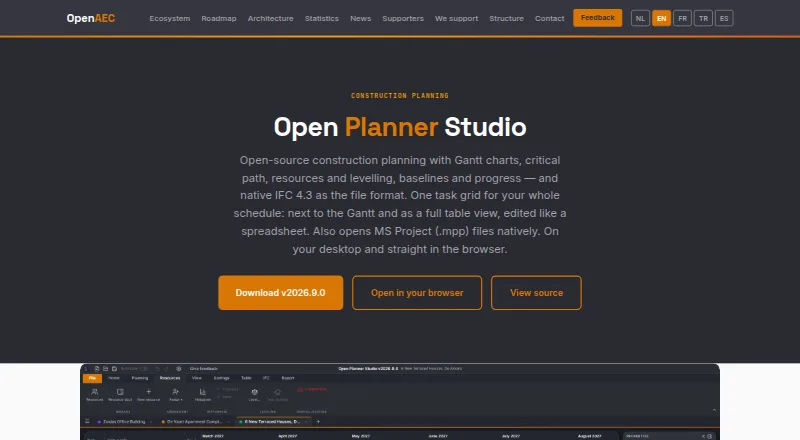
Open Planner Studio is a free, open-source tool for planning construction work on buildings, infrastructure and civil projects. It provides Gantt charts, automatic critical-path calculation, resource histograms and automatic levelling when resources are overallocated. Schedules use native IFC 4.3, and the app can import and export IFC, CSV, MS Project XML and Primavera P6 XML files; it also opens MS Project MPP files natively. Construction calendars can account for holidays, recesses, frost delays, inspections and project phases, while task durations can be set in days or hours. A built-in MCP server lets compatible AI clients read and edit schedules, with pause and read-only controls, backups and an activity panel. Reports export as PDF at approximately 220 DPI on paper sizes up to A2, with baseline overlays and status or progress lines. Schedules are stored as IFC files. The app includes crash recovery, optional periodic saving and an offline manual in fourteen languages. It is marked Available Beta and runs on Linux, macOS, Windows and the web.
Who it suits
It is intended for work planners, schedulers, project leads and BIM coordinators working on construction projects. Its file-format support and calendar controls may suit teams coordinating schedules across project tools and phases.
What it does well
- Free and open source under LGPL-3.0.
- Includes Gantt charts and automatic critical-path calculation.
- Imports and exports several schedule formats.
- Offline manual available in fourteen languages.
- Runs on Linux, macOS, Windows and web.
What to know first
- Product is marked Available Beta.
- No mobile apps are listed.
- Periodic saving is optional; unsaved documents are not automatically overwritten.
Limits
The listed plan is free and includes Gantt charts, critical-path analysis, resource planning and levelling, IFC 4.3 schedules, and desktop and browser use. The product is marked Available Beta.
Plans
| Plan | Billed and limits | Price |
|---|---|---|
| Free and open source | Nothing; no subscription and no per-seat licence fees. · Gantt charts · Critical-path analysis · Resource planning and levelling · IFC 4.3 schedules · Desktop and browser use | Free |
| Open Planner Studio | Free and open source under LGPL-3.0 · no subscription · no per-seat licence fees | Free |
As open-aec.com lists them, read 22 Sept 2026. The maker's own page has the final word.
Getting started
- Visit the Open Planner Studio website.
- Choose desktop use on Linux, macOS or Windows, or use the web version.
- Start with the free and open-source plan; there is no subscription or per-seat licence fee.
- Open or import a schedule in a supported format, or create a schedule using native IFC 4.3.
Overview
Open Planner Studio is an open-source construction planning app for building, infrastructure and civil-works schedules. It best suits planners and BIM coordinators who want scheduling tied to open building data. Its IFC-first approach and free licence are strong reasons to consider it, though beta status makes it a less certain fit for teams that need an established platform.
Schedules are stored as IFC files, an open buildingSMART standard, rather than a proprietary format. The app is marked Available Beta in the OpenAEC ecosystem, and its maker invites work planners, schedulers, project leads and BIM coordinators to test it and offer feedback. OpenAEC’s structure includes a Foundation that maintains tools, OpenAEC Studio for implementation, hosting, custom development and professional support, plus a contributor community. An offline manual in fourteen languages includes a quick start, practical guides, reference pages and sample projects.
Key features
Scheduling and resources
Gantt charts provide a visual schedule, while automatic critical-path calculation identifies the sequence that determines project duration. Resource histograms show demand, and automatic levelling addresses overallocation. These tools give planners a useful scheduling and capacity-planning foundation without a licence charge.
Construction calendars can account for holidays, recesses, frost delays, inspections and project phasing. Tasks can use durations in days or hours, giving teams flexibility to represent different kinds of work. The features are focused on construction planning rather than generic task lists.
Open formats and AI access
The app uses native IFC 4.3 schedules and can import and export IFC, CSV, MS Project XML and Primavera P6 XML. It also opens MS Project MPP files natively. That range can help teams exchange schedules across established tools and keep data in an open format, though no claim is made that every format preserves every scheduling detail.
A built-in MCP server allows compatible AI clients, including Claude Code, to read and edit schedules. Pause controls, read-only mode, automatic backups and an activity panel provide safeguards and visibility around that access. Teams that do not use compatible AI clients can still use the scheduling features without this integration.
Reports and document safety
Reports export to PDF at approximately 220 DPI and support paper sizes up to A2, baseline overlays, and status or progress lines. This is useful for sharing schedule snapshots and progress views beyond the app.
Crash recovery and optional periodic saving to a writable project file help protect work, while unsaved documents are not automatically overwritten. That avoids an automatic overwrite of unsaved work, but users still need to save deliberately or enable periodic saving.
Pricing
Open Planner Studio is free and open source under LGPL-3.0, priced at $0. There is no subscription and no per-seat licence fee. The free offering includes Gantt charts, critical-path analysis, resource planning and levelling, IFC 4.3 schedules, and desktop and browser use. There is no paid tier or free-trial period to weigh against it.
This is a straightforward choice for teams wanting to evaluate or use the scheduling tools without recurring licence costs. The trade-off is not a cheaper plan with reduced features: it is the beta status, which may not suit teams that require a settled production platform.
Platforms
Open Planner Studio is available on Linux, macOS, Windows and the web. It has no mobile apps, so teams needing a native phone or tablet workflow should look elsewhere.
Who it's for
Construction work planners, schedulers, project leads and BIM coordinators are the clearest audience, particularly those managing buildings, infrastructure or civil works and working with IFC-based project data. The open formats and lack of per-seat fees make it worth considering for teams that need schedule exchange without adding licence costs as seats grow. It is less suitable when mobile apps or a non-beta product are requirements.
Pros and cons
- Pros: Native IFC 4.3 schedules and broad import and export support give teams several routes for exchanging project schedules.
- Pros: Critical-path calculation, resource histograms and automatic levelling cover core scheduling and allocation needs.
- Pros: Free and open source under LGPL-3.0, with no subscription or per-seat licence fees.
- Pros: Offline documentation in fourteen languages and PDF reporting support learning and sharing work.
- Cons: Available Beta status makes it a cautious choice for teams seeking an established production tool.
- Cons: No mobile apps means there is no native mobile option for field or on-the-go use.
Alternatives
For a broader construction-scheduling shortlist, see Construction Scheduling Software; for a wider range of charting tools, see Gantt Chart Software.
- usBIM.platform is a better fit when mobile access matters: it supports Android and iOS as well as web and Windows, and its free basic configuration includes 10 GB of cloud storage and free online applications.
- Trimble Quadri suits readers who mainly need a free read-only model viewer with commenting and measurement tools; its Quadri Viewer supports viewing, commenting, and measuring distances and areas.
- Oracle Primavera Cloud is an alternative for teams considering paid cloud services, with listed monthly options at $12 a month for Progress Cloud Service and $55 a month for Task Management Cloud Service.
- FinitePath is another web-based freemium scheduling option.
- LookAhead is a paid option with Android, iOS and web platforms.
- TeamGantt is a freemium web and mobile alternative; its Personal plan allows 1 user, 1 project and 40 tasks, while Basic is $24 a month.
- ALICE is a paid web-based alternative with custom quotes based on project size and scope, unlimited users and data, and dedicated customer success support.
- GanttAI is a paid web-based alternative with a free trial.
Verdict
Open Planner Studio is a strong candidate for construction planners and BIM coordinators who want IFC-based scheduling, resource planning and broad file exchange without subscription or per-seat costs. Its combination of construction calendars, critical-path tools and open formats is the main reason to choose it. Look elsewhere if your workflow depends on mobile apps or you need a product beyond beta.
Verdict
Open Planner Studio offers construction scheduling with IFC-based files, resource planning and multiple import and export formats at no subscription or per-seat licence cost. Its beta status and lack of mobile apps are worth noting.
Questions
How much does Open Planner Studio cost?
The plans are listed as free, with no subscription or per-seat licence fees.
Is there a free plan or trial?
Yes, the product has a free plan. A free trial is not offered.
Which platforms does it support?
It runs on Linux, macOS, Windows and the web.
What file formats can it use?
Schedules use native IFC 4.3. The app imports and exports IFC, CSV, MS Project XML and Primavera P6 XML, and opens MS Project MPP files.
Is Open Planner Studio open source?
Yes. The listed plan describes it as free and open source under LGPL-3.0.
Who makes Open Planner Studio?
OpenAEC describes a Foundation that maintains tools, OpenAEC Studio for implementation, hosting, custom development and professional support, and a community of contributors.
Facts from Open Planner Studio's own pages
- AI integration
- A built-in MCP server lets compatible AI clients such as Claude Code read and edit schedules, with pause, read-only mode, automatic backups and an activity panel. · open-aec.com, 29 Sept 2026
- Availability
- The product is marked Available Beta in the OpenAEC ecosystem. · open-aec.com, 29 Sept 2026
- Construction planning
- Users can configure construction calendars with holidays, recesses, frost delays, inspection moments and phasing, and set task durations in days or hours. · open-aec.com, 29 Sept 2026
- Data handling
- The product page says schedules are stored as IFC files, an open buildingSMART standard, rather than in a proprietary closed format. · open-aec.com, 29 Sept 2026
- File formats
- Schedules use native IFC 4.3 and the app imports and exports IFC, CSV, MS Project XML and Primavera P6 XML, as well as opening MS Project MPP files natively. · open-aec.com, 29 Sept 2026
- Headquarters
- Dordrecht, Netherlands · open-aec.com, 23 Sept 2026
- Intended users
- The maker invites work planners, schedulers, project leads and BIM coordinators to test the product and provide feedback. · open-aec.com, 29 Sept 2026
- Maker structure
- OpenAEC describes a Foundation that maintains tools, OpenAEC Studio that provides implementation, hosting, custom development and professional support, and a community of contributors. · open-aec.com, 29 Sept 2026
- Platforms
- The app runs in a browser and has desktop builds for Windows, macOS and Linux. · open-aec.com, 29 Sept 2026
- Purpose
- Open Planner Studio is an open source construction planning tool for buildings, infrastructure and civil works. · open-aec.com, 29 Sept 2026
- Reporting
- Reports support PDF export at approximately 220 DPI, paper sizes up to A2, baseline overlays and status or progress lines. · open-aec.com, 29 Sept 2026
- Saving and recovery
- The app offers crash recovery, and optional periodic saving back to a writable project file; unsaved documents are not automatically overwritten. · open-aec.com, 29 Sept 2026
- Scheduling
- It provides Gantt charts, automatic critical path calculation, resource histograms and automatic levelling of overallocation. · open-aec.com, 29 Sept 2026
- Support
- The app includes an offline manual in fourteen languages, with a quick start, practical guides, reference pages and sample projects. · open-aec.com, 29 Sept 2026
Where Open Planner Studio stands on Freedom251
- Gantt Chart Software#5 of 46
- Construction Scheduling Software#3 of 26