Freedom251 › Construction Scheduling Software

GanttAI
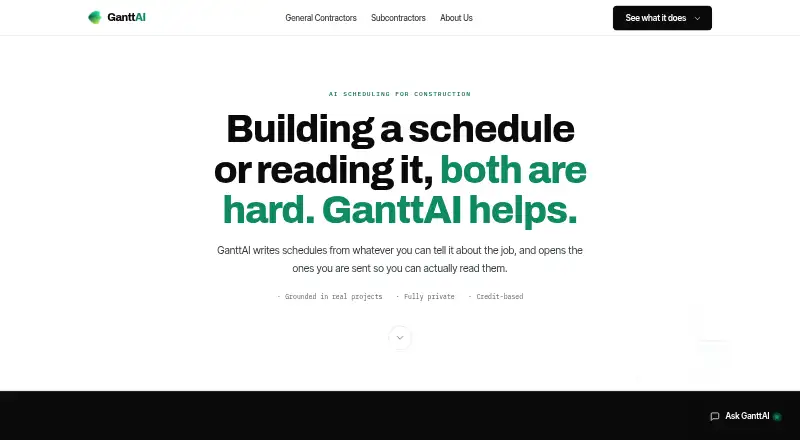
What GanttAI is
GanttAI is a web product for specialty contractors and subcontractors who need to find their work in a general contractor’s construction schedule and follow how revisions affect it. It can open PDF, MPP, XER, XML, or Excel schedules as searchable schedules and identify activities within a contractor’s scope. Its revision comparison covers dates, durations, logic, and sequence, and produces a report link recipients can open without an account. The site says Compare is more than 99% accurate across those areas.
For crew planning, users enter hours by scope and person-day. GanttAI estimates staffing for activities and shows crew peaks against available headcount. Its AI Agent answers plain-English questions about schedules and can create look-aheads or summaries as Excel files. The Portfolio plan adds a cross-project view of trade-level manpower by day, week, month, quarter, or year. GanttAI describes exports for Excel, Primavera P6, Microsoft Project, and PDF. Paid plans include onboarding and support; Team and Portfolio include dedicated support with an account lead. A free trial covers one project, two schedule reviews, and one comparison, requires no card, and does not charge automatically when it ends. The company says customer schedules, drawings, and contracts stay in the customer’s workspace and are not used to train another customer’s model.
Who it suits
GanttAI suits specialty contractors and subcontractors working from general contractors’ schedules who need to locate scoped activities, compare schedule revisions, or plan crews. Teams managing several projects may find the Portfolio plan’s cross-project manpower view relevant.
What it does well
- Makes supported schedules searchable and identifies scope activities.
- Compares dates, durations, logic, and sequence between revisions.
- Report links can be opened without an account.
- Crew planning shows staffing estimates and peaks against headcount.
- AI Agent can create look-aheads or summaries as Excel files.
- Paid plans include onboarding and support.
What to know first
- There is no free plan; access starts with a paid plan after the trial.
- Free trial is limited to one project, two reviews, and one comparison.
- Side-by-side comparison of three or more revisions is roadmap work.
- Single plan includes one project; each additional project costs $250/month on that plan.
Limits
The free trial allows one project, two schedule reviews, and one comparison, and does not charge automatically when it ends. The cheapest listed plan, Single, costs $250 a month and includes one project; each additional project costs $250/month on the Single plan.
Plans
| Plan | Billed and limits | Price |
|---|---|---|
| Portfolio Pro add-on | +$100/month · Portfolio plan add-on · editable portfolio crew plan · create teams and manage crews · add projects to overview without using a project slot | $100 a month |
| Portfolio Pro add-on (yearly) | $1,100/year · Portfolio plan add-on · yearly price gives eleven months for twelve | $1,100 a year |
| Portfolio | $1,250/month · 10 projects included · $150/month per extra project · portfolio crew planning · portfolio overview · invoicing, POs and net-30 · named contact and priority support | $1,250 a month |
| Portfolio (yearly) | $13,750/year · 10 projects included · extra project slots billed monthly · yearly price gives eleven months for twelve | $13,750 a year |
| Single | $250/month · 1 project included · $250/month per extra project · unlimited reviews and compares · person loading and crew planning · AI agent · Excel and PDF exports · onboarding and support | $250 a month |
| Single (yearly) | $2,750/year · 1 project included · extra project slots billed monthly · yearly price gives eleven months for twelve | $2,750 a year |
| Team | $750/month · 5 projects included · $150/month per extra project · unlimited users · shared projects and files · admin console and roles · dedicated support with account lead | $750 a month |
| Team (yearly) | $8,250/year · 5 projects included · extra project slots billed monthly · yearly price gives eleven months for twelve | $8,250 a year |
As ganttai.com lists them, read 8 Oct 2026. The maker's own page has the final word.
Getting started
- Visit the GanttAI website.
- Sign up for the free trial, which requires no card.
- Upload a supported schedule file for review.
- Use schedule search and scope identification, revision comparison, or crew planning.
- Book a demo or request a free comparison report if you want to explore before starting a trial.
Verdict
Choose GanttAI if your work depends on identifying subcontractor scope in construction schedules, understanding revisions, or planning crews against schedule dates. The free trial lets you try those workflows within its project and review limits. Look elsewhere if you need a free plan or live side-by-side comparison of three or more revisions.
Questions
Does GanttAI have a free plan?
No. It offers a free trial with one project, two schedule reviews, and one comparison. The trial requires no card and does not charge automatically when it ends.
How much does the Single plan cost?
Single costs $250 a month and includes one project. Each additional project costs $250/month on the Single plan.
What schedule formats can it open?
The subcontractor product accepts PDF, MPP, XER, XML, and Excel schedule files.
What exports does GanttAI describe?
It describes exports for Excel, Primavera P6, Microsoft Project, and PDF.
Who makes GanttAI, and where is it based?
The About page names Chirag Soni as founder and says GanttAI is based in Toronto, Canada.
Does GanttAI support crew planning?
Yes. Users enter hours by scope and person-day so GanttAI can estimate activity staffing and show crew peaks against available headcount.
Facts from GanttAI's own pages
- Accuracy claim
- The site says Compare is more than 99% accurate across dates, durations, logic, and sequence. · ganttai.com, 8 Oct 2026
- AI assistant
- GanttAI Agent answers schedule questions in plain English and can produce look-ahead files and summaries through chat. · ganttai.com, 8 Oct 2026
- Crew planning
- Users enter hours per scope and hours per person-day, and GanttAI derives the crew needed for each activity against its duration. · ganttai.com, 8 Oct 2026
- Data privacy
- The company says schedules, drawings, and contracts stay in the customer's workspace, are not pooled with other customers, and are not used to train another customer's model. · ganttai.com, 8 Oct 2026
- File compatibility
- The subcontractor product accepts PDF, MPP, XER, XML and Excel schedule files and describes exports for Excel, Primavera P6, Microsoft Project and PDF. · ganttai.com, 4 Oct 2026
- For subcontractors
- It is built for specialty contractors who need to find their activities in a general contractor’s schedule and track how revisions affect their work. · ganttai.com, 4 Oct 2026
- Headquarters
- Toronto, Canada · ganttai.com, 28 Sept 2026
- Integrations and formats
- The site lists Microsoft Project, Primavera P6, Excel, and PDF as supported scheduling formats and exports. · ganttai.com, 8 Oct 2026
- Intended users
- GanttAI describes itself as built for specialty contractors and subcontractors working from general contractors' schedules. · ganttai.com, 8 Oct 2026
- Maker
- The About page names Chirag Soni as founder and says GanttAI is based in Toronto, Canada. · ganttai.com, 8 Oct 2026
- Portfolio view
- The Portfolio plan aggregates trade-level manpower across projects by day, week, month, quarter, or year against actual crew sizes. · ganttai.com, 8 Oct 2026
- Pricing model
- The subcontractor page describes credit-based pricing, with credits spent per review or comparison run, but does not state a credit price. · ganttai.com, 4 Oct 2026
- Privacy
- GanttAI says schedules, drawings and contracts stay in the customer’s workspace, are not pooled with other customers and are not used to train another customer’s model. · ganttai.com, 4 Oct 2026
- Product
- GanttAI opens construction schedules, finds a subcontractor's scope, tracks revision changes, and plans crews against schedule dates. · ganttai.com, 8 Oct 2026
- Product limit
- Comparing three or more schedule revisions side by side in one view is listed as roadmap work, not live today. · ganttai.com, 8 Oct 2026
- Purpose
- GanttAI uses AI to generate, verify, review and compare construction schedules. · ganttai.com, 4 Oct 2026
- Revision comparison
- It compares two schedule revisions and shows date, duration, logic, and sequence changes affecting a selected scope. · ganttai.com, 8 Oct 2026
- Schedule review
- It accepts PDF, MPP, XER, XML, and Excel schedules and turns them into live, searchable schedules. · ganttai.com, 8 Oct 2026
- Support
- Onboarding and support are included on all plans; Team and Portfolio include dedicated support with an account lead. · ganttai.com, 8 Oct 2026
- Trial and support
- The site offers a free-trial signup and invites prospective customers to book a demo; it also offers a free comparison report with no trial or card required. · ganttai.com, 4 Oct 2026
- Trial limits
- The free trial includes one project, two schedule reviews, and one comparison, requires no card, and does not charge automatically when it ends. · ganttai.com, 8 Oct 2026
Where GanttAI stands on Freedom251
- Construction Scheduling Software#12 of 26