Freedom251 › Android Emulators for PC
GameLoop
by GameLoop
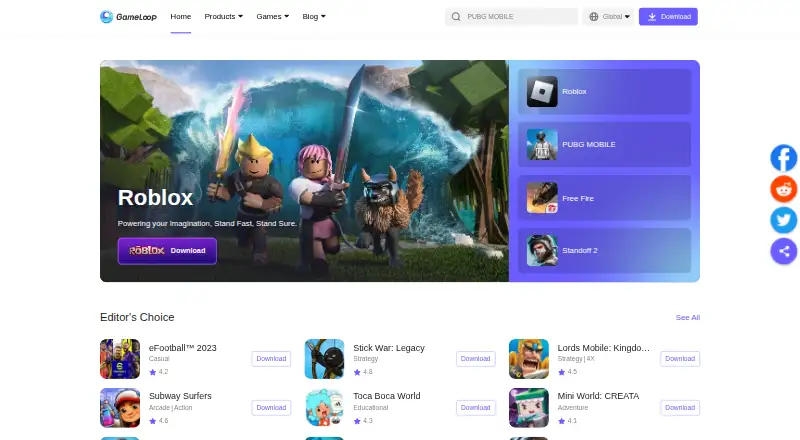
What GameLoop is
GameLoop is an Android emulator and gaming platform for playing mobile games on a Windows PC. It identifies PUBG Mobile and Arena of Valor as games for which it is the official emulator, and Call of Duty Mobile as an exclusive emulator. Players can personalize key controls for each hero, use keyboard mapping or a gamepad, and run multiple instances. GameLoop says its AOW engine is used for PUBG Mobile, Arena of Valor and other games; it also advertises startup without VT adjustment and performance intended for all PC models, including low-end machines. Tencent Protect is described as an anti-cheat system developed with Tencent Games Anti-Cheat Center. GameLoop provides FAQs for customer support and technical questions, and lists Discord for support or feedback. Its privacy policy says security data such as device, network, process, memory and driver information is collected to detect cheating and address crashes. The free plan is listed as free. Minimum requirements are Windows 8.1/10 64-bit, GTX 1050, i3-8300, 8 GB RAM and 1 GB storage.
Who it suits
GameLoop suits Windows PC users who want to play mobile games with keyboard or gamepad controls, including players of PUBG Mobile, Arena of Valor or Call of Duty Mobile. The listed minimum system requirements should be checked before installing.
What it does well
- Free plan listed as free
- Supports keyboard mapping and gamepads
- Offers multiple instances
- Provides FAQs and Discord support
What to know first
- Requires Windows 8.1/10 64-bit at minimum
- Minimum requirements include GTX 1050 and i3-8300
- Collects device, network, process, memory and driver data
Limits
The free emulator requires Windows 8.1 or 10 64-bit, a GTX 1050, an i3-8300, 8 GB RAM and 1 GB storage at minimum.
Plans
| Plan | Billed and limits | Price |
|---|---|---|
| GameLoop emulator | Windows PC emulator · mobile games and apps | Free |
As gameloop.com lists them, read 1 Oct 2026. The maker's own page has the final word.
Getting started
- Visit the GameLoop website
- Check that your PC meets the listed minimum requirements
- Install the Windows emulator
- Use keyboard mapping or gamepad support and personalize key controls
GameLoop is a Windows-focused Android emulator and gaming platform for playing mobile games on a PC. It is best suited to players who want customizable controls and multiple instances, particularly for the titles it promotes. The free emulator is a focused gaming option, but its stated PC requirements and security-data collection deserve consideration.
Overview
GameLoop combines Android emulation with a platform for mobile games. It describes itself as the official emulator for PUBG Mobile and Arena of Valor, and the exclusive emulator for Call of Duty Mobile. That makes it a strong candidate for players of those games; its gaming emphasis is less compelling for someone primarily seeking a general-purpose Android environment.
Its self-developed AOW engine is used for PUBG Mobile, Arena of Valor and other games. GameLoop promotes faster startup without VT adjustment, smoother rendering and performance across PC models, especially lower-end machines. Those claims do not remove the need to check its stated minimums: Windows 8.1/10 64-bit, GTX 1050, i3-8300, 8 GB RAM and 1 GB storage.
Key features
Controls and multi-instance play
Keyboard mapping, gamepad support and multi-instance mode give players flexibility in how they play and allow multiple emulator instances. Controls can be personalized for every hero, which is useful when preferred inputs vary by character. These are practical advantages for PC gaming, though they matter less to someone who mainly wants to run Android apps rather than play.
Anti-cheat and support
Tencent Protect, developed by GameLoop and Tencent Games Anti-Cheat Center, is intended to detect cheating and support a fair gaming environment. The product also provides FAQs for customer support, technical issues and questions about its games. Users can contact GameLoop through its Discord server for support or feedback.
Pricing
GameLoop emulator costs nothing and includes a Windows PC emulator for mobile games and apps. There are no paid tiers or stated seat or usage caps to weigh against the free offering. That makes it straightforward to try without a subscription commitment, but the free price does not change the PC requirements or privacy trade-off.
Platforms
GameLoop is available for Windows PC, with Android games and apps as its emulation target. Its minimum requirements are Windows 8.1/10 64-bit, GTX 1050, i3-8300, 8 GB RAM and 1 GB storage. It is not a fit for someone seeking a macOS or Linux desktop emulator.
Who it's for
Choose GameLoop if you play mobile games on a Windows PC and value keyboard or gamepad input, per-hero control customization and multiple instances. It is particularly relevant to players of PUBG Mobile, Arena of Valor or Call of Duty Mobile. If your priority is broad Android app use, a different emulator may be a better match.
Privacy-conscious users should also weigh its security practices. GameLoop collects device, network, process, memory, driver and related security information to detect cheating, support fair play and solve crashes. Its privacy policy says servers are located in Germany, the United States, India, Singapore and Thailand. Facebook and Google login are supported, with GameLoop generating a UUID for those methods.
Pros and cons
- Pros: Free Windows emulation with keyboard mapping, gamepad support and multi-instance mode, useful for players who want PC-oriented controls.
- Pros: Per-hero control customization and stated official or exclusive status for several prominent mobile games give it a clear gaming focus.
- Cons: The minimum PC requirements are substantial enough that players with older or lower-spec systems should check compatibility before choosing it.
- Cons: Its collection of device and security-related data may not suit users unwilling to share system information for anti-cheat and crash handling.
Alternatives
Android Emulators for PC and Android emulators are useful starting points for comparing options beyond GameLoop's gaming-focused approach.
Genymotion Desktop is worth considering for someone who wants a cross-platform emulator: it supports Linux, macOS and Windows, has a free personal-use limited edition, and an Educational plan at $49 a year.
BlueStacks App Player is another free option for Windows and macOS; its paid BlueStacks Prime plan is $7.99 a month (billed).
Android-x86 may suit users looking for a free, open-source option for Linux or self-hosted use. Google Play Games on PC is a free Windows option, though games or in-game items may cost extra.
LDPlayer offers free Windows emulation with keyboard and mouse controls and multi-instance support. MEmu Play is a free Windows emulator supported by advertisements, while NovaPlay is a free Windows option that requires hardware virtualization. NoxPlayer is a free Windows and Mac emulator with keyboard mapping and multiple instances.
Verdict
GameLoop is a sensible free choice for Windows players who want customizable controls, multiple instances and a gaming platform built around mobile titles. Its clearest reason to choose it is its focus on PUBG Mobile, Arena of Valor and Call of Duty Mobile; its clearest reasons to look elsewhere are the stated system requirements, its narrower gaming orientation and its security-data collection.
Verdict
GameLoop combines mobile-game emulation with customizable controls and multi-instance support, and is free. Check the stated PC requirements and its security-data collection before choosing it.
Questions
Is GameLoop free?
Yes. Its listed GameLoop emulator plan is free.
Which platforms does it support?
The listed platforms are Android and Windows, with Windows as its desktop platform.
Which games does GameLoop describe as supported?
It describes itself as the official emulator for PUBG Mobile and Arena of Valor, and the exclusive emulator for Call of Duty Mobile.
Does it support multiple instances and gamepads?
Yes. Multi-instance mode, keyboard mapping and gamepad support are listed.
What are the minimum system requirements?
The listed minimum is Windows 8.1 or 10 64-bit, GTX 1050, i3-8300, 8 GB RAM and 1 GB storage.
How can users contact GameLoop for support?
Its privacy policy says users can contact GameLoop through its Discord server for support or feedback. The product also provides FAQs.
Facts from GameLoop's own pages
- Anti-cheat
- Tencent Protect is described as an anti-cheat system developed by GameLoop and Tencent Games Anti-Cheat Center. · gameloop.com, 1 Oct 2026
- Desktop platforms
- Windows · gameloop.com, 19 Sept 2026
- Engine
- GameLoop uses a self-developed AOW engine for PUBG Mobile, Arena of Valor and other games. · gameloop.com, 1 Oct 2026
- Free plan
- Yes · gameloop.com, 19 Sept 2026
- Gamepad support
- Yes · gameloop.com, 19 Sept 2026
- Headquarters
- Hong Kong · gameloop.com, 28 Sept 2026
- Keyboard mapping
- Yes · gameloop.com, 19 Sept 2026
- Key controls
- Users can personalize key controls for every hero. · gameloop.com, 1 Oct 2026
- Login integrations
- The privacy policy says users may log in through Facebook or Google, with GameLoop generating a UUID for those methods. · static.gameloop.com, 1 Oct 2026
- Multi-instance
- Yes · gameloop.com, 19 Sept 2026
- Performance
- GameLoop claims better performance on all PC models, especially low-end machines. · gameloop.com, 1 Oct 2026
- Product
- GameLoop is an Android emulator and gaming platform for playing mobile games on PC. · gameloop.com, 1 Oct 2026
- Rendering
- The product page advertises top-class rendering technology for smoother picture quality. · gameloop.com, 1 Oct 2026
- Security data
- GameLoop collects device, network, process, memory, driver and related security information to detect cheating, provide a fair environment and solve crashes. · static.gameloop.com, 1 Oct 2026
- Server locations
- The privacy policy states that GameLoop servers are located in Germany, the United States, India, Singapore and Thailand. · static.gameloop.com, 1 Oct 2026
- Startup
- The product page says GameLoop requires no VT adjustment and offers faster startup with no threshold. · gameloop.com, 1 Oct 2026
- Support
- GameLoop provides FAQs covering customer support, technical issues, PUBG, Arena of Valor and other questions. · gameloop.com, 1 Oct 2026
- Support channel
- The privacy policy says users can contact GameLoop through its Discord server for support or feedback. · static.gameloop.com, 1 Oct 2026
- Supported games
- The site describes GameLoop as the official emulator for PUBG Mobile and Arena of Valor and the exclusive emulator for Call of Duty Mobile. · gameloop.com, 1 Oct 2026
- System requirements
- A GameLoop app page lists minimum requirements of Windows 8.1/10 64-bit, GTX 1050, i3-8300, 8 GB RAM and 1 GB storage. · gameloop.com, 1 Oct 2026
Where GameLoop stands on Freedom251
- Android Emulators for PC#3 of 11
- Android emulators#12 of 19