Freedom251 › Android emulators
LDPlayer
by LDPlayer
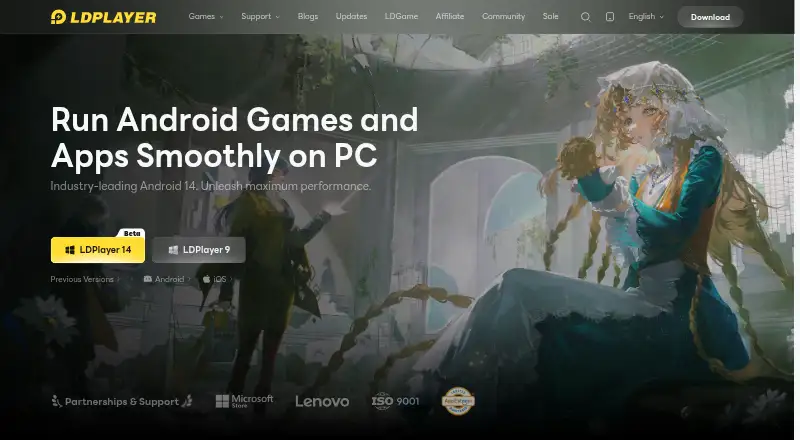
What LDPlayer is
LDPlayer is a Windows Android emulator for running Android games and applications on a PC. It supports Google Play, keyboard mapping, gamepads, root access, and multiple emulator instances. The listed Android core is version 14, with LDPlayer 14 Beta also available. Its controls include direct game-controller connections and universal controller support. For automation, LDPlayer offers one-click macros, script recording, and auto click. The maker lists AOT, I/O passthrough, asynchronous rendering, and hardware passthrough among its performance features, and claims partnerships with hundreds of game publishers worldwide. The Free plan includes the Windows emulator, keyboard and mouse controls, and multi-instance support. The site also labels cloud game downloads and cloud game services as free. LD Premium removes emulator desktop ads and sponsored-app pop-ups, with monthly and yearly subscription options. Premium subscriptions are non-refundable except where applicable law requires otherwise. LDPlayer lists support by email, Facebook, Discord, and LDGame customer service. The maker is LDPlayer, headquartered in Hong Kong; the site names JUST OKAY LIMITED and XUANZHI INTERNATIONAL CO., LIMITED as company entities. Related products include LDCloud, OSLink, EasyFun, and LDShop.
Who it suits
LDPlayer suits Windows users who want to run Android games or applications on a PC, with keyboard, mouse, or gamepad controls. Its multi-instance mode and automation tools may also suit users who want to run several emulator instances or use macros and scripts.
What it does well
- Runs Android games and applications on Windows.
- Supports Google Play, root access, and multiple instances.
- Offers keyboard mapping and game-controller support.
- Includes macros, script recording, and auto click.
- Free plan includes keyboard and mouse controls.
What to know first
- LD Premium subscription prices are not printed.
- Premium subscriptions are non-refundable except where law requires otherwise.
- The listed platform is Windows.
Limits
The Free plan provides the Windows emulator, keyboard and mouse controls, and multi-instance support. LD Premium removes emulator desktop ads and sponsored-app pop-ups; its monthly and yearly prices are not printed.
Plans
| Plan | Billed and limits | Price |
|---|---|---|
| Free | Windows Android emulator · Keyboard and mouse controls · Multi-instance support | Free |
| LD Premium | Ad-free emulator desktop · Monthly or yearly subscription options | On request |
| LD Premium Monthly | billed monthly | On request |
| LD Premium Yearly | billed yearly | On request |
As ldplayer.net lists them, read 19 Sept 2026. The maker's own page has the final word.
Getting started
- Visit https://www.ldplayer.net/.
- Use the Windows emulator and its keyboard and mouse controls on the Free plan.
- Connect a game controller or configure keyboard mapping if needed.
- Use multi-instance support, macros, script recording, or auto click as needed.
- Choose a monthly or yearly LD Premium subscription to remove emulator desktop ads and sponsored-app pop-ups.
Overview
LDPlayer is a Windows Android emulator for running games and apps on a PC. It is best suited to players who want flexible controls, multiple instances, or tools for automating repeated actions. Its range of gaming options is appealing, but Windows-only support rules it out for users on other desktop platforms.
Key features
Google Play support gives users access to Android games and applications, while keyboard mapping and gamepad support let players choose between PC-style input and a connected controller. Root access adds a configuration option for users who need it, though most players can focus on the controls and app compatibility.
Multi-instance mode supports running multiple emulator instances, which is useful for keeping sessions separate or managing more than one game at a time. One-click macros, script recording, and auto click can reduce repetitive input; these tools are most relevant to players with recurring tasks, rather than anyone seeking a simple one-game setup.
The highlighted core is Android 14, with LDPlayer 14 Beta also available. Performance-oriented features include AOT, I/O passthrough, asynchronous rendering, and hardware passthrough. Their presence gives users several technical options, but does not guarantee a particular result on every PC or in every game. The publisher also claims partnerships with hundreds of game publishers worldwide.
Cloud game downloads and cloud game services are free. Premium removes emulator desktop ads and sponsored-app pop-ups, so its benefit is a cleaner desktop rather than access to the core Free plan controls or multi-instance support.
Pricing
| Plan | Price | What it includes |
|---|---|---|
| Free | free | Windows Android emulator, keyboard and mouse controls, and multi-instance support. |
| LD Premium | Custom pricing | Ad-free emulator desktop, with monthly or yearly subscription options. |
| LD Premium Monthly | Custom pricing | Premium subscription billed monthly. |
| LD Premium Yearly | Custom pricing | Premium subscription billed yearly. |
The Free plan covers the main emulator features, making it the practical choice for users who can tolerate desktop ads and sponsored-app pop-ups. Premium is for those who want to remove them; the monthly option avoids an annual billing term, while the yearly option bills yearly. Premium subscriptions are non-refundable except where applicable law requires otherwise.
Platforms
LDPlayer supports Windows only. Choose another emulator if you need a desktop option for macOS or Linux.
Who it's for
LDPlayer suits Windows users who want Android games or apps on a PC and value gamepad support, keyboard mapping, multiple instances, or automation. It is less suitable for users who only need a basic single-instance setup and would rather avoid ads, or for anyone who needs an emulator on another operating system.
Pros and cons
- Pro: Google Play, keyboard mapping, and gamepad support give players several ways to run and control Android games on Windows.
- Pro: Multi-instance mode and automation tools serve users managing separate sessions or repeated actions.
- Pro: The Free plan includes keyboard and mouse controls and multi-instance support.
- Con: Windows-only availability excludes Mac and Linux users.
- Con: Premium removes desktop ads and sponsored-app pop-ups, so users who want an ad-free desktop must subscribe.
- Con: Premium subscriptions are non-refundable except where required by law.
Alternatives
Android Emulator is a free option for users who want broader platform coverage, including Android, Linux, macOS, and Windows; its bundled Android Studio plan includes 16 GB RAM and 16 GB disk space.
Genymotion Desktop is worth considering for Linux or macOS users, or for those who want a free personal-use edition and an Educational plan at $49 a year.
NoxPlayer is another free choice for Windows and Mac users, with keyboard and mouse mapping and multiple emulator instances.
BlueStacks App Player offers a free core experience on Windows and macOS, with a BlueStacks Prime plan at $7.99 a month.
MEmu Play is a free Windows alternative supported by advertisements.
Waydroid is a free, open-source option for Linux users.
Appetize may suit users looking for a web, mobile, API, or self-hosted platform; its Free plan is limited to one user, two active devices, and 30 minutes refilled monthly.
Cuttlefish is another option for Linux or self-hosted use.
For more choices, see Android emulators and Android Emulators for PC.
Verdict
Choose LDPlayer if you want a Windows emulator that combines Google Play access with flexible controls, multiple instances, and automation. Its free plan makes those core capabilities accessible without a Premium subscription. Look elsewhere if you need macOS or Linux support, or if you want a printed Premium price and a refundable subscription before committing.
Verdict
Choose LDPlayer if you want a Windows emulator with Google Play, multi-instance support, and several control and automation options. The Free plan includes keyboard and mouse controls; look elsewhere if you need a platform other than Windows or want a printed Premium price before choosing a subscription.
Questions
What does LDPlayer cost?
The Free plan is listed as free. LD Premium has monthly and yearly subscription options, but no prices are printed.
Which operating system does LDPlayer support?
The listed desktop platform is Windows.
Can LDPlayer run Google Play apps and games?
Yes. Google Play support is listed, and the emulator runs Android games and applications.
Does LDPlayer support multiple instances and controllers?
Yes. It supports multi-instance mode, keyboard mapping, and direct or universal game-controller support.
What does LD Premium include?
It removes emulator desktop ads and sponsored-app pop-ups. Premium subscriptions are non-refundable except where applicable law requires otherwise.
Who makes LDPlayer?
The maker is listed as LDPlayer, with headquarters in Hong Kong.
Facts from LDPlayer's own pages
- Android Version
- The latest highlighted core is Android 14, with LDPlayer 14 Beta listed. · ldplayer.net, 28 Sept 2026
- Automation Features
- Includes one-click macros, script recording, and auto click. · ldplayer.net, 28 Sept 2026
- Company Entities
- The site lists JUST OKAY LIMITED and XUANZHI INTERNATIONAL CO., LIMITED. · ldplayer.net, 28 Sept 2026
- Controller Support
- Supports direct game-controller connections and universal controller support. · ldplayer.net, 28 Sept 2026
- Desktop platforms
- Windows · ldplayer.net, 19 Sept 2026
- Free Access
- The page labels cloud game downloads and cloud game services as free. · ldplayer.net, 28 Sept 2026
- Free plan
- Yes · ldplayer.net, 19 Sept 2026
- Gamepad support
- Yes · ldplayer.net, 19 Sept 2026
- Google Play support
- Yes · ldplayer.net, 19 Sept 2026
- Headquarters
- Hong Kong · ldplayer.net, 28 Sept 2026
- Keyboard Mapping
- Provides built-in keymapping presets for keyboard and mouse control. · ldplayer.net, 28 Sept 2026
- Multi-Instance
- Supports unlimited multi-instance operation with synchronized windows. · ldplayer.net, 28 Sept 2026
- Performance Features
- Uses AOT, I/O passthrough, asynchronous rendering, and hardware passthrough for performance. · ldplayer.net, 28 Sept 2026
- Premium Ad Benefits
- Premium removes emulator desktop ads and sponsored-app pop-ups. · ldplayer.net, 28 Sept 2026
- Premium Pricing
- Premium offers monthly and yearly subscription options, but no prices are printed. · ldplayer.net, 28 Sept 2026
- Privacy Compliance
- The site links to a Privacy Policy and GDPR Privacy Notice. · ldplayer.net, 28 Sept 2026
- Product Type
- Android emulator for PC users. · ldplayer.net, 28 Sept 2026
- Publisher Partnerships
- Claims partnerships with hundreds of game publishers worldwide. · ldplayer.net, 28 Sept 2026
- Refund Policy
- LDPlayer Premium subscriptions are non-refundable except where applicable law requires otherwise. · ldplayer.net, 28 Sept 2026
- Related Products
- Related products include LDCloud, OSLink, EasyFun, and LDShop. · ldplayer.net, 28 Sept 2026
- Root access
- Yes · ldplayer.net, 19 Sept 2026
- Support Channels
- Provides support email, Facebook, Discord, and LDGame customer service. · ldplayer.net, 28 Sept 2026
- Supported Content
- Runs Android games and applications. · ldplayer.net, 28 Sept 2026
Where LDPlayer stands on Freedom251
- Android emulators#8 of 19
- Android Emulators for PC#7 of 11