Freedom251 › Android emulators

MEmu Play
by MEmu Play
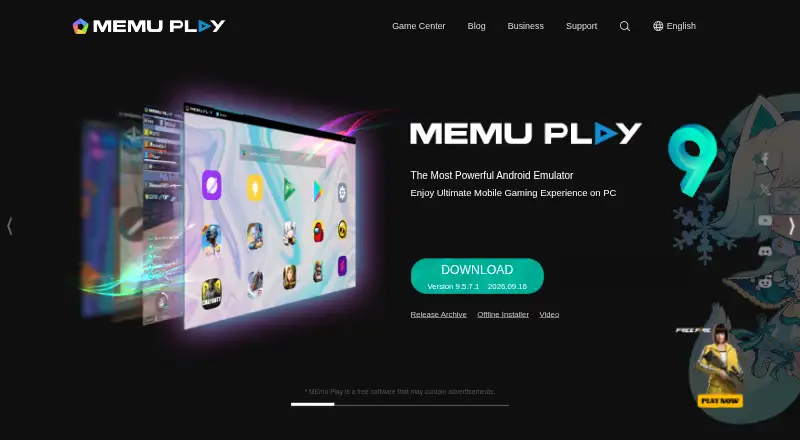
What MEmu Play is
MEmu Play is Windows software that simulates Android on a PC, where users can install, use, and remove Android apps. It connects to Google Play and offers keyboard and mouse controls, with support for external controllers in some cases. Features include multiple instances, macro keymapping, game automation, video recording, GPS simulation, and command-line scripts. Multiple instances can host different games or separate accounts for the same game. The maker describes enhanced OpenGL and DirectX 3D rendering for larger screens. MEmu Play is free and may contain advertisements. Windows 7 or later is required, along with a 2-core Intel or AMD processor, enabled hardware virtualization, 2 GB RAM (4 GB for x64), and 5 GB of free disk space. The maker does not currently offer Mac or Linux versions. Its online installer includes ad plugins that users can reject; the maker describes the offline installer as a cleaner version.
Who it suits
MEmu Play suits Windows users who want to run Android apps or games on a PC, including people who want separate game instances or accounts. It requires enabled hardware virtualization and at least 2 GB RAM.
What it does well
- Connects to Google Play for finding apps.
- Runs multiple instances and accounts.
- Supports keyboard, mouse, and external controllers.
- Includes game automation and video recording.
What to know first
- No Mac or Linux version is offered.
- May contain advertisements.
- Requires enabled hardware virtualization.
Limits
The free plan is free to use and supported by advertisements; the software may contain advertisements. The online installer includes ad plugins that can be rejected during installation, and the maker describes the offline installer as a cleaner version.
Plans
| Plan | Billed and limits | Price |
|---|---|---|
| Free | Free to use · Supported by advertisements | Free |
| MEmu Play | Free software; may contain advertisements | Free |
As memuplay.com lists them, read 19 Sept 2026. The maker's own page has the final word.
Getting started
- Open the MEmu Play website.
- Download an installer for Windows.
- Run MEmu and find apps in Google Play.
- Install and launch the Android apps you want to use.
- Use keyboard and mouse controls, or configure supported external controllers.
MEmu Play is a Windows-based Android environment aimed at people who want PC input, parallel game sessions, or repeatable automation. It is most convincing for gamers and power users rather than occasional app users, because its strongest tools revolve around controls and multiple instances. The main trade-off is a free, ad-supported product that cannot serve Mac or Linux users.
Overview
MEmu simulates Android on a Windows computer, allowing applications to be installed, used, and removed, including apps discovered through Google Play. Separate instances can host different games or accounts at the same time, which is useful for players managing several profiles or titles. That focus makes it less attractive as a minimal one-app viewer, where the extra emulator controls may add complexity without much benefit.
Microvirt started in 2014 and introduced MEmu Play in 2015. Enhanced OpenGL and DirectX 3D rendering effects are described for larger screens, so the software is designed to translate mobile graphics and interaction to a desktop display.
Key features
Keyboard and mouse control, configurable keyboard mapping, smart controls, and gamepad support let users replace touch input with familiar PC devices. External controllers are supported in some situations, so controller compatibility should not be assumed for every app. For games built around repeated actions, macro keymapping and automation can reduce manual repetition. Video recording and GPS simulation add practical tools for demonstrations, testing scenarios, or location-aware apps, while command-line scripts extend control beyond the graphical interface.
Multi-instance mode is the standout capability. Running separate windows for multiple accounts or games can support account management and simultaneous play, although each active instance increases the demands on the host computer. Business customers get a more specialized route: MEmu for Business can package Android APKs as Windows software, apply customized device profiles, synchronize instances, and use automation or macro scripts. MEMUC commands and ADB support provide administrative control, while paid customization services can remove advertisements or alter the icon, interface, and functions.
The online installer includes optional advertising plugins that can be rejected; the maker describes its offline installer as a cleaner alternative. Privacy documentation says Microvirt follows EU GDPR and collects device and hardware data, operating-system details, IP address, application activity, transaction information, and country-level location data.
Pricing
| Plan | Price | What it means |
|---|---|---|
| Free | free | Free to use and supported by advertisements. |
| MEmu Play | free | Free software that may contain advertisements. |
Both published plans cost nothing and do not introduce paid seats or usage quotas. The practical price is advertising, including the online installer’s optional plugins. This suits gamers and personal users who want the full core emulator without a subscription. Businesses needing APK packaging, branded customization, or managed automation should discuss MEmu for Business services instead; no standard business price is given.
Platforms
MEmu Play runs on Windows, with Windows 7 or later supported. The maker does not offer Mac or Linux versions, so it is unsuitable when the same emulator must cover those systems. Minimum hardware is a two-core x86 or x86_64 Intel or AMD processor, enabled hardware virtualization, 2 GB of RAM (4 GB for x64), and 5 GB of free disk space. Multi-instance gaming and graphics-heavy use can make more capable hardware preferable, but no higher specification is published.
Who it's for
Choose MEmu if you play Android games on a Windows PC and value mapped keyboard or gamepad input, macros, recording, GPS simulation, or several simultaneous accounts. It also fits organizations that need Windows-packaged Android APKs, repeatable scripts, and ADB or MEMUC administration. It is a weaker choice for Mac and Linux households, users who dislike advertising, or anyone seeking only occasional access to one lightweight Android app.
Pros and cons
- Pros: Google Play access provides a familiar route to Android apps.
- Pros: Multi-instance mode supports separate games and accounts at once.
- Pros: Keyboard mapping, smart controls, gamepad support, macros, automation, recording, and GPS simulation cover demanding gaming workflows.
- Pros: Business tooling adds APK packaging, custom profiles, synchronization, ADB, and MEMUC commands.
- Cons: Windows is the only supported desktop platform; there is no Mac or Linux edition.
- Cons: The free plans are ad-supported, and the online installer includes optional ad plugins.
- Cons: Hardware virtualization is required, with at least 2 GB of RAM and 5 GB of storage before accounting for demanding multi-instance use.
Alternatives
For a broader cross-platform option, Android Emulator runs on Android, Linux, macOS, and Windows and is bundled with Android Studio at no extra charge, with a stated 16 GB RAM and 16 GB disk requirement. Genymotion Desktop is worth choosing for personal or educational use across Linux, macOS, and Windows; its free edition is limited, while Educational costs $49 a year.
NoxPlayer is a direct alternative when Mac support matters alongside Windows, with keyboard and mouse mapping and multiple instances in its free plan. BlueStacks App Player keeps its core experience free on macOS and Windows, with a $7.99 a month Prime option for users who want its paid tier. LDPlayer is another Windows-only emulator with keyboard controls and multi-instance support; its premium tier is intended for an ad-free desktop. Linux users should consider Waydroid, an open-source option, while Appetize suits browser or API-based access with a free plan limited to one user, two active devices, and 30 minutes refilled monthly. Cuttlefish is a Linux and self-hosted alternative.
Verdict
MEmu Play is a strong free choice for Windows gamers who need multiple Android instances and unusually broad control or automation tools. Pick it for keyboard or controller play, parallel accounts, and business scripting; look elsewhere if you need macOS or Linux support, a non-ad-supported experience, or a lighter emulator for occasional app access.
Verdict
MEmu Play brings Android apps and game controls to Windows PCs, with multiple instances and automation options. It is free, but requires hardware virtualization and is not offered for Mac or Linux.
Questions
How much does MEmu Play cost?
The Free and MEmu Play plans are each listed as free. The software is free to use and may contain advertisements.
Which operating systems does it support?
MEmu Play runs on Windows, with Windows 7 or later listed as a minimum requirement. The maker says it does not currently offer Mac or Linux versions.
Can I use Google Play with MEmu Play?
Yes. The maker’s setup instructions say to run MEmu and find apps in Google Play.
Can I run multiple accounts or games at once?
Yes. Multi-instance mode lets users run multiple accounts for the same game or play multiple games in different instances.
What are the minimum system requirements?
The listed minimums are a 2-core x86 or x86_64 Intel or AMD processor, Windows 7 or later, enabled hardware virtualization, 2 GB RAM (4 GB for x64), and 5 GB of free disk space.
What does MEmu for Business offer?
The business offering includes Android APK packaging as Windows software, customized device profiles, multiple instances and synchronization, automation and macro scripts, and MEMUC command and ADB support. Business services can also remove advertisements and customize a program’s icon, interface, and functions.
Facts from MEmu Play's own pages
- Business customization
- Business services include removing advertisements and customizing a program's icon, interface, and functions. · memuplay.com, 2 Oct 2026
- Business use
- MEmu for Business offers Android APK packaging as Windows software, customized device profiles, multiple instances and synchronization, automation and macro scripts, and MEMUC command and ADB support. · memuplay.com, 2 Oct 2026
- Company history
- Microvirt says it started in 2014 and launched MEmu Play in 2015. · memuplay.com, 2 Oct 2026
- Controls
- Users can control apps and games with a keyboard and mouse, and sometimes with external controllers. · memuplay.com, 2 Oct 2026
- Desktop platforms
- Windows · memuplay.com, 19 Sept 2026
- Features
- Features include smart controls, multiple instances, macro keymapping, controller support, game automation, video recording, GPS simulation, and command-line scripts. · memuplay.com, 2 Oct 2026
- Founded
- 2014 · memuplay.com, 28 Sept 2026
- Free plan
- Yes · memuplay.com, 19 Sept 2026
- Gamepad support
- Yes · memuplay.com, 19 Sept 2026
- Google Play support
- Yes · memuplay.com, 19 Sept 2026
- Graphics
- The homepage describes enhanced OpenGL and DirectX 3D rendering effects for larger screens. · memuplay.com, 2 Oct 2026
- Installer note
- The maker says its online installer includes ad plugins that users can reject during installation and describes the offline installer as a cleaner version. · memuplay.com, 2 Oct 2026
- Integrations
- The maker's setup instructions say to run MEmu and find apps in Google Play; the product also supports ADB and MEMUC commands for business users. · memuplay.com, 2 Oct 2026
- Keyboard mapping
- Yes · memuplay.com, 19 Sept 2026
- Multi-instance
- Yes · memuplay.com, 19 Sept 2026
- Multiple accounts
- The homepage says users can run multiple accounts for the same game or play multiple games simultaneously in different instances. · memuplay.com, 2 Oct 2026
- Platform support
- MEmu Play runs on Windows; the maker says it does not currently offer Mac or Linux versions. · memuplay.com, 2 Oct 2026
- Privacy
- The privacy policy says Microvirt follows the EU GDPR and describes collecting device, hardware, operating system, IP address, application activity, transaction, and country-level location information. · memuplay.com, 2 Oct 2026
- Product
- MEmu is Android emulator software that simulates Android OS on a PC and lets users install, use, and uninstall Android applications. · memuplay.com, 2 Oct 2026
- Requirements
- Minimum requirements include a 2-core x86 or x86_64 Intel or AMD processor, Windows 7 or later, enabled hardware virtualization, 2 GB RAM (4 GB for x64), and 5 GB of free disk space. · memuplay.com, 2 Oct 2026
- Support
- Support is offered through the MEmu Support site, Facebook Group, Discord, and [email protected]. · memuplay.com, 2 Oct 2026
Where MEmu Play stands on Freedom251
- Android emulators#9 of 19
- Android Emulators for PC#8 of 11