Freedom251 › Android emulators

NoxPlayer
by NoxPlayer
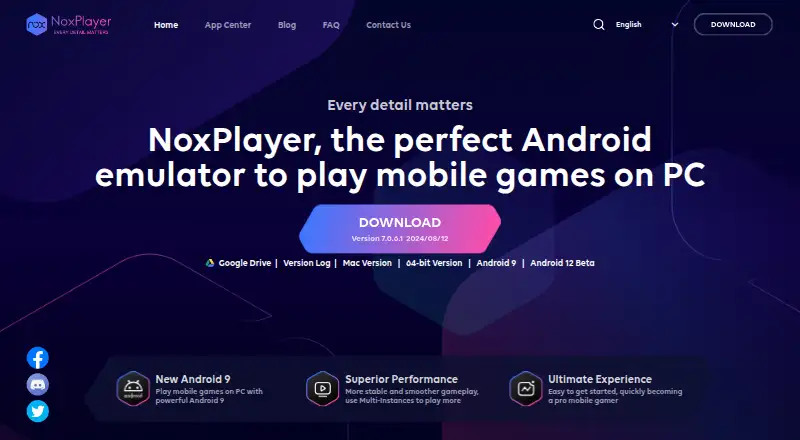
What NoxPlayer is
NoxPlayer is an Android emulator for Windows and macOS. Its Free plan is listed as free and includes keyboard and mouse mapping and multiple emulator instances. Users can access Google Play through the emulator, and the listed input options also include gamepad support. Root access is available, alongside multi-instance mode for running more than one emulator instance. These capabilities make NoxPlayer relevant to people who want Android apps or games in a desktop environment, with controls that can use a keyboard, mouse, or gamepad. The maker is NoxPlayer, headquartered in Hong Kong. The listed desktop platforms are Windows and macOS. The published plan information describes a Free plan with keyboard and mouse mapping and multiple instances; the other listed capabilities include Google Play support, gamepad support, and root access. NoxPlayer’s stated price is free.
Who it suits
NoxPlayer suits Windows and macOS users who want an Android emulator with Google Play access. It may also fit users who want keyboard, mouse, or gamepad controls, root access, or multiple emulator instances.
What it does well
- Free plan costs nothing.
- Supports Google Play.
- Offers keyboard and mouse mapping.
- Supports gamepads and root access.
- Can run multiple emulator instances.
What to know first
- Listed platforms are limited to Windows and macOS.
- The described plan is the Free plan.
Plans
| Plan | Billed and limits | Price |
|---|---|---|
| Free | Android emulator for Windows and Mac · Keyboard and mouse mapping · Multiple emulator instances | Free |
As bignox.com lists them, read 19 Sept 2026. The maker's own page has the final word.
Getting started
- Visit https://www.bignox.com/.
- Choose the Windows or macOS platform.
- Use the Free plan, listed as free.
- Use Google Play, keyboard and mouse mapping, gamepad support, root access, or multiple instances as needed.
NoxPlayer is a free desktop Android emulator for Windows and macOS. Its mix of Google Play access, flexible controls, root access, and multiple instances suits people who want more than one way to use Android apps on a computer. It is a focused option for those two desktop platforms.
Overview
NoxPlayer brings Android apps to Windows and macOS, with Google Play support and controls designed for keyboard, mouse, and gamepad use. Multiple instances make it useful when you need separate emulator sessions. The combination is unusually broad for a free plan, though its value depends on wanting Android on one of its supported desktop systems.
Key features
- Google Play support: Access to Google Play gives users a familiar way to get Android apps.
- Keyboard and mouse mapping: Mapping desktop inputs to Android controls can make apps and games built around touch easier to use from a computer.
- Gamepad support: Adds a controller as another input option, which may suit players who prefer it to keyboard and mouse.
- Multiple instances: Running more than one emulator instance can help when you need separate Android sessions. No instance limit is stated.
- Root access: Root access is useful for users who specifically need it; for basic app use, it is an extra capability rather than a central reason to choose NoxPlayer.
Pricing
NoxPlayer's Free plan costs nothing. It includes an Android emulator for Windows and Mac, keyboard and mouse mapping, and multiple emulator instances. That covers the product's main desktop use cases without a paid tier, making it a practical choice for people who want these capabilities at no charge. No seat quota or instance cap is stated.
Platforms
NoxPlayer supports Windows and macOS. The platform range is clear and focused: it fits people using either of those desktop systems, while users on Linux, Android, or iOS should consider an emulator that supports their platform.
Who it's for
NoxPlayer is best suited to Windows and Mac users who want Google Play access and a choice of computer controls, especially players who value keyboard mapping or gamepad support. Multiple instances and root access also make it a better fit for users who need those options than for someone seeking only a single, basic Android app session.
Pros and cons
- Pros: The free plan includes Google Play support, keyboard and mouse mapping, gamepad support, root access, and multiple instances, giving desktop users several ways to work with Android apps.
- Cons: It supports only Windows and macOS, so it does not suit users who need an emulator on Linux, Android, or iOS.
- Cons: The broad control and instance options may add little for someone who only needs a simple, single-session app environment.
Alternatives
Android Emulator is a free option for Windows, macOS, Linux, and Android, bundled with Android Studio; its stated plan includes 16 GB RAM and 16 GB disk space. Choose it if you need broader platform support or want an emulator included with Android Studio.
Genymotion Desktop supports Windows, macOS, and Linux. Its free plan is limited to personal use and includes free widgets, while its Educational plan costs $49 a year; it suits users whose needs align with those plan terms.
BlueStacks App Player is another free option for Windows and macOS, with a paid BlueStacks Prime plan at $7.99 a month. It is worth comparing if you want to consider a freemium emulator with a paid tier.
LDPlayer is a free Windows emulator with keyboard and mouse controls and multi-instance support. Choose it if you want those core features on Windows and prefer to compare another option.
MEmu Play is a free Windows emulator supported by advertisements. It may suit Windows users who are comfortable with an ad-supported product.
Waydroid is a free, open-source option for Linux. It is the relevant alternative for Linux users.
Appetize supports Android, iOS, web, API, and self-hosted environments. Its free plan is single-user, limited to two active devices, and provides 30 minutes refilled monthly; choose it if those access options and limits fit your needs.
Cuttlefish is another option for Linux and self-hosted use.
For more choices, browse Android emulators or Android Emulators for PC.
Verdict
Choose NoxPlayer if you want a free Windows or macOS Android emulator with Google Play access, several input options, root access, and multiple instances. Its strongest reason to choose it is the range of included capabilities at no charge; its main limitation is the narrow platform range, which rules it out for users who need Linux, Android, or iOS support.
Verdict
Choose NoxPlayer if you want a free Android emulator for Windows or macOS with Google Play, multiple instances, and several input options. Look elsewhere if you need a platform beyond Windows or macOS.
Questions
How much does NoxPlayer cost?
Its Free plan is listed as free.
Which platforms does NoxPlayer support?
Windows and macOS are listed.
Does NoxPlayer support Google Play?
Yes, Google Play support is listed.
Can NoxPlayer run multiple instances?
Yes, multi-instance support is listed.
What input options are listed?
Keyboard and mouse mapping and gamepad support are listed.
Who makes NoxPlayer?
The maker is NoxPlayer, headquartered in Hong Kong.
Facts from NoxPlayer's own pages
- Desktop platforms
- Windows, macOS · bignox.com, 19 Sept 2026
- Free plan
- Yes · bignox.com, 19 Sept 2026
- Gamepad support
- Yes · bignox.com, 19 Sept 2026
- Google Play support
- Yes · bignox.com, 19 Sept 2026
- Headquarters
- Hong Kong · bignox.com, 28 Sept 2026
- Keyboard mapping
- Yes · bignox.com, 19 Sept 2026
- Multi-instance
- Yes · bignox.com, 19 Sept 2026
- Root access
- Yes · bignox.com, 19 Sept 2026
Where NoxPlayer stands on Freedom251
- Android emulators#5 of 19
- Android Emulators for PC#9 of 11