Freedom251 › Game Overlay Software
GameGlass
What GameGlass is
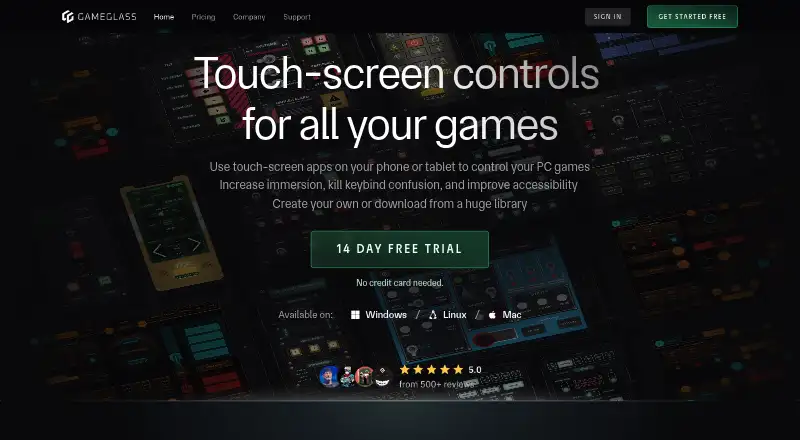
GameGlass turns a phone or tablet into a touch-screen controller for PC games. Its Hub links a mobile device to a gaming PC and opens access to Forge, sharing and community creations; the service says it is compatible with over 150,000 games. The Hub is available for Windows, Linux and Mac, with mobile apps for Android and iOS and access through app.gameglass.gg. Forge is a visual no-code editor for creating custom experiences or modifying community creations. It includes hundreds of components, such as buttons, switches, dials and toggles. GameGlass says interactions use the player’s local network for low-latency control. The Basic Plan costs nothing and includes two Shards with no ads. GameGlass Pro costs $49.90 a year and includes unlimited Shards, Forge Editor, community and premium content, and no ads. The Lifetime Pass costs 229.00 USD once and includes all platform features; partner content or features may require extra payment. The company dates its official start to 2019 and traces its roots to the Star Citizen community.
Who it suits
GameGlass suits PC players who want touch controls on a phone or tablet and want to create or adapt control layouts. Its desktop Hub options include Windows, Linux and Mac.
What it does well
- Compatible with over 150,000 games, according to the service.
- Forge offers visual, no-code customization.
- Basic Plan includes two Shards and no ads.
- Hub is available for Windows, Linux and Mac.
What to know first
- Pro costs $49.90 a year.
- Lifetime Pass costs 229.00 USD once.
- Partner content or features may require extra payment.
Limits
The free Basic Plan includes two Shards and no ads. GameGlass Pro costs $49.90 a year and includes unlimited Shards and Forge Editor; the 229.00 USD Lifetime Pass includes all platform features, while partner content or features may require extra payment.
Plans
| Plan | Billed and limits | Price |
|---|---|---|
| Basic Plan | 2 shards · no ads · shard creation · Forge Editor · community shards · premium shards · premium components | Free |
| Lifetime Pass | Unlimited shards · no ads · all listed platform features and content; partner content may cost extra | $229, paid once |
| GameGlass Pro | 2 months free · Unlimited shards · no ads · shard creation · Forge Editor · community shards · premium shards · premium components · 14-day trial | $49.90 a year |
As gameglass.gg lists them, read 14 Oct 2026. The maker's own page has the final word.
Getting started
- Visit https://gameglass.gg/ or open the web app at app.gameglass.gg.
- Install the mobile app from a major app store, including Amazon.
- Install GameGlass Hub on a Windows, Linux, or Mac gaming PC.
- Connect the mobile device to the gaming PC through the Hub and local network.
- Choose the free Basic Plan, GameGlass Pro, or Lifetime Pass.
- Use Forge to create an experience or modify community creations if your plan includes the editor.
Overview
GameGlass turns a phone or tablet into a touch controller for PC games, with a desktop Hub linking the device to the computer. It suits players who want a configurable control surface alongside their usual peripherals; its strongest creation and community options require a paid plan. The company says it works with more than 150,000 games.
Founded in 2019 after a crowdfunding campaign, GameGlass has roots in the Star Citizen community. That origin is reflected in its emphasis on custom layouts and shared creations, though the stated game compatibility reaches well beyond that community.
Key features
Mobile controls and Hub
The Hub connects a mobile device to a gaming PC and provides access to Forge, sharing, and community creations. It runs on Windows, Linux, and Mac. GameGlass describes interactions as low-latency over the user's local network, a sensible approach for touch controls that need to respond promptly.
The service offers hundreds of interface components, including buttons, switches, dials, and toggles. This gives players building blocks for shaping a control surface around a game or preferred inputs, rather than limiting them to one fixed layout. Mobile apps are offered through major app stores, including Amazon, and GameGlass also provides web access.
Forge and community creations
Forge is a visual, no-code editor for building experiences from scratch or adapting community creations. Pro includes shard creation, the Forge Editor, Community Shards, Premium Shards, and Premium Components. That makes the paid tier the meaningful choice for anyone who wants to design or substantially customize controls; the free plan is better treated as a way to use a small number of Shards without ads.
Compatibility and support
GameGlass says it is compatible with over 150,000 games, a broad stated range for players considering a touch-control companion. Its help center covers setup, compatibility, common issues, Forge, billing, and game connections. Performance statistics and hardware monitoring are also supported.
Pricing
GameGlass is freemium, with a free plan, a 14-day trial, and paid plans. The free Basic Plan costs nothing and includes 2 Shards with no ads. That is a useful low-commitment starting point, but the two-Shard cap and absence of creation and editor access in the stated plan make it restrictive for players who want a larger or personally tailored setup.
GameGlass Pro costs $49.90 a year, billed yearly; the page also shows “2 MONTHS FREE.” It includes unlimited Shards, no ads, shard creation, Forge Editor, Community Shards, Premium Shards, and Premium Components. Choose it if custom building and access to premium community content matter; otherwise the free plan avoids an annual commitment.
Lifetime Pass costs $229, paid once, billed Lifetime. It includes unlimited Shards, no ads, and all platform features, but partner content or features may require extra payment. It suits someone committed to continued use who prefers a one-time payment; the upfront cost is higher, and it does not remove every possible content charge.
Platforms
GameGlass supports Android, iOS, Linux, macOS, web, and Windows. The mobile apps provide the touch interface, while the Hub runs on Windows, Linux, and Mac to connect a device with a gaming PC. Web access is available at app.gameglass.gg.
Who it's for
GameGlass is best for PC players who want extra touch controls, especially those willing to build or adapt layouts and draw on community creations. Its mobile-and-desktop reach and large stated compatibility make it relevant across a wide range of setups. It is a weaker fit for someone who only wants a basic overlay or game-performance utility, or who expects the free plan to support extensive custom work.
Pros and cons
- Broad stated compatibility: support for over 150,000 games gives players a wide potential use across titles.
- Flexible control building: Forge, community creations, and hundreds of component types support tailored touch layouts.
- Usable entry tier: the free plan has no ads, but limits users to 2 Shards and does not include the creation and editor features named for Pro.
- Paid content caveat: Lifetime Pass includes platform features, but partner content or features can still cost extra.
Alternatives
For a broader list of game overlay software, compare options by the kind of in-game information or controls you need. OP.GG is a freemium option with a free basic membership and some features offered as trials; its platform list includes Android, iOS, macOS, web, and Windows. Choose it instead if that membership-and-trial model better matches your needs.
Valorant Tracker has a free Windows PC overlay and is explicitly not available for console play, so it is the more targeted choice for a player seeking that overlay rather than custom touch controls. Overwolf is free to use on web and Windows, though some apps may require a subscription fee; choose it if a free software platform is a better starting point.
PLITCH offers a free tier with 28,298 mods or cheats and access to 712 trainers, making it a more relevant alternative for someone seeking game modifications rather than a touch-control surface. Porofessor is a freemium web and Windows option; consider it if those platforms suit your needs better.
WeMod offers keyboard hotkeys and limits newly created free accounts to 2 hours of mod usage per day, so it fits players looking for mod usage with a daily cap rather than custom mobile controls. GameOverlay is a free, MIT-licensed Windows performance overlay; choose it for that narrower overlay use. Intel PresentMon is free on Windows 10 and 11 and supports DirectX 12, DirectX 11, DirectX 9, OpenGL, and Vulkan, making it the more focused pick for performance monitoring across those graphics APIs.
Verdict
Choose GameGlass if you want a phone or tablet to become a customizable PC-game control surface and expect to use Forge or community-made Shards. The broad stated compatibility and no-code editor are its strongest reasons to choose it. Look elsewhere if you need only a performance overlay or modification utility, or if the free two-Shard limit is too tight and an annual or lifetime purchase is not worthwhile.
Verdict
GameGlass combines mobile touch controls with an editor for custom and community-made experiences. Compare the free two-Shard plan with the paid tiers, and note that some partner content may cost extra.
Questions
Is GameGlass free?
Yes. The Basic Plan is free and includes two Shards with no ads.
How much do the paid plans cost?
GameGlass Pro costs $49.90 a year. The Lifetime Pass costs 229.00 USD once.
Which devices and platforms does GameGlass support?
The Hub is available for Windows, Linux, and Mac. GameGlass also offers mobile apps and web access at app.gameglass.gg.
What can I make with Forge?
Forge is a visual no-code editor for creating experiences from scratch or modifying community creations. Components include buttons, switches, dials, and toggles.
How does GameGlass connect to a PC?
The GameGlass Hub links a mobile device with a gaming PC. GameGlass describes interactions as running over the user's local network.
Can the Lifetime Pass include extra charges?
Yes. Partner content or features may require extra payment.
Facts from GameGlass's own pages
- Action Manager
- Actions can assign keyboard keys, mouse clicks, delays, sounds, and combined macros or automations. · play.google.com, 14 Oct 2026
- Browser requirements
- The help center lists Chrome and Firefox 140 or newer, Safari 13 or newer, and current Edge or Amazon Silk. · support.gameglass.gg, 14 Oct 2026
- Community library
- The Hub includes an Explore area where users can discover community Shards and add them to their libraries. · gameglass.gg, 14 Oct 2026
- Company history
- The company page dates GameGlass's official birth to 2019, following a crowdfunding campaign. · gameglass.gg, 29 Sept 2026
- Company profile
- LinkedIn identifies GameGlass as a privately held technology company founded in 2019 with headquarters in Dover, Delaware and 2–10 employees. · linkedin.com, 14 Oct 2026
- Components
- The site describes hundreds of components, including buttons, switches, dials, and toggles. · gameglass.gg, 29 Sept 2026
- Connection
- The site describes low-latency interactions powered by the user's local network. · gameglass.gg, 29 Sept 2026
- Connectivity
- Device-to-Hub communication uses WebRTC, normally locally, with TURN relay servers used when STUN cannot establish a connection. · support.gameglass.gg, 14 Oct 2026
- Customization
- Forge is a visual no-code editor for creating experiences from scratch or modifying community creations. · gameglass.gg, 29 Sept 2026
- Desktop platforms
- The GameGlass Hub is available for Windows, Linux, and Mac. · gameglass.gg, 29 Sept 2026
- Forge editor
- Forge is a visual no-code editor for creating new Shards and modifying community creations. · support.gameglass.gg, 14 Oct 2026
- Founded
- 2019 · gameglass.gg, 28 Sept 2026
- Game compatibility
- The site says GameGlass is compatible with over 150,000 games. · gameglass.gg, 29 Sept 2026
- Game coverage
- GameGlass advertises compatibility with more than 150,000 games. · gameglass.gg, 14 Oct 2026
- GameGlass Hub
- The Hub connects a mobile device to a gaming PC and provides access to Forge, sharing, and community creations. · gameglass.gg, 29 Sept 2026
- Game integrations
- Help articles document telemetry setup for Forza Horizon 4/5, Forza Motorsport, and F1 using UDP data settings. · support.gameglass.gg, 14 Oct 2026
- Headquarters
- Dover, Delaware, United States · gameglass.gg, 28 Sept 2026
- Legal entity
- Google Play identifies the developer as GameGlass, Inc. and lists 8 The Green Ste 8110, Dover, Delaware 19901. · play.google.com, 14 Oct 2026
- Limit: feature gaps
- The public feedback board contains requests for more system monitoring, mouse buttons, additional ship manufacturers, gyroscope support, and Microsoft Store distribution. · updates.gameglass.gg, 14 Oct 2026
- Limit: incomplete content
- An App Store reviewer says many advertised game integrations lack polished ready-made Shards and some community Shards remain alpha quality. · apps.apple.com, 14 Oct 2026
- Limit: login and connectivity
- Independent reviews repeatedly report Android login failures, server disconnections, and host connection problems. · chrome-stats.com, 14 Oct 2026
- Limit: reliability
- Reviewers report crashes, reinstall requirements, broken bindings, and features that stop working after updates. · apps.apple.com, 14 Oct 2026
- Limit: subscription complaints
- Google Play and independent reviews criticize the move from purchase pricing to subscriptions and question lifetime-pass treatment. · play.google.com, 14 Oct 2026
- Mobile requirements
- The stated minimums are Android 7, iOS 13, and FireOS 6 for corresponding devices. · support.gameglass.gg, 14 Oct 2026
Where GameGlass stands on Freedom251
- Game Overlay Software#1 of 25