Freedom251 › Game Overlay Software

Intel PresentMon
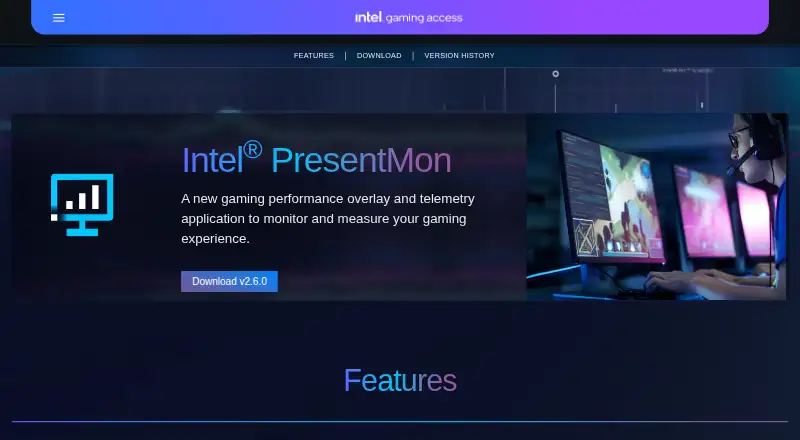
What Intel PresentMon is
Intel PresentMon is a free Windows application for tracking gaming performance with an overlay, telemetry, and capture utility. Its customizable overlay can show real-time performance charts, including multi-line graphs and histograms, as well as raw values, percentiles, and rolling-window averages. The GPU Busy metric presents CPU and GPU balance and resource use to help identify performance bottlenecks. PresentMon brings performance and GPU telemetry together for use during a gaming session or afterward. It works with Intel Arc graphics cards and Intel Core processors, as well as hardware from other vendors. It supports applications using DirectX 12, DirectX 11, DirectX 9, OpenGL, and Vulkan on Windows 10 and Windows 11. Command-line functions support batch testing and automation. Intel describes the project as open source, and third-party applications can integrate it. The PresentMon SDK lets client applications communicate with the PresentMon Service through its API. To start tracing, users need membership in the Windows Performance Log Users group or administrator privileges. GPU execution metrics may be less accurate when Hardware-Accelerated GPU Scheduling is enabled.
Who it suits
PresentMon suits Windows gamers who want performance charts, GPU telemetry, and capture during or after play. It also suits developers or testers who need command-line automation or want to integrate PresentMon into another application.
What it does well
- Free to use on Windows 10 and Windows 11.
- Displays customizable charts, histograms, raw values, percentiles, and rolling averages.
- GPU Busy helps show CPU and GPU balance and resource use.
- Supports Intel and other vendors’ hardware.
- Covers DirectX 12, DirectX 11, DirectX 9, OpenGL, and Vulkan.
- Open source, with an SDK and API for third-party integration.
What to know first
- Starting a trace requires a specific Windows group membership or administrator privileges.
- GPU execution metrics may be less accurate with Hardware-Accelerated GPU Scheduling enabled.
- Available for Windows only.
Limits
Starting a trace requires membership in the Windows Performance Log Users group or administrator privileges. GPU execution metrics may be less accurate when Hardware-Accelerated GPU Scheduling is enabled.
Plans
| Plan | Billed and limits | Price |
|---|---|---|
| Intel PresentMon | Windows 10 and Windows 11 · supports DirectX 12, DirectX 11, DirectX 9, OpenGL, and Vulkan | Free |
As game.intel.com lists them, read 30 Sept 2026. The maker's own page has the final word.
Getting started
- Visit the Intel PresentMon website.
- Use a Windows 10 or Windows 11 system.
- Join the Windows Performance Log Users group or run PresentMon with administrator privileges to start tracing.
- Use its overlay and capture utility during or after a gaming session.
Verdict
Choose Intel PresentMon for free Windows gaming performance monitoring with customizable charts, telemetry, and command-line automation. Look elsewhere if you need a non-Windows platform; tracing also requires the stated Windows group membership or administrator privileges.
Questions
How much does Intel PresentMon cost?
It is free. The listed plan is free.
Which operating systems does it support?
The product page states support for Windows 10 and Windows 11.
Which graphics APIs does it support?
It supports applications using DirectX 12, DirectX 11, DirectX 9, OpenGL, and Vulkan.
Is PresentMon open source?
Yes. Intel describes PresentMon as open source and says third-party applications can integrate it.
Are there requirements to start tracing?
The user must belong to the Windows Performance Log Users group or run PresentMon with administrator privileges.
Does it work with non-Intel hardware?
Yes. It works with Intel Arc graphics cards and Intel Core processors, as well as hardware from other vendors.
Facts from Intel PresentMon's own pages
- Access requirement
- PresentMon requires the user to be a member of the Windows Performance Log Users group or to run with administrator privileges to start tracing. · github.com, 30 Sept 2026
- Automation
- Command-line functionality supports batch testing and automation. · game.intel.com, 30 Sept 2026
- Bottlenecks
- Its GPU Busy metric shows real-time CPU and GPU balance and resource use to help identify performance bottlenecks. · game.intel.com, 30 Sept 2026
- Capture
- PresentMon combines performance and GPU telemetry in an overlay and capture utility for use during or after a gaming session. · game.intel.com, 30 Sept 2026
- Graphics APIs
- It supports applications using DirectX 12, DirectX 11, DirectX 9, OpenGL, and Vulkan. · game.intel.com, 30 Sept 2026
- Hardware support
- It works with Intel Arc graphics cards and Intel Core processors, as well as hardware from other vendors. · game.intel.com, 30 Sept 2026
- Known limitation
- The repository states GPU execution metrics may be less accurate when Hardware-Accelerated GPU Scheduling is enabled. · github.com, 30 Sept 2026
- Metrics
- The overlay can show raw numbers, percentiles, and rolling-window averages. · game.intel.com, 30 Sept 2026
- Open source and integrations
- Intel says PresentMon is open source and can be integrated into third-party applications. · game.intel.com, 30 Sept 2026
- Operating systems
- The product page states that Windows 11 and Windows 10 are supported. · game.intel.com, 30 Sept 2026
- Overlay
- Its customizable overlay displays real-time performance charts, including multi-line graphs and histograms. · game.intel.com, 30 Sept 2026
- Purpose
- Intel PresentMon is a gaming performance overlay and telemetry application for monitoring and measuring gaming performance. · game.intel.com, 30 Sept 2026
- SDK
- The PresentMon SDK lets client applications communicate with the PresentMon Service through the PresentMon API. · github.com, 30 Sept 2026
- Support route
- The project directs users to GitHub Issues for a current list of reported issues and to its contributing guide for requesting features or reporting issues. · github.com, 30 Sept 2026
Where Intel PresentMon stands on Freedom251
- Game Overlay Software#6 of 25