Freedom251 › Game Controller Mapper Software
GameFlow
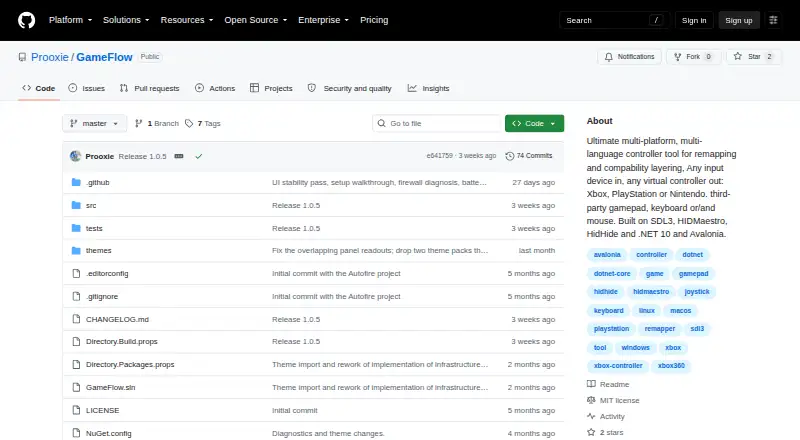
What GameFlow is
GameFlow is free, cross-platform gamepad tooling that maps input from gamepads, keyboards, mice, or phone browsers into virtual-controller output using saved profiles. Mapping options include autofire, remapping, shift layers, SOCD cleaning, stick trim, multi-source rows, gyro aiming, touchpad mapping, button combos, and freeze macros. Custom control logic can be written in sandboxed Lua through MoonSharp. Profiles are editable JSON documents that can be created, duplicated, renamed, imported, and exported. A phone browser on the same local network can serve as a controller without an installed app, with support for up to 16 phones. The motion server exposes DSU/Cemuhook over UDP for Cemu, Dolphin, Yuzu, and Ryujinx, and the protocol supports four pads. GameFlow can also generate a transparent controller-overlay URL for an OBS Browser source. It requires .NET SDK 10.0 or later and uses SDL3 for gamepad and joystick input. Windows virtual output uses HIDMaestro in user mode; Linux and macOS virtual gamepad output are not built yet.
Who it suits
GameFlow suits people who want to remap gamepad, keyboard, mouse, or phone input into virtual-controller output. It may also suit users who want editable profiles, motion-server integration, or an OBS controller overlay.
What it does well
- Supports multiple input types and saved profiles.
- Phone browsers can act as controllers without installing an app.
- Profiles can be imported, exported, and edited as JSON.
- MIT licensed and available for Windows, Linux, and macOS.
What to know first
- Requires .NET SDK 10.0 or later.
- Linux and macOS virtual gamepad output is not built yet.
- Does not hide physical controllers from games.
- Has no HidHide-equivalent integration.
Limits
The free plan is in beta and provides Windows, Linux, and macOS archives. Virtual gamepad output is available on Windows; Linux and macOS output is not built yet.
Plans
| Plan | Billed and limits | Price |
|---|---|---|
| Free | free · open source · beta · Windows, Linux and macOS archives | Free |
As github.com lists them, read 15 Oct 2026. The maker's own page has the final word.
Getting started
- Open the GameFlow GitHub project page.
- Download the archive for Windows, Linux, or macOS.
- Install or use .NET SDK 10.0 or later.
- Create or import a human-editable JSON profile.
- Configure input mappings and virtual-controller output where available.
GameFlow suits players who want detailed control mapping across gamepads, keyboards, mice, and phone browsers. Its saved profiles and scripting make it adaptable to complex setups, while virtual gamepad output currently makes Windows the practical choice.
Overview
GameFlow brings input remapping, profile management, and virtual-controller output together in a free, open-source application. The breadth of its controls can accommodate setups that go beyond straightforward button swaps, and editable profiles let users carry configurations between sessions. The main qualification is platform-specific: Linux and macOS support input, but virtual gamepad output for those systems is not built yet.
Key features
Mapping and profiles
Controls include autofire, shift layers, SOCD cleaning, stick trim, multi-source rows, gyro aiming, touchpad mapping, button combinations, and freeze macros. That range is useful for players who need different behaviors across games or want several inputs to contribute to one control. Sandboxed Lua scripting through MoonSharp allows custom control logic, though it is a more involved option than basic remapping.
Profiles are human-editable JSON files that can be created, duplicated, renamed, imported, and exported. This gives users direct control over their setups and a practical way to share or organize them.
Phone, motion, and streaming tools
A phone browser on the same local network can act as a controller without a separate app, with support for up to 16 phones. That is a flexible extra input route, particularly for shared or improvised setups, though it depends on devices being on the same LAN.
The motion server exposes DSU/Cemuhook over UDP for Cemu, Dolphin, Yuzu, and Ryujinx, with the protocol supporting four pads. GameFlow can also generate a transparent controller overlay URL for an OBS Browser source, giving streamers a way to show controller activity on screen.
Pricing
GameFlow is free: the Free plan costs nothing and is open source in beta. It includes keyboard and mouse output, virtual-controller output, profile switching, and multiplatform support. There are no paid tiers to weigh against the free plan. Its MIT license permits use as-is, without warranties.
Platforms
GameFlow is listed for Windows, Linux, macOS, and web, and accepts gamepad, joystick, keyboard, mouse, and phone-browser input. The desktop application requires .NET SDK 10.0 or later and uses SDL3 for gamepad and joystick input on Windows, Linux, and macOS. Virtual-controller output is currently built for Windows through HIDMaestro in user mode, without a kernel driver or reboot. Linux and macOS users can use the input side, but cannot yet rely on GameFlow for virtual gamepad output.
One further limitation matters for some games: GameFlow does not hide physical controllers from games and has no HidHide or equivalent integration. That may rule it out where a game needs to see only the virtual controller.
Who it's for
GameFlow is a strong fit for Windows players who want layered mappings, custom Lua logic, motion support, or phone-browser input in one free tool. Its editable profiles also suit users who want to manage or exchange configurations directly. It is a weaker choice for Linux and macOS users who need virtual gamepad output, or for anyone whose setup requires hiding physical controllers.
Pros and cons
Pros
- Broad mapping controls, from autofire and shift layers to gyro aiming and freeze macros, support more involved control schemes.
- Human-editable JSON profiles can be imported, exported, duplicated, and renamed.
- Phone-browser input works over the same LAN without an app and supports up to 16 phones.
- Free and MIT licensed, with Windows virtual output that does not require a kernel driver or reboot.
Cons
- Virtual gamepad output is not built for Linux or macOS, despite input support on both.
- Physical controllers cannot be hidden from games through GameFlow, which can interfere with setups that need only virtual output visible.
- The desktop application requires .NET SDK 10.0 or later.
- The software is beta and its MIT license provides no warranty.
Alternatives
Consider Monect PC Remote Play if you want a freemium remote-control tool spanning Android, iOS, macOS, web, and Windows. Its free plan covers core PC remote-control features; Premium adds an ad-free experience and higher feature limits, while the 12-month plan is 12.00 CNY.
AntiMicroX is a free Linux and Windows desktop option if those are the platforms you need. ControllerBuddy is another free, open-source choice for Linux and Windows. For a free mapper specifically on macOS and Windows, DS5 Mapper is an alternative.
LEA Extended Input may suit users seeking free clients and server across Android, iOS, and Windows. On Windows, DS4Windows is a free application for Windows 10 or newer that requires .NET 8.0 Desktop Runtime, Visual C++ Redistributable, and ViGEmBus. FlexInput is a free MIT-licensed option for Windows 10/11 (x64). Linux users looking specifically for input-device remapping can consider Input Remapper, a free GPL-3.0 application.
For more choices, browse Game Controller Mapper Software.
Verdict
GameFlow is worth choosing for Windows players who want deep mapping controls, editable profiles, and extras such as phone-browser input and motion-server support without paying. Linux and macOS users should look elsewhere if they need virtual gamepad output, and players who must hide physical controllers should choose a tool with that capability.
Verdict
GameFlow offers extensive input mapping and profile controls, including phone-browser input and motion-server support. Users should note that virtual gamepad output is currently built for Windows, not Linux or macOS.
Questions
Is GameFlow free?
Yes. Its Free plan is listed as free and is open source and in beta.
Which platforms does it support?
GameFlow lists Linux, macOS, web, and Windows, with downloadable archives for Windows, Linux, and macOS. It requires .NET SDK 10.0 or later.
Is GameFlow open source?
Yes. It is MIT licensed, and the license states that the software is provided as-is without warranties.
Can a phone be used as a controller?
Yes. A phone browser on the same LAN can act as a controller without installing an app, and up to 16 phones are supported.
Can GameFlow provide virtual-controller output on Linux or macOS?
No. Linux and macOS virtual gamepad output is not built yet. Windows output uses HIDMaestro in user mode.
What integrations are listed?
The motion server exposes DSU/Cemuhook over UDP for Cemu, Dolphin, Yuzu, and Ryujinx. GameFlow can also generate an overlay URL for an OBS Browser source.
Facts from GameFlow's own pages
- API and SDK
- No public GameFlow API or SDK is documented; the project documents an internal HTTP/WebSocket phone protocol and DSU server instead. · github.com, 15 Oct 2026
- Audience
- The project describes itself as cross-platform gamepad tooling for anyone. · github.com, 30 Sept 2026
- Autofire
- Button and stick autofire uses hysteresis to reduce threshold jitter. · github.com, 15 Oct 2026
- Calibration
- Calibration detects button, D-pad, stick and trigger mappings for devices whose reported layout is wrong. · github.com, 15 Oct 2026
- Device tuning
- Per-slot and per-device settings include deadzone, anti-deadzone, sensitivity, curves, inversion, rumble, lighting and adaptive triggers. · github.com, 15 Oct 2026
- Documentation depth
- The repository includes a 365-line wiki covering concepts, mappings, platform interop, phone protocol, overlays, themes, troubleshooting and contribution guidance. · github.com, 15 Oct 2026
- Gyro aiming
- Gyro aiming supports local, player and world frames, smoothing, drift calibration and stick or mouse output. · github.com, 15 Oct 2026
- HIDMaestro capabilities
- HIDMaestro claims 336 device profiles, support across DirectInput, XInput, SDL3, browser, WGI and RawInput, and approximately 35 microseconds measured latency. · hidmaestro.org, 15 Oct 2026
- HIDMaestro licensing
- HIDMaestro states that its SDK and driver are MIT licensed and allow commercial use. · hidmaestro.org, 15 Oct 2026
- HIDMaestro prerequisites
- HIDMaestro documents Windows 10/11 x64 or Windows 11 ARM64, .NET 10 and administrator privileges for virtual-device creation. · hidmaestro.org, 15 Oct 2026
- HIDMaestro SDK
- HIDMaestro describes itself as a C# SDK paired with a user-mode driver for virtual controllers. · hidmaestro.org, 15 Oct 2026
- Installation
- The documented install path is cloning the repository, running dotnet build and launching the GameFlow.App project. · github.com, 15 Oct 2026
- Known macOS validation issue
- The macOS input path was written against documented APIs but had not been exercised on real Mac hardware during development. · github.com, 15 Oct 2026
- Known theme issue
- Several bundled controller themes have imperfect button and stick placement because authoritative layout coordinates were unavailable. · github.com, 15 Oct 2026
- Known USB Sony limitation
- Battery, motion and touch data cannot pass through USB Sony output profiles; the release notes recommend a Bluetooth Sony profile when those data are needed. · github.com, 15 Oct 2026
- License
- The repository is marked MIT licensed. · github.com, 15 Oct 2026
- Linux output limit
- Linux has real mouse output but virtual gamepad output is not implemented and falls back to preview. · github.com, 15 Oct 2026
- Lua scripting
- Controls can run sandboxed Lua scripts through MoonSharp. · github.com, 15 Oct 2026
- macOS output limit
- macOS has real mouse output but virtual gamepad output is not implemented and falls back to preview. · github.com, 15 Oct 2026
- Macros
- Button combos create timed virtual presses and freeze macros capture a stick vector when a button rises. · github.com, 15 Oct 2026
- Maker GitHub identity
- The repository owner profile identifies the maker as Proxy Darkness using the handle Prooxie and shows three public repositories. · github.com, 15 Oct 2026
- Mapping
- Features include autofire, button remapping, shift layers, SOCD cleaning, stick trim, multi-source rows, gyro aiming, touchpad mapping, button combos and freeze macros. · github.com, 30 Sept 2026
- Motion integration
- The DSU/Cemuhook UDP server defaults to port 26760 and supports Cemu, Dolphin, Yuzu and Ryujinx. · github.com, 15 Oct 2026
- Multiple controllers
- Each slot is an independent input, profile and output pipeline, allowing several virtual controllers at once. · github.com, 15 Oct 2026
Where GameFlow stands on Freedom251
- Game Controller Mapper Software#2 of 27