Freedom251 › Digital Scrapbooking Software
FotoJet
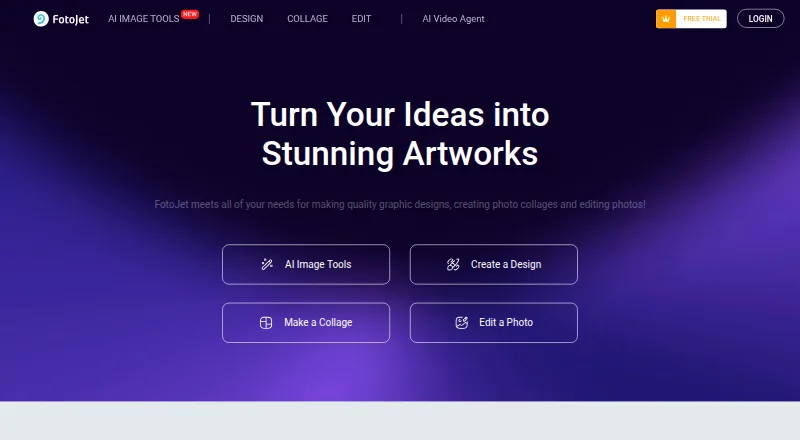
What FotoJet is
FotoJet is an online tool for graphic design, photo collages, and photo editing. Its templates and resources support collages, social media graphics, posters, cards, and banners, while its collage maker offers 800+ layouts and templates. The editor includes crop, resize, and rotate tools, plus text, clip art, effects, overlays, and frames. FotoJet says visitors can try the service without downloading or registering. The free plan includes basic editing tools, templates, and resources. Plus adds advanced editing tools, custom canvas sizes, project save and load, cloud storage, premium resources, ad-free editing, and priority support. Listed Plus plans are $6.99 a month or $39.99 a year, with the annual plan shown as $3.33 a month; a seven-day trial is also listed. Plus subscriptions renew automatically unless canceled, and charges are non-refundable. Exports are available in JPG and PNG. FotoJet lists web access and desktop apps for Windows and Mac.
Who it suits
FotoJet suits people making social graphics, posters, cards, banners, or photo collages with browser-based tools. Its free plan covers basic editing, while Plus adds project storage and premium resources.
What it does well
- Collage maker includes 800+ layouts and templates.
- Editor includes crop, resize, rotate, effects, overlays, and frames.
- Can be tried without downloading or registering.
- Exports JPG and PNG files.
What to know first
- Plus renews automatically unless canceled.
- Charges are non-refundable.
- The seven-day trial is listed; no longer trial is stated.
Limits
The free plan includes basic editing tools and basic templates and resources. Plus plans include 500MB online photo storage; the annual plan costs $39.99 a year and the monthly plan costs $6.99 a month.
Plans
| Plan | Billed and limits | Price |
|---|---|---|
| Free | basic editing tools · basic templates/fonts/effects/clipart/shapes/overlays/frames | Free |
| Plus | Billed Monthly · 500MB online photo storage | $6.99 a month |
| FotoJet Free | Basic editing tools · Basic templates and resources | Free |
| FotoJet Plus annual | annually ($3.33 USD/month; saving 50%) · advanced editing · custom canvas size · online project storage · 500MB photo storage · 800+ premium templates · premium resources · priority support | $39.99 a year |
| FotoJet Plus monthly | monthly · advanced editing · custom canvas size · online project storage · 500MB photo storage · 800+ premium templates · premium resources · priority support | $6.99 a month |
As fotojet.com lists them, read 14 Oct 2026. The maker's own page has the final word.
Getting started
- Visit the FotoJet website.
- Try the online tool without downloading or registering.
- Choose the free plan or start the listed 7-day trial.
- Use the collage maker or editor to create a design.
- Export the finished work as JPG or PNG.
Overview
FotoJet combines an online collage maker, photo editor and template-based design tools in one service. It is best suited to people making still-image collages or everyday graphics, rather than video layouts or specialized photo work. Its breadth is useful, but the paid plan’s renewal and refund terms deserve attention.
Projects can start from templates for social media graphics, posters, cards and banners, or from one of more than 800 collage layouts. FotoJet can be tried without an account or download; the maker also offers separate Designer, Collage Maker and Photo Editor desktop apps for Windows and Mac.
Key features
Collages and design
The large layout selection gives users plenty of starting points, while custom layouts leave room to arrange photos more freely. FotoJet also covers common print and social graphics, making it a practical choice when one service needs to handle several basic design jobs. It does not support video collages, so users working with moving images should look elsewhere.
Photo editing
The online editor includes crop, resize and rotate tools alongside text, clip art, effects, overlays and frames. That mix suits simple adjustments and decorative edits within a collage or graphic. JPG and PNG exports are supported, and watermarks are not a stated export limitation.
Plus and privacy
Plus adds advanced tools, custom canvas sizes, project saving and loading, cloud storage, premium templates and resources, ad-free editing and priority support. The listed plans include 500MB of online photo storage; the detailed paid-plan descriptions also specify 800+ premium templates and 30+ premium fonts. FotoJet says uploaded and created content remains private to the account unless shared, and that it accesses content only with explicit permission to resolve an in-app issue. It says card details go directly to its payment processor and are not retained by FotoJet.
Pricing
FotoJet is freemium, with a free plan and a seven-day trial. Plan names and prices are:
| Plan | Price | What it includes |
|---|---|---|
| Free / FotoJet Free | free | Basic editing tools and basic templates and resources; the Free plan also includes a free online collage maker. |
| Plus monthly / FotoJet Plus Monthly | $6.99 a month | Advanced editing tools, 500MB online photo storage, 800+ premium templates, 30+ premium fonts and priority support. |
| FotoJet Plus Annual | $39.99 a year, shown as $3.33 a month | The same listed advanced tools, storage, premium templates and fonts, and priority support. |
The free tier is enough for basic editing and templates, but does not include the paid plan’s advanced tools or premium resources. Monthly billing avoids an annual commitment; annual billing has a lower stated monthly equivalent but requires paying for the year. Plus subscriptions renew automatically unless canceled, and charges are non-refundable. FotoJet says it uses SSL encryption to protect payment information at checkout.
Platforms
FotoJet is listed for web, Linux, macOS and Windows. The maker specifically lists desktop apps for Windows and Mac, alongside its online service; trying the online version does not require registration or a download.
Who it's for
FotoJet fits people who want collage layouts, basic photo adjustments and template-led graphics in one place, especially those who value trying the web service without signing up. It is less suitable for video collages or anyone who needs a paid subscription with non-refundable charges or automatic renewal to be avoided.
Pros and cons
- Pros: More than 800 collage layouts and support for custom layouts give users both ready-made structures and flexibility.
- Pros: Collage, editing and template-based design tools cover several still-image jobs in one service.
- Pros: A no-account online tryout lowers the commitment required to assess the free tools.
- Cons: Video collages are not supported, limiting its use to still-image work.
- Cons: Plus renews automatically and payments are non-refundable, so subscribers need to manage cancellation carefully.
- Cons: The listed 500MB storage cap may constrain users who want to keep many projects online.
Alternatives
For a collage-focused alternative, Shape Collage has a free plan for personal use, while commercial use and watermark removal require Pro. CollageIt is worth considering for downloadable Windows and Mac collage making; its free home-page plan supports up to 200 photos. PhotoGrid may suit users seeking an Android or iOS option as well as web access; its free plan includes 100MB cloud storage.
PicCollage offers a free core collage maker and online tools, with premium templates, stickers and advanced features behind a subscription. SnapLayout is an iOS and Mac option whose free tier includes layouts and formats, up to 20 slides and exports capped at 1080px on the longest edge. Photovisi is web-based and offers free collage making, though its free output may be limited by low resolution or a watermark. April and CollagePhotoApp are other freemium alternatives.
Readers comparing tools for particular jobs can also browse Photo Editing Software and Social Media Design Software.
Verdict
Choose FotoJet if you want one accessible service for still-image collages, basic editing and template-based graphics, with a broad choice of layouts and an account-free way to start. Look elsewhere for video collages, or if Plus’s automatic renewal and non-refundable charges do not suit you.
Verdict
FotoJet brings collage layouts, graphic templates, and photo-editing tools together in an online service. Check the Plus renewal and refund terms before choosing a paid plan.
Questions
Does FotoJet have a free plan?
Yes. The free plan costs nothing and includes basic editing tools and basic templates and resources.
How much does FotoJet Plus cost?
Plus costs $6.99 a month when billed monthly, or $39.99 a year when billed annually. The annual price is shown as $3.33 a month.
Is there a free trial?
A 7-day trial is listed.
Which platforms does FotoJet support?
Listed platforms are Linux, macOS, web, and Windows. The maker also lists desktop apps for Windows and Mac.
What file formats can I export?
FotoJet lists JPG and PNG exports.
Who develops FotoJet?
FotoJet says it is developed by PearlMountain Limited.
Facts from FotoJet's own pages
- Account requirement
- Basic editing can be used without registration, while certain features require an account. · fotojet.com, 14 Oct 2026
- API and SDKs
- The official terms prohibit spiders, robots, aggregation tools and processes that copy or extract site information, source code or resources. · fotojet.com, 14 Oct 2026
- Checkout security
- FotoJet says it uses SSL internet encryption to protect payment information. · fotojet.com, 28 Sept 2026
- Chrome extension details
- The Chrome listing shows 30,000 users, version 6.5.2, a 2017 update and a 25.79KiB package. · chromewebstore.google.com, 14 Oct 2026
- Cloud storage
- Plus includes online project storage and 500MB of online photo storage; saved projects can be loaded later for editing. · fotojet.com, 14 Oct 2026
- Collage layouts
- FotoJet advertises more than 800 collage layouts and templates, including birthday, wedding, baby, family and anniversary designs. · fotojet.com, 14 Oct 2026
- Company
- FotoJet says it is developed by PearlMountain Limited, a graphics-software developer. · fotojet.com, 14 Oct 2026
- Designs
- Its templates and resources support creating collages, social media graphics, posters, cards, and banners. · fotojet.com, 28 Sept 2026
- Desktop apps
- The maker lists FotoJet Designer, Collage Maker, and Photo Editor apps for Windows and Mac. · fotojet.com, 28 Sept 2026
- Export and sharing
- Finished work can be saved as JPG or PNG, printed, or shared through Facebook, Twitter, Pinterest and Tumblr. · chromewebstore.google.com, 14 Oct 2026
- Free plan
- Yes · fotojet.com, 20 Sept 2026
- Graphic-design templates
- The design tool supplies templates for Facebook covers and posts, Instagram posts, YouTube channel art, posters, flyers, logos, banners, invitations and cards. · fotojet.com, 14 Oct 2026
- Integrations
- The terms identify Pixabay as an integrated third-party source of copyright-free images and videos. · fotojet.com, 14 Oct 2026
- License
- The terms grant a limited, non-exclusive, non-sublicensable and revocable license, while site content and software remain PearlMountain property; FotoJet is not open source. · fotojet.com, 14 Oct 2026
- Limit: billing complaints
- Trustpilot reviews report unexpected annual charges after trials, including complaints from users who said they canceled or sought refunds. · trustpilot.com, 14 Oct 2026
- Limit: download failures
- A Trustpilot reviewer reported that paid collages sometimes downloaded with blank images, particularly with iPhone photos. · trustpilot.com, 14 Oct 2026
- Limit: free tier
- G2 reviewers report that the free version limits features and that some stickers and clipart require a subscription. · g2.com, 14 Oct 2026
- Mac app facts
- The Mac app costs $4.99, is 151MB, requires macOS 10.11 or later and was last version-updated to 1.0.7 in November 2021. · apps.apple.com, 14 Oct 2026
- Maker facts
- LinkedIn lists PearlMountain as privately held, founded in 2006, headquartered in Hong Kong and employing 51–200 people. · linkedin.com, 14 Oct 2026
- Mobile availability
- The FAQ says FotoJet cannot currently be used on mobile devices or iPad. · fotojet.com, 14 Oct 2026
- No-account access
- The site says FotoJet can be tried for free without downloading or registering. · fotojet.com, 28 Sept 2026
- Payment data
- The privacy policy says card details are passed directly to a payment processor and FotoJet does not retain card numbers or other sensitive payment-instrument details. · fotojet.com, 28 Sept 2026
- Payments and renewal
- Plus subscriptions renew automatically unless canceled, and the pricing FAQ says charges are non-refundable. · fotojet.com, 28 Sept 2026
- Photo editing
- The editor supports cropping, resizing, rotation, exposure and color adjustments, sharpening, vignette, dehaze, radial focus, tilt shift, color splash, selective filters, text, clipart, overlays and frames. · chromewebstore.google.com, 14 Oct 2026
Where FotoJet stands on Freedom251
- Digital Scrapbooking Software#3 of 26
- Collage Maker Software#4 of 34
- Social Media Design Software#6 of 44
- Social Media Post Maker Software#4 of 23
- Poster Design Software#7 of 39
- Photo Editing Software#37 of 160
- Print Design Template Libraries#8 of 28
- YouTube Banner Makers#6 of 20
- Graphic Design Software#62 of 150
- Design tools#62 of 146