Freedom251 › Collage Maker Software

Photovisi
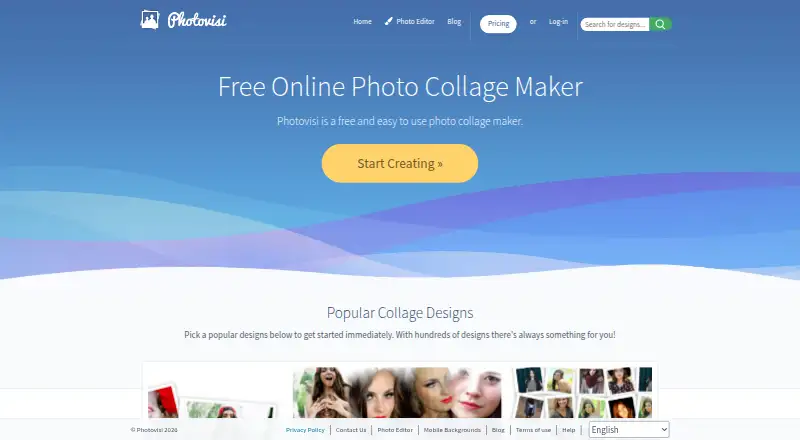
What Photovisi is
Photovisi is a browser-based photo collage maker for placing pictures into designed layouts. Users choose a design, add photos, arrange items by dragging, then download or share the collage. The site offers hundreds of designs, along with editing tools such as filters, frames, and stickers. Users can also add text and create custom layouts. Design links include Facebook covers, Twitter headers, LinkedIn covers, YouTube banners, and phone wallpapers. Photovisi says users can work in a browser without installing software, and presents the maker for family memories, gifts, celebrations, social posts, and collages with many photos. Exports are JPEG and PNG; video collages are not supported. The free plan allows collage making, though quality may be limited by low resolution or a watermark. Premium costs $4.99 per month and offers higher resolution without a watermark. Collages are private by default and visible only to the user unless shared. The privacy page says free or unauthenticated collages are retained for a maximum of 10 days, while the contact page says they are automatically deleted after 9 days.
Who it suits
Photovisi suits people making photo collages for family memories, gifts, celebrations, or social posts. It may also suit users creating cover images, banners, or phone wallpapers in a browser.
What it does well
- Hundreds of collage designs.
- Browser-based, with no software installation required.
- Includes filters, frames, stickers, and text overlays.
- Exports JPEG and PNG.
- Collages are private by default.
What to know first
- Free output may have low resolution or a watermark.
- Video collages are not supported.
- Free or unauthenticated collages are deleted after 9 or 10 days.
Limits
The free plan may limit output quality through low resolution or a watermark. Photovisi Premium costs $4.99 per month and offers higher resolution without a watermark.
Plans
| Plan | Billed and limits | Price |
|---|---|---|
| Free | Free collage making · quality may be limited by low resolution or a watermark | Free |
| Photovisi Premium | $4.99 per month · No watermark · higher resolution | $4.99 a month |
As photovisi.com lists them, read 2 Oct 2026. The maker's own page has the final word.
Getting started
- Open the Photovisi website in a browser.
- Choose a collage design.
- Add photos and arrange items by dragging them.
- Download or share the finished collage.
- Choose the free plan or Photovisi Premium at $4.99 per month if needed.
Verdict
Photovisi provides a straightforward browser workflow with templates, editing tools, and JPEG or PNG exports. The free plan may limit output quality, while Premium removes the watermark and offers higher resolution.
Questions
Does Photovisi have a free plan?
Yes. The free plan allows collage making, though quality may be limited by low resolution or a watermark.
How much does Photovisi Premium cost?
Photovisi Premium costs $4.99 per month.
Which platforms does Photovisi support?
Photovisi works on the web in a browser and does not require installing software to create a collage.
What export formats are available?
Collages can be exported as JPEG or PNG files.
Are collages private?
They are private by default and visible only to the user unless shared. Free or unauthenticated collages are retained for a maximum of 10 days according to the privacy page; the contact page says they are automatically deleted after 9 days.
Facts from Photovisi's own pages
- Browser use
- Photovisi says users can create a collage in their browser without installing software. · photovisi.com, 2 Oct 2026
- Data handling
- Photovisi says it does not sell or trade personal data and does not use it for automated decision making or profiling. · photovisi.com, 2 Oct 2026
- Formats
- The site links to designs for Facebook covers, Twitter headers, LinkedIn covers, YouTube banners and phone wallpapers. · photovisi.com, 2 Oct 2026
- Payments
- Photovisi says full card numbers are sent directly to Stripe via SSL without passing through its servers. · photovisi.com, 2 Oct 2026
- Photo editing
- Photovisi says its photo editor includes filters, frames, stickers and other image editing capabilities. · photovisi.com, 2 Oct 2026
- Privacy
- The privacy page says collages are private by default and visible only to the user unless they choose to share them. · photovisi.com, 2 Oct 2026
- Product
- Photovisi describes itself as a free and easy to use photo collage maker. · photovisi.com, 2 Oct 2026
- Retention
- The privacy page says collages for free or unauthenticated users are kept for a maximum of 10 days, while the contact page says collages are automatically deleted after 9 days. · photovisi.com, 2 Oct 2026
- Security
- Photovisi says website communications use SSL and that collage and photo access credentials are protected using encrypted keys. · photovisi.com, 2 Oct 2026
- Storage
- Photovisi says collage images and user photos are stored on Amazon Web Services S3 in the USA, with metadata on Vultr hosted servers in the USA. · photovisi.com, 2 Oct 2026
- Support
- The contact page says Photovisi replies to feedback within 7 days. · photovisi.com, 2 Oct 2026
- Templates
- The home page says Photovisi offers hundreds of collage designs. · photovisi.com, 2 Oct 2026
- Use cases
- Photovisi says its browser collage maker works for family memories, gifts, celebrations, social posts and collages with many photos. · photovisi.com, 2 Oct 2026
- Workflow
- Users choose a design, add photos, arrange items by dragging them, then download and share the collage. · photovisi.com, 2 Oct 2026
Where Photovisi stands on Freedom251
- Collage Maker Software#24 of 34