Freedom251 › Collage Maker Software

PhotoJoiner
What PhotoJoiner is
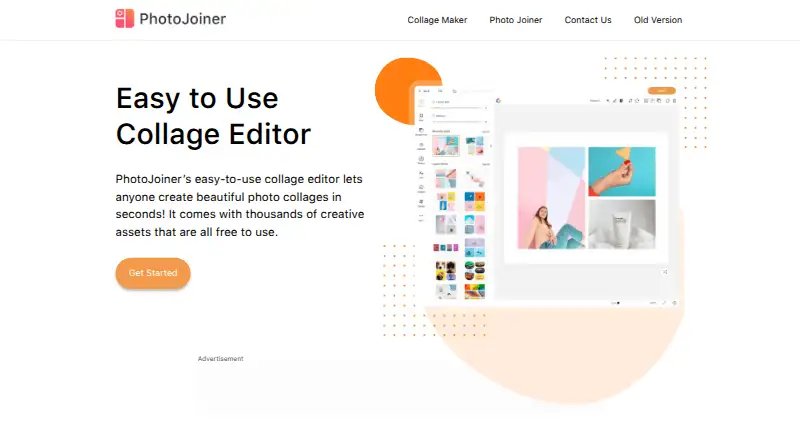
PhotoJoiner is a browser-based collage maker and photo-combining tool. Its templates cover occasions such as birthdays, weddings, and holidays, while its layouts let users arrange up to 20 photos and adjust cell sizes, padding, and placement. Extra cells or floating images can add more photos. The collage editor includes brightness adjustment, cropping, filters, and zoom, as well as stickers, emojis, backgrounds, shapes, text, and doodles. An AI cutout tool extracts subjects from photos for use as custom collage stickers. For combining images rather than making a collage, Photo Joiner places photos horizontally or vertically and lets users reorder them by dragging. Users can change canvas size and add borders and decorative elements. The homepage says collages can be sized for Facebook, Twitter, or Instagram. The Free plan costs nothing, with no registration, installation, or fees stated. The privacy policy says the site uses cookies and private image uploads provided by Imgur, and that uploaded images do not appear in Imgur’s public catalog.
Who it suits
PhotoJoiner suits people who want to make a collage or join photos in a browser without a stated fee. Its tools accommodate both occasion-based layouts and simple horizontal or vertical image combinations.
What it does well
- Free plan listed as free
- Templates cover birthdays, weddings, and holidays
- AI cutout creates custom collage stickers
- Photo Joiner combines images horizontally or vertically
- Collage formats include Facebook, Twitter, and Instagram sizes
What to know first
- Layouts support up to 20 photos before adding cells or floating images
- Privacy policy was last updated January 12, 2016
Limits
The Free plan is listed as free. Collage layouts support up to 20 photos, with extra cells or floating images available for additional pictures.
Plans
| Plan | Billed and limits | Price |
|---|---|---|
| Free | No registration, installation, or fees stated · collage layouts support up to 20 photos, with additional cells or floating images available | Free |
As photojoiner.com lists them, read 11 Oct 2026. The maker's own page has the final word.
Getting started
- Open https://www.photojoiner.com/ in a web browser
- Choose a collage template or the Photo Joiner tool
- Upload photos and arrange them in the layout
- Adjust cell sizes, padding, placement, or canvas size
- Add edits, text, stickers, backgrounds, borders, or doodles
- Join photos horizontally or vertically and reorder them by dragging
Verdict
PhotoJoiner offers collage layouts, editing tools, and a separate photo-joining function in a browser. Its stated photo limit and the age of its privacy policy are worth noting.
Questions
How much does PhotoJoiner cost?
PhotoJoiner lists a Free plan at no cost.
Do I need an account or installation?
The plan states no registration or installation, and the tool runs in a browser.
Which platforms does it support?
PhotoJoiner is available on the web.
How many photos can a layout hold?
Layouts support up to 20 photos. Extra cells or floating images can add more.
Can I add text and decorative elements?
Yes. The editor supports text, stickers, emojis, backgrounds, shapes, borders, and doodles.
How does PhotoJoiner handle uploaded images?
Its privacy policy says private image uploads are provided by Imgur and do not appear in Imgur’s public catalog.
Facts from PhotoJoiner's own pages
- AI cutout
- An AI driven cutout tool extracts subjects from photos to create custom collage stickers. · photojoiner.com, 11 Oct 2026
- Canvas and borders
- Users can customize canvas size and add borders, backgrounds, stickers, doodles, and text when joining photos. · photojoiner.com, 11 Oct 2026
- Collage templates
- The collage maker offers templates for occasions including birthdays, weddings, and holidays. · photojoiner.com, 11 Oct 2026
- Creative assets
- Users can add stickers, emojis, backgrounds, shapes, text, and doodles to collages. · photojoiner.com, 11 Oct 2026
- Layouts
- It offers thousands of layouts and lets users adjust cell sizes, padding, and photo placement. · photojoiner.com, 11 Oct 2026
- Photo editing
- The collage editor supports brightness adjustment, cropping, filters, and zooming photos. · photojoiner.com, 11 Oct 2026
- Photo limit
- Layouts support up to 20 photos, and users can add more with extra cells or floating images. · photojoiner.com, 11 Oct 2026
- Photo stitching
- The Photo Joiner tool combines photos horizontally or vertically and lets users reorder them by dragging. · photojoiner.com, 11 Oct 2026
- Privacy
- The privacy policy says the site uses cookies and private image uploads provided by Imgur, and says uploaded images do not appear in Imgur’s public catalog. · photojoiner.com, 11 Oct 2026
- Privacy policy date
- The privacy policy page states it was last updated January 12, 2016. · photojoiner.com, 11 Oct 2026
- Social formats
- The homepage says users can create collages sized to fit Facebook, Twitter, or Instagram. · photojoiner.com, 11 Oct 2026
- Support
- The site provides a contact form with fields for name, email, and description. · photojoiner.com, 11 Oct 2026
- Terms and warranties
- The terms describe the website as provided as is and as available, and disclaim warranties to the extent permitted by law. · photojoiner.com, 11 Oct 2026
- What it does
- PhotoJoiner offers a browser based collage maker and a tool for combining photos. · photojoiner.com, 11 Oct 2026
Where PhotoJoiner stands on Freedom251
- Collage Maker Software#21 of 34