Freedom251 › Collage Maker Software
Fotowall
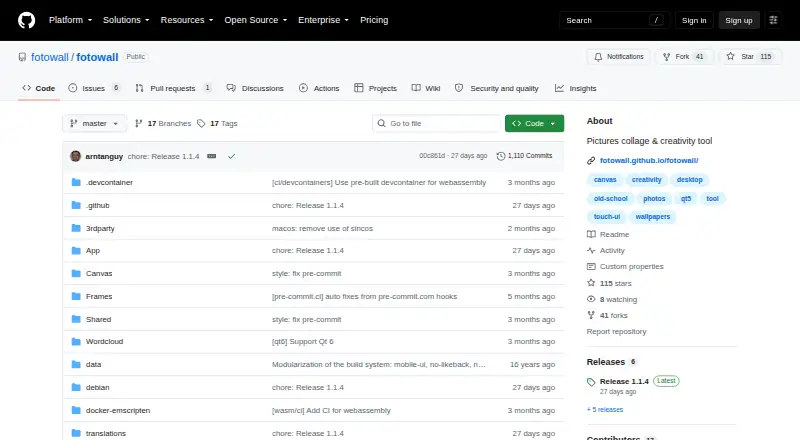
What Fotowall is
Fotowall is a desktop app for assembling graphical compositions from photos, pictures, text, live video, word clouds and content dragged from the internet. Users layer and manipulate elements on a canvas; listed capabilities include custom layouts and text overlays. The changelog also lists undo and redo, picture cropping and a word cloud editor, as well as high quality print-ready PDF output. PDF and SVG are the listed export formats, but canvas export in the browser version is still upcoming. That browser version supports ordinary image and text operations, but cannot save or load Fotowall project files and does not support live camera input. The project changelog lists live video, while release notes describe a live camera item for Ubuntu users with a webcam. Fotowall is free, with Linux and Windows availability and browser access listed. Linux users can choose Ubuntu packages or AppImages, and the project supports running through Nix; Windows executables are available through the project. The repository includes a GPL version 2 license, and the releases page lists version 1.1.4 as the latest release.
Who it suits
Fotowall suits people creating layered visual compositions from images, text and other listed canvas content. The browser version may suit basic image and text arrangement, but it lacks project-file saving and loading and live camera support.
What it does well
- Free desktop application
- Canvas supports custom layouts and text overlays
- Changelog lists cropping, undo and redo
- PDF and SVG are listed export formats
- Linux and Windows availability
What to know first
- Browser canvas export is still upcoming
- Browser version cannot save or load project files
- Browser version does not support live camera
- Browser version has limited performance and features
Limits
The free plan is a desktop application; the browser version has limited performance and features. In the browser, projects cannot be saved or loaded, canvas export is upcoming, and live camera input is unsupported.
Plans
| Plan | Billed and limits | Price |
|---|---|---|
| Fotowall | Free desktop application; browser version has limited performance and features | Free |
As github.com lists them, read 8 Oct 2026. The maker's own page has the final word.
Getting started
- Open the Fotowall project website.
- For Linux, choose an Ubuntu package or AppImage, or use Nix.
- For Windows, get the available executable from the project.
- Use the browser version for canvas image and text operations.
Verdict
Fotowall offers a free canvas for combining images, text and other content, with desktop and browser options. The browser version has significant project and export limits, so check which capabilities you need before choosing it.
Questions
Is Fotowall free?
Yes. The Fotowall plan is free.
Which platforms does Fotowall support?
Linux, web, and Windows are listed. Linux options include Ubuntu packages and AppImages, and the project supports Nix.
Can I export a composition?
PDF and SVG are listed export formats. Browser canvas export is upcoming.
Can the browser version save Fotowall projects?
No. The browser version cannot save or load Fotowall project files.
Is Fotowall open source?
The repository includes a GPL version 2 license file.
Facts from Fotowall's own pages
- Canvas
- The browser version supports usual image and text operations on the canvas. · github.com, 8 Oct 2026
- Export
- Canvas export in the browser version is listed as upcoming. · github.com, 8 Oct 2026
- Features
- The changelog lists undo and redo, picture cropping, a word cloud editor, and high quality print-ready PDF output. · github.com, 8 Oct 2026
- Founded
- 2008 · github.com, 28 Sept 2026
- Integrations
- The changelog lists PosteRazor integration and historical Google Images search and Flickr content download features. · github.com, 8 Oct 2026
- License
- The repository includes a GPL version 2 license file. · github.com, 8 Oct 2026
- Linux availability
- The project provides Ubuntu packages and AppImages and supports running through Nix. · github.com, 8 Oct 2026
- Live camera
- The browser version does not support live camera, while the project changelog lists live video as a feature and the 1.0 release notes describe a live camera item for Ubuntu users with a webcam. · github.com, 8 Oct 2026
- macOS
- The repository release history mentions adding macOS Nix support. · github.com, 8 Oct 2026
- Project files
- The browser version cannot save or load Fotowall projects. · github.com, 8 Oct 2026
- Purpose
- Fotowall is a desktop app for creating graphical compositions by layering and manipulating photos, pictures, text, live video, word clouds, and content dragged from the internet. · github.com, 8 Oct 2026
- Release
- The releases page lists version 1.1.4 as the latest release. · github.com, 8 Oct 2026
- Security
- The repository page shows a Security and quality section with zero items. · github.com, 8 Oct 2026
- Support
- The README invites users to send ideas or suggestions through the project homepage or by email to [email protected]. · github.com, 8 Oct 2026
- Windows availability
- The README says Windows executables are available and points to the releases page for downloads on other systems. · github.com, 8 Oct 2026
Where Fotowall stands on Freedom251
- Collage Maker Software#6 of 34