Freedom251 › Screen Recording Software

Flowtake
What Flowtake is
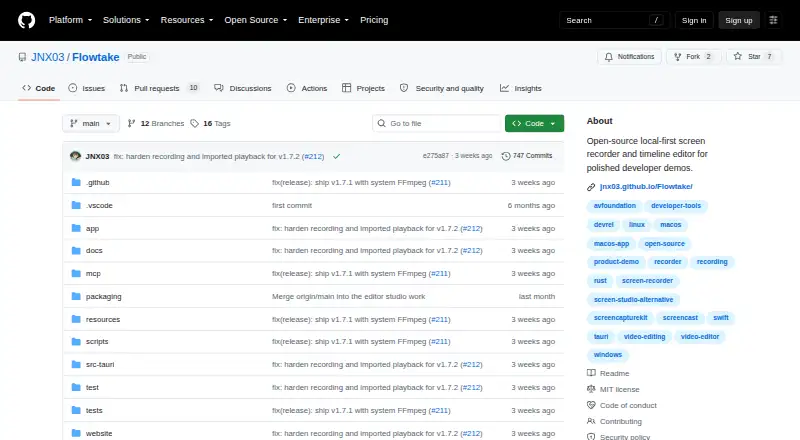
Flowtake is a free, open-source, local-first screen recorder and timeline editor for developer demos. It records a full display, selected window, or custom area, with optional webcam, microphone, and supported system audio. Editing includes trimming and splitting clips, cursor zoom and pan, cursor and click effects, masks, backgrounds, overlays, audio tracks, and subtitles. Exports are created locally as H.264/MP4 or VP9/WebM, with controls for resolution, frame rate, quality, and optional audio. Recordings, project files, and ordinary exports remain local, and there is no cloud project synchronization. Network options include YouTube upload, RTMP live streaming, and a local stdio MCP integration for metadata-based timeline edits. Flowtake runs on Windows, macOS, and Linux. Windows 10/11 x64 is the primary target; macOS 10.15+ and Linux x64 are preview platforms. FFmpeg must be installed separately on PATH.
Who it suits
It suits developers creating demos who want a free desktop recorder and editor with local project storage across Windows, macOS, or Linux.
What it does well
- Free with no export paywall
- Records screen, camera, microphone, and audio
- Timeline editing with effects and subtitles
- Local H.264/MP4 and VP9/WebM export
- Windows, macOS, and Linux support
What to know first
- FFmpeg installation required separately
- Linux capture requires X11 or XWayland
- Windows artifacts are not Authenticode-signed
- macOS artifacts are not notarized
Limits
The free plan requires a separate FFmpeg installation and has no cloud project sync. Linux capture is limited to X11 or XWayland, while macOS and Linux are preview platforms.
Plans
| Plan | Billed and limits | Price |
|---|---|---|
| Free | Free desktop recorder and editor · FFmpeg must be installed separately · No paid app tier or export paywall | Free |
As github.com lists them, read 12 Oct 2026. The maker's own page has the final word.
Getting started
- Open the Flowtake project at its GitHub website
- Install FFmpeg separately and make `ffmpeg` available on PATH
- Install the release package for Windows, macOS, or Linux
- Choose a display, window, or custom area to capture
- Add optional camera, microphone, or supported system audio
- Edit the recording and export to H.264/MP4 or VP9/WebM
Verdict
Flowtake offers broad recording and timeline-editing tools without a paid app tier or export paywall. Users must install FFmpeg separately, and macOS and Linux are preview platforms.
Questions
Is Flowtake free?
Yes. The Free plan costs nothing, and there is no paid app tier or export paywall.
Which platforms does it support?
Flowtake supports Windows, macOS, and Linux. Windows 10/11 x64 is the primary development and validation target; macOS 10.15+ Universal and Linux x64 are preview platforms.
What can it record?
It can capture a full display, selected window, or custom area, with optional webcam, microphone, and supported system audio.
Where are projects stored?
Recordings, project files, and ordinary exports are stored locally. Flowtake does not include cloud project synchronization.
Can it upload or stream?
Network features include YouTube upload and RTMP live streaming.
What prerequisite is required?
FFmpeg is not included in release packages; install it separately and make `ffmpeg` available on PATH.
Facts from Flowtake's own pages
- Audience
- The project describes its use case as creating developer demos and includes a demo kit for maintainers. · github.com, 12 Oct 2026
- Capture
- It records a full display, selected window, or custom area, with optional camera, microphone, and supported system audio. · github.com, 12 Oct 2026
- Editing
- Its timeline supports cursor-driven zoom and pan, clip trimming and splitting, cursor and click effects, masks, backgrounds, overlays, audio tracks, and subtitles. · github.com, 12 Oct 2026
- Export
- It exports locally to H.264/MP4 or VP9/WebM, with resolution, frame-rate, quality, and optional-audio controls. · github.com, 12 Oct 2026
- Free plan
- Yes · github.com, 20 Sept 2026
- Integrations
- Network features include YouTube upload and RTMP live streaming, and a local stdio MCP integration supports metadata-based timeline edits from an MCP host. · github.com, 12 Oct 2026
- Local storage
- Recordings, project files, and ordinary exports are stored locally, and Flowtake does not include cloud project sync. · github.com, 12 Oct 2026
- Microphone recording
- Yes · github.com, 20 Sept 2026
- Network data
- Using a network feature sends data to the service configured by the user; the app also makes GitHub release-check requests and some camera effects fetch model assets. · github.com, 12 Oct 2026
- Supported platforms
- Windows,macOS,Linux · github.com, 20 Sept 2026
- Platform support
- Windows 10/11 x64 is the primary development and validation target; macOS 10.15+ Universal and Linux x64 are preview platforms, and Linux screen capture requires X11 or XWayland. · github.com, 12 Oct 2026
- Prerequisite
- Flowtake release packages do not include FFmpeg, which must be installed separately and available as `ffmpeg` on `PATH`. · github.com, 12 Oct 2026
- Purpose
- Flowtake is an open-source, local-first screen recorder and timeline editor for polished developer demos. · github.com, 12 Oct 2026
- Signing
- The current Windows artifacts are not Authenticode-signed, and macOS artifacts are ad-hoc signed, not Apple Developer ID-signed, and not notarized. · github.com, 12 Oct 2026
- System audio
- Yes · github.com, 20 Sept 2026
- Telemetry
- The current Tauri build has Sentry disabled and no active product-analytics integration. · github.com, 12 Oct 2026
- Webcam recording
- Yes · github.com, 20 Sept 2026
Where Flowtake stands on Freedom251
- Screen Recording Software#27 of 132