Freedom251 › Screen Recording Software
DemoAir
What DemoAir is
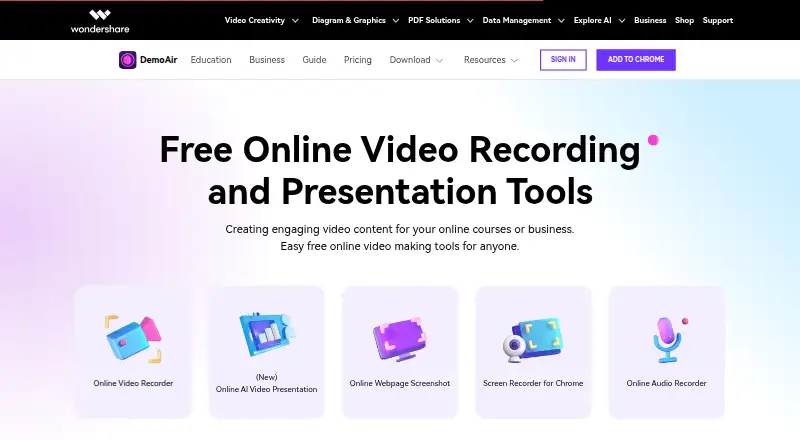
DemoAir is a Chrome screen recorder for making video messages and instructional recordings from a desktop, browser tab, or webcam. It can capture the screen, camera, and microphone separately or together, with system audio as another recording option. Drawing tools sit alongside recording controls for marking up content. After recording, users can edit videos, export them as MP4, and share them through YouTube, Gmail, or a copied link. Recordings can also be saved automatically to Google Drive; sharing through Drive requires signing in to a Google Drive account. The maker lists integrations with GitHub, Jira, Slack, Asana, and Trello, and describes uses such as code reviews, customer service training, and design feedback. Education uses include sending assignments to Google Classroom and collecting student submissions. A free plan is listed as free. A separate free trial costs nothing and limits exports to 10 minutes, 1080P, and 30FPS. Paid plans start at $9.99 a month.
Who it suits
It suits people creating instructional videos, code reviews, customer service training, design feedback, or classroom video assignments. Its Chrome extension and web, Windows, macOS, and Linux support accommodate several recording environments.
What it does well
- Captures screen, camera, microphone, and system audio.
- Drawing tools are available in the recording control panel.
- Exports edited recordings as MP4.
- Can save recordings automatically to Google Drive.
- Offers YouTube, Gmail, and copied-link sharing.
What to know first
- Free trial exports are limited to 10 minutes.
- Free trial quality is limited to 1080P and 30FPS.
- Google Drive sharing requires signing in to Google Drive.
Plans
| Plan | Billed and limits | Price |
|---|---|---|
| Free | Screen, browser-tab, webcam, and audio recording · Sharing and downloading recordings · Google Drive saving | Free |
| Free Trial | 10-minute recording exports · 1080P · 30FPS | Free |
| Cross-Platform Quarterly Plan | US$19.99 /qtr · Unlimited recording export length · 4K · 120FPS | $19.99 a month |
| Cross-Platform Yearly Plan | US$59.99 /yr · Unlimited recording export length · 4K · 120FPS | $59.99 a year |
| Perpetual Plan | US$79.99 · Unlimited recording export length · 4K · 120FPS | $79.99, paid once |
| Cross-Platform Monthly Plan | US$9.99 /month · Unlimited recording export length · 4K · 120FPS | $9.99 a month |
As demoair.wondershare.com lists them, read 22 Sept 2026. The maker's own page has the final word.
Verdict
DemoAir combines screen, webcam, and audio capture with editing, MP4 export, and several sharing routes. Check the trial's export limits and Google Drive sign-in requirement against your workflow.
Facts from DemoAir's own pages
- Account requirements
- The maker’s FAQ includes account and billing, recording and sharing, and installation and system requirement topics. · demoair.wondershare.com, 11 Oct 2026
- Business use
- The maker describes uses including code reviews, customer service training, sharing design ideas, and giving screen mark-up feedback. · demoair.wondershare.com, 11 Oct 2026
- Capture
- Users can record screen, camera, and microphone, individually or together, and create instructional videos from a tab, whole screen, or webcam. · demoair.wondershare.com, 11 Oct 2026
- Cloud storage
- Recordings can be auto-saved to Google Drive, and video sharing is available after signing in to a Google Drive account. · demoair.wondershare.com, 11 Oct 2026
- Drawing tools
- The recording control panel offers drawing tools alongside microphone, webcam, and system audio controls. · demoair.wondershare.com, 11 Oct 2026
- Editing and export
- DemoAir videos can be edited, exported as MP4, and shared through YouTube, Gmail, or a copied link. · demoair.wondershare.com, 11 Oct 2026
- Education use
- The education page describes sharing video assignments to Google Classroom and collecting student video submissions. · demoair.wondershare.com, 11 Oct 2026
- Free plan
- Yes · demoair.wondershare.com, 22 Sept 2026
- Free tier limit
- The pricing page lists a free trial with a 10-minute recording export limit, 1080P quality, and 30FPS. · demoair.wondershare.com, 11 Oct 2026
- Integrations
- The maker lists integrations with GitHub, Jira, Slack, Asana, and Trello. · demoair.wondershare.com, 11 Oct 2026
- Maker background
- Wondershare says it was founded in 2003 in Shenzhen, where it launched its first digital creative product, Photo2VCD. · wondershare.com, 11 Oct 2026
- Microphone recording
- Yes · demoair.wondershare.com, 22 Sept 2026
- Supported platforms
- web,windows,macos,linux,chrome_extension · demoair.wondershare.com, 22 Sept 2026
- Supported browser
- The maker presents DemoAir as a Chrome extension and links users to install it from the Chrome Web Store. · demoair.wondershare.com, 11 Oct 2026
- System audio
- Yes · demoair.wondershare.com, 22 Sept 2026
- Maximum video quality
- 4k · demoair.wondershare.com, 22 Sept 2026
- Webcam recording
- Yes · demoair.wondershare.com, 22 Sept 2026
- What it does
- DemoAir is a Chrome screen recorder for creating and sharing video messages from desktop, browser tab, or webcam recordings. · demoair.wondershare.com, 11 Oct 2026
Where DemoAir stands on Freedom251
- Screen Recording Software#29 of 132