Freedom251 › Screen Recording Software

Capptivo
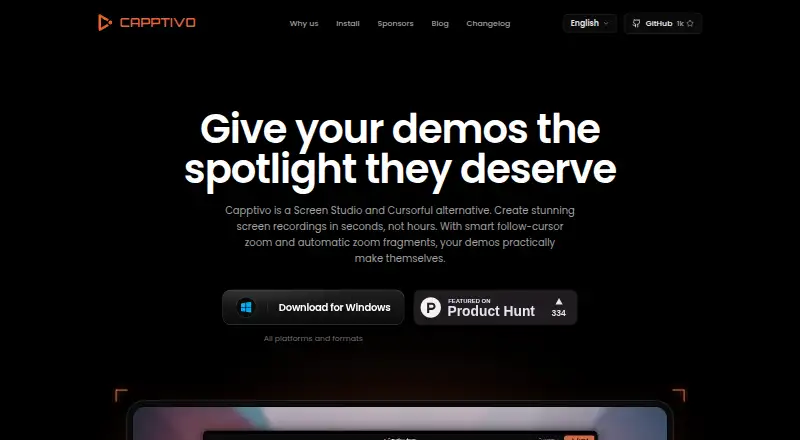
What Capptivo is
Capptivo is a free, open-source screen recorder and editor for creating demos. It records a display, window, or custom area with webcam, microphone, system audio, pause and resume controls, and on-screen annotations. The editor offers a timeline, trimming, backgrounds, cursor styling, and export to MP4, WebM, or GIF. Zoom can follow the cursor, and click activity can prompt suggested zooms. On-device captions use Whisper through whisper.cpp, with downloadable models and no cloud requirement. Projects and recordings stay locally, and the maker says recording and editing do not require an account. The privacy policy says captured video is generally kept in the browser or on the device rather than uploaded for cloud hosting or public share pages. Capptivo may process server logs and lightweight editor metadata, but says it does not collect account profiles, passwords, or OAuth identities. It runs on web, Windows, macOS, and Linux under the MIT License.
Who it suits
Capptivo suits people making screen demos who want local projects, browser-based editing, and open-source software. It supports Windows, macOS, Linux, and web users, subject to listed system requirements.
What it does well
- Free plan with MIT open-source license
- Records webcam, microphone, and system audio
- Exports MP4, WebM, and GIF
- Generates captions on-device
- No account required for recording or editing
What to know first
- Area selection is unavailable on Linux
- Follow-zoom may not work on some Wayland setups
- Requires macOS 13 or later
- Requires Windows 10 version 1903 or later
Plans
| Plan | Billed and limits | Price |
|---|---|---|
| Free | Free, open source; MIT license | Free |
As capptivo.com lists them, read 11 Oct 2026. The maker's own page has the final word.
Verdict
Capptivo provides a no-account, local workflow for recording, editing, and captioning demos. Its platform coverage is broad, though Linux users and some Wayland environments have specific zoom or selection limits.
Facts from Capptivo's own pages
- Captions
- On-device speech-to-text captions use Whisper through whisper.cpp, with downloadable models and no cloud requirement. · github.com, 11 Oct 2026
- Data collected
- The policy says the service may process website server logs and lightweight editor metadata, and does not collect account profiles, passwords, or OAuth identities. · capptivo.com, 11 Oct 2026
- Editing and export
- The editor includes a timeline, trimming, backgrounds, cursor styling, and export to MP4, WebM, or GIF. · github.com, 11 Oct 2026
- Free plan
- Yes · capptivo.com, 22 Sept 2026
- Intended users
- The maker describes it as a free alternative to Screen Studio and Cursorful for making screen recordings and demos. · github.com, 11 Oct 2026
- License
- Capptivo is released under the MIT License. · github.com, 11 Oct 2026
- Local storage
- Projects and recordings are stored locally, and the maker says no account is required to record or edit. · github.com, 11 Oct 2026
- Microphone recording
- Yes · capptivo.com, 22 Sept 2026
- Notable limits
- Area selection is not available on Linux, and follow-zoom may be unavailable on Wayland when cursor metadata is unsupported by the portal. · github.com, 11 Oct 2026
- Supported platforms
- web,windows,macos,linux · capptivo.com, 22 Sept 2026
- Privacy
- The privacy policy says captured video is generally stored in the browser or on the device rather than uploaded for cloud hosting or public share pages. · capptivo.com, 11 Oct 2026
- Product
- Capptivo is an open-source screen recorder and editor for creating polished demos. · capptivo.com, 11 Oct 2026
- Recording
- It can capture a display, window, or custom area, with face-cam, microphone, system audio, pause and resume, and on-screen annotations. · github.com, 11 Oct 2026
- Security
- The maker says it takes reasonable steps to protect online surfaces and notes that no transmission or storage method is completely secure. · capptivo.com, 11 Oct 2026
- Support
- The site lists [email protected] and a public GitHub repository for questions and issues. · capptivo.com, 11 Oct 2026
- System audio
- Yes · capptivo.com, 22 Sept 2026
- System requirements
- The download page lists macOS 13 or later, Windows 10 version 1903 or later, and Linux with PipeWire 1.0 or later. · capptivo.com, 11 Oct 2026
- Webcam recording
- Yes · capptivo.com, 22 Sept 2026
- Zoom
- Zoom can follow the cursor, and the editor can suggest zooms from clicks. · github.com, 11 Oct 2026
Where Capptivo stands on Freedom251
- Screen Recording Software#31 of 131