Freedom251 › AI Screen Recorders
Berrycast
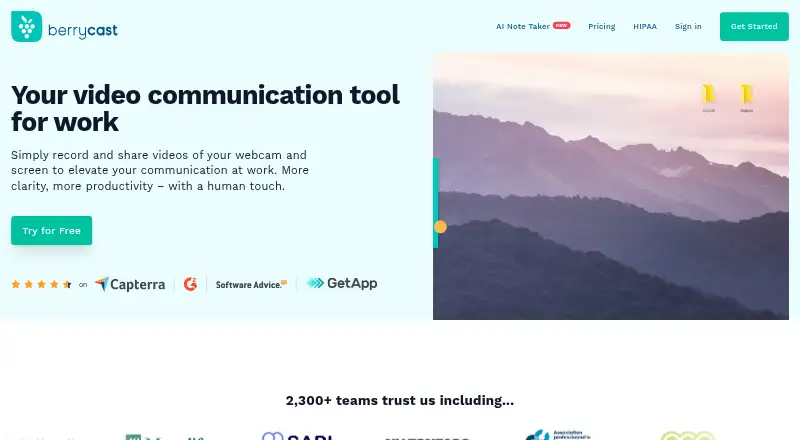
What Berrycast is
Berrycast records and shares screen and webcam videos for work. Capture is available on Windows and macOS, as well as through a Chrome extension, and recordings can include webcam video, system audio, and microphone audio. The plans list unlimited videos and recording length, with screen capture, webcam recording, and video uploads among the recording features. Starter includes video comments and system audio capture on PC. Professional adds custom branding, a custom domain, Request Video, subtitles, and limited transcription and AI Writer. Enterprise includes Professional features plus video analytics, unlimited transcription and AI Writer, and Collaborative Spaces. Berrycast also lists easy video editing, timed comments, and video comments that viewers can leave without an account. Videos can be shared by email or social channels, embedded, and password-protected. Its Chrome plugin supports sharing video messages through Gmail, G Suite, Office 365, Teams, Slack, and Asana. Berrycast offers a free plan and a 14-day trial; the listed plans are Starter, Professional, and Enterprise. For healthcare use, Berrycast says it signs a Business Associate Agreement with covered entities before protected health information is recorded. It also describes encryption and access controls for healthcare recordings, including link expiry, access revocation, and audit logging.
Who it suits
Berrycast suits people and teams who explain work through screen or webcam recordings and want to share videos with comments. Its listed integrations and healthcare safeguards may also suit teams sharing video messages in those settings.
What it does well
- Records webcam, system audio, and microphone audio.
- Plans include unlimited videos and recording length.
- Viewers can comment without an account.
- Videos can be embedded or password-protected.
- Chrome plugin supports Gmail, Teams, Slack, and Asana sharing.
What to know first
- The Chrome extension page says there is no mobile recorder.
- The Professional transcription and AI Writer allowance is limited.
- The free trial lasts 14 days.
Limits
Professional includes limited transcription and AI Writer. Enterprise lists unlimited transcription and AI Writer; the trial lasts 14 days.
Plans
| Plan | Billed and limits | Price |
|---|---|---|
| Starter | Unlimited videos and recording · Screen capture and webcam recording · Video upload, editing, comments, and sharing | Free |
| Enterprise | Includes Professional features · Unlimited AI Writer and transcripts · Unlimited Collaborative Spaces · Video analytics | On request |
| Professional | Includes Starter features · AI Writer and transcripts: 2h/month · Collaborative Spaces: 3 · Custom branding and domain · Discounts for more than 5 licenses | On request |
As berrycast.com lists them, read 9 Oct 2026. The maker's own page has the final word.
Getting started
- Visit the Berrycast website.
- Choose the free plan or start the 14-day trial.
- Use Berrycast on Windows or macOS, or capture through its Chrome extension.
- Record a screen or webcam video, with audio as needed.
- Share the video by email or social channel, embed it, or protect it with a password.
Verdict
Choose Berrycast if you need screen or webcam recording with sharing, comments, and unlimited recording length. Professional and Enterprise add branding, transcription, analytics, or collaboration features as needs grow. Look elsewhere if mobile recording is required.
Questions
Does Berrycast have a free plan?
Yes. Berrycast lists a free plan and also offers a 14-day trial.
Which platforms does Berrycast support?
The listed platforms are Windows, macOS, web, and extension. Capture platforms include Windows, macOS, and Chrome extension.
What can I record?
Berrycast records screen and webcam video, and supports system audio and microphone recording.
What does Professional add?
Professional adds custom branding, a custom domain, Request Video, subtitles, and limited transcription and AI Writer.
Which services work with the Chrome plugin?
Berrycast lists Gmail, G Suite, Office 365, Teams, Slack, and Asana for sharing video messages through its Chrome plugin.
What healthcare safeguards does Berrycast describe?
It says it signs a Business Associate Agreement with covered entities before protected health information is recorded. It also lists AES-256 encryption at rest, TLS 1.2 or higher in transit, password-protected links, link expiry, access revocation, and audit logging.
Facts from Berrycast's own pages
- Access controls
- The HIPAA page lists password-protected links, link expiry, access revocation, and audit logging for healthcare recordings. · berrycast.com, 9 Oct 2026
- AI and transcripts
- Professional includes 2 hours per month of AI Writer and transcripts, while Enterprise lists both as unlimited. · berrycast.com, 9 Oct 2026
- Editing and feedback
- The feature comparison lists easy video editing, timed comments, and video comments that do not require an account. · berrycast.com, 9 Oct 2026
- Encryption
- The HIPAA page says recordings are encrypted with AES-256 at rest and TLS 1.2 or higher in transit. · berrycast.com, 9 Oct 2026
- Free plan
- No · berrycast.com, 15 Sept 2026
- Healthcare use
- Berrycast describes post-visit instructions, telehealth follow-ups, and clinical staff training as healthcare uses. · berrycast.com, 9 Oct 2026
- HIPAA
- Berrycast says it signs a Business Associate Agreement with covered entities before any protected health information is recorded. · berrycast.com, 9 Oct 2026
- Integrations
- Berrycast says users can share video messages through its Chrome plugin via Gmail, G Suite, Office 365, Teams, Slack, and Asana. · berrycast.com, 9 Oct 2026
- Microphone recording
- Yes · berrycast.com, 15 Sept 2026
- Mobile recording
- Berrycast’s Chrome extension page says it does not offer a mobile recorder. · berrycast.com, 9 Oct 2026
- Capture platforms
- windows,macos,chrome_extension · berrycast.com, 15 Sept 2026
- Pricing limits
- The pricing comparison lists unlimited videos and recording length across Starter, Professional, and Enterprise. · berrycast.com, 9 Oct 2026
- Product
- Berrycast records and shares webcam and screen videos for work. · berrycast.com, 9 Oct 2026
- Recording
- Plans include screen capture, webcam recording, video uploads, and unlimited recording length. · berrycast.com, 9 Oct 2026
- Sharing
- Users can share videos by email or social channels, embed them, and password-protect them. · berrycast.com, 9 Oct 2026
- Support
- The HIPAA page directs users to [email protected] for questions and compliance pricing. · berrycast.com, 9 Oct 2026
- System audio
- Yes · berrycast.com, 15 Sept 2026
- Webcam recording
- Yes · berrycast.com, 15 Sept 2026
Where Berrycast stands on Freedom251
- AI Screen Recorders#2 of 39
- Screen and Video Capture Software#2 of 30
- Video Messaging Software#2 of 29
- Screen Recording Software#30 of 132
- Screen recorders#13 of 28