Freedom251 › AI Video Repurposing Tools

Flowjin
What Flowjin is
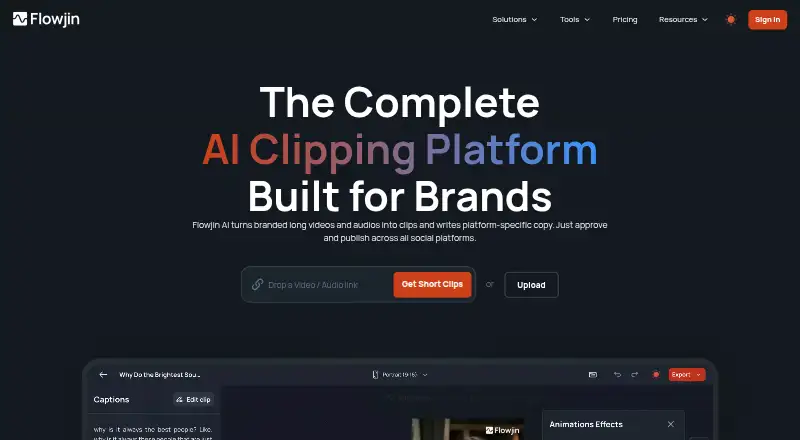
Flowjin turns branded video and audio into short clips and drafts social copy for each platform. Its AI identifies shareable moments and creates 6–12 captioned clips automatically. The editor includes smart crop, speaker tracking, captions, titles, B-roll, and tools to trim or extend clips. Generated copy can include titles, descriptions, hashtags, and calls to action for LinkedIn, YouTube, and X. Users can upload audio or video and import media links, including from YouTube, Apple Podcasts, Google Drive, and Vimeo. The pricing FAQ lists English, Spanish, Portuguese, French, Dutch, German, and Italian as supported media languages. The product is presented for founders and CEOs, marketing leads, social media managers, and agencies. The homepage describes scheduling across channels from one calendar, but the pricing page says social publishing is coming soon. Flowjin offers Android, iOS, and web platforms. Free projects expire after five days; Starter projects after 60 days; Creator projects do not expire. The privacy policy describes encryption in transit, access controls, and secure development practices, while noting that absolute security is not guaranteed.
Who it suits
Flowjin suits founders, marketing leads, social media managers, and agencies who want to turn longer audio or video into clips and platform-specific copy. Its listed language support may suit teams working with media in any of its seven named languages.
What it does well
- Automatically drafts 6–12 captioned clips.
- Editor includes smart crop and speaker tracking.
- Generates social copy for LinkedIn, YouTube, and X.
- Accepts uploads and media links from several services.
- Supports seven media languages.
What to know first
- Free projects expire after five days.
- Starter projects expire after 60 days.
- Social publishing is listed as coming soon.
- Absolute security is not guaranteed.
Limits
The free plan includes a one-time 60-minute credit, 720p output, and projects that expire after 5 days. Starter lists 150 minutes per month and projects that expire after 60 days; Creator’s listed allowance differs between plan materials, and its projects never expire.
Plans
| Plan | Billed and limits | Price |
|---|---|---|
| Free | $0 · 60 minutes of video/audio processing · 720p · unlimited clip exports on plan card · projects expire after 5 days | Free |
| Starter | $114.00 billed yearly · 150 minutes of video/audio per month · 1080p export · projects expire after 60 days · unused credits roll over for one month | On request |
| Creator | $174.00 billed yearly · 3,600 minutes per month on plan card · 5 hours per month in comparison table · projects never expire · priority project processing | On request |
As flowjin.com lists them, read 14 Oct 2026. The maker's own page has the final word.
Getting started
- Visit flowjin.com.
- Choose the free plan or a paid plan.
- Upload audio or video, or import through a supported media link.
- Use the editor to adjust crops, captions, titles, B-roll, or clip length.
- Generate social copy for LinkedIn, YouTube, or X.
Overview
Flowjin helps founders, marketing teams, and agencies turn long audio and video into branded social clips and platform-specific copy. Its automatic clip drafts and editing tools cover much of the repurposing workflow, though the three-minute clip ceiling and mixed publishing status narrow its fit.
Key features
Clip creation and editing
Flowjin identifies shareable moments and drafts 6–12 captioned clips, giving teams a batch of candidates to refine. Smart crop and speaker tracking help keep the subject in frame, while the editor supports captions, titles, B-roll, and trimming or extending clips. All aspect ratios, custom artwork, and a brand kit suit teams with established visual formats. Exports max out at 1080p, and no clip can exceed three minutes.
Social copy, imports, and publishing
For LinkedIn, YouTube, and X, Flowjin generates titles, descriptions, hashtags, and calls to action. It accepts uploads and media links, with imports including YouTube, Apple Podcasts, Google Drive, and Vimeo. That combination makes it useful for packaging clips as well as creating them. Publishing is a less certain part of the workflow: the homepage describes scheduling across channels from one calendar, while the pricing page calls social publishing “coming soon.” Teams that need dependable in-product scheduling should confirm it is ready before choosing Flowjin.
Languages and project retention
Flowjin supports media in English, Spanish, Portuguese, French, Dutch, German, and Italian. Project storage depends on the plan: free projects expire after five days, Starter projects after 60 days, and Creator projects do not expire. The free and Starter limits can make the service a poor archive for work that needs to remain accessible.
Pricing
Flowjin has a free tier and two paid plans. The plan cards show monthly prices and annual billing amounts; compare the resolution and minute allowances carefully, since some plan details differ across the pricing page.
- Free: free, with a one-time 60-minute credit and 720p exports. The plan card says unlimited clip exports, while the comparison table caps exports at five. Projects expire after five days, making this a short-lived way to try the workflow rather than a dependable ongoing plan.
- Starter: $19 a month, billed $114.00 billed yearly. It includes 150 minutes per month and live chat support. The plan card says 1080p export, while the comparison table says 720p; that table also says clip exports are unlimited. Projects expire after 60 days, so this tier suits modest recurring use only if that retention window and the resolution shown for the applicable purchase are acceptable.
- Creator: $29 a month, billed $174.00 billed yearly. It offers 3,600 minutes per month on the plan card, compared with five hours in the comparison table, plus priority project processing, a dedicated account manager, and projects that never expire. This is the clearest fit for sustained production and retained projects, but buyers should confirm the minute allowance before committing.
Flowjin offers email support and website live chat; Starter specifically includes live chat support.
Platforms
Flowjin is available on Android, iOS, and the web.
Who it's for
Founders and CEOs, marketing leads, social media managers, and marketing agencies are the audiences Flowjin targets. It is most compelling for teams turning existing recordings into several branded clips and social-ready copy. Its plan-dependent retention, three-minute clip limit, and uncertain publishing readiness make it less suitable for teams that need long-term project storage on a low-cost tier or a confirmed end-to-end scheduling workflow.
Pros and cons
- Pro: Automatic selection drafts 6–12 captioned clips, reducing the work of finding every segment manually.
- Pro: Smart crop, speaker tracking, editing controls, brand kit, and custom artwork support a complete branded clip workflow.
- Pro: Social copy is tailored to LinkedIn, YouTube, and X, and imports include several common media sources.
- Con: Clip length is capped at three minutes and export resolution at 1080p.
- Con: Free projects expire after five days and Starter projects after 60, limiting their value for ongoing archives.
- Con: The free export cap and the Starter resolution and Creator minute allowance differ between the plan card and comparison table.
- Con: The homepage presents channel scheduling, but the pricing page says social publishing is coming soon.
Alternatives
For a directory of related options, see AI Video Repurposing Tools and AI Audiogram Makers.
- EchoWave Podcast Editor is another freemium option, with 720p free exports, a 60-minute per-video limit, and 24-hour video storage.
- CapsAI is another option with a free plan and a one-time Starter plan at 49.00 INR.
- Headliner offers a Forever Free plan with unlimited video clips and captioned clips, alongside limits on unwatermarked audiograms.
- reap offers a free plan with one hour per month of watermarked clipping and captions, 720p watermarked exports, and seven-day project expiry.
- Waveloop is another option for audio work.
- WizCut has a browser editor free during beta, with future paid plans based on finished-video hours.
- SLOVO offers free use with no account or card, no video limit, exports up to 4K, and no watermark.
- WavSnap is a free hosted audio editor that requires no account and has no watermark.
Verdict
Choose Flowjin if your team wants one workflow for finding clips, refining their presentation, and writing social copy from existing audio or video. Its strongest case is the combination of automatic clip drafts, brand-aware editing, and platform-specific copy. Look elsewhere if you need confirmed social publishing, longer clips, or stable long-term retention on the free or Starter plan.
Verdict
Flowjin combines clip creation, editing, and social copy for audio and video. Its project-retention limits vary by plan, and social publishing status differs between the homepage and pricing page.
Questions
How much does Flowjin cost?
The free plan costs nothing. Starter is $19 a month, with $114.00 billed yearly; Creator is $29 a month, with $174.00 billed yearly.
What does the free plan include?
It includes a one-time 60-minute credit and 720p output. Free projects expire after 5 days; the plan card says unlimited clip exports, while the comparison table says up to 5.
Which platforms can I use Flowjin on?
Flowjin is available on Android, iOS, and the web.
Which sources can I import from?
Flowjin accepts audio and video uploads and media links. The maker names YouTube, Apple Podcasts, Google Drive, and Vimeo among import sources.
What languages does Flowjin support?
The pricing FAQ lists English, Spanish, Portuguese, French, Dutch, German, and Italian as supported media languages.
Can Flowjin publish clips to social channels?
The homepage describes scheduling across channels from a single calendar. The pricing page says social publishing is coming soon.
Facts from Flowjin's own pages
- AI clip generation
- The homepage says Flowjin automatically drafts 6–12 captioned clips from uploaded media. · flowjin.com, 14 Oct 2026
- App store availability
- The searches and pages reviewed did not establish a current Flowjin listing in Apple App Store, Google Play, Chrome Web Store, or Microsoft Store. · flowjin.com, 14 Oct 2026
- Audience
- The product is presented for founders and CEOs, marketing leads, social media managers, and marketing agencies. · flowjin.com, 8 Oct 2026
- Audio clips
- The product can turn podcasts into audiograms and quote clips. · flowjin.com, 14 Oct 2026
- Captions, titles, and B-roll
- Flowjin lists automatic captions, titles, and B-roll as video clip features. · flowjin.com, 14 Oct 2026
- Clip generation
- Its AI identifies shareable moments and drafts 6–12 captioned clips automatically. · flowjin.com, 8 Oct 2026
- Company identity
- The privacy policy identifies the provider as Flowjin Inc. · flowjin.com, 8 Oct 2026
- Company name
- The current privacy policy identifies the service provider as Flowjin Inc. · flowjin.com, 14 Oct 2026
- Developer API and SDKs
- The official product pages and help center reviewed here describe no public developer API or SDK; the product is presented as a browser service. · flowjin.com, 14 Oct 2026
- Documentation depth
- Flowjin’s help center documents importing, clip generation, transcript editing, framing, B-roll, branded captions, animations, and publishing. · help.flowjin.com, 14 Oct 2026
- Editing
- The editor supports transcript-based clip changes, caption corrections, scene framing adjustments, visual layers, and animated text. · help.flowjin.com, 14 Oct 2026
- File upload limit
- Direct uploads support video and audio files up to 1 GB. · help.flowjin.com, 14 Oct 2026
- Founded
- LinkedIn lists Flowjin as founded in 2020. · linkedin.com, 14 Oct 2026
- Funding news
- DMZ reported on June 17, 2024 that Flowjin received a CAD 75,000 investment at its Insiders event. · dmz.torontomu.ca, 14 Oct 2026
- Headquarters and size
- LinkedIn lists Flowjin’s headquarters as Toronto, Ontario, and company size as 2–10 employees. · linkedin.com, 14 Oct 2026
- Imports and integrations
- The help center lists imports from more than 50 sources, including social/video platforms, podcast services, cloud drives, and Twitter/X Spaces. · help.flowjin.com, 14 Oct 2026
- Input formats
- Flowjin accepts audio and video uploads and media links. · flowjin.com, 8 Oct 2026
- Integrations
- The maker says users can import from sources including YouTube, Apple Podcasts, Google Drive, Vimeo, and media links. · flowjin.com, 8 Oct 2026
- Languages
- The pricing FAQ lists English, Spanish, Portuguese, French, Dutch, German, and Italian as supported media languages. · flowjin.com, 8 Oct 2026
- License and hosting
- Flowjin is proprietary subscription software; no open-source license or self-hosting instructions are published on its product pages. · flowjin.com, 14 Oct 2026
- Limit: clip and project management
- G2 reviews mention clips that cannot be edited, missing subfolder organization, and generated clips that can feel choppy. · g2.com, 14 Oct 2026
- Limit: editing depth
- G2’s review summary says some users find the editing options limiting for advanced needs. · g2.com, 14 Oct 2026
- Limit: loading delays
- G2 reviewers mention lag and long parsing or loading times. · g2.com, 14 Oct 2026
- Limit: no refunds
- Flowjin’s pricing FAQ says subscription sales are final and it does not offer refunds. · flowjin.com, 14 Oct 2026
Where Flowjin stands on Freedom251
- AI Video Repurposing Tools#8 of 50
- AI Audiogram Makers#6 of 28