Freedom251 › AI Audiogram Makers
WavSnap
What WavSnap is
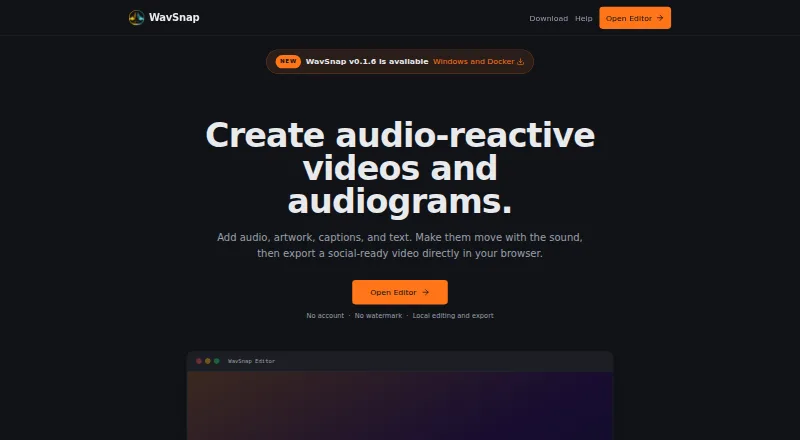
WavSnap makes audio-reactive videos and audiograms by pairing audio with artwork, captions, text, and motion. Its editor supports multiple clips, trimming, fades, reordering, merging, EQ, compression, and loudness tools. You can import subtitles or transcribe on-device with Whisper, then use word-level timing and karaoke styling. Exports include MP4, WebM, GIF, and PNG; MP4 choices are 720p, 1080p, and 4K. Normal editing and export run locally in the browser, and WavSnap says files are not uploaded to its processing server. Gemini transcription is an optional cloud feature: with explicit confirmation, compressed audio is sent to Google's Gemini API, and the web app saves the key in browser local storage. The free plan has no account requirement or watermark, supports audio files up to 100MB, and allows up to 10 audio segments. Editions include a hosted web editor, Windows x86_64 desktop application, and self-hosted Docker edition for Linux AMD64 servers; all use the portable .wavsnap project format.
Who it suits
WavSnap may suit podcasters, musicians and producers, content creators and educators, or social media managers who need audio-led video and audiogram editing. Its browser, Windows, and self-hosted Linux editions offer different ways to work.
What it does well
- Free plan has no account or watermark
- Local editing and export in the browser
- Exports MP4, WebM, GIF, and PNG
- Portable project format across editions
What to know first
- Audio files are limited to 100MB
- Up to 10 audio segments
- Windows installers are unsigned
- Gemini transcription sends audio to Google's API
Limits
The free plan allows audio files up to 100MB and up to 10 audio segments. MP4 exports can be set to 720p, 1080p, or 4K.
Plans
| Plan | Billed and limits | Price |
|---|---|---|
| Free | Free forever · Hosted editor; no account; no watermark; audio files up to 100MB; up to 10 audio segments | Free |
As wavsnap.com lists them, read 29 Sept 2026. The maker's own page has the final word.
Getting started
- Open the hosted editor at wavsnap.com, or use the Windows x86_64 app or Linux AMD64 Docker edition
- Start without an account on the free hosted plan
- Load audio files up to 100MB and add up to 10 audio segments
- Add artwork, captions, text, and motion, then edit the audio clips
- Export locally as MP4, WebM, GIF, or PNG
Verdict
WavSnap offers audio editing, captions, and local exports across web, Windows, and self-hosted Linux editions. Note the file and segment limits, and that Gemini transcription involves sending compressed audio to Google's API after confirmation.
Questions
How much does WavSnap cost?
The Free plan costs nothing and is billed Free forever.
Does WavSnap have a free plan or trial?
It has a free plan with no account or watermark. There is no free trial.
Which platforms does WavSnap support?
It offers a hosted web editor, a Windows x86_64 desktop app, and a self-hosted Docker edition for Linux AMD64 servers.
What file formats can it export?
It exports MP4, WebM, GIF, and PNG. MP4 resolutions include 720p, 1080p, and 4K.
Does WavSnap upload audio for processing?
WavSnap says normal editing and export run locally in the browser and do not upload files to its own processing server. Gemini transcription sends compressed audio to Google's Gemini API after explicit confirmation.
Who can I contact for support?
WavSnap directs product questions, bug reports, and feature ideas to [email protected].
Facts from WavSnap's own pages
- Audience
- WavSnap describes its intended users as podcasters, musicians and producers, content creators and educators, and social media managers. · wavsnap.com, 29 Sept 2026
- Captions
- Users can import subtitles or transcribe on-device with Whisper, with word-level timing and karaoke styling. · wavsnap.com, 29 Sept 2026
- Editing
- The editor supports multiple audio clips, trimming, fades, reordering, merging, EQ, compression, and loudness tools. · wavsnap.com, 29 Sept 2026
- Exports
- The editor exports MP4, WebM, GIF, and PNG locally, with MP4 resolutions of 720p, 1080p, or 4K. · wavsnap.com, 29 Sept 2026
- File limit
- The help page says audio files up to 100MB can be loaded and up to 10 audio segments can be added. · wavsnap.com, 29 Sept 2026
- Optional cloud feature
- Choosing Gemini transcription sends compressed audio to Google's Gemini API after explicit confirmation; the web app stores the key in browser local storage. · wavsnap.com, 29 Sept 2026
- Privacy
- Normal editing and export run locally in the browser, and WavSnap says it does not upload files to its own processing server. · wavsnap.com, 29 Sept 2026
- Project portability
- All editions use the portable .wavsnap project format. · wavsnap.com, 29 Sept 2026
- Purpose
- WavSnap creates audio-reactive videos and audiograms by combining audio with artwork, captions, text, and motion. · wavsnap.com, 29 Sept 2026
- Security detail
- The current Windows installers are unsigned, and Windows may show an Unknown publisher or SmartScreen warning. · wavsnap.com, 29 Sept 2026
- Support
- WavSnap directs users to [email protected] for product questions, bug reports, and feature ideas. · wavsnap.com, 29 Sept 2026
- Supported editions
- WavSnap offers a hosted web editor, a Windows x86_64 desktop application, and a self-hosted Docker edition for Linux AMD64 servers. · wavsnap.com, 29 Sept 2026
Where WavSnap stands on Freedom251
- AI Audiogram Makers#14 of 28