Freedom251 › AI Audiogram Makers
OrchidLines Audiogram Maker
What OrchidLines Audiogram Maker is
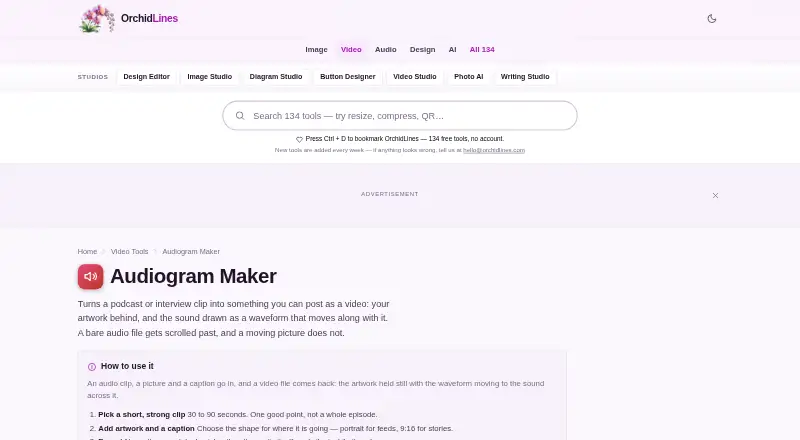
OrchidLines Audiogram Maker turns podcast or interview audio into a video with artwork and a moving waveform. It runs in a web browser, where audio decoding, waveform drawing, and video recording take place; the product page says files are not uploaded. The instructions list MP3, WAV, M4A, FLAC, OGG, and other common audio formats. Choose square 1:1, portrait 4:5, story 9:16, or wide 16:9 video dimensions. You can add a cover image, title, and subtitle, select one of three waveform styles, adjust colors and bar count, and include a progress bar. The browser exports video in a format it supports, with a configurable bitrate that defaults to 3000 kbps. The free plan costs nothing, requires no account, and has no export limit or watermark. The page recommends 30-to-90-second clips and cautions that exports get awkward beyond two or three minutes. Subtitles are not burned into the video; add them later in a video editor.
Who it suits
It suits podcasters, musicians, voice actors, teachers, and journalists who want to turn audio clips into shareable video. Its clip guidance is aimed at shorter segments, and subtitle burning requires a separate video editor.
What it does well
- Runs audio processing and recording in the browser.
- Supports common formats including MP3, WAV, and FLAC.
- Offers four video shape options.
- Free plan has no account, export limit, or watermark.
- Custom cover images, waveform styles, and colors.
What to know first
- Does not burn subtitles into video.
- Longer clips can produce awkward exports.
- No support desk or ticket system.
Limits
The free plan has no export limit, and the page recommends clips of 30 to 90 seconds. Exports become awkward for clips longer than two or three minutes, and subtitles are not burned into the video.
Plans
| Plan | Billed and limits | Price |
|---|---|---|
| Free | No account · no export limit · no watermark | Free |
As orchidlines.com lists them, read 8 Oct 2026. The maker's own page has the final word.
Getting started
- Open the OrchidLines Audiogram Maker website in a browser.
- Add a podcast or interview clip in a listed audio format.
- Choose a video shape and customize the artwork, text, and waveform.
- Export the video using the browser-supported format and bitrate controls.
Verdict
OrchidLines Audiogram Maker offers a focused way to turn short audio clips into waveform videos in a browser. The no-account free plan removes export limits and watermarks, but subtitles need to be added elsewhere.
Questions
How much does OrchidLines Audiogram Maker cost?
The Free plan costs nothing. It has no export limit and adds no watermark.
Do I need an account or a trial?
No account is required. There is no free trial.
What platforms does it support?
It is a web tool that processes audio and records video in the browser.
Which video shapes can I make?
The choices are square 1:1, portrait 4:5, story 9:16, and wide 16:9.
Are files uploaded?
The product page says processing happens in the browser and files are not uploaded. Its privacy policy says files are not uploaded, stored, logged, inspected, or shared.
How can I contact the maker?
The About page gives [email protected] and says there is no support desk or ticket system.
Facts from OrchidLines Audiogram Maker's own pages
- Audio formats
- The instructions say MP3, WAV, M4A, FLAC, OGG, and other common audio formats work. · orchidlines.com, 8 Oct 2026
- Clip guidance
- The page recommends clips of 30 to 90 seconds and says exports become awkward for clips longer than two or three minutes. · orchidlines.com, 8 Oct 2026
- Customization
- Users can add a cover image, title, subtitle, choose among three waveform styles, adjust colors and bar count, and show a progress bar. · orchidlines.com, 8 Oct 2026
- Export
- The browser exports a video in a format it supports, with a configurable bitrate that defaults to 3000 kbps. · orchidlines.com, 8 Oct 2026
- Intended users
- The page identifies podcasters as the biggest users and also names musicians, voice actors, teachers, and journalists. · orchidlines.com, 8 Oct 2026
- Local processing
- Audio decoding, waveform drawing, and video recording happen in the browser, and the product page says no file is uploaded. · orchidlines.com, 8 Oct 2026
- Pricing model
- OrchidLines says it is funded by advertising and has no premium plan or account requirement. · orchidlines.com, 8 Oct 2026
- Privacy
- The privacy policy says files are not uploaded, stored, logged, inspected, or shared, while the site uses Google AdSense and Google Analytics 4. · orchidlines.com, 8 Oct 2026
- Purpose
- Turns a podcast or interview clip into a video with artwork and a moving waveform. · orchidlines.com, 8 Oct 2026
- Subtitles limitation
- The maker does not currently burn subtitles into the video; it suggests adding them in a video editor after export. · orchidlines.com, 8 Oct 2026
- Support
- The About page says there is no support desk or ticket system and directs users to [email protected]. · orchidlines.com, 8 Oct 2026
- Video shapes
- The shape options are square 1:1, portrait 4:5, story 9:16, and wide 16:9. · orchidlines.com, 8 Oct 2026
Where OrchidLines Audiogram Maker stands on Freedom251
- AI Audiogram Makers#15 of 28