Flowbite Figma Design System
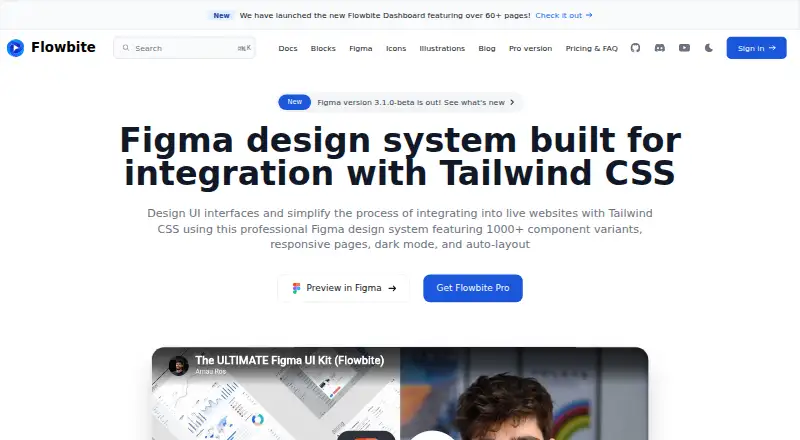
What Flowbite Figma Design System is
Flowbite Figma Design System is a Figma resource for designing UI interfaces and integrating them into websites using Tailwind CSS. It advertises more than 1,000 component variants and 27 hand-crafted pages, with examples for desktop, tablet, and mobile screens. The system uses Figma variants, auto layout, grids, and style guidelines. Dark mode is supported through Figma variants and Tailwind CSS utility classes, and Flowbite says it is compatible with Tailwind CSS v4. The free Community edition includes minimal style guidelines, component variants, and a dashboard page with a mobile version; it is open source under the MIT license. The Designer edition costs $149, paid once and includes the full Figma project, pages, components, responsive pages, icons, illustrations, and images shown in the screens. Purchases include lifetime access to future updates based on the maker's roadmap. Its team license covers up to 10 members, and larger teams can request a custom quote. The maker says customers can request a full refund within 30 days of purchase. Flowbite's privacy policy identifies Bergside Inc. as the company behind the service.
Who it suits
It suits designers creating UI interfaces for websites built with Tailwind CSS. The free edition offers a smaller starting set, while the Designer edition includes the full project and a team license for up to 10 members.
What it does well
- Advertises more than 1,000 component variants.
- Includes responsive examples for three screen sizes.
- Supports dark mode and Tailwind CSS v4.
- Free Community edition is open source under MIT.
- Purchases include lifetime access to future updates.
What to know first
- Free edition includes minimal style guidelines.
- Designer edition costs $149, paid once.
- Team license covers up to 10 members.
Limits
The free Community edition includes minimal style guidelines, component variants, and one dashboard page with a mobile version. The Designer edition team license covers up to 10 members; larger teams can request a custom quote.
Plans
| Plan | Billed and limits | Price |
|---|---|---|
| Community edition | Free edition with minimal style guidelines, component variants, and a dashboard page with mobile version | Free |
| Designer edition | Figma design system; lifetime access to future updates; team license covers up to 10 members | $149, paid once |
As flowbite.com lists them, read 7 Oct 2026. The maker's own page has the final word.
Getting started
- Open the Flowbite Figma Design System website.
- Choose the Community edition or Designer edition.
- Use the Community edition’s variants, style guidelines, and dashboard page, or obtain the Designer edition’s full project and assets.
- For a team of more than 10 members, request a custom quote.
Flowbite Figma Design System is a Figma UI kit for shaping interfaces intended for Tailwind CSS websites. It suits designers who want a substantial library of components and responsive page layouts; the free edition offers a useful small-scale start, while the paid edition unlocks the full project.
Overview
The kit links interface design in Figma to implementation with Tailwind CSS, including compatibility with Tailwind CSS v4. Its breadth—more than 1,000 component variants and 27 hand-crafted pages—makes it a practical foundation for teams building web products with many interface patterns. It is less suitable if the need is only a narrow set of assets or a free, complete design system.
Key features
- Components and pages: More than 1,000 variants offer options for assembling interfaces, and the 27 pages show how those elements can work in fuller layouts. The free edition is a much smaller sample: minimal style guidelines, component variants, and a dashboard page with a mobile version.
- Responsive design: Examples cover desktop, tablet, and mobile screens, giving designers layouts to adapt across common device sizes instead of building each view from scratch.
- Figma workflow: Variants, auto layout, grids, and style guidelines support organized design work. Dark mode is handled with Figma variants and Tailwind CSS utility classes, which helps keep design states aligned with the intended implementation approach.
- Project assets: The purchased project includes pages, components, responsive pages, icons, illustrations, and the images used in its screens. Flowbite says purchases also include lifetime access to future updates based on its roadmap at no extra charge.
Pricing
The Community edition costs free. It is open source under the MIT license and includes minimal style guidelines, component variants, and a dashboard page with a mobile version. That is enough to explore the system or build a limited interface, but it is not the full page library or project asset set.
The Designer edition costs $149, paid once. It includes the Figma design system and lifetime access to future roadmap updates. Its team license covers up to 10 members; larger teams can request a custom quote. A full refund can be requested within 30 days of purchase, which reduces the risk of committing to the one-time purchase. The paid project makes more sense for people who need its full collection of pages and assets than for solo users whose work fits within the free dashboard and component sample.
Platforms
The platform is web, and the primary asset format is Figma. This is a design resource rather than a standalone website-building product: its value is greatest for teams already working in Figma and implementing sites with Tailwind CSS.
Who it's for
Flowbite is a strong fit for designers and product teams creating responsive Tailwind-based web interfaces, especially when they need more than isolated components and want page-level starting points. The free MIT-licensed edition suits evaluation and smaller projects. Teams needing the full project should weigh the one-time fee against the 10-member license ceiling. It is a weaker fit for teams using a different implementation stack or those seeking a broad free page library.
Pros and cons
- Pro: More than 1,000 variants and 27 pages provide both reusable pieces and fuller layout examples, reducing the amount of interface work that must begin from a blank canvas.
- Pro: Desktop, tablet, and mobile examples, along with dark-mode variants, address common responsive and visual-state needs.
- Pro: The free edition is MIT-licensed, and the paid edition includes future roadmap updates without additional charges.
- Con: The free edition is limited to a dashboard page and a small set of supporting resources, so it does not replace the full project for larger design work.
- Con: The paid team license stops at 10 members; larger groups must request custom pricing.
- Con: The design system is specifically aligned with Tailwind CSS, so its ready-made patterns are less compelling for teams building around another CSS framework.
Alternatives
For a broader comparison of interface kits, browse the UI Kit Libraries list.
- Figma Wireframe Kit is a better fit when the priority is a free starter plan with unlimited drafts, UI kits, and templates rather than a Tailwind-specific full system.
- Ant Design Icons is the more focused option when you need MIT-licensed icon packages for Vanilla, React, React Native, Angular, or Vue, rather than pages and layouts.
- Carbon Design System is worth considering for an open-source web design system with no paid tiers stated.
- Clarity Design System is another free, MIT-licensed open-source web system if you do not need Flowbite's Tailwind-oriented Figma project.
- GOV.UK Design System is a free, publicly available MIT-licensed system for teams looking for code they can self-host.
- Material Design for Bootstrap offers a free MIT-licensed core for personal and commercial use; consider it when you want Bootstrap-oriented materials rather than Flowbite's Tailwind-focused design kit.
- Shadcn Studio Figma UI Kit has a free community tier and a $99, paid once Basic plan, making it an alternative if its Figma UI kit better matches your needs.
- Singapore Government Design System is a free web and API design system to consider as another public-sector-oriented option.
Verdict
Choose Flowbite if you design Tailwind CSS interfaces in Figma and want a wide component library plus responsive page examples in one project. The free edition provides a low-commitment way to start, while the 149.00 USD one-time Designer edition is the more complete choice for teams within its 10-member license. Look elsewhere if you need a system built for another stack, or if a free, full-scale library matters more than Flowbite's paid project.
Verdict
Flowbite Figma Design System offers a free edition and a larger paid project with responsive pages and components. Consider the edition contents and team limit when deciding whether it fits your design work.
Questions
Is there a free plan?
Yes. The Community edition is free and includes minimal style guidelines, component variants, and a dashboard page with a mobile version.
How much does the Designer edition cost?
It costs $149, paid once.
What does the Designer edition include?
It includes the full Figma project, pages, components, responsive pages, icons, illustrations, and images shown in the screens. Purchases also include lifetime access to future roadmap-based updates.
Is the free edition open source?
Yes. The free edition is open source under the MIT license.
How many people can share the team license?
The team license covers up to 10 members. Larger teams can request a custom quote.
Which company is behind Flowbite Figma Design System?
Flowbite’s privacy policy identifies Bergside Inc. as the company behind the service.
Facts from Flowbite Figma Design System's own pages
- Components
- The design system advertises more than 1,000 component variants. · flowbite.com, 7 Oct 2026
- Dark mode
- The design system supports dark mode through Figma variants and Tailwind CSS utility classes. · flowbite.com, 7 Oct 2026
- Figma features
- The design system uses Figma variants, auto layout, grids, and style guidelines. · flowbite.com, 7 Oct 2026
- Free edition
- The free version includes minimal style guidelines, component variants, and a dashboard page with a mobile version, and is open source under the MIT license. · flowbite.com, 7 Oct 2026
- Included files
- Purchased Figma assets include the full project, pages, components, responsive pages, icons, illustrations, and images shown in the screens. · flowbite.com, 7 Oct 2026
- Maker
- Flowbite's privacy policy identifies Bergside Inc. as the company behind the service. · flowbite.com, 7 Oct 2026
- Pages
- The Figma project includes responsive pages and the product page describes 27 hand-crafted pages. · flowbite.com, 7 Oct 2026
- Privacy
- Flowbite's privacy policy says payment data is stored by Paddle and that the site collects account details and technical usage information. · flowbite.com, 7 Oct 2026
- Purpose
- The Figma design system helps design UI interfaces and integrate them into websites using Tailwind CSS. · flowbite.com, 7 Oct 2026
- Refunds
- The maker says customers can request a full refund within 30 days of purchase. · flowbite.com, 7 Oct 2026
- Responsive design
- The examples cover desktop, tablet, and mobile screens. · flowbite.com, 7 Oct 2026
- Tailwind compatibility
- Flowbite says it is compatible with Tailwind CSS v4. · flowbite.com, 7 Oct 2026
- Team license
- A team license can be shared with up to 10 team members; larger teams can request a custom quote. · flowbite.com, 7 Oct 2026
- Updates
- The maker says purchases include lifetime access to future updates based on its roadmap at no extra charge. · flowbite.com, 7 Oct 2026
Where Flowbite Figma Design System stands on Freedom251
- UI Kit Libraries#8 of 26