jQWidgets
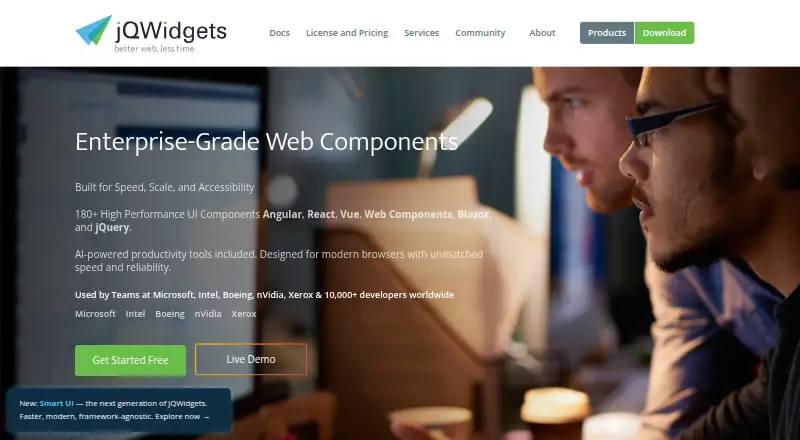
What jQWidgets is
jQWidgets is a JavaScript UI framework for building business applications for desktop, touch and mobile devices. The web framework includes more than 60 components, among them a data grid, charts, scheduler, editor, tree grid and pivot grid. Its Blazor Grid provides sorting, filtering, grouping, master-detail views, paging, drag and drop, printing, data export and aggregates. The grid can use local, JSON, XML, CSV, TSV, remote JSONP and virtual data sources. For Blazor WebAssembly projects, the maker’s documentation describes using the jQWidgets.Blazor package. The Blazor Chart component is described as working on PCs, tablets and mobile phones, and rendering across browsers in line with web standards. The maker provides documentation for setup and individual component APIs, along with technical support and customization services. The project repository states that jQWidgets is free for non-commercial use under the Creative Commons Attribution-NonCommercial 3.0 License. Commercial use requires a commercial license. The product is marked as having responsive components, and its license scope includes commercial use through that commercial licensing route.
Who it suits
jQWidgets suits developers building web-based business applications who want a broad set of UI components, including grids and charts. Its Blazor documentation and Blazor WebAssembly package make it relevant to developers working with Blazor, while non-commercial use is covered by its free license.
What it does well
- Includes more than 60 UI components.
- Blazor Grid supports sorting, filtering, grouping and paging.
- Grid supports several local and remote data source types.
- Blazor Chart works across PCs, tablets and mobile phones.
- Maker provides component documentation, technical support and customization services.
What to know first
- The free license is limited to non-commercial use.
- Commercial use requires a commercial license.
Limits
The free plan covers non-commercial use under the Creative Commons Attribution-NonCommercial 3.0 License. Commercial use requires a commercial license.
Plans
| Plan | Billed and limits | Price |
|---|---|---|
| Non-commercial license | Free for non-commercial use · commercial use requires a commercial license | Free |
As jqwidgets.com lists them, read 8 Oct 2026. The maker's own page has the final word.
Getting started
- Open the jQWidgets website and review the component documentation.
- For a Blazor WebAssembly app, use the jQWidgets.Blazor package described in the maker’s documentation.
- Choose the applicable license: the free license is for non-commercial use, while commercial use requires a commercial license.
- Use the setup documentation and individual component APIs to work with the components.
Verdict
Pick jQWidgets if you are building a web business application and need a wide component set, particularly its feature-rich Blazor Grid. Non-commercial projects can use the listed free license; commercial projects need a commercial license.
Questions
How much does jQWidgets cost?
The Non-commercial license is listed as free. Commercial use requires a commercial license.
Can I use jQWidgets commercially under the free plan?
No. The free license is for non-commercial use; commercial use requires a commercial license.
What platforms does jQWidgets support?
It is a web framework for applications across desktop, touch and mobile devices. The Blazor Chart is described as working across PCs, tablets and mobile phones.
Does jQWidgets include Blazor components?
Yes. The maker documents the jQWidgets.Blazor package for Blazor WebAssembly apps and provides Blazor component documentation.
What data sources can the Blazor Grid use?
It supports local, JSON, XML, CSV, TSV, remote JSONP and virtual data sources.
Does the maker offer support?
The maker says it offers technical support and customization services.
Facts from jQWidgets's own pages
- Browser support
- The Blazor Chart page describes the component as rendering optimally across browsers and complying with web standards. · blazor.jqwidgets.com, 8 Oct 2026
- Components
- The framework includes more than 60 UI components, including a data grid, charts, scheduler, editor, tree grid, and pivot grid. · blazor.jqwidgets.com, 8 Oct 2026
- Data binding
- The Blazor Grid supports local, JSON, XML, CSV, TSV, remote JSONP, and virtual data sources. · blazor.jqwidgets.com, 8 Oct 2026
- Device support
- The Blazor Chart page says the component works across PCs, tablets, and mobile phones. · blazor.jqwidgets.com, 8 Oct 2026
- Documentation
- The maker provides Blazor component documentation covering setup and individual component APIs. · blazor.jqwidgets.com, 8 Oct 2026
- Framework integration
- The maker’s Blazor documentation describes using the jQWidgets.Blazor package in a Blazor WebAssembly app. · blazor.jqwidgets.com, 8 Oct 2026
- Grid features
- The Blazor Grid supports sorting, filtering, grouping, master-detail views, paging, drag and drop, printing, data export, and aggregates. · blazor.jqwidgets.com, 8 Oct 2026
- Non-commercial licensing
- The project repository states that jQWidgets is free for non-commercial use under the Creative Commons Attribution-NonCommercial 3.0 License. · github.com, 8 Oct 2026
- Product
- jQWidgets is a JavaScript UI framework for building rich business applications for desktop, touch, and mobile devices. · github.com, 8 Oct 2026
- Support
- The Blazor Grid page says the maker offers technical support and customization services. · blazor.jqwidgets.com, 8 Oct 2026
Where jQWidgets stands on Freedom251
- UI Kit Libraries#10 of 26