Angular Material
What Angular Material is
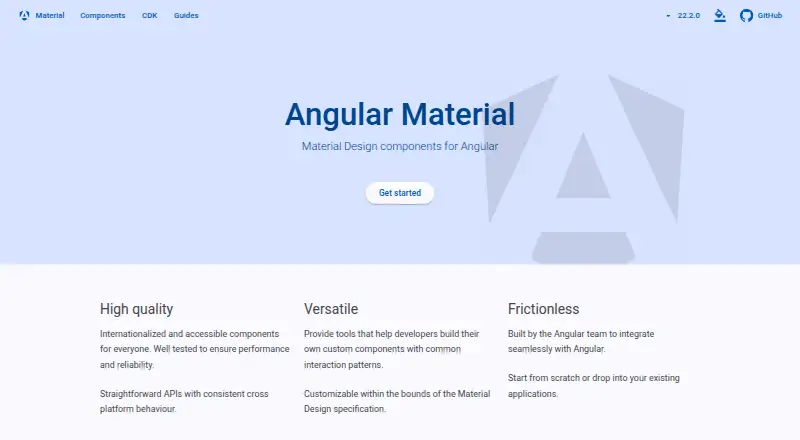
Angular Material provides Material Design UI components for Angular applications. Developers can add it with the Angular CLI command `ng add @angular/material`, then choose a prebuilt theme or configure a custom one. The installer can also add global typography styles, the Roboto font, and the Material Symbols icon font. Additional schematics generate components such as navigation, tables, and address forms. The Angular CDK offers tools for creating custom UI components using common interaction patterns. The Angular Components team describes its components as internationalized and accessible, and lists screen reader combinations it aims to support across Windows, macOS, iOS, Android, and Chrome OS. Browser support covers the most recent two versions of Chrome, Firefox, Safari, and Edge. Angular Material and the CDK follow the Angular framework’s release and support policy. The project focuses on UI components rather than application layout, and Shadow DOM is not officially supported, though the team makes a best effort to keep components working in such applications. Angular Material is free, with a listed plan at no cost and an MIT license.
Who it suits
Angular Material may suit developers building Angular interfaces who want Material Design components, theme setup options, and accessibility guidance. It is less suited to projects seeking application layout support or official Shadow DOM support.
What it does well
- Free Material Design components for Angular applications.
- CLI installation offers prebuilt or custom themes.
- Schematics generate navigation, tables, and address forms.
- Components are described as internationalized and accessible.
- Browser support covers recent Chrome, Firefox, Safari, and Edge versions.
What to know first
- Does not provide application layout support.
- Shadow DOM is not officially supported.
- No free trial is listed.
Limits
The free plan is listed as free. Shadow DOM is not officially supported, and the project does not provide application layout support.
Plans
| Plan | Billed and limits | Price |
|---|---|---|
| Angular Material | Angular UI component library · MIT license | Free |
As material.angular.dev lists them, read 8 Oct 2026. The maker's own page has the final word.
Getting started
- Open the Angular Material website.
- Add Angular Material to your application with `ng add @angular/material`.
- Choose a prebuilt theme or configure a custom theme in the installation guide.
- Select whether to add global typography styles, the Roboto font, and Material Symbols.
- Use additional schematics to generate components such as navigation, tables, or address forms.
Verdict
Angular Material offers a focused set of Angular UI components with theme and component-generation options. Check its layout scope, browser support window, and Shadow DOM limitation against your application’s needs.
Questions
How much does Angular Material cost?
It is listed as free, with a free plan.
How do I add Angular Material to an application?
The installation command is `ng add @angular/material`.
Can I choose a theme?
Yes. The installation guide lets developers select a prebuilt theme or configure a custom theme.
What platforms and browsers are supported?
The platform is web. The team supports the latest two versions of Chrome, Firefox, Safari, and Edge.
What license does Angular Material use?
The listed plan carries an MIT license.
Does Angular Material support application layouts or Shadow DOM?
The project focuses on UI components, not application layouts. Shadow DOM is not officially supported, though the team makes a best effort to keep components working in those applications.
Facts from Angular Material's own pages
- Accessibility and internationalization
- The Angular Components team describes its components as internationalized and accessible, and lists screen reader combinations it aims to support across Windows, macOS, iOS, Android, and Chrome OS. · github.com, 8 Oct 2026
- Browser support
- The team supports the most recent two versions of Chrome, Firefox, Safari, and Edge. · github.com, 8 Oct 2026
- Component Dev Kit
- The Angular CDK provides tools for authoring custom UI components with common interaction patterns. · github.com, 8 Oct 2026
- Generated components
- Additional schematics can generate prebuilt components such as navigation, tables, and address forms. · github.com, 8 Oct 2026
- Installation
- Angular Material can be added to an application with the Angular CLI command `ng add @angular/material`. · github.com, 8 Oct 2026
- Layout scope
- The project focuses on UI components and does not provide application layout support. · github.com, 8 Oct 2026
- Purpose
- Angular Material provides Material Design UI components for Angular applications. · github.com, 8 Oct 2026
- Release support
- Angular Material and the CDK follow the Angular framework's support and release policy. · github.com, 8 Oct 2026
- Security reporting
- The project directs vulnerability reports to Google's Open Source Software Vulnerability Reward Program. · github.com, 8 Oct 2026
- Setup options
- The installer can add global typography styles, the Roboto font, and the Material Symbols icon font. · github.com, 8 Oct 2026
- Shadow DOM limitation
- Shadow DOM is not officially supported, though the team makes a best effort to keep components working in such applications. · github.com, 8 Oct 2026
- Support scope
- The team says it can generally answer quick questions but does not have resources for hands-on debugging support. · github.com, 8 Oct 2026
- Themes
- The installation guide lets developers choose a prebuilt theme or configure a custom theme. · github.com, 8 Oct 2026
Where Angular Material stands on Freedom251
- UI Kit Libraries#4 of 26