Figma Wireframe Kit
What Figma Wireframe Kit is
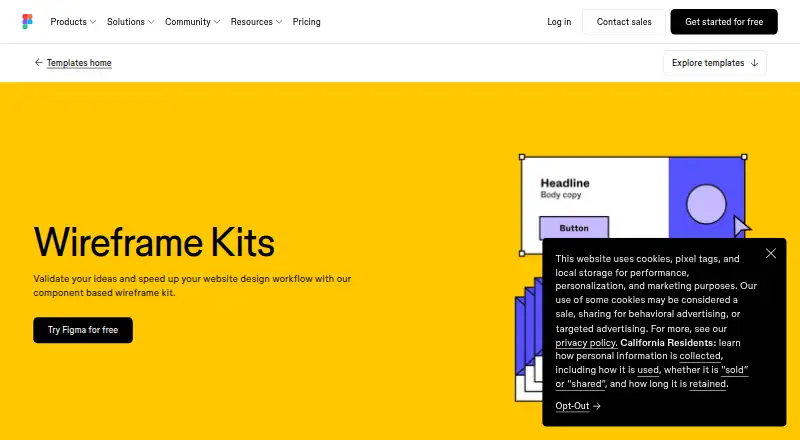
Figma Wireframe Kit is a browser-based set of components for sketching website and mobile app layouts. Users can drag and drop ready-made elements such as navigation bars, headers, features, and buttons to build wireframes and mockups. Those designs can be turned into clickable, interactive prototypes without code. Comments attached to prototypes remain with the design files, helping keep feedback alongside the relevant work. Files can be shared by link and opened in a browser for collaboration. The templates run online and require no additional software download. Figma lists integrations with Slack, Google Workspace, Microsoft Teams, Jira, Confluence, Zapier, and Notion. The Starter plan costs nothing and includes limited access to Figma products, unlimited drafts, UI kits, and templates. Figma presents the wireframing tools as approachable for people who are not designers. The primary asset format is figma.
Who it suits
It suits people who want to lay out website or mobile app ideas in a browser, including users who are not designers. Teams can share files by link and exchange comments in context.
What it does well
- Drag-and-drop website components
- Clickable prototypes can be made without code
- Comments stay with design files
- Browser-based templates need no additional download
- Starter includes unlimited drafts
What to know first
- Starter includes only limited access to Figma products
- Primary asset format is figma
Limits
The free Starter plan includes limited access to Figma products, alongside unlimited drafts, UI kits, and templates.
Plans
| Plan | Billed and limits | Price |
|---|---|---|
| Starter | Unlimited drafts · UI kits and templates · 150 AI credits/day, up to 500 AI credits/month | Free |
| Professional Dev seat | monthly · 500 AI credits/month · Advanced Dev Mode inspection and MCP Server | $12 a month |
| Professional Full seat | monthly · Unlimited files and projects · Team-wide design libraries · 3,000 AI credits/month | $16 a month |
| Organization Dev seat | annually · 500 AI credits/month · Developer access | $25 a month |
| Professional Collab seat | monthly · 500 AI credits/month · Collaboration access | $3 a month |
| Enterprise Dev seat | annually · 500 AI credits/month · Developer access | $35 a month |
| Organization Collab seat | annually · 500 AI credits/month · Collaboration access | $5 a month |
| Enterprise Collab seat | annually · 500 AI credits/month · Collaboration access | $5 a month |
The first 8 of 10 plans, as figma.com lists them, read 15 Oct 2026. The maker's own page has the final word. Every plan
Getting started
- Open the Figma Wireframe Kit templates website.
- Use the browser-based templates without downloading additional software.
- Arrange the ready-made components with drag-and-drop tools.
- Turn the wireframe into a clickable prototype if needed.
- Share the file by link for browser-based collaboration.
Figma Wireframe Kit is a browser-based toolkit for sketching website and mobile app layouts. It suits people who need to shape an early idea and share it for feedback, including those without design experience. Its strongest case is moving from reusable components to a clickable prototype without code; the free Starter plan’s limited access to Figma products is the main constraint.
Overview
Drag-and-drop tools and ready-made elements—including navigation bars, headers, feature sections, and buttons—give teams a head start on wireframes and mockups. That is useful for exploring structure and validating an idea before committing to a more finished design. The kit is for laying out and demonstrating an interface, not building a complete website or app.
Work runs in a browser without an additional software download. Files can be shared by link and opened in a browser for collaboration, while comments remain with the design files. Together, these features make it easier to discuss a specific screen or flow, though collaborators still need to decide how the concept will be built.
Key features
- Reusable components: Common interface pieces reduce the effort of assembling an initial layout, especially for non-designers who want to arrange familiar patterns rather than start from a blank canvas.
- Website and mobile wireframes: The kit supports both contexts, which helps when considering how an idea might work across a site and a mobile app.
- Clickable prototypes: Wireframes can be turned into interactive prototypes without code. This gives reviewers a clearer sense of a proposed flow than static layouts alone.
- Contextual feedback and sharing: Comments stay with the design files, and link sharing lets collaborators open work in a browser. This is a practical review loop for teams that need to discuss the design together.
- Integrations: Figma lists Slack, Google Workspace, Microsoft Teams, Jira, Confluence, Zapier, and Notion. These connections may suit teams already using those services.
Figma says it has SOC 2 Type 2 and SOC 3 reports, as well as ISO/IEC 27001:2022 and ISO/IEC 27018:2019 product certifications. Product or account assistance is directed through its Support Hub.
Pricing
The Starter plan costs nothing. It includes unlimited drafts, UI kits, and templates, but access to Figma products is limited. That makes it a useful starting point for exploring the workflow, while the access limit matters for anyone expecting the free plan to provide unrestricted use of Figma products. No paid plan is described.
Platforms
The kit runs in a browser and requires no additional download. Figma identifies Android, iOS, macOS, Windows, and extension platforms as well as web. The browser workflow is the clearest fit for shared review; the platform list also gives users options across desktop and mobile environments.
Who it's for
Choose Figma Wireframe Kit if you want a low-friction way to turn an early website or mobile app idea into a layout, clickable flow, and shareable file. Its approachable positioning and prebuilt elements make it suitable for people who are not designers. It is less compelling if you need unrestricted access to Figma products on the free plan or are looking to build and ship a finished product rather than validate its design.
Pros and cons
Pros
- Quick starting point: Ready-made interface components help reduce repetitive setup when sketching common layouts.
- Useful review format: Clickable prototypes, link sharing, and comments tied to the design files support discussion of both screens and flow.
- No software download required: Browser-based use lowers setup friction for collaborators.
- Free Starter plan: Unlimited drafts, UI kits, and templates give users room to explore the workflow.
Cons
- Limited product access on Starter: The free plan is not unrestricted access to Figma products, which may be a barrier for sustained use.
- Focused on early design: Wireframes and prototypes help communicate an idea but do not build the finished site or app.
Alternatives
For a broader set of options in this category, browse UI Kit Libraries.
- Carbon Design System is a free, web-based open-source system for anyone to use and contribute to; consider it when an open-source design system is a better fit than a wireframing kit.
- Clarity Design System is a free, web-based design system under the MIT License; choose it if that licensing and system format suit your needs.
- GOV.UK Design System offers publicly available code under the MIT license for free, with web and self-hosted platforms; it is the alternative for readers seeking that code-based approach.
- Material Design for Bootstrap has a free Core plan under the MIT license for personal and commercial use, plus a Team plan with custom pricing. Consider it when you want that Bootstrap offering rather than Figma’s wireframing workflow.
- Shadcn Studio Figma UI Kit has a free Community plan with limited resources and community support, and a $99, paid once Basic plan for a single user with unlimited projects. It is an option for readers seeking a Figma UI kit with those plan terms.
- UI Prep Design System has a free demo with fewer components, variables, and styles, plus unlimited editors and projects and free lifetime updates. Consider it if those demo terms better match your needs.
- Untitled UI offers free React components for commercial use with CLI installation, as well as a free single-user Figma plan with basic styles and components. It may suit readers choosing between a React component set and a Figma kit.
- Material 3 Design Kit is a free Figma design kit; choose it if that kit is a closer match for the design work you have in mind.
Verdict
Figma Wireframe Kit is a sound choice for non-designers and teams that need to turn rough website or mobile app ideas into shareable, clickable prototypes. Its reusable components and browser-based feedback workflow are the reasons to choose it. Look elsewhere if limited Starter access to Figma products is too restrictive or you need a tool to create a finished product rather than validate its layout.
Verdict
Figma Wireframe Kit offers a browser workflow from layout to clickable prototype, with comments and link sharing for collaboration. The free Starter plan includes templates and unlimited drafts, but product access is limited.
Questions
Is Figma Wireframe Kit free?
Yes. The Starter plan is free and includes limited access to Figma products, unlimited drafts, UI kits, and templates.
Which platforms are listed?
Figma lists Android, extension, iOS, macOS, web, and Windows.
Can it make prototypes?
Yes. Users can turn wireframes into interactive, clickable prototypes without code.
Can collaborators comment on designs?
Yes. Comments added to prototypes are captured with the design files, and files can be shared by link and opened in a browser.
Which integrations are listed?
Figma lists Slack, Google Workspace, Microsoft Teams, Jira, Confluence, Zapier, and Notion.
Who makes Figma?
Figma says it was founded in 2012 and is headquartered in San Francisco.
Facts from Figma Wireframe Kit's own pages
- Browser operation
- The wireframe kit runs in the browser with no installation required, and files can be shared by link. · figma.com, 15 Oct 2026
- Chrome extension
- Figma lists a Chrome extension among its additional downloads. · figma.com, 15 Oct 2026
- Clickable prototypes
- Users can add interactivity and turn wireframes into clickable prototypes without writing code. · figma.com, 15 Oct 2026
- Collaboration
- Files can be shared with anyone by link and opened in a browser for collaboration. · figma.com, 4 Oct 2026
- Company
- Figma says it was founded in 2012 and is headquartered in San Francisco. · static.figma.com, 4 Oct 2026
- Company profile
- LinkedIn lists Figma as a privately held San Francisco company founded in 2012 with 1,001–5,000 employees. · linkedin.com, 15 Oct 2026
- Desktop downloads
- Official downloads include desktop applications for macOS, Windows and Windows ARM. · figma.com, 15 Oct 2026
- Developer APIs
- Figma provides Plugin APIs, Widget APIs, a REST API, an Embed kit and a SCIM API for account provisioning. · developers.figma.com, 15 Oct 2026
- Developer documentation
- The developer site provides API documentation, guides, references, plugin and widget samples, GitHub repositories, video tutorials, Discord and community forums. · developers.figma.com, 15 Oct 2026
- Feedback
- Comments attached to prototypes stay with the design files so feedback retains its context. · figma.com, 15 Oct 2026
- Installation
- The wireframe templates run in the browser and do not require additional software downloads. · figma.com, 4 Oct 2026
- Integrations
- The official integration help center lists Zoom, Google Meet, Microsoft Teams, Slack, Google Chat, Jira, Asana, UserTesting, Maze, Mixpanel and other integrations. · help.figma.com, 15 Oct 2026
- Intended users
- Figma describes its wireframing software as approachable for people who are not designers. · figma.com, 4 Oct 2026
- Legal name
- Figma’s terms identify the contracting company as Figma, Inc. · figma.com, 15 Oct 2026
- Licence
- Figma’s terms grant limited, non-exclusive access rights and prohibit reverse engineering, copying, modification and redistribution, indicating a proprietary service rather than open-source software. · figma.com, 15 Oct 2026
- Limit: illustration and print
- Creative Bloq says Figma lacks CMYK support and is less capable than Illustrator for complex vector illustration. · creativebloq.com, 15 Oct 2026
- Limit: integrations and prototyping
- TrustRadius reviewers report that integrations are limited and ask for stronger prototyping interactivity, including form fields. · trustradius.com, 15 Oct 2026
- Limit: mobile app bugs
- App Store reviewers report black screens, slow loading, large-file problems and limited editing on mobile. · apps.apple.com, 15 Oct 2026
- Limit: occasional lag
- TechRadar lists laggy or unresponsive behavior as a reason to avoid Figma at times. · techradar.com, 15 Oct 2026
- Limit: performance and navigation
- TrustRadius reviewers report lag with complex files and say file browsing and search can be unintuitive. · trustradius.com, 15 Oct 2026
- Limit: pricing
- TrustRadius reviewers say pricing can restrict collaboration for larger teams. · trustradius.com, 15 Oct 2026
- Mobile downloads
- Official downloads include Figma apps for iOS/iPad and Android, plus separate government mobile apps. · figma.com, 15 Oct 2026
- Mobile use
- Figma presents the kit for wireframing mobile apps as well as websites. · figma.com, 4 Oct 2026
- Mobile wireframing
- Figma supports wireframing mobile applications as well as websites. · figma.com, 15 Oct 2026
Where Figma Wireframe Kit stands on Freedom251
- UI Kit Libraries#3 of 26