fdupes
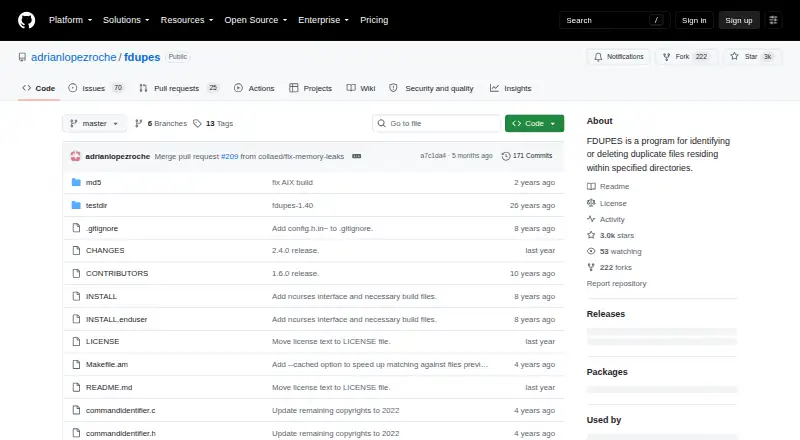
What fdupes is
fdupes is a free, open-source Linux utility for finding duplicate files in directories you choose. It can scan subdirectories and, if enabled, follow symbolic links. Matching can use file size and MD5 signatures, with byte-by-byte comparison available to confirm matches. A quick summary mode skips that slower confirmation, while an optional database cache stores file signatures to speed comparisons. You can narrow results with minimum or maximum file sizes, exclude hidden or empty files, match permissions, and sort by time, change time, or name. When removing duplicates, interactive deletion asks which copies to preserve; no-prompt modes can delete duplicates automatically. The project warns that deleting files while following symbolic links, or specifying the same directory more than once, can cause data loss. The project recommends installing through your operating system’s package manager when available, or downloading a release and compiling it. A full-featured build requires ncursesw and PCRE2. Without ncurses, the screen-mode selection interface is disabled. fdupes works on directories supplied on the command line and has no documented third-party service integrations.
Who it suits
fdupes suits Linux users who want to find and manage duplicate files in chosen directories, including their subdirectories. It is also suitable for users who want control over matching, filtering, sorting, and whether deletion requires confirmation.
What it does well
- Scans chosen directories recursively.
- Can optionally follow symbolic links.
- Offers size, MD5, and byte-by-byte matching.
- Filters by size, hidden status, emptiness, and permissions.
- Interactive deletion lets users choose which copies to keep.
What to know first
- Available for Linux only.
- A full-featured build requires ncursesw and PCRE2.
- Automatic deletion can cause data loss in documented cases.
Limits
The software is free under a license permitting use, copying, modification, distribution, sublicensing, and sale of copies. A full-featured build requires ncursesw and PCRE2; without ncurses, screen-mode selection is disabled.
Plans
| Plan | Billed and limits | Price |
|---|---|---|
| Free | Free software under a license permitting use, copying, modification, and distribution | Free |
As github.com lists them, read 5 Oct 2026. The maker's own page has the final word.
Getting started
- Open the fdupes project website.
- Install fdupes through your operating system’s package manager when available.
- Alternatively, download a release and compile it.
- For a full-featured build, provide ncursesw and PCRE2.
- Run fdupes against the directories you want to scan.
Verdict
Choose fdupes if you want a free Linux command-line utility with configurable duplicate matching and interactive deletion. Review its symlink and repeated-directory warning before using deletion.
Questions
How much does fdupes cost?
The listed plan is Free. The software is provided under an open-source license.
Is there a free trial?
No free trial is listed; fdupes is free software.
Which platforms does it support?
The listed platform is Linux.
How does fdupes identify duplicates?
It can match by file size and MD5 signature, with byte-by-byte comparison available. A quick summary mode skips the slower byte-by-byte confirmation.
How can I install it?
The project recommends using your operating system’s package manager when available, or downloading a release and compiling it.
Does it connect to other services?
No third-party service integrations are documented. It runs against directories supplied on the command line.
Facts from fdupes's own pages
- Build dependencies
- A full-featured build requires ncursesw and PCRE2; building without ncurses disables the screen-mode selection interface. · github.com, 5 Oct 2026
- Comparison cache
- An optional database cache stores file signatures to speed up comparisons. · github.com, 5 Oct 2026
- Deletion
- Interactive deletion prompts users to choose which files to preserve, while no-prompt modes can delete duplicates automatically. · github.com, 5 Oct 2026
- Deletion caution
- The project warns that using deletion with symlink following or listing the same directory more than once can lead to data loss. · github.com, 5 Oct 2026
- Duplicate matching
- It offers a quick summary mode that skips slower byte-for-byte match confirmation. · github.com, 5 Oct 2026
- Filters and sorting
- Options include minimum and maximum file sizes, hidden and empty file exclusions, permission matching, and sorting by time, change time, or name. · github.com, 5 Oct 2026
- Install method
- The project recommends installing through the operating system’s package manager when available, or downloading a release and compiling it. · github.com, 5 Oct 2026
- Integrations
- The project documents no third-party service integrations; it runs against directories supplied on the command line. · github.com, 5 Oct 2026
- Intended user
- The maintainer says the development version is intended for developers and recommends end users use a release version. · github.com, 5 Oct 2026
- License
- The software is provided free of charge under terms that permit use, copying, modification, distribution, sublicensing, and sale of copies. · github.com, 5 Oct 2026
- Purpose
- fdupes identifies duplicate files within specified directories and can delete selected duplicates. · github.com, 5 Oct 2026
- Recursive scans
- It can recurse into subdirectories and optionally follow symbolic links. · github.com, 5 Oct 2026
- Security
- GitHub reports that the project has no SECURITY.md policy and no published security advisories. · github.com, 5 Oct 2026
- Support
- The README lists Adrian Lopez’s email address for contact; no formal support plan is described. · github.com, 5 Oct 2026
Where fdupes stands on Freedom251
- Cli Tools#13 of 32
- Command Line Tools#12 of 27
- Duplicate File Finders#19 of 38