Freedom251 › Virtual Event Platforms

EventsX
What EventsX is
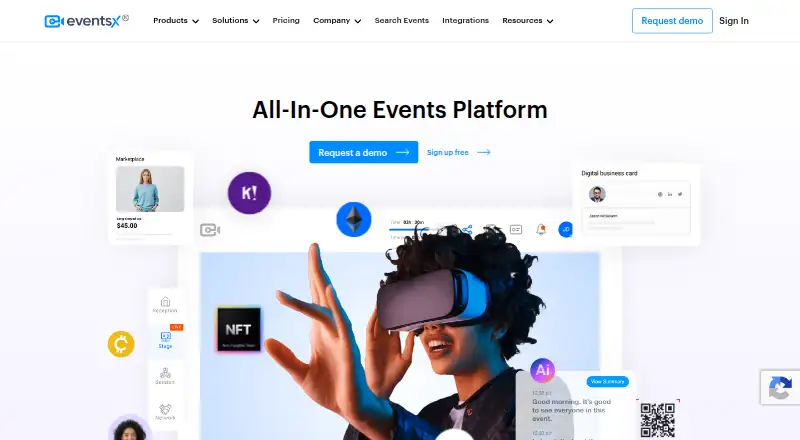
EventsX is an event platform for organizing virtual, hybrid, and in-person events, webinars, and internal events. Its tools include registration and ticketing, exhibitor and sponsor profiles, a marketplace, reporting, and email marketing. Organizers can create attendee areas for a reception, stage, sessions, networking, expo, gamification, and a map. AI features include summary transcripts, matchmaking, conversational AI, and reporting and analytics; some options, such as live English subtitles and AI-generated video transcription, are pay as you go. EventsX says it integrates with hundreds of third-party platforms. Listed options include Slido, Kahoot, and Miro for in-event use, while Enterprise lists Zapier, Marketo/Salesforce, and custom API integrations. The service has web, Android, and iOS platforms and an API reference. Its Free plan costs nothing, includes one admin seat and unlimited events, with up to 100 registrations per event and a 60-minute event limit. Business costs $99 a month, plus applicable taxes, and includes one admin seat, events up to 72 hours, and 100 registrations monthly. Additional registrations cost $0.50 each; ticket sales carry a 6% commission, excluding Stripe fees.
Who it suits
EventsX suits event managers planning virtual, hybrid, or in-person gatherings, including webinars and internal events. Its plans may fit organizers with different registration needs, though Business has monthly registration and ticket-commission terms to account for.
What it does well
- Supports virtual, hybrid, and in-person events
- Includes ticketing, exhibitor profiles, and email marketing
- Free plan allows unlimited events
- Offers AI tools for transcripts and matchmaking
- Available on web, Android, and iOS
What to know first
- Free events are limited to 60 minutes
- Free plan allows up to 100 registrations per event
- Business charges 6% ticket commission, excluding Stripe fees
- Some AI options are pay as you go
Limits
The Free plan has one admin seat, allows up to 100 registrations per event, and limits events to 60 minutes. Business has one admin seat, includes 100 registrations per month, and allows events up to 72 hours; additional registrations cost $0.50 each and ticket sales incur a 6% commission excluding Stripe fees.
Plans
| Plan | Billed and limits | Price |
|---|---|---|
| Free | $0 / Month · 1 admin seat · up to 60 minutes per event · up to 100 registrations per event · unlimited events · core features · real-time analytics · event summary · chat and polls report | Free |
| Business | $99 / Month + applicable taxes · 1 admin seat · up to 72 hours per event · 100 registrations included monthly · $0.50 per additional registration · 6% ticket commission excluding Stripe fees · branding and advanced event features | $99 a month |
| Enterprise | Let’s talk · custom organiser count · custom event length · 1,000+ registrations · custom ticket commission · account manager · 99.5% uptime SLA · onboarding and training · SSO | On request |
As eventsx.com lists them, read 15 Oct 2026. The maker's own page has the final word.
Getting started
- Visit the EventsX website.
- Choose the Free plan or review Business and Enterprise options.
- Create an event for a virtual, hybrid, or in-person format, webinar, or internal event.
- Set up registration and ticketing, then add attendee areas and event tools.
- Use web, Android, or iOS to access the platform.
EventsX is an event platform for organizers running virtual, hybrid, or in-person programs, with registration, attendee spaces, and AI tools in one product. It is best suited to teams that need networking and expo features as well as event operations. Its free tier supports small, short events; the paid tier raises the limits but adds registration charges and ticket commission.
Overview
EventsX covers several event formats, including webinars and internal events. Organizers can manage registration and ticketing, exhibitor and sponsor profiles, a marketplace, reporting, and email marketing. Attendees can move between a reception, stage, sessions, networking, expo, gamification, map, and AI features. This breadth makes it a better fit for structured programs with sponsor presence and attendee interaction than for organizers who only need a basic webinar.
EventsX says organizers can customize it for different event types and sizes. Advanced networking and virtual expo booths are useful for events where attendee connections and sponsor visibility are part of the program. The platform also has Android, iOS, and web options, an API reference, and integrations with hundreds of third-party platforms.
Key features
AI and integrations
AI tools include summary transcripts, matchmaking, conversational AI, and AI-based reporting and analytics. Several options, including live English subtitles and AI-generated video transcription, are pay as you go, so organizers should account for possible extra charges when deciding how much of the AI toolkit to use.
In-event integrations include Slido, Kahoot, and Miro. Enterprise adds Zapier, Marketo/Salesforce, and custom API integrations. That gives larger teams more ways to connect event workflows to other services, while Business users should check whether the listed in-event connections cover their needs.
Privacy and support
EventsX says it makes commercially reasonable efforts to support GDPR compliance, including recommended technical and organizational measures. The plan comparison includes email and chat assistance; Enterprise adds a designated account manager, onboarding and training, and a 99.5% uptime SLA. Those Enterprise services are relevant to teams that need a defined support relationship and service commitment.
Pricing
Free
The Free plan costs nothing and includes one admin seat, unlimited events, up to 60 minutes per event, and up to 100 registrations per event. It is a workable starting point for brief events with modest attendance, but the time cap rules it out for longer sessions.
Business
Business costs $99 a month, billed monthly, plus applicable taxes. It includes one admin seat, events up to 72 hours, and 100 registrations per month. Additional registrations cost $0.50 each, and ticket sales carry a 6% commission, excluding Stripe fees. The monthly quota is distinct from the per-event Free cap: organizers running multiple or larger events should estimate registration volume and ticket revenue before choosing Business.
Enterprise
Enterprise has custom pricing and supports a custom number of organisers, custom event length, and 1000+ registrations. It also offers a custom ticket commission, designated account manager, 99.5% uptime SLA, onboarding, and training. It is aimed at larger programs that need tailored capacity and support; smaller organizers may find the Free or Business limits more relevant.
Platforms
EventsX supports Android, iOS, API, and web. The company says development of its mobile applications began in 2021. The API reference is on Postman, giving technical teams a starting point for working with the platform programmatically.
Who it's for
EventsX is suited to event managers and teams building programs with registration, networking, and expo elements across virtual, hybrid, or in-person formats. The Free plan fits short events with up to 100 registrations per event. Business suits organizers who need longer events and can work within 100 included registrations each month while budgeting for additional registrations and ticket commission. Teams with 1000 or more registrations, custom organizer needs, or a need for an uptime SLA should consider Enterprise.
Pros and cons
- Broad event coverage: registration, ticketing, marketing, reporting, sponsor tools, and attendee areas sit in one platform, which suits structured events with several moving parts.
- Engagement options: advanced networking, virtual expo booths, gamification, matchmaking, and conversational AI support events designed around attendee interaction.
- Clear starter limits: Free allows unlimited events but caps each at 60 minutes and 100 registrations, making its use case easy to gauge.
- Business costs can stack: the $0.50 charge per registration beyond the monthly 100 and 6% ticket commission, plus Stripe fees, matter to ticketed events.
- Only one admin seat on the lower plans: both Free and Business include a single admin, which may constrain teams that need several organizers.
- Some AI tools are pay as you go: add-on charges can affect budgets for events that rely on subtitles or video transcription.
Alternatives
Compare virtual event platforms if you want to review the category more broadly.
- MootUp is another freemium option, with a free Basic plan capped at five participants per meeting and 40 minutes.
- Webex App offers a free plan with meetings up to 40 minutes and 100 attendees, for readers comparing event-focused tools with a meeting product.
- EventX is a separate freemium option with a free tier for unlimited events and 30 attendees per event.
- Micepad offers a free plan for up to 50 attendees, with QR code check-in, a seating chart, and basic reports.
- Shindig has a free plan for 100 participants per event and a 40-minute event limit.
- Social27 Virtual Event Platform has a free Starter plan for the Microsoft Teams app with networking and a virtual expo.
- Goldcast offers paid plans with unlimited attendees and included event and user allowances.
- SpatialChat has a free plan for up to 12 participants, with two hours of meetings daily.
Verdict
Choose EventsX if your event needs registration, networking, and expo tools alongside multiple event formats, and its limits and ticket costs fit your volume. Its strongest case is the range of organizer and attendee features in one platform. Look elsewhere if your events are simple meetings, if a single admin seat is too restrictive, or if the per-registration charge and ticket commission do not suit your budget.
Verdict
EventsX combines event creation and attendee features with AI tools and integrations. Check the plan limits and ticket charges against the size and format of your events.
Questions
Is EventsX free?
Yes. The Free plan costs nothing and includes unlimited events, one admin seat, up to 100 registrations per event, and event lengths up to 60 minutes.
How much does Business cost?
Business costs $99 a month, plus applicable taxes. It includes 100 registrations per month; extra registrations cost $0.50 each, and ticket sales have a 6% commission excluding Stripe fees.
Which platforms does EventsX support?
EventsX lists web, Android, iOS, and API access.
What events can I run with EventsX?
The platform lists virtual, hybrid, and in-person events, plus webinars and internal events.
What integrations are available?
EventsX says it integrates with hundreds of third-party platforms. Slido, Kahoot, and Miro are listed for in-event use; Enterprise lists Zapier, Marketo/Salesforce, and custom API integrations.
Who makes EventsX?
The maker is EventsX Ltd, registered in England under company number 10788530.
Facts from EventsX's own pages
- Accessibility
- Listed accessibility features include keyboard navigation, captioning and screen-reader support. · eventsx.com, 15 Oct 2026
- AI
- AI capabilities include event matchmaking, downloadable summaries, transcript generation and conversational analysis. · eventsx.com, 15 Oct 2026
- AI features
- The platform offers AI summary transcripts, matchmaking, conversational AI, and AI-based reporting and analytics. · eventsx.com, 7 Oct 2026
- AI pricing
- The pricing comparison labels several AI options, including live English subtitles and AI-generated video transcription, as pay as you go. · eventsx.com, 7 Oct 2026
- Analytics
- EventsX provides behavioural, livestream, geographic and real-time event analytics. · eventsx.com, 15 Oct 2026
- API
- EventsX says it can connect to public and private APIs and links an EventsX API collection in its site footer. · eventsx.com, 15 Oct 2026
- Attendee experience
- Event areas include a reception, stage, sessions, networking, expo, gamification, map, and AI features. · eventsx.com, 7 Oct 2026
- Company
- The site identifies the maker as EventsX Ltd, registered in England, company number 10788530. · eventsx.com, 7 Oct 2026
- Company facts
- LinkedIn lists EventsX as privately held, founded in 2017, headquartered in Brentford, London, with 51–200 employees. · uk.linkedin.com, 15 Oct 2026
- Documentation
- The company links to a Knowledge Center, EventsX Learn courses, FAQs and a Postman API collection. · eventsx.com, 15 Oct 2026
- Event tools
- Features include registration and ticketing, exhibitor and sponsor profiles, a marketplace, reporting, and an email marketing suite. · eventsx.com, 7 Oct 2026
- Event types
- The site lists virtual, hybrid, and in-person events, as well as webinars and internal events. · eventsx.com, 7 Oct 2026
- Exhibitors
- Exhibitors can create branded virtual booths and sponsors can be presented inside the event experience. · eventsx.com, 15 Oct 2026
- Free access
- The FAQ says users can create a free EventsX account and create an event or webinar. · eventsx.com, 15 Oct 2026
- Google Play app
- The Event Check-in App listing has 1K+ downloads, supports QR check-in and badge printing, and states no data is shared or collected. · play.google.com, 15 Oct 2026
- Google Play rating
- No star rating or rating count is displayed on the opened listing. · play.google.com, 15 Oct 2026
- Integrations
- The integrations page describes connecting third-party tools for marketing, social media, donations and CRM data imports. · eventsx.com, 15 Oct 2026
- Intended users
- EventsX says it built the product with event managers in mind and describes it as customizable for different event organizers and event sizes. · eventsx.com, 7 Oct 2026
- Languages
- The pricing page lists English support and says Spanish, Portuguese, German, Korean and Japanese are coming soon. · eventsx.com, 15 Oct 2026
- Legal identity
- The website identifies the maker as EventsX Ltd, registered in England under company number 10788530. · eventsx.com, 15 Oct 2026
- Limit: beta responsiveness
- One Trustpilot reviewer said an earlier beta UI revision made navigation better but reduced platform responsiveness. · trustpilot.com, 15 Oct 2026
- Limit: feature guidance
- A G2 reviewer requested more metaverse features and another found some elements tricky to edit in the all-in-one interface. · g2.com, 15 Oct 2026
- Limit: product education
- The same Capterra reviewer said there was no demo video explaining newer AI meeting-minute features. · capterra.com, 15 Oct 2026
- Marketing
- The product includes branded pages, email marketing, custom text and labels, and event referral tracking. · eventsx.com, 15 Oct 2026
Where EventsX stands on Freedom251
- Virtual Event Platforms#2 of 47