Freedom251 › Event Registration Software
Event Smart
What Event Smart is
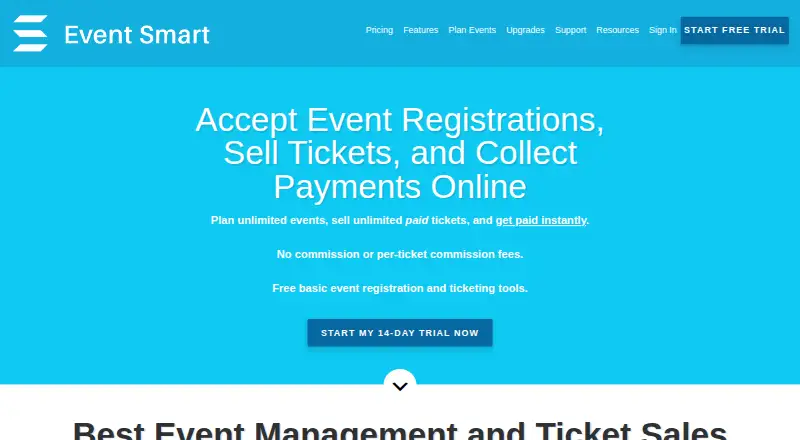
Event Smart lets organizers create event websites for registrations, payments, and ticket sales. It is described for classes, conferences, workshops, trainings, seminars, socials, performances, festivals, and fundraisers. Organizers can offer multiple registration or ticket types, collect attendee details, and download attendee lists. The free Basic plan permits unlimited events, while ads appear on event websites and several functions are paid upgrades. Personal costs $50 a month, billed monthly; Business costs $100 a month, billed monthly. Business includes emailed QR or barcode tickets, phone or tablet scanning, promo codes, waitlists, an event cart, and Google Analytics. Supported payment services include Stripe, PayPal, Square, and Authorize.net. Event Smart says it charges no commission or per-ticket fee, though payment gateways may charge transaction fees. Confirmation emails can link to virtual events hosted through Zoom, Google Hangouts, GoToMeeting, or another service. New accounts receive a 14-day Business trial without billing information; after it ends, premium trial features are removed while event and attendee data remain. The service supports English and lists email and live chat support for all plans.
Who it suits
It suits organizers who need event registration or ticketing websites for the listed event types. It may also fit organizers who need QR or barcode check-in through the Business plan.
What it does well
- Basic permits unlimited events.
- No per-ticket commission is charged.
- Business includes QR tickets and scanning.
- Trial starts without billing information.
What to know first
- Basic event websites display ads.
- Some registration and payment functions are paid upgrades.
- English is the supported language.
- Not suited to appointment bookings or seating charts.
Limits
Basic is free and allows unlimited events, but its event website displays ads; custom questions, card payments, and ticket scanning are paid upgrades. Personal costs $50 a month, billed monthly, and credit-card payments and ticket scanning are optional paid upgrades. The 14-day Business trial removes premium features when it ends, while retaining event and attendee data.
Plans
| Plan | Billed and limits | Price |
|---|---|---|
| Basic | Unlimited events · multiple ticket types · event-page customization, custom questions, card payments, and ticket scanning are paid upgrades · ads appear on event website | Free |
| Business | Monthly · Includes Personal features · QR/barcode tickets and scanning · promo codes · waitlists · event cart · Google Analytics · payment upgrade listed at $15/month | $100 a month |
| Personal | Monthly · Unlimited events · custom registration questions · multi-date events · calendar · no ads · credit-card payments and ticket scanning are optional paid upgrades | $50 a month |
As eventsmart.com lists them, read 4 Oct 2026. The maker's own page has the final word.
Getting started
- Visit https://eventsmart.com/.
- Create an account to begin the 14-day Business trial; billing information is not required.
- Use the trial or choose Basic, Personal, or Business.
- Create an event website and set up ticket or registration types.
- Connect a supported payment service if needed.
- For Business check-in, use the Event Espresso mobile apps on iOS or Android; an active check-in feature subscription is required unless included in a plan.
Event Smart is a freemium event-registration service for organizers who need event pages, attendee data collection, payments, and ticket sales in one system. It suits classes, conferences, workshops, performances, and similar events with straightforward logistics. The strongest case is avoiding per-ticket commission, while paid upgrades and workflow exclusions deserve close attention.
Overview
Organizers can publish event websites, create several ticket or registration types, ask for attendee details, and download attendee lists. That combination works for training sessions, seminars, socials, festivals, fundraisers, and other events where participants choose among options rather than seats. Confirmation emails can also send attendees to virtual sessions hosted on Zoom, Google Hangouts, GoToMeeting, or another service.
Event Smart says it does not add commission or per-ticket ticketing fees. Stripe, PayPal, Square, and Authorize.net are supported payment services, although those gateways can charge their own transaction fees. The service supports English, follows GDPR according to its privacy policy, and hosts its services in U.S. data centers.
Key features
Registration and payment collection
Multiple registration types and custom questions make it practical to distinguish attendance options and gather event-specific information. Basic does not include card payments, and Personal treats credit-card payments as a paid upgrade, so a no-cost setup is mainly suitable for registration workflows that do not require those capabilities. Business lists a payment upgrade at $15 per month.
Tickets and check-in
Business adds emailed QR or barcode tickets, promo codes, waitlists, and an event cart, then lets staff scan tickets with a phone or tablet. Event Espresso mobile apps provide attendee check-in on iOS and Android; an active check-in subscription is required unless the capability is included in a plan. This makes Business the clearest fit for paid-entry events with on-site admission control, while Basic and Personal require additional paid upgrades for scanning.
Integrations and administration
Business includes Google Analytics for teams that need event-page measurement. An API is documented for programmatic connections to an Event Smart website. Support is offered by email and live chat on every plan, and Business adds a 15-minute one-on-one setup call.
Pricing
| Plan | Price | What it includes |
|---|---|---|
| Basic | free | Unlimited events, multiple ticket types, event-page customization, custom questions, and ads on the event website. Card payments, ticket scanning, and some customization are paid upgrades. |
| Personal | $50 a month, billed Monthly | Unlimited events, custom registration questions, multi-date events, a calendar, and no ads. Credit-card payments and ticket scanning remain optional paid upgrades. |
| Business | $100 a month, billed Monthly | Personal features plus QR/barcode tickets and scanning, promo codes, waitlists, event cart, and Google Analytics. A payment upgrade is listed at $15 per month. |
Basic is appropriate for organizers testing demand or running free events that can tolerate advertising and do not need card payments or scanning. Personal removes ads and adds multi-date events, but its key transaction and check-in functions can increase the monthly cost. Business is aimed at teams handling paid admission and more involved registration operations; the setup call and included scanning reduce configuration work, but $100 per month is a substantial commitment for occasional events.
New accounts receive a 14-day Business trial without entering billing information. When it ends, premium trial functions are removed while event and attendee data remain, allowing a decision without losing records.
Platforms
Event Smart is available on web, iOS, Android, and through an API. Mobile check-in is handled through Event Espresso apps, making phones and tablets useful at the door. The API is the relevant route for organizations that need a programmatic connection rather than manual administration.
Who it's for
Choose Event Smart for classes, conferences, workshops, trainings, seminars, socials, performances, festivals, or fundraisers that need registration and payment collection without a per-ticket platform commission. Business is the logical tier for QR or barcode admission, waitlists, promo codes, and event carts. Basic fits free or low-complexity events; Personal suits organizers who want ad-free pages and multi-date scheduling but can pay separately for advanced transaction features.
It is a poor fit for event directories, appointment bookings, point-of-sale operations, seating charts, or simultaneous events in different currencies or time zones. Organizers needing those workflows should look elsewhere before committing.
Pros and cons
- Pros: no Event Smart commission or per-ticket fee; unlimited events on every listed plan; multiple registration types and custom questions; Business includes QR/barcode scanning, waitlists, promo codes, and Google Analytics; 14-day Business trial needs no billing information; email and live chat support cover all plans.
- Cons: Basic displays ads and puts card payments and scanning behind paid upgrades; Personal still charges extra for credit-card payments and scanning; Business costs $100 a month before the listed $15 payment upgrade; gateway transaction fees still apply; English-only support limits language choice; no seating charts, appointment booking, point of sale, event directories, or simultaneous multi-currency/time-zone events.
Alternatives
Event Registration Software is the broader category starting point when you want to compare registration products rather than commit to Event Smart.
EventCreate is worth choosing for a free forever plan capped at one event, 50 attendees, and one user, with a 5% ticketing fee. Eventleaf suits organizers who need unlimited events and users on its Starter plan, with 100 attendees per year. Eventrize offers a free tier with 50 registrations and paid plans capped at 500 attendees.
Eventzilla is an alternative when per-registration pricing and unlimited free registration types are preferable. Eventbrite fits organizers seeking free event publishing, including free tickets without ticketing fees. Humanitix is suited to free events or paid-ticket pricing based on a per-ticket model. Indico is the option for self-hosted, open-source event software. Konfeo is another freemium choice with five free tickets and per-attendee charges.
Verdict
Event Smart is a sensible choice for organizers who want unlimited events, configurable registration, and payment options without Event Smart taking a ticket commission. Pick Business when integrated check-in and richer admission controls justify the monthly spend. Look elsewhere if your event needs seating, appointments, point of sale, event discovery, or concurrent multi-currency and time-zone operation.
Verdict
Event Smart covers event registration, payments, and ticket sales, with a free tier and paid monthly plans. Check the listed exclusions and plan limits before choosing it for a specific event workflow.
Questions
Is Event Smart free?
Yes. The Basic plan costs nothing and allows unlimited events, with ads on the event website.
How much do the paid plans cost?
Personal costs $50 a month, billed monthly. Business costs $100 a month, billed monthly.
Is there a free trial?
Yes. New accounts begin with a 14-day Business plan trial without billing information. Premium trial features are removed afterward, while event and attendee data are retained.
Which payment services does Event Smart support?
The pricing FAQ names Stripe, PayPal, Square, and Authorize.net. Payment gateways may charge their own transaction fees.
Which platforms does Event Smart support?
Listed platforms are Android, iOS, web, and API. Attendee check-in is supported through Event Espresso mobile apps for iOS and Android.
Can Event Smart handle virtual events?
Confirmation emails can include a link to events hosted through Zoom, Google Hangouts, GoToMeeting, or another service.
Facts from Event Smart's own pages
- API
- The support site lists API documentation for connecting to an Event Smart website programmatically. · help.eventsmart.com, 4 Oct 2026
- Event types
- The site describes use for classes, conferences, workshops, trainings, seminars, socials, performances, festivals, and fundraisers. · eventsmart.com, 4 Oct 2026
- Integrations
- The pricing FAQ names Stripe, PayPal, Square, and Authorize.net as supported payment services, and Business includes Google Analytics integration. · eventsmart.com, 4 Oct 2026
- Limitations
- The FAQ says Event Smart is not suited to event directories, appointment bookings, point of sale, seating charts, or simultaneous events in different currencies or time zones; it supports English. · eventsmart.com, 4 Oct 2026
- Mobile apps
- Event Smart supports attendee check-in through Event Espresso mobile apps for iOS and Android, with an active check-in feature subscription required unless included in a plan. · help.eventsmart.com, 4 Oct 2026
- No ticket commission
- Event Smart says it charges no commission or per-ticket ticketing fees; payment gateways may charge their own transaction fees. · eventsmart.com, 4 Oct 2026
- Product
- Event Smart lets organizers create event websites to accept registrations and payments or sell tickets. · eventsmart.com, 4 Oct 2026
- Registration
- Organizers can offer multiple ticket or registration types, collect basic attendee details, and download attendee lists. · eventsmart.com, 4 Oct 2026
- Security and privacy
- The privacy policy says Event Smart adheres to GDPR and hosts services on servers in U.S. data centers. · eventsmart.com, 4 Oct 2026
- Support
- The pricing page lists email and live chat support for all plans and a 15-minute one-on-one setup call for Business. · eventsmart.com, 4 Oct 2026
- Tickets and check-in
- The Business plan includes emailed QR or barcode tickets and phone or tablet scanning for event check-in. · eventsmart.com, 4 Oct 2026
- Trial
- New accounts start with a 14-day Business plan trial with no billing information required; after it ends, premium trial features are removed while event and attendee data are retained. · eventsmart.com, 4 Oct 2026
- Virtual events
- Confirmation emails can include a link to virtual events hosted through Zoom, Google Hangouts, GoToMeeting, or another service. · eventsmart.com, 4 Oct 2026
Where Event Smart stands on Freedom251
- Event Registration Software#7 of 55