Epson Scan 2
What Epson Scan 2 is
Epson Scan 2 is free scanning software for Epson scanners and multifunction printers. Its graphical interface lets users set scanning options and save images in different file formats. It supports USB connections and network connections for scanners with networking; Linux network scanning requires an installed plug-in package. Users can also launch scans from the command line with a settings file, without opening the main window. Available image adjustments include background removal, text enhancement, color adjustment, descreening, color restoration, backlight correction, and skew correction. The Linux manual documents JPEG, PDF, TIFF, and Multi-TIFF output. For OCR workflows, Auto Area Segmentation separates text and graphics, while Threshold can help OCR programs recognize text. Epson lists versions for Windows, macOS, and Linux, but supported operating systems and settings depend on the scanner model. The software requires an Epson scanner or multifunction printer. Epson's Linux manual says it has no official software support and is distributed without warranty.
Who it suits
It suits owners of compatible Epson scanners or multifunction printers who want desktop scanning controls, image adjustments, and OCR-related settings. Linux users planning network scans need the plug-in package.
What it does well
- Free software for Epson scanners and multifunction printers.
- Supports USB and compatible network scanner connections.
- Can start scans from the command line.
- Offers image adjustments including skew and backlight correction.
- Linux documentation lists JPEG, PDF, TIFF, and Multi-TIFF output.
What to know first
- Requires an Epson scanner or multifunction printer.
- Linux network scanning requires a plug-in package.
- Settings and operating system support vary by scanner model.
- Epson's Linux manual states there is no official support or warranty.
Limits
The free software requires an Epson scanner or multifunction printer. Supported operating systems and settings vary by scanner model; Linux network scanning requires a plug-in package.
Plans
| Plan | Billed and limits | Price |
|---|---|---|
| Epson Scan 2 | Free software; Epson scanner or multifunction printer required; supported features vary by scanner | Free |
As download-center.epson.com lists them, read 30 Sept 2026. The maker's own page has the final word.
Getting started
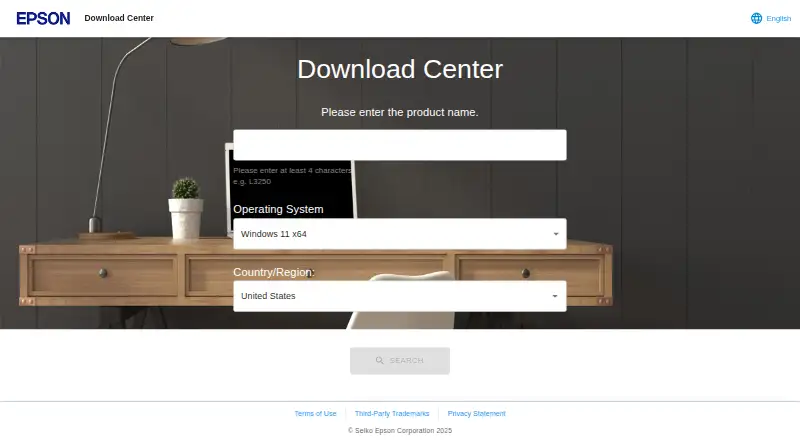
- Visit Epson’s download center and find the listing for your scanner or multifunction printer.
- Choose the available Epson Scan 2 package for your operating system.
- Install the software and, for Linux network scanning, install the plug-in package.
- Connect the scanner by USB or use a network connection if the scanner supports networking.
- Open the graphical interface to configure settings, or start a scan from the command line with a settings file.
Overview
Epson Scan 2 is Epson’s desktop scanning software for its scanners and multifunction printers. It is best for owners who want to adjust scans locally or repeat a saved scanning workflow. Its strongest case is as a free companion to compatible Epson hardware; it is less suitable for cross-brand or cloud-based work.
Key features
A graphical interface provides scanner settings and saves scans in multiple file types. USB connections are supported, as are network connections for scanners with networking. Linux network scanning requires an additional plug-in package, so Linux users relying on network capture should account for that setup.
Advanced settings include background removal, text enhancement, color adjustment, descreening, color restoration, backlight correction, and skew correction. These give Epson owners options for cleaning up originals before saving, beyond simply capturing an image. Which controls are available depends on the scanner model and selected settings.
For recurring tasks, scans can be launched from the command line using a scan settings file without opening the main window. That makes it a better fit for repeatable local workflows than a utility limited to interactive scanning. Linux documentation covers JPEG, PDF, TIFF, and Multi-TIFF output. Auto Area Segmentation separates text from graphics to assist text recognition, while Threshold can improve text recognition in OCR programs. OCR-related settings do not add cloud destinations: Scan 2 is oriented toward local scanning.
Pricing
Epson Scan 2 is free: the plan costs nothing. There is no free trial because the software is already free, and the plan has no seat or scan quota stated. The trade-off is hardware dependence: an Epson scanner or multifunction printer is required, and supported features vary by scanner. Epson describes the software as distributed without warranty.
Platforms
Scan 2 supports Windows, macOS, and Linux, but compatibility is model-dependent. Epson’s download listing for one model includes Windows 11, 10, 8.1, 8, 7, Vista, and XP; it also lists Linux RPM and Debian x64 packages and source code, plus macOS and older Mac OS X versions for supported hardware. Linux users should note that Epson’s manual says no official support is provided for the software. Check compatibility for the specific scanner before choosing it, especially if relying on a particular operating system or feature.
Who it's for
Choose Epson Scan 2 if you own a compatible Epson device and need direct control over scan settings, image corrections, or repeatable command-line scans. It is a weaker choice if you need cloud destinations, dependable access to every adjustment across models, or official Linux software support.
Pros and cons
- Pros: Free software with graphical and command-line scanning, useful for both occasional captures and repeat tasks.
- Pros: Multiple image adjustments and OCR-related settings help tailor local scans.
- Cons: Requires Epson hardware, and available settings depend on the scanner and selected configuration.
- Cons: Linux network scanning needs a plug-in, and Epson provides no official software support for Linux.
- Cons: No cloud destinations, limiting its fit for workflows that send scans directly to cloud services.
Alternatives
For a broader selection, browse Scanner Software.
- Brother iPrint&Scan is the more relevant choice for owners of supported Brother machines who want a free option across Android, iOS, macOS, and Windows; printing and scanning features vary by model.
- NAPS2 is a free alternative for Linux, macOS, and Windows that is available to individuals and businesses without ads or restrictions.
- XSane is a free Linux and Windows option for users with a SANE-compatible scanner.
- GNOME Document Scanner is a free Linux desktop application if you want a Linux-only alternative.
- iCopy - Free Photocopier is a free Windows application for users who prefer software distributed under GNU GPL v3.
- PaperScan may suit Windows users who need a freemium option: its Free Edition supports 10-page batch TWAIN/WIA scanning or import, while its Home Edition costs $79, paid once for unlimited batch scanning or import.
- PaperStream Capture is a free-download option for compatible current fi Series scanners, provided you have PaperStream IP TWAIN or ISIS drivers.
- Skanpage is another free Linux scanning application.
Verdict
Epson Scan 2 is a sensible free choice for compatible Epson owners who want image adjustments and a command-line route for repeat scans. Its hardware-specific reach, lack of cloud destinations, and limited official Linux support are the main reasons to look elsewhere.
Verdict
Epson Scan 2 offers scanning controls and image adjustments across listed desktop platforms, with features varying by scanner model. Check device compatibility and the Linux plug-in requirement before relying on a particular workflow.
Questions
Is Epson Scan 2 free?
Yes. Epson Scan 2 is free software.
Which operating systems does it support?
Epson lists Windows, macOS, and Linux versions. Supported operating systems depend on the scanner model.
What file formats can it save?
The Linux manual documents JPEG, PDF, TIFF, and Multi-TIFF options.
Can it help with OCR?
It includes Auto Area Segmentation to separate text from graphics and a Threshold setting that can improve text recognition in OCR programs.
Does it support network scanning?
Yes, for scanners that support networking. Linux network scanning requires installation of a plug-in package.
Does Epson provide official support?
Epson’s Linux manual says no official support is provided for the software and that it is distributed without warranty.
Facts from Epson Scan 2's own pages
- Command line
- Scans can be started from the command line using a scan settings file, without displaying the main window. · download-center.epson.com, 30 Sept 2026
- Connections
- It supports USB connections and network connections for scanners that support networking. · download-center.epson.com, 30 Sept 2026
- Feature availability
- The manual notes that some settings may not be available depending on the scanner model and selected settings. · download-center.epson.com, 30 Sept 2026
- Founded
- 1942 · download-center.epson.com, 28 Sept 2026
- Headquarters
- Suwa, Nagano, Japan · download-center.epson.com, 28 Sept 2026
- Image adjustments
- Advanced settings include background removal, text enhancement, color adjustment, descreening, color restoration, backlight correction, and skew correction. · files.support.epson.com, 30 Sept 2026
- License and warranty
- The Linux manual says the software is distributed free of charge and without warranty. · download-center.epson.com, 30 Sept 2026
- Linux packages
- Epson lists Linux RPM and Debian x64 packages and source code for Epson Scan 2 for a supported printer model. · download-center.epson.com, 30 Sept 2026
- Mac support
- Epson lists Epson Scan 2 for macOS and older Mac OS X versions for a supported printer model. · download-center.epson.com, 30 Sept 2026
- Network setup
- The Linux manual says network scanning requires installation of the plug-in package. · download-center.epson.com, 30 Sept 2026
- OCR-related settings
- Auto Area Segmentation separates text from graphics to improve text recognition, and Threshold can improve text recognition in OCR programs. · files.support.epson.com, 30 Sept 2026
- Output formats
- The Linux manual documents JPEG, PDF, TIFF, and Multi-TIFF image format options. · download-center.epson.com, 30 Sept 2026
- Purpose
- Epson Scan 2 is scanning software for Epson scanners and multifunction printers. · download-center.epson.com, 30 Sept 2026
- Scanning
- The software provides a graphical interface for scanner settings and saves scanned images in various file types. · download-center.epson.com, 30 Sept 2026
- Support
- Epson's Linux manual states that no official support is provided for this software and directs hardware inquiries to a local Epson dealer. · download-center.epson.com, 30 Sept 2026
- Supported operating systems
- Epson's download listing for one model offers Epson Scan 2 for Windows 11, Windows 10, Windows 8.1, Windows 8, Windows 7, Windows Vista, and Windows XP. · download-center.epson.com, 30 Sept 2026
Where Epson Scan 2 stands on Freedom251
- Scanner Software#4 of 22