Freedom251 › Sega Genesis Emulators
emmd
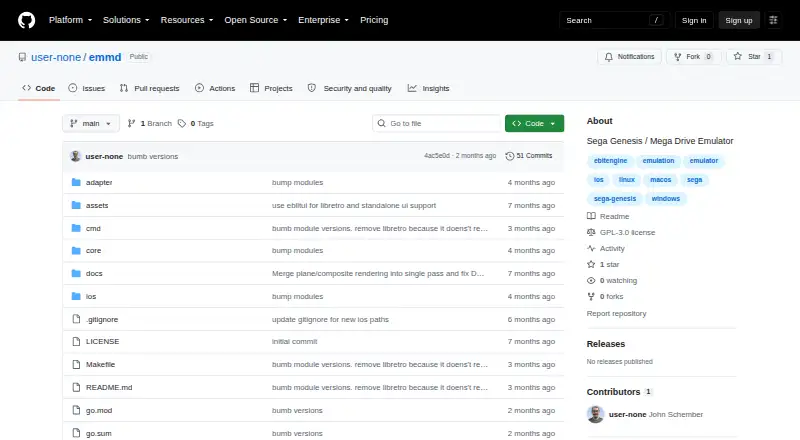
What emmd is
emmd is a free Sega Genesis, also called Mega Drive, emulator written in Go and aimed at Model 1 hardware. Its desktop interface provides a ROM library with scanning, artwork, metadata, save-state management, rewind, fast-forward, shader effects, RetroAchievements integration, and configurable settings. Emulation covers the Motorola 68000 and Zilog Z80 CPUs, VDP rendering, YM2612 FM synthesis, and SN76489 PSG audio. Two-player three-button and six-button controllers are supported. Battery-backed SRAM and save states use CRC32 checksums and ROM CRC matching. NTSC and PAL regions can be detected from a ROM header or selected manually. A LibRetro core supports compatible frontends, and the project documents a signed macOS application bundle build. emmd targets officially licensed, released Genesis games; unlicensed or homebrew games, prototypes, beta ROMs, and non-controller peripherals are unsupported. It runs on Windows, macOS, Linux, and iOS. Building requires Go 1.25 or later, and the repository uses GPL-3.0.
Who it suits
emmd suits people seeking a Genesis-only emulator with desktop library tools, save states, shaders, and LibRetro support. It is also relevant to users on Windows, macOS, Linux, or iOS.
What it does well
- Supports Windows, macOS, Linux, and iOS
- ROM scanning with artwork and metadata
- Rewind, fast-forward, and shader effects
- NTSC and PAL region handling
- LibRetro core included
What to know first
- Genesis games only
- Unlicensed and homebrew games unsupported
- Building requires Go 1.25 or later
- Non-controller peripherals unsupported
Limits
Compatibility is limited to officially licensed, released Genesis games. Unlicensed or homebrew games, prototypes, beta ROMs, and non-controller peripherals are unsupported.
Getting started
- Open the project at https://github.com/user-none/emmd
- Build the project with Go 1.25 or later
- Run it on Windows, macOS, Linux, or iOS
- Scan your Genesis ROMs into the desktop game library
- Use the LibRetro core with a compatible frontend
Verdict
emmd combines Genesis emulation with library management, save features, shaders, and regional options. Its stated compatibility scope is limited to officially licensed released games and controller-based play.
Questions
Is emmd free?
Yes. The project lists a free plan and is licensed under GPL-3.0.
Which platforms are supported?
emmd supports Windows, macOS, Linux, and iOS.
What system does it emulate?
It emulates Sega Genesis, or Mega Drive, Model 1 hardware.
Does it support save states and shaders?
Yes. Save states and shader effects are included, along with battery-backed SRAM support.
Can it work with LibRetro frontends?
Yes. The project provides a LibRetro core for LibRetro-compatible frontends.
What is required to build it?
Building requires Go 1.25 or later.
Facts from emmd's own pages
- Build requirement
- Building the project requires Go 1.25 or later. · github.com, 3 Oct 2026
- Compatibility limit
- The emulator targets officially licensed, released Genesis games and lists unlicensed or homebrew games, prototypes, beta ROMs, and non-controller peripherals as unsupported. · github.com, 2 Oct 2026
- Compatibility limits
- The emulator targets officially licensed and released Genesis games and says it does not support unlicensed or homebrew games, prototype or beta ROMs, or non-controller peripherals. · github.com, 3 Oct 2026
- Controllers
- It supports two players using 3-button or 6-button controllers. · github.com, 3 Oct 2026
- Desktop features
- The desktop UI includes a game library with ROM scanning, artwork, metadata, save state management, rewind, fast-forward, shader effects, RetroAchievements integration, and configurable settings. · github.com, 3 Oct 2026
- Desktop library
- Its desktop UI provides a game library with ROM scanning, artwork, metadata, save-state management, rewind, fast-forward, shader effects, RetroAchievements integration, and configurable settings. · github.com, 2 Oct 2026
- Development requirement
- Building the project requires Go 1.25 or later. · github.com, 2 Oct 2026
- Emulated hardware
- The emulator supports Motorola 68000 and Zilog Z80 CPUs, VDP rendering, YM2612 FM synthesis, and SN76489 PSG audio. · github.com, 3 Oct 2026
- Emulation
- The emulator supports Motorola 68000 and Zilog Z80 CPUs, VDP rendering, YM2612 FM synthesis, and SN76489 PSG audio. · github.com, 2 Oct 2026
- Frontend integration
- The project provides a LibRetro core for use with LibRetro-compatible frontends. · github.com, 3 Oct 2026
- Integration
- A LibRetro core is provided for use with LibRetro-compatible frontends. · github.com, 2 Oct 2026
- License
- The repository lists a GPL-3.0 license. · github.com, 3 Oct 2026
- macOS
- The project documents a build target that creates a macOS application bundle with an icon and code signing. · github.com, 2 Oct 2026
- Maker
- The GitHub account for the repository is named John Schember and lists Florida, USA. · github.com, 2 Oct 2026
- Product
- emmd is a Sega Genesis (Mega Drive) emulator written in Go and targeting Model 1 hardware. · github.com, 2 Oct 2026
- Purpose
- emmd is a Sega Genesis (Mega Drive) emulator written in Go and targeting Model 1 hardware. · github.com, 3 Oct 2026
- Regions
- It supports NTSC and PAL and can detect the region from a ROM header. · github.com, 3 Oct 2026
- Save data
- It supports battery-backed SRAM and save states, which are checked with CRC32 checksums and ROM CRC matching. · github.com, 3 Oct 2026
Where emmd stands on Freedom251
- Sega Genesis Emulators#12 of 29