Freedom251 › Remote Connection Manager Software
electerm
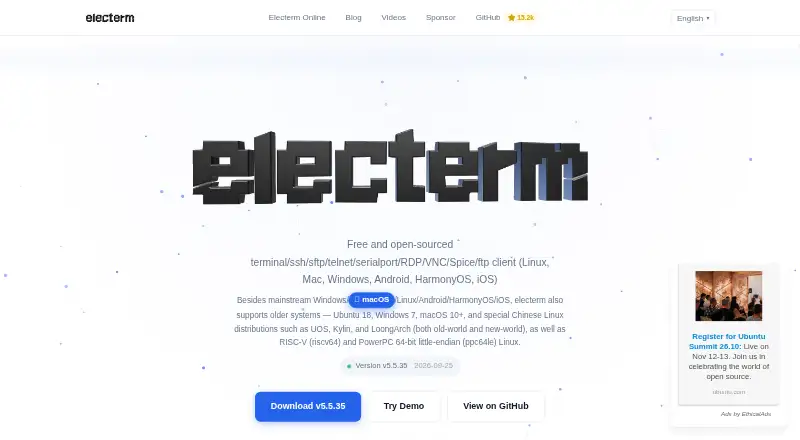
What electerm is
electerm brings terminal access and remote file management into one free, open-source client under the MIT License. It supports SSH, SFTP, FTP, Telnet, serial connections, RDP, VNC and Spice, with HTTP/HTTPS also listed among its supported protocols. The terminal offers multiple tabs, split panes, quick input to one or all terminals, and a global visibility hotkey. Its SFTP file manager can edit remote files and transfer them by drag and drop. Users can authenticate with public keys or passwords and configure SSH tunnels, global proxies or session proxies. An AI assistant can generate commands, explain them and create scripts through OpenAI Chat Completions, OpenAI Responses and Anthropic Messages formats. The free AI service may have usage limits, or users can configure their own API key. Bookmarks, themes and quick commands can sync through secret gists, WebDAV, custom servers or electerm cloud. electerm is listed for Android, iOS, Linux, macOS, web and Windows.
Who it suits
electerm suits people who want terminal sessions and remote file management in one client, across desktop or listed mobile platforms. Its sync options and AI command assistance may also suit users managing recurring commands or workflows.
What it does well
- Free and open-source under the MIT License
- Supports a range of terminal and remote-access protocols
- Remote files can be edited and transferred by drag and drop
- Offers terminal tabs, split panes and quick input
- Bookmarks and settings can sync through several services
What to know first
- Free AI service may have usage limits
- The website uses essential and Google Analytics cookies
- Release notes report fixes for unsafe transfer paths and command execution
Limits
The free AI service uses free-tier accounts and may have usage limits. Users can configure their own API key.
Plans
| Plan | Billed and limits | Price |
|---|---|---|
| Electerm | Free and open-source client · free AI service may have usage limits | Free |
As electerm.github.io lists them, read 4 Oct 2026. The maker's own page has the final word.
Getting started
- Visit the electerm website
- Choose a listed platform: Android, iOS, Linux, macOS, web, or Windows
- Install the client for the chosen platform
- Connect using a supported protocol and public-key or password authentication
- Configure an API key if you want to use your own AI service
electerm is a free, open-source client for terminal sessions, remote desktops and graphical file work across many protocols. It suits administrators, developers and other users who move between varied remote systems and want one cross-platform workspace. Its strongest case is protocol breadth paired with terminal and SFTP tools; the included AI service is less predictable because free-tier usage can be limited.
Overview
electerm combines a terminal emulator with a graphical SFTP manager and clients for SSH, SFTP, FTP, Telnet, serial, RDP, VNC and Spice. HTTP and HTTPS are also supported. That makes it a practical choice for mixed infrastructure, especially when one person must handle both command-line work and file transfers. Users who only need a single protocol may find the larger toolkit unnecessary.
The project is free and open-source under the MIT License, maintained by ZHAO Xudong. It runs on Windows, macOS, Linux, Android, iOS and the web, so it can cover desktop, mobile and browser workflows without a paid edition.
Key features
Connections and access
Public-key and password authentication cover common SSH setups, while SSH tunnels and global or session proxies help with more involved network paths. Support for RDP, VNC and Spice extends the app beyond shell access into graphical remote sessions. This range is valuable for operators managing different kinds of hosts, but adds little to a narrowly focused SSH workflow.
Terminal and file workflow
The SFTP manager can edit remote files directly and move files by drag and drop. Multiple terminal tabs and split panes make concurrent sessions easier to compare, while quick input can send the same text to one terminal or to all terminals. A global visibility hotkey provides a fast way to bring the application to the foreground.
AI and integrations
The assistant can generate commands, explain them and produce scripts through OpenAI Chat Completions, OpenAI Responses and Anthropic Messages formats. The free AI service uses free-tier accounts and may impose usage limits, so it is not a dependable reason to choose electerm for heavy AI use. Supplying your own API key gives users a way to use their own provider access.
Bookmarks, themes and quick commands can sync through GitHub or Gitee secret gists, WebDAV, custom servers or electerm cloud. An MCP widget connects AI assistants and external tools, and deep links such as ssh:// and telnet:// can open connection workflows. Release 5.5.66 fixed unsafe remote-file path resolution and unsafe command execution through deep links and quick-connect options, which is relevant to anyone relying on those automation paths.
Pricing
electerm costs free on the Electerm plan. It is a free, open-source client with a free AI service that may have usage limits. There is no free trial because the product itself is free, and no paid tier, seat charge or renewal term is given. The practical trade-off is that users get the complete client without a subscription, while AI capacity may depend on free-tier availability unless they configure their own API key.
Platforms
Desktop support covers Windows, macOS and Linux. Mobile apps are available for Android and iOS, and electerm also runs on the web. That breadth suits people who need the same connection tool across computers, phones and browser sessions.
Who it's for
Choose electerm if you administer varied environments, need terminal and SFTP work together, or want RDP, VNC, Spice, serial and traditional file-transfer protocols in one free client. Its tabs, panes, broadcast input and synchronization options also fit users with repeatable multi-host workflows.
Look elsewhere if your priority is a tightly focused single-protocol tool, a guaranteed AI allowance, or a commercial support arrangement beyond the project's documentation, issue reporting, GitHub Discussions, video guides and WeChat community.
Pros and cons
Pros
- Broad protocol coverage: SSH, SFTP, FTP, Telnet, serial, RDP, VNC, Spice, HTTP and HTTPS address mixed remote environments.
- Unified terminal and files: Direct remote editing and drag-and-drop SFTP transfers keep common tasks in one application.
- Useful multi-session controls: Tabs, split panes and input to one or all terminals support parallel administration.
- Free and open source: The MIT license permits use without a subscription across supported platforms.
- Flexible synchronization: Several sync back ends can carry bookmarks, themes and quick commands.
Cons
- AI limits: The included service relies on free-tier accounts and may restrict usage.
- Potentially excessive scope: Users with a simple SSH need may not benefit from the many additional clients and integrations.
- Website analytics: The website uses essential and Google Analytics cookies and may collect IP, browser, operating-system, page, referral and device information.
Alternatives
BURSU Connection Manager is another free option on Android, iOS, Linux, macOS, the web and Windows; choose it if optional BURSUcloud sync and team sharing matter more than electerm's terminal-and-SFTP combination.
Conduit offers a free tier with unlimited connections, an MCP server capped at 50 tool calls per day, an agent using your subscription and one-day cloud backup, plus a $10 Pro plan; pick it when those agent and backup terms fit your workflow.
Devolutions Remote Desktop Manager has a free individual edition, including commercial use, for people who do not need to share connections or credentials.
Nexterm is a free, MIT-licensed open-source alternative available across desktop, mobile, web, API and self-hosted environments.
MremoteGO is a free, MIT-licensed open-source client for Linux, macOS and Windows.
Remote Commander is a free MIT-licensed option for Linux, macOS and Windows, including commercial use.
Royal TS provides a free Lite plan limited to 10 connections, 10 credentials and one document, with a 49.00 EUR one-time Single User License; choose it when those defined connection limits and licensing model suit you.
uniTerm is a free Apache 2.0 option for Android, Linux, macOS and Windows.
For a broader directory of choices, see Remote Connection Manager Software.
Verdict
electerm is a strong fit for technically minded users who need many remote protocols, terminal multitasking and SFTP file handling without a subscription. Choose it for that unusually broad, open-source toolkit and cross-platform reach. Look elsewhere if dependable, uncapped AI service or a narrower, simpler connection client is more important than breadth.
Verdict
electerm combines a broad set of remote connection options with terminal tools and an SFTP file manager. Its AI service may be limited, but users can configure their own API key.
Questions
Is electerm free?
Yes. The client is free and open-source under the MIT License, with a listed price of $0.
Which platforms are listed for electerm?
Android, iOS, Linux, macOS, web, and Windows are listed. The desktop platforms listed are Windows, macOS, and Linux.
Which connection protocols does it support?
Listed protocols include SSH, Telnet, VNC, RDP, SPICE, serial, FTP, and HTTP/HTTPS. The product purpose also lists SFTP.
Does electerm include AI features?
Its AI assistant can generate commands, explain them, and create scripts using OpenAI Chat Completions, OpenAI Responses, and Anthropic Messages formats. The free AI service may have usage limits, and users can configure their own API key.
Who maintains electerm?
The project is created and maintained by ZHAO Xudong.
Facts from electerm's own pages
- AI integrations
- Its AI assistant supports OpenAI Chat Completions, OpenAI Responses, and Anthropic Messages formats for command generation, explanations, and scripts. · electerm.org, 4 Oct 2026
- AI service limit
- The free AI service uses free-tier accounts and may have usage limits; users can configure their own API key. · ai.electerm.org, 4 Oct 2026
- Authentication
- It supports public-key and password authentication, SSH tunnels, and global or session proxies. · electerm.org, 4 Oct 2026
- External integrations
- Electerm offers an MCP widget for AI assistants and external tools, plus deep links such as ssh:// and telnet://. · electerm.org, 4 Oct 2026
- License
- The software is free and open-source under the MIT License. · electerm.org, 4 Oct 2026
- Maintainer
- Electerm is created and maintained by ZHAO Xudong. · electerm.org, 4 Oct 2026
- Platforms
- The maker lists Windows, macOS, Linux, Android, iOS, and HarmonyOS, including Windows 7 and older Linux systems. · electerm.org, 4 Oct 2026
- Purpose
- Electerm combines a terminal emulator and graphical SFTP file manager with SSH, SFTP, FTP, Telnet, serial port, RDP, VNC, and Spice clients. · electerm.org, 4 Oct 2026
- Remote files
- Its SFTP file manager supports directly editing remote files and transferring files with drag and drop. · electerm.org, 4 Oct 2026
- Security updates
- The v5.5.66 release notes report fixes for unsafe remote file-transfer path resolution and unsafe command execution through deep links and quick-connect options. · electerm.org, 4 Oct 2026
- Support
- The project provides documentation, issue reporting, GitHub Discussions, video guides, and a WeChat community for support and updates. · electerm.org, 4 Oct 2026
- Sync integrations
- Bookmarks, themes, and quick commands can sync through GitHub or Gitee secret gists, WebDAV, custom servers, or electerm cloud. · electerm.org, 4 Oct 2026
- Terminal workflow
- The app supports multiple terminal tabs, split panes, quick input to one or all terminals, and a global visibility hotkey. · electerm.org, 4 Oct 2026
- Website privacy
- The privacy policy says the website uses essential and Google Analytics cookies and may collect IP address, browser, operating system, page, referral, and device information. · electerm.org, 4 Oct 2026