Freedom251 › Remote Connection Manager Software
Conduit
What Conduit is
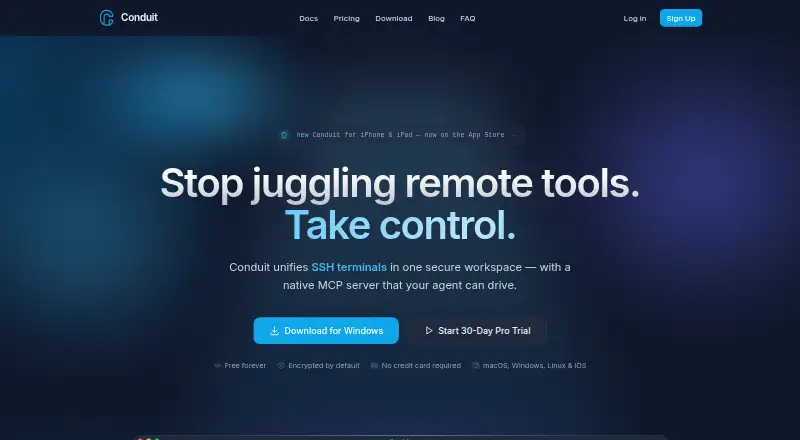
Conduit is a cross-platform remote connection manager that brings SSH terminals, RDP desktops, VNC sessions and web tools into a tabbed workspace. Its native MCP server exposes tools for terminal, RDP, VNC, web, credential and vault operations. It can launch Claude Code, Codex, Grok Build, Cursor Agent, OpenClaw, Gemini CLI, GitHub Copilot and OpenCode, while other MCP-compatible clients can connect. Conduit does not pay for or proxy AI inference; agents use the user's own provider subscription. Connection entries and credentials stay in a local SQLite vault encrypted with AES-256. Keys are derived locally from the master password and are not sent to Conduit servers, including for cloud backups. MCP calls use local sockets or named pipes, redact secrets, apply per-tool rate limits, log activity and require one-off approval for credential reads. Free accounts and local-mode installs have a 50-call-per-day MCP limit. The free plan allows unlimited connections; Pro is free for 30 days, then costs $10 a month. Team costs $20 a month.
Who it suits
Conduit suits DevOps and SREs, IT administrators and MSPs, and developers managing remote infrastructure. It may fit people who want terminal and desktop connections alongside MCP-compatible agent tools.
What it does well
- Supports SSH, RDP, VNC and web sessions
- Local vault uses AES-256 encryption
- MCP credential reads require one-off approval
- Free plan includes unlimited connections
What to know first
- Free and local-mode MCP use is capped at 50 calls daily
- AI inference uses the user's own provider subscription
Limits
The free plan and local-mode installs are limited to 50 MCP tool calls per day. Free includes a one-day cloud backup; Pro includes 14-day local backup retention, while Team includes six-month backup retention.
Plans
| Plan | Billed and limits | Price |
|---|---|---|
| Free | Unlimited connections · MCP server — 50 tool calls/day · Your agent (your subscription) · 1-day cloud backup | Free |
| Pro | Free for 30 days, then $10/mo · Unlimited connections · Unlimited MCP tool calls · Your agent (your subscription) · Cloud sync across devices · 14-day local backup retention | $10 a month |
| Team | Free for 30 days, then $20/mo · Everything in Pro · Shared team vaults · 6-month backup retention · Beta features | $20 a month |
As conduitdesktop.com lists them, read 30 Sept 2026. The maker's own page has the final word.
Getting started
- Visit the Conduit website.
- Choose the web version or a desktop platform: macOS, Windows or Linux.
- Create a free account or start the 30-day Pro or Team trial.
- Add connections for SSH, RDP, VNC or web sessions.
- Connect an agent or another MCP-compatible client if needed.
Overview
Conduit brings SSH, RDP, VNC and web sessions into one tabbed workspace, with a companion app for iPhone and iPad. It is best suited to infrastructure teams and developers juggling several connection types, especially those who want AI agents to work with remote sessions. The main trade-offs are a 50-call daily MCP cap on the free tier and the need to supply your own AI subscription.
Key features
Combining terminal, remote desktop and web access can reduce the need to switch among separate connection tools. That breadth is useful for administrators managing mixed environments; someone who only needs one protocol may have little reason to choose a broader manager.
Conduit’s native MCP server exposes tools for terminal, RDP, VNC, web, credential and vault operations. It can launch Claude Code, Codex, Grok Build, Cursor Agent, OpenClaw, Gemini CLI, GitHub Copilot and OpenCode, while other MCP-compatible clients can connect. This is a substantial bridge between agents and remote work, but Conduit does not pay for or proxy AI inference: the agent uses the customer’s own provider subscription.
Connection records and credentials are kept in a local SQLite vault encrypted with AES-256. Keys are derived locally from the master password and are not transmitted to Conduit servers, including for cloud backups. MCP calls use local sockets or named pipes, redact secrets, apply per-tool rate limits and log activity; credential reads need one-off approval. These protections are relevant when exposing connection operations to agents, though they do not eliminate the need to manage access carefully.
The iPhone and iPad companion app can sync through Conduit Cloud Sync, iCloud Drive, OneDrive or Dropbox. Email support typically responds within 24 hours on business days; GitHub issues are triaged weekly.
Pricing
The Free plan costs nothing and includes unlimited connections, the MCP server capped at 50 tool calls per day, use of the customer’s own agent subscription and one-day cloud backup. It is a reasonable way to manage connections and try agent workflows, but the call limit can constrain frequent use.
Pro costs $10 a month, billed Free for 30 days, then $10/mo. It retains unlimited connections and the customer’s own agent subscription, removes the MCP tool-call cap, adds cloud sync across devices and extends local backup retention to 14 days. It fits individual users whose agent activity exceeds the free allowance or who need cross-device sync.
Team costs $20 a month, billed Free for 30 days, then $20/mo. It includes everything in Pro, plus shared team vaults, six-month backup retention and beta features. Shared vaults make it the clearest fit for teams coordinating credentials; those working alone may not need the added collaboration and retention features.
Both paid plans include a 30-day free period before the stated monthly charge. All plans leave AI provider costs with the user.
Platforms
Desktop support covers macOS, Windows and Linux; Conduit also supports the web and offers iPhone and iPad companion apps. The breadth suits teams working across desktop systems and mobile devices, though the mobile app’s stated role is companion syncing rather than a replacement for the desktop connection workspace.
Who it's for
Conduit is aimed at DevOps and SREs, IT administrators and MSPs, and developers managing remote infrastructure. It is strongest for people who need multiple remote protocols and want agent access to connection tools. It is less suitable for users seeking bundled AI inference or for light MCP users who can stay within the free daily cap without needing paid sync or team features.
Pros and cons
- Pros: SSH, RDP, VNC and web sessions share one workspace, useful when work spans different remote environments.
- Pros: The local encrypted vault and approval requirement for credential reads add meaningful safeguards around agent operations.
- Pros: Unlimited connections are included even on Free, and Pro removes the daily MCP call cap.
- Cons: AI inference is not included, so agent use depends on a separate provider subscription.
- Cons: Free MCP use stops at 50 tool calls per day, which may be restrictive for regular agent workflows.
- Cons: Shared team vaults and six-month backup retention require the $20 a month Team plan.
Alternatives
Compare remote connection manager software if you want to weigh a broader set of options.
BURSU Connection Manager is worth considering if you want a free desktop app with optional cloud sync and team sharing. Nexterm is an alternative if an open-source MIT-licensed option is your priority. Devolutions Remote Desktop Manager offers a free edition for individual use, including commercial use, for users who do not need to share connections or credentials. electerm is a free, open-source client, with possible usage limits on its free AI service. MremoteGO is a free, MIT-licensed open-source option for Linux, macOS and Windows. Royal TS has a free Lite plan capped at 10 connections, 10 credentials and one document. uniTerm is a free Apache 2.0 option for Android, Linux, macOS and Windows. RustConn is a free GPL-3.0 desktop application for Linux, macOS and Windows.
Verdict
Choose Conduit if you manage varied remote systems and want MCP-connected agents to work with those sessions alongside a locally encrypted credential vault. Its free tier covers unlimited connections, but the daily call cap and separate AI subscription matter. Look elsewhere if you need bundled inference, or if your requirements are narrow enough that a simpler free client is a better fit.
Verdict
Conduit combines remote connections, credential storage and MCP tools across desktop platforms, with companion mobile apps for iPhone and iPad. Its free tier limits MCP calls, while Pro and Team add paid options.
Questions
What protocols does Conduit support?
It supports SSH, RDP, VNC and web sessions.
Which platforms can I use?
Conduit is available for macOS, Windows, Linux and the web, with companion apps for iPhone and iPad.
Is there a free plan?
Yes. Free costs nothing and includes unlimited connections, a 50-call daily MCP limit, one-day cloud backup and use of your own agent subscription.
How much do the paid plans cost?
Pro is $10 a month after 30 days free. Team is $20 a month after 30 days free.
Does Conduit pay for AI inference?
No. An agent runs under the user's own provider subscription.
Can teams share connections?
Yes. The Team plan includes shared team vaults.
Facts from Conduit's own pages
- Agent integrations
- Conduit can launch Claude Code, Codex, Grok Build, Cursor Agent, OpenClaw, Gemini CLI, GitHub Copilot, and OpenCode, and other MCP-compatible clients can connect. · conduitdesktop.com, 30 Sept 2026
- Bring your own AI
- Conduit does not pay for or proxy AI inference; the agent runs under the user's own provider subscription. · conduitdesktop.com, 30 Sept 2026
- Free limit
- Free-tier accounts and local-mode installs are capped at 50 MCP tool calls per day. · conduitdesktop.com, 30 Sept 2026
- Headquarters
- Ontario, Canada · conduitdesktop.com, 28 Sept 2026
- MCP safeguards
- MCP calls use local sockets or named pipes, redact secrets, apply per-tool rate limits, log activity, and require one-off approval for credential reads. · conduitdesktop.com, 30 Sept 2026
- MCP server
- Conduit provides a native MCP server that exposes tools for terminal, RDP, VNC, web, credential, and vault operations. · conduitdesktop.com, 30 Sept 2026
- Mobile sync
- The iPhone and iPad companion app can sync through Conduit Cloud Sync, iCloud Drive, OneDrive, or Dropbox. · conduitdesktop.com, 30 Sept 2026
- Protocols
- The app supports SSH, RDP, VNC, and web sessions. · conduitdesktop.com, 30 Sept 2026
- Purpose
- Conduit is a cross-platform remote connection manager that unifies SSH terminals, RDP desktops, VNC sessions, and web tools in one tabbed workspace. · conduitdesktop.com, 30 Sept 2026
- Support
- Email support typically responds within 24 hours on business days, while GitHub issues are triaged weekly. · conduitdesktop.com, 30 Sept 2026
- Target users
- Conduit is presented for DevOps and SREs, IT administrators and MSPs, and developers managing remote infrastructure. · conduitdesktop.com, 30 Sept 2026
- Vault encryption
- Connection entries and credentials are stored in a local SQLite vault encrypted with AES-256. · conduitdesktop.com, 30 Sept 2026
- Zero knowledge
- Encryption keys are derived locally from the master password and are never transmitted to Conduit servers, including for cloud backups. · conduitdesktop.com, 30 Sept 2026