Freedom251 › Email Signature Software
DynamicSignature
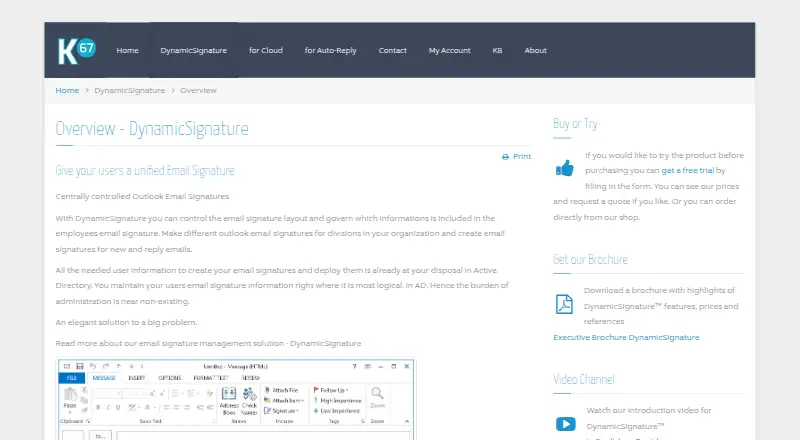
What DynamicSignature is
DynamicSignature centrally manages the layouts and employee information used in Outlook email signatures. Its classic product draws signature data from Active Directory, applies administrator-controlled templates, and can insert dynamic details from 72 Active Directory fields. The client creates HTML, RTF, and TXT signatures. Administrators can target users or groups for deployment through Group Policy or login scripts. Generated signatures are stored locally and remain available offline, though those domain-based deployment methods cannot deploy to a home PC that is not joined to the company domain. The Outlook add-in retrieves signatures from DynamicSignature's cloud API while a message is being composed; the maker says it supports Outlook on Windows, web, and mobile, including New Outlook. Administrators can edit campaigns centrally and add them to outgoing signatures at no extra cost. Batching Services can generate and send signatures to Office 365 or on-premises Exchange. The product has a free trial but no free plan. K67, its Danish owner and developer, was established in 2001 and says it has focused on Outlook signature solutions since 2007.
Who it suits
DynamicSignature suits organizations that want administrators to control Outlook signature layouts and employee details centrally, with Active Directory data and group or user targeting. It may also fit teams that need signatures available offline or campaigns added to outgoing signatures.
What it does well
- Uses Active Directory data with 72 supported fields.
- Generates HTML, RTF, and TXT signatures.
- Targets users or groups through Group Policy or login scripts.
- Saved signatures remain available offline.
- Campaigns can be added to outgoing signatures at no extra cost.
- Includes a free trial and a 30-day money-back guarantee on license charges.
What to know first
- There is no free plan.
- The Outlook Add-in subscription price shown is for 25 users.
- Group Policy and login script deployment is unavailable to non-domain home PCs.
- The new product license includes one year of updates and technical support.
Limits
There is no free plan. The Outlook Add-in subscription price shown covers 25 users, with higher user tiers priced separately; the new product license price shown also covers 25 users and includes one year of updates and technical support.
Plans
| Plan | Billed and limits | Price |
|---|---|---|
| DynamicSignature Outlook Add-in | Prices are for 1 year; subscription includes DS-Manager licensing, cloud API access, and full support. Price shown for 25 users. · 25 users · higher user tiers priced separately | €224.77 a year |
| DynamicSignature (new product license) | Perpetual license; price shown for 25 users. Includes 1 year of updates and technical support. · 25 users · higher user tiers priced separately | €235.20, paid once |
As dynamicsignature.com lists them, read 8 Oct 2026. The maker's own page has the final word.
Getting started
- Visit the DynamicSignature overview website.
- Choose the Outlook Add-in subscription or the new product license.
- Use the free trial if you want to try the product before choosing a license.
- Connect signature data from Active Directory for the classic product.
- Deploy signatures through Group Policy or login scripts, or use the Outlook add-in with its cloud API.
Verdict
Choose DynamicSignature if administrators need centralized Outlook signature templates, Active Directory details, and deployment to selected users or groups. Look elsewhere if you need a free plan or need Group Policy or login script deployment for home PCs outside the company domain.
Questions
Does DynamicSignature have a free plan or trial?
It has a free trial but no free plan.
How much does it cost?
The Outlook Add-in plan is €224.77 a year for 25 users; higher tiers are priced separately. A new product license is €235.20, paid once for 25 users and is perpetual, with no subscription fees.
Which Outlook clients does the add-in support?
The maker says it supports Outlook on Windows, web, and mobile, including New Outlook.
Can signatures be deployed offline?
Generated signatures are saved locally and remain available offline. Group Policy and login script deployment is unavailable for a home PC that is not joined to the company domain.
Does it work with Office 365 and Exchange?
DynamicSignature Batching Services can generate and transmit signatures to Office 365 or on-premises Exchange.
Who makes DynamicSignature?
K67, a Danish company established in 2001, owns and develops it. The company says it has focused on Outlook signature solutions since 2007.
Facts from DynamicSignature's own pages
- Active Directory fields
- The signature editor supports 72 Active Directory fields for inserting dynamic user information. · dynamicsignature.com, 8 Oct 2026
- Campaigns
- Administrators can centrally edit campaigns that are added to outgoing email signatures at no extra cost. · dynamicsignature.com, 8 Oct 2026
- Cloud add-in
- The Outlook add-in retrieves the user’s signatures from DynamicSignature’s cloud API when composing a message. · dynamicsignature.com, 8 Oct 2026
- Company
- DynamicSignature is owned and developed by K67, a Danish company established in 2001 that says it has focused on Outlook signature solutions since 2007. · dynamicsignature.com, 8 Oct 2026
- Deployment
- Administrators can deploy signatures through Group Policy or login scripts, targeting groups or users. · dynamicsignature.com, 8 Oct 2026
- Directory data
- The classic product pulls signature data from Active Directory and uses administrator-controlled templates. · dynamicsignature.com, 8 Oct 2026
- Founded
- 2001 · dynamicsignature.com, 28 Sept 2026
- Headquarters
- Hasle, Denmark · dynamicsignature.com, 28 Sept 2026
- Office 365 and Exchange
- DynamicSignature Batching Services can generate and transmit signatures to Office 365 or on-premises Exchange. · dynamicsignature.com, 8 Oct 2026
- Offline use
- Generated signatures are saved locally and remain available offline, but deployment to a home PC that is not joined to the company domain is unavailable through group policies or login scripts. · dynamicsignature.com, 8 Oct 2026
- Purpose
- DynamicSignature centrally controls Outlook email signature layouts and the information included in employees’ signatures. · dynamicsignature.com, 8 Oct 2026
- Refund policy
- The maker offers a 30-day money-back guarantee on license charges. · dynamicsignature.com, 8 Oct 2026
- Signature formats
- The client generates HTML, RTF, and TXT signature formats. · dynamicsignature.com, 8 Oct 2026
- Support
- The new product license includes one year of technical support, including remote support, and the pricing page says the license is perpetual with no subscription fees. · dynamicsignature.com, 8 Oct 2026
- Supported Outlook clients
- The maker says the add-in supports Outlook on Windows, web, and mobile, including New Outlook. · dynamicsignature.com, 8 Oct 2026
Where DynamicSignature stands on Freedom251
- Email Signature Software#11 of 29
- Email Signature Management Software#17 of 41