DOSVAXJ3
What DOSVAXJ3 is
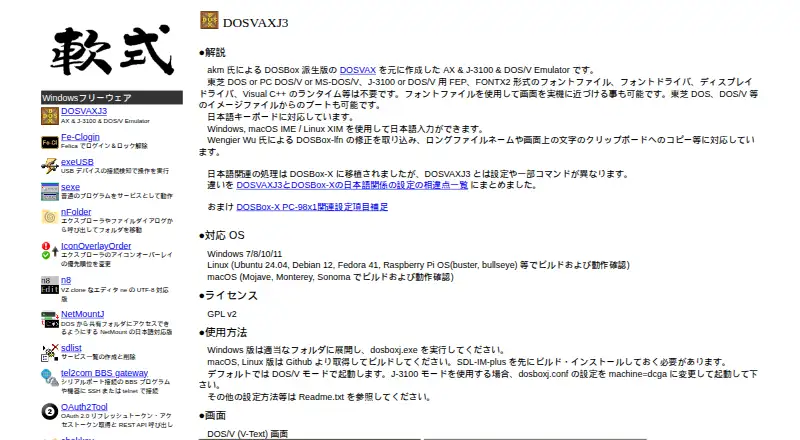
DOSVAXJ3 is a free emulator for AX, J-3100, and DOS/V, built on DOSBox. It runs on Windows, Linux, and macOS, and starts in DOS/V mode; users can switch to J-3100 mode through its configuration file. The emulator supports Japanese keyboard and text entry through Windows or macOS IME and Linux XIM, and includes Japanese fonts. It can also use font files to make its display resemble original hardware. DOSVAXJ3 can boot Toshiba DOS, DOS/V, and other disk image files, and supports long filenames and copying displayed text to the clipboard. The maker lists Windows 7, 8, 10, and 11 as supported. Windows downloads include 32-bit and 64-bit executable bundles, with separate debugger bundles also listed. Linux and macOS users build the software from source and must first build and install SDL-IM-plus. The software is listed under GPL v2, with source code available on GitHub. The maker's free plan is listed as free.
Who it suits
DOSVAXJ3 suits people who need to run AX, J-3100, or DOS/V disk images and want Japanese input support. Linux and macOS users should be prepared to build it from source and install SDL-IM-plus first.
What it does well
- Free plan listed as free
- Supports Windows, Linux, and macOS
- Japanese keyboard and text input support
- Boots Toshiba DOS, DOS/V, and other disk images
- GPL v2 source code linked on GitHub
What to know first
- Linux and macOS builds require SDL-IM-plus first
- Linux and macOS versions must be built from source
Plans
| Plan | Billed and limits | Price |
|---|---|---|
| DOSVAXJ3 | Windows downloads; macOS and Linux builds from source · GPL v2 | Free |
As nanshiki.co.jp lists them, read 9 Oct 2026. The maker's own page has the final word.
Getting started
- Open the DOSVAXJ3 website.
- On Windows, download the 32-bit or 64-bit executable bundle.
- On Linux or macOS, build and install SDL-IM-plus first, then build DOSVAXJ3 from source.
- Provide a supported disk image to boot; enable J-3100 mode in the configuration file if needed.
DOSVAXJ3 is a free DOSBox-based emulator for AX, J-3100 and DOS/V software. It is best suited to retro-computing users who need Japanese keyboard entry and period-oriented Japanese display behavior, especially on Windows. Its focused Japanese compatibility is a strength, while source builds add work for Linux and macOS users.
Overview
DOSVAXJ3 starts in DOS/V mode and can switch to J-3100 mode through its configuration file. That distinction matters when older software expects a particular Japanese PC environment rather than generic DOS behavior. AX support extends the target range further, making this a specialist emulator for Japanese-era applications and games.
It can boot Toshiba DOS, DOS/V and other disk-image files, so software distributed as images can be started without converting it to another format. Support for long filenames is useful when moving files between modern systems and DOS-era media, and copying on-screen text to the clipboard reduces the friction of capturing output from a text-mode program.
Key features
Japanese input and display
Japanese keyboard and text input use the Windows or macOS IME, or Linux XIM. That makes DOSVAXJ3 more practical for Japanese word processors and utilities than an emulator that only renders Japanese characters. Japanese fonts are included, and user-supplied font files can make the display resemble original hardware, which will appeal to preservation work and users pursuing an authentic look.
Disk-image and DOS compatibility
Boot support covers Toshiba DOS, DOS/V and other disk images. Combined with selectable DOS/V and J-3100 modes, this gives owners of period software a way to match the environment their programs were designed for. Configuration is part of the workflow, however: J-3100 is not the default and must be enabled in the configuration file.
Open distribution
DOSVAXJ3 is released under GPL v2, with source code linked on GitHub. Windows downloads include separate 64-bit and 32-bit executable bundles, as well as debugger bundles. The debugger packages are relevant to users tracing old software or investigating compatibility, but ordinary users can choose the standard executable bundle instead.
Pricing
| Plan | Price | Includes |
|---|---|---|
| DOSVAXJ3 | free | Windows downloads; macOS and Linux builds from source; GPL v2 |
There are no paid plans or free-trial period to manage. Windows users receive ready-made executable bundles at no cost. Linux and macOS users also pay nothing, but the practical cost is setup time: the maker requires SDL-IM-plus to be built and installed before compiling DOSVAXJ3. That makes the free plan a straightforward choice for Windows and a source-building project for users on the other two platforms.
Platforms
The maker lists Windows 7, 8, 10 and 11, Linux, and macOS. Windows has separate 64-bit and 32-bit bundles, plus debugger bundles. Linux and macOS builds require SDL-IM-plus to be installed first, so users who want a packaged installation rather than a compiler workflow may prefer another DOS emulator.
Who it's for
Choose DOSVAXJ3 if you need AX, J-3100 or DOS/V behavior, Japanese IME or XIM input, Japanese fonts, or the ability to boot period disk images. It is particularly well matched to Japanese software preservation, retro-PC enthusiasts and developers diagnosing legacy programs with the debugger bundles.
It is less suitable if you want a turnkey, broadly oriented DOS gaming front end and do not need Japanese-specific modes. Linux and macOS users should also be comfortable building SDL-IM-plus and DOSVAXJ3 from source before choosing it.
Pros and cons
Pros
- Japanese input through native host systems: Windows and macOS IME plus Linux XIM support enables actual Japanese text entry, not just character display.
- Environment-specific emulation: DOS/V is the default and J-3100 can be selected for software tied to that standard.
- Authentic presentation: included Japanese fonts and custom font-file support can reproduce period hardware appearance.
- Flexible image booting: Toshiba DOS, DOS/V and other disk images are supported.
- Free and open source: GPL v2 licensing, GitHub source and Windows bundles remove purchase barriers.
Cons
- Platform setup is uneven: Linux and macOS require SDL-IM-plus and a source build, unlike the ready-to-run Windows bundles.
- J-3100 needs configuration: users must edit the configuration file instead of selecting that mode at startup.
- Specialist scope: its main advantages target Japanese DOS compatibility, so users seeking a general DOS emulator may find the focus unnecessary.
Alternatives
Browse the MS-DOS Emulators list when you want to compare a wider field. Pick DOS Browser instead for browser-based access across Android, Linux, macOS, web and Windows, with optional cloud saves and progress sync on its js-dos Premium plan. DosKit is another free option spanning Android, iOS, Linux, macOS, web and Windows.
Choose DOSBox for the straightforward free, open-source DOSBox baseline. DOSBox Pure is a free standalone desktop emulator with a name-your-own-price model, while DOSBox Staging targets free personal, low-stakes use. DOSBox-X is another open-source DOS emulator with no paid plans stated.
For web and developer-oriented deployment, consider js-dos, whose core features are free across API, Linux, self-hosted and web environments. DOS Wasm X is a browser-based alternative with selectable 512 MB, 1 GB or 2 GB hard-drive sizes and 32 MB, 64 MB or 128 MB RAM options.
Verdict
DOSVAXJ3 is the right choice for anyone preserving or running Japanese DOS software that depends on AX, J-3100 or DOS/V conventions, Japanese input and period-style fonts. Its free GPL v2 release and disk-image booting make it capable without licensing cost. Look elsewhere if you need a packaged Linux or macOS installation, or a general-purpose DOS experience without configuration and source-building steps.
Verdict
DOSVAXJ3 combines support for three DOS environments with Japanese input, fonts, and disk-image booting. Windows executable bundles are available; Linux and macOS users need to build from source after installing SDL-IM-plus.
Questions
How much does DOSVAXJ3 cost?
The free plan is listed as free.
Which operating systems are supported?
The maker lists Windows 7, 8, 10, and 11, Linux, and macOS.
How do Linux and macOS users install it?
They build DOSVAXJ3 from source after building and installing SDL-IM-plus.
Is DOSVAXJ3 open source?
Yes. The maker lists it under GPL v2 and links to its source code on GitHub.
Can it accept Japanese text input?
Yes. It supports Japanese keyboard input and text through Windows or macOS IME, or Linux XIM.
Facts from DOSVAXJ3's own pages
- Booting
- It can boot from Toshiba DOS, DOS/V, and other disk image files. · nanshiki.co.jp, 9 Oct 2026
- DOS/V and J-3100
- It starts in DOS/V mode by default, and J-3100 mode can be enabled through the configuration file. · nanshiki.co.jp, 9 Oct 2026
- Download formats
- The download section lists 64-bit and 32-bit Windows executable bundles, plus separate debugger bundles. · nanshiki.co.jp, 9 Oct 2026
- File and clipboard support
- It supports long filenames and copying on-screen text to the clipboard. · nanshiki.co.jp, 9 Oct 2026
- Fonts
- It includes Japanese font support and can use font files to make the display resemble the original hardware. · nanshiki.co.jp, 9 Oct 2026
- Japanese input
- It supports Japanese keyboard input and Japanese text input through Windows and macOS IME or Linux XIM. · nanshiki.co.jp, 9 Oct 2026
- License
- The maker lists DOSVAXJ3 under the GPL v2 license. · nanshiki.co.jp, 9 Oct 2026
- Linux and macOS build requirement
- The maker says to build and install SDL-IM-plus before building the Linux or macOS version. · nanshiki.co.jp, 9 Oct 2026
- Maker background
- The maker says Nanshiki has developed software since its founding in 1995, including embedded-control firmware, Windows applications, internet servers, and databases. · nanshiki.co.jp, 9 Oct 2026
- Operating systems
- The maker lists Windows 7/8/10/11, Linux, and macOS as supported operating systems. · nanshiki.co.jp, 9 Oct 2026
- Purpose
- DOSVAXJ3 is an emulator for AX, J-3100, and DOS/V based on DOSBox. · nanshiki.co.jp, 9 Oct 2026
- Source code
- The maker links to the DOSVAXJ3 source code on GitHub. · nanshiki.co.jp, 9 Oct 2026
Where DOSVAXJ3 stands on Freedom251
- MS-DOS Emulators#8 of 26