DOSBox Pure
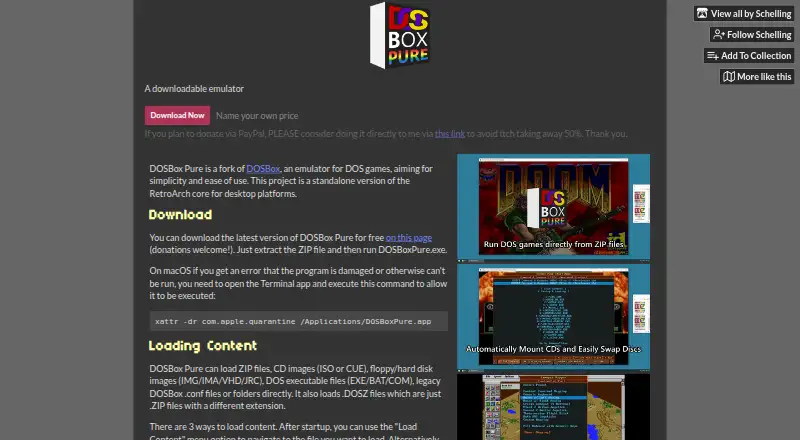
What DOSBox Pure is
DOSBox Pure is a DOS game emulator fork for desktop computers, also available as a RetroArch core. It runs on Windows, macOS, and Linux, and loads ZIP and DOSZ files, DOS executables, configuration files, folders, and CD, floppy, or hard disk images. For games that use controllers, it can detect titles and apply mappings, or let you assign gamepad controls to emulated keyboard, mouse, or joystick functions. Each item of content has 10 save-state slots, but complex late-era games may have problems; a state also requires the same game and video or CPU settings. You can create an 8 to 1024 MB hard disk image to install an operating system from a bootable CD-ROM or floppy image. That system can detect an emulated NE2000 network card, but it cannot connect to the real internet. Graphics include 3dfx Voodoo PCI emulation, with OpenGL hardware rendering by default and a software option that uses much more CPU. SoundFont files support General MIDI, while ROM files can emulate an MT-32 synthesizer. DOSBox Pure is free and licensed under GNU GPL version 2 or later.
Who it suits
DOSBox Pure suits people looking to run DOS games or software on Windows, macOS, or Linux. Its controller mapping and support for disk images may help users with different game setups.
What it does well
- Available for Windows, macOS, and Linux.
- Loads DOS executables, folders, and disk images.
- Provides 10 save-state slots per content.
- Gamepad controls can map to keyboard, mouse, or joystick.
What to know first
- Complex late-era DOS games may have save-state problems.
- Save states require matching game and video or CPU settings.
- The emulated network card cannot access the real internet.
- Software graphics rendering uses much more CPU.
Limits
The emulated NE2000 network card cannot connect to the real internet. Save states may have problems with complex late-era DOS games and require the same game and video or CPU settings.
Plans
| Plan | Billed and limits | Price |
|---|---|---|
| Name your own price | Download free; donations welcome · Standalone desktop emulator | Free |
| DOSBox Pure download | Name-your-own-price donation · Windows 64/32-bit · macOS ARM64/x64 · Linux x64 downloads | Free |
As schelling.itch.io lists them, read 29 Sept 2026. The maker's own page has the final word.
Getting started
- Visit https://schelling.itch.io/dosbox-pure.
- Choose a standalone desktop download for Windows, macOS, or Linux, or use the RetroArch core.
- Load a DOS game, executable, archive, folder, configuration file, or disk image.
- For controller play, use detected game mappings or assign gamepad controls with the mapper.
- Optionally create an 8 to 1024 MB hard disk image to install an operating system from bootable media.
Overview
DOSBox Pure is a free DOS game emulator fork for people who want to run MS-DOS software on a desktop without a complicated setup. It is a strong fit for players who value flexible file support and gamepad controls, but its save states have compatibility constraints and its emulated network card cannot reach the real internet.
Use it as a standalone desktop download or as a RetroArch core on Windows, macOS or Linux. It accepts ZIP and DOSZ archives, DOS executables, DOSBox configuration files, folders, and CD, floppy and hard disk images. Supported disk formats include ISO, CUE, INS, IMG, IMA, VHD, JRC, TC, M3U and M3U8, giving users several ways to work with software they already have.
DOSBox Pure is open source under the GNU General Public License, version 2 or later, and source code is available. Its product page also has a community area for discussion.
Key features
Gamepad mapping
DOSBox Pure can identify games and apply controller mappings. Its mapper assigns gamepad controls to emulated keyboard, mouse or joystick functions, a useful bridge for titles designed around different input devices. The feature offers flexibility, though it does not remove the need to configure controls when a game’s defaults do not suit you.
Save states
Each piece of content gets 10 save-state slots, which can make it easier to pause and resume play. Treat them as a convenience rather than a universal safety net: complex late-era DOS games may have problems, and a state only works with the same game and matching video and CPU settings.
System, graphics and audio emulation
DOSBox Pure can create a hard disk image from 8 to 1024 MB, letting users install and run an operating system from a bootable CD-ROM or floppy image. An installed system sees a NE2000 network card, but it cannot connect to the real internet, so this is not a route to online DOS networking.
The core includes 3dfx Voodoo PCI card emulation. OpenGL hardware rendering is the default; software rendering is an option, but it uses substantially more CPU. For MIDI, users can supply SoundFont files for General MIDI and Sound Canvas music, or ROM files to emulate an MT-32 synthesizer. These options make the emulator more adaptable to different system and audio setups, while requiring the relevant files where applicable.
Pricing
DOSBox Pure is free to download under a “Name your own price” plan at no cost, billed Download free. Donations are welcome. The plan is the standalone desktop emulator, with no paid tier or free-trial period to weigh against it.
There is no seat count or usage quota in the plan terms. The main trade-offs are technical rather than subscription caps: save-state compatibility depends on the game and settings, and network emulation does not provide real internet access.
Platforms
DOSBox Pure supports Windows, macOS and Linux. Downloads include Windows 32-bit and 64-bit builds, macOS ARM64 and x64 builds, and Linux x64. It is also available as a RetroArch core, alongside its standalone desktop version.
Who it's for
DOSBox Pure suits desktop users who want a free way to load DOS games from archives, executables, folders or disk images, especially those who want to map a gamepad or use DOS system, graphics and MIDI emulation options. It is less suitable if you need reliable save states for complex late-era games or expect an installed DOS operating system to access the real internet.
Pros and cons
- Pro: Broad input support covers archives, folders, executables, configuration files and many disk image formats.
- Pro: Game detection and configurable gamepad mappings can adapt keyboard, mouse or joystick controls to a controller.
- Pro: Free, open-source desktop builds are available for Windows, macOS and Linux, with a RetroArch core option.
- Con: Save states can fail with complex later-era DOS games and require matching game, video and CPU settings.
- Con: The emulated NE2000 card cannot connect an installed operating system to the real internet.
- Con: Software graphics rendering uses much more CPU than the default OpenGL hardware rendering.
Alternatives
For a broader comparison, browse MS-DOS Emulators.
- DOS Browser is a free option for Android, Linux, macOS, web and Windows. Its free plan uses browser indexed storage, which can be cleared, and does not provide cross-device play; choose it if browser-based access matters more than those persistence limits.
- DosKit is a free option for Android, iOS, Linux, macOS, web and Windows.
- DOSBox is a free, open-source option for Linux, macOS and Windows; consider it if you want the DOSBox alternative rather than this fork.
- DOSBox Staging is free for personal use on Linux, macOS and Windows, with no warranty and an intended low-stakes personal-use scope.
- DOSBox-X is a free, open-source DOS emulator for Linux, macOS and Windows, with no paid plans stated.
- js-dos is a free option for web, self-hosted and Linux use, with API support.
- DOS Wasm X is a browser-based option for web and self-hosted use, with selectable hard drive and RAM sizes.
- DOS-Emulator is a free MIT-licensed option for Linux and macOS; its README says many features are missing or implemented differently.
Verdict
Choose DOSBox Pure if you want a free desktop DOS emulator with broad file and disk-image support, configurable gamepad controls and useful system emulation options. Its main advantage is flexibility across how DOS software is loaded and controlled. Look elsewhere if dependable save states for complex late-era games or real internet access from an emulated operating system is essential.
Verdict
DOSBox Pure offers a range of DOS file and disk-image support, controller mapping, and save states in a free desktop emulator. Note the save-state conditions and the network limitation if those matter to your setup.
Questions
How much does DOSBox Pure cost?
It is free to download; donations are welcome.
Which platforms does it support?
It has downloads for Windows 32-bit and 64-bit, macOS ARM64 and x64, and Linux x64.
Can it run from RetroArch?
Yes. DOSBox Pure is available as a RetroArch core as well as a standalone desktop emulator.
What files and images can it load?
It loads ZIP and DOSZ files, DOS executables, DOSBox configuration files, folders, and CD, floppy, or hard disk images.
Is DOSBox Pure open source?
It is available under the GNU General Public License, version 2 or later.
Can an installed operating system access the internet?
It detects an emulated NE2000 network card, but that card cannot connect to the real internet.
Facts from DOSBox Pure's own pages
- 3dfx support
- The project supports 3dfx Voodoo emulation for compatible DOS and Windows 9x games. · tomshardware.com, 15 Oct 2026
- Community
- The product page provides a community area with discussion topics about the software. · schelling.itch.io, 29 Sept 2026
- Compression limitation
- Reading data near the end of a large compressed file may require decompressing the whole file before indexed access speeds later reads. · schelling.itch.io, 15 Oct 2026
- Controller features
- It can detect games and apply controller mappings, and its mapper can assign gamepad controls to emulated keyboard, mouse, or joystick functions. · schelling.itch.io, 29 Sept 2026
- Controller mapping
- The core detects games and can apply automatic gamepad mappings, while also offering remapping controls. · docs.libretro.com, 15 Oct 2026
- Current release
- The maker's page lists DOSBox Pure Unleashed 1.0 Preview 7, updated 7 October 2026, with Windows, macOS and Linux archives. · schelling.itch.io, 15 Oct 2026
- Desktop version
- The downloadable standalone version is for desktop platforms and is also available as a RetroArch core. · github.com, 29 Sept 2026
- Documentation depth
- Ars Technica described the documentation as sparse and said it assumes substantial prior RetroArch and DOS-emulation knowledge. · arstechnica.com, 15 Oct 2026
- Downloads
- The listed downloads include Windows 32-bit and 64-bit, macOS ARM64 and x64, and Linux x64 builds. · schelling.itch.io, 29 Sept 2026
- Drag and drop
- Supported files can be loaded through the menu or by dragging them onto the running window or application icon. · schelling.itch.io, 15 Oct 2026
- File support
- It loads ZIP and DOSZ files, CD and floppy or hard disk images, DOS executables, DOSBox configuration files, and folders. · schelling.itch.io, 29 Sept 2026
- Graphics emulation
- The core includes 3dfx Voodoo PCI card emulation, with OpenGL hardware rendering by default and a software rendering option that uses much more CPU. · schelling.itch.io, 29 Sept 2026
- License
- DOSBox Pure is released under the GNU General Public License version 2 or later. · schelling.itch.io, 15 Oct 2026
- Limit: MIDI bugs
- A Libretro forum report described occasional wrong pitch with internal SoundFont MIDI and wrong instruments with frontend MIDI. · forums.libretro.com, 15 Oct 2026
- Limit: setup complexity
- Ars Technica found installing the RetroArch core frustrating because users must understand cores, content and RetroArch-specific directories. · arstechnica.com, 15 Oct 2026
- Limit: video synchronization
- Libretro forum participants reported that DOSBox Pure lacked the stronger host-video synchronization of another DOSBox core and could show scrolling hiccups. · forums.libretro.com, 15 Oct 2026
- Maker
- The product page identifies the author as Schelling. · schelling.itch.io, 15 Oct 2026
- MIDI and SoundFonts
- SoundFont files in the frontend system directory can provide General MIDI and Sound Canvas playback. · docs.libretro.com, 15 Oct 2026
- MIDI audio
- It can use SoundFont files for General MIDI and Sound Canvas music, or ROM files to emulate an MT-32 synthesizer. · schelling.itch.io, 29 Sept 2026
- Mouse emulation
- Analog sticks can emulate a mouse, with face or shoulder buttons assigned as mouse buttons. · docs.libretro.com, 15 Oct 2026
- MT-32 emulation
- MUNT-based MPU-401 emulation supports devices such as Roland MT-32, CM-32L, CM-64 and LAPC-I when the required ROM files are supplied. · docs.libretro.com, 15 Oct 2026
- Networking limit
- An installed operating system detects a NE2000 network card that cannot connect to the real internet. · schelling.itch.io, 29 Sept 2026
- On-screen keyboard
- An on-screen keyboard is available for entering DOS commands and navigating games without a physical keyboard. · docs.libretro.com, 15 Oct 2026
- Operating systems
- It can create a hard disk image between 8 and 1024 MB to install and run an operating system from a bootable CD-ROM or floppy image. · schelling.itch.io, 29 Sept 2026
Where DOSBox Pure stands on Freedom251
- MS-DOS Emulators#2 of 26